
NEMO
Book lab instruments, control tool access and bill usage to projects.
No server needed to start: Cloudgate can provide one. What happens when you click Deploy
What is NEMO?
Self-hosted NEMO from NIST: book lab instruments, control who can use each tool, track training and maintenance, and record usage for billing.
NEMO is free, self-hosted lab management software from NIST that books shared instruments, controls who can switch each tool on, and records every minute of use against a project for billing. Labs use it in place of hosted core-facility systems such as iLab and PPMS.
NIST's Center for Nanoscale Science and Technology built it to run its own cleanroom, and other university and government labs have adopted it. Users reserve a tool on the calendar, enable it when they start, and disable it when they finish; staff see who is in the lab, which tools are busy, which need repair and who is trained on what. A university microscopy core, for example, could let only trained students book its electron microscope, charge each session to the right grant, and send the monthly usage report to the finance office.
NEMO runs in any web browser. Interlocks that cut a tool's power, sign-in kiosks and badge readers at the door are optional and need hardware. Invoices come from a billing plugin or your own finance system, since core NEMO provides the usage data.
Cloudgate installs NEMO on a server Cloudgate provides or one you connect, with a small user directory for passwords, and gives it a secure web address. Sign in as admin and add your tools, projects and users.
What you can do with NEMO
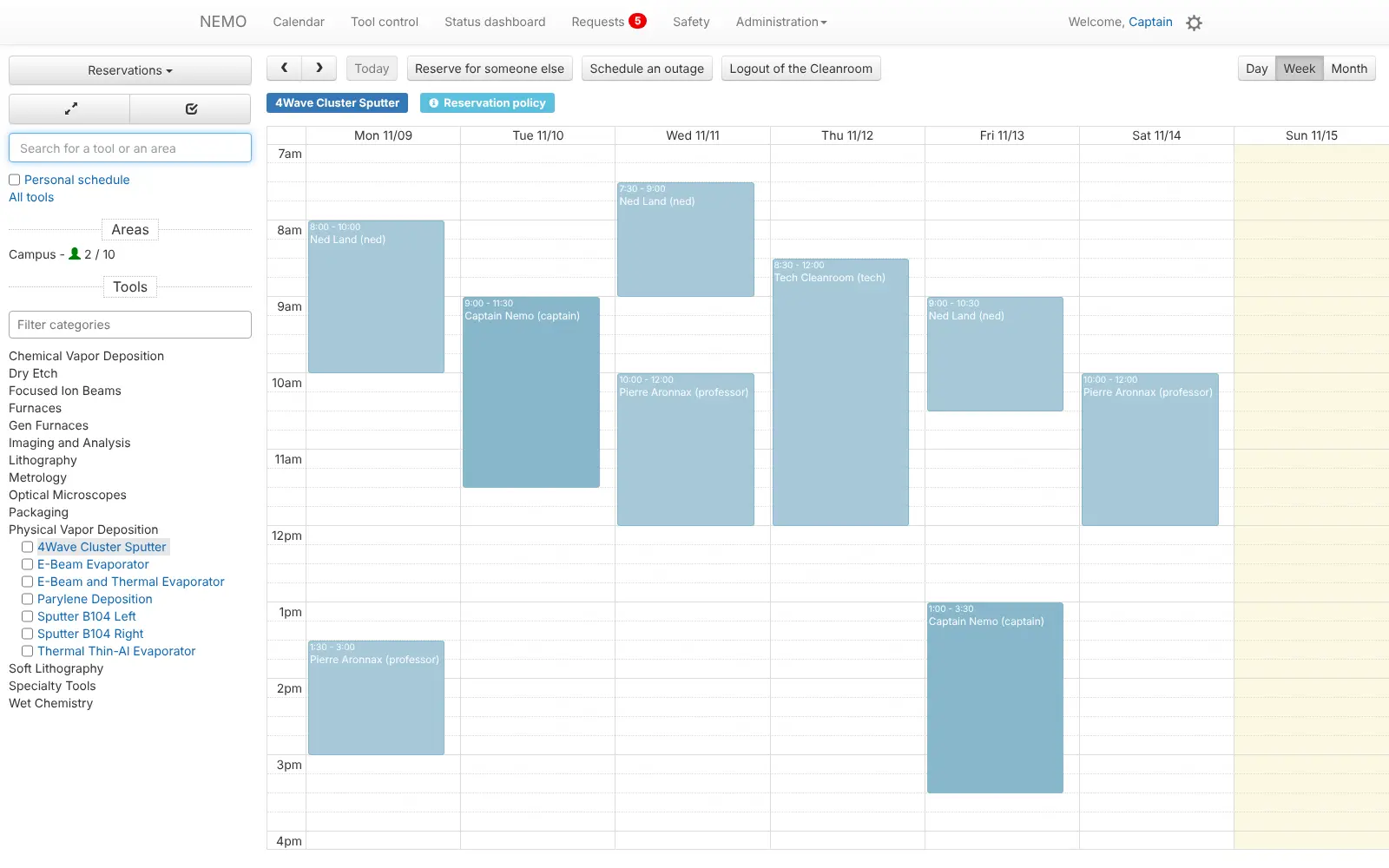
- Book tools on a calendar Lab users reserve instruments and rooms by day, week or month, and staff can book for someone else or schedule an outage.
- Turn tools on and off Users enable a tool when they start and disable it when they finish, and optional interlocks can cut its power when nobody is signed on.
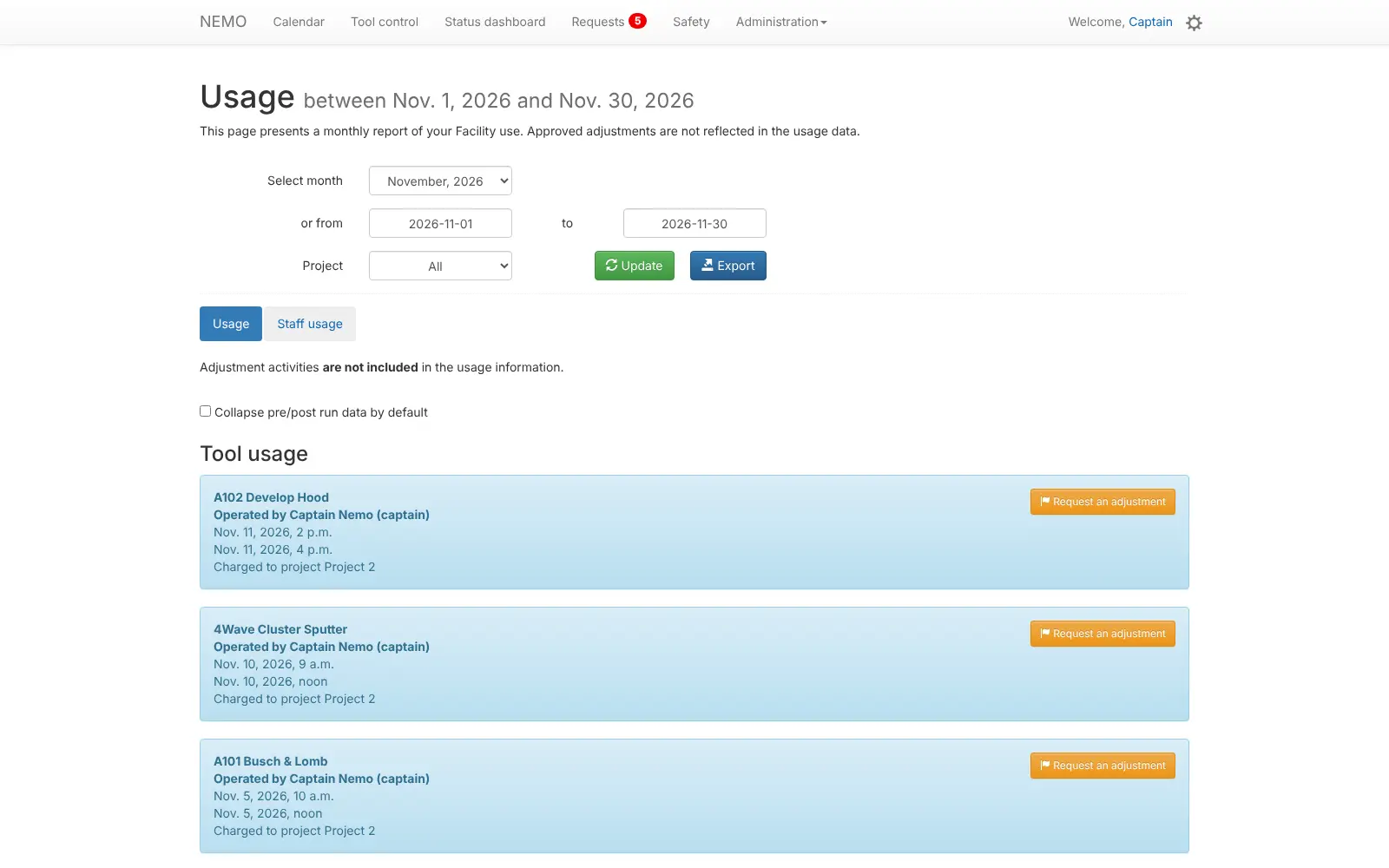
- Charge every use to a project Tool time, room access, staff time and supplies are recorded against a project or account, with monthly usage reports to export.
- Only trained people use each tool Record who is qualified on which instrument, so only trained users can book it or switch it on.
- Track problems and maintenance Users report a fault on a tool, and staff follow each task by urgency, category and whether the tool must shut down.
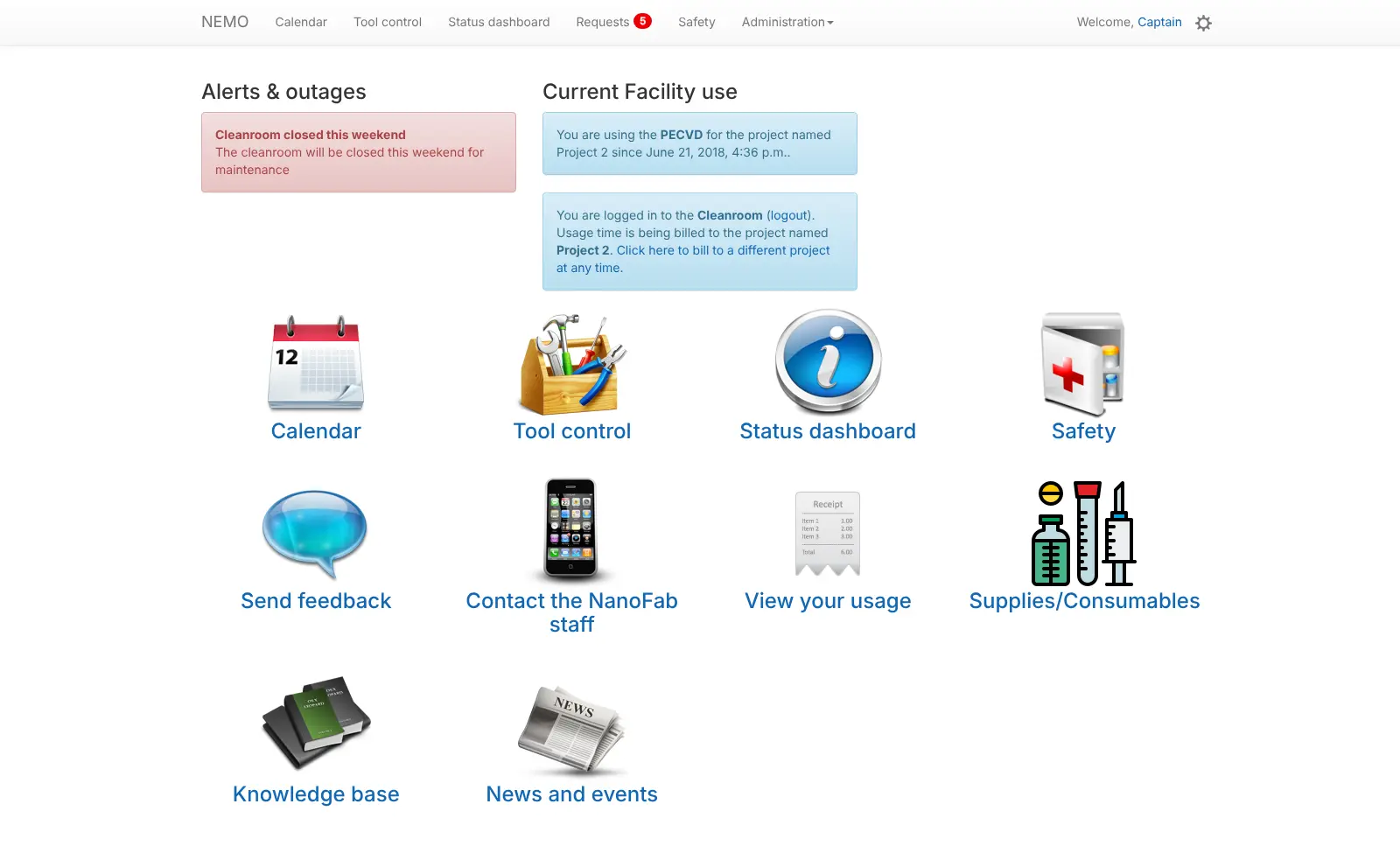
- See who is in the lab A status dashboard shows who is in each room and which tools are in use, fed by sign-in kiosks or badge readers at the door.
- Keep the lab informed Post alerts, news, safety issues and a knowledge base, and let users request supplies, access or a usage correction.
Replaces Agilent iLab and Stratocore PPMS
NEMO does the same job as Agilent iLab and Stratocore PPMS. Here is what changes when you switch.
- No licence or subscription fee for the software
- Your lab's usage and billing data stays on your own server
- Tool control and interlocks built in, designed in a working NIST cleanroom
- Code you can adapt, with plugins from NIST and the NEMO community
- Core NEMO produces usage data; invoices need a billing plugin or your own billing system
- There is no importer from iLab or PPMS
- Interlocks and door kiosks need hardware and some setup
- Settings live in a plain admin back office rather than a guided setup
What happens when you click Deploy?
You do not need a server or any technical knowledge. Four steps, and NEMO is running at its own web address.
- Step 1 Click Deploy and create your account
Deploy takes you to Cloudgate. Create an account, or log in if you have one. NEMO itself is free.
- Step 2 Choose a server
No server? Get one from Cloudgate: pick a size and a country, and Cloudgate gets it ready. Already have one? Connect it instead.
- Step 3 Cloudgate sets up NEMO
It prepares the server, makes the passwords the app needs and starts it. There is nothing to install and nothing to write down.
- Step 4 Open your app and sign in
Your app gets a free web address to start, without https. Add your own domain, like app.yourshop.com, and Cloudgate secures it with https for you.
New to Cloudgate? See what Cloudgate is
Run Cloudgate yourself? Deploy from your own console
In your Cloudgate console, open Templates and choose NEMO.
Questions
What is NEMO lab management software?
NEMO is free laboratory logistics software from the US National Institute of Standards and Technology (NIST). It handles instrument reservations, tool access with interlocks, training records, maintenance and usage tracking for shared labs and cleanrooms.
Is NEMO free?
Yes. NEMO is free to use, change and share under NIST's software licence; code written by NIST staff is not under copyright in the US. You only acknowledge NIST and keep the notice, and you pay only for your server.
Is NEMO a good alternative to iLab or PPMS?
Yes, for labs whose main needs are instrument booking, tool control and usage tracking per project. Those products are hosted services licensed to institutions and include invoicing; with NEMO you run it yourself and send its usage data to a billing plugin or your institution's finance system.
How do I sign in to NEMO the first time?
Sign in with the username admin and the password Cloudgate shows on the app's variables page. To add a lab user, create them with a password on the user directory page, then add a NEMO user with the same username.
Can NEMO bill for instrument time?
Partly. NEMO records every tool use, room visit, staff charge and supply against a project, with monthly reports and a billing data feed. Rates and invoices come from the NEMO-billing plugin or your own billing system.
Do I need special hardware to use NEMO?
No. NEMO's booking, usage tracking and maintenance work in any web browser. Interlocks that cut a tool's power and badge readers at the door are optional extras that need hardware.
Can I import my data from iLab or PPMS?
No. NEMO has no importer from iLab or PPMS, so you set up your tools, projects and users again in its admin back office, which most labs do at the start of a billing period. Keep your old system's exports for past billing.
What server size does NEMO need?
A small server with 1 GB of memory is enough for one lab, because NEMO is a light web app with a single-file database. Cloudgate sets it up with a small user directory for sign-in.
Do I need technical skills to run NEMO?
No. Click Deploy, create your Cloudgate account and choose a server, and Cloudgate sets up NEMO and gives it a web address. You use it in your browser like any other online tool.
Do I need my own server for NEMO?
No. When you deploy NEMO, hosted Cloudgate can provide a server. If you already rent one, you can connect it instead.
Related apps

A self-hosted web archive that keeps lasting copies of web pages.

Archives management with a public catalogue.

Publish your organisation's datasets on your own open data portal.

An open-source electronic lab notebook and inventory for your lab.