
LibreBooking
Book shared rooms, desks and equipment from one clear calendar.
No server needed to start: Cloudgate can provide one. What happens when you click Deploy




What is LibreBooking?
LibreBooking is self-hosted room booking software: your team books meeting rooms, desks and equipment from one calendar, with approvals, quotas and reports.
LibreBooking is self-hosted room booking software: a free, open-source alternative to Skedda, Robin and Condeco that lets your team book shared meeting rooms, desks and equipment from one web calendar. People see what is free and book it in a few clicks, while you set the rules.
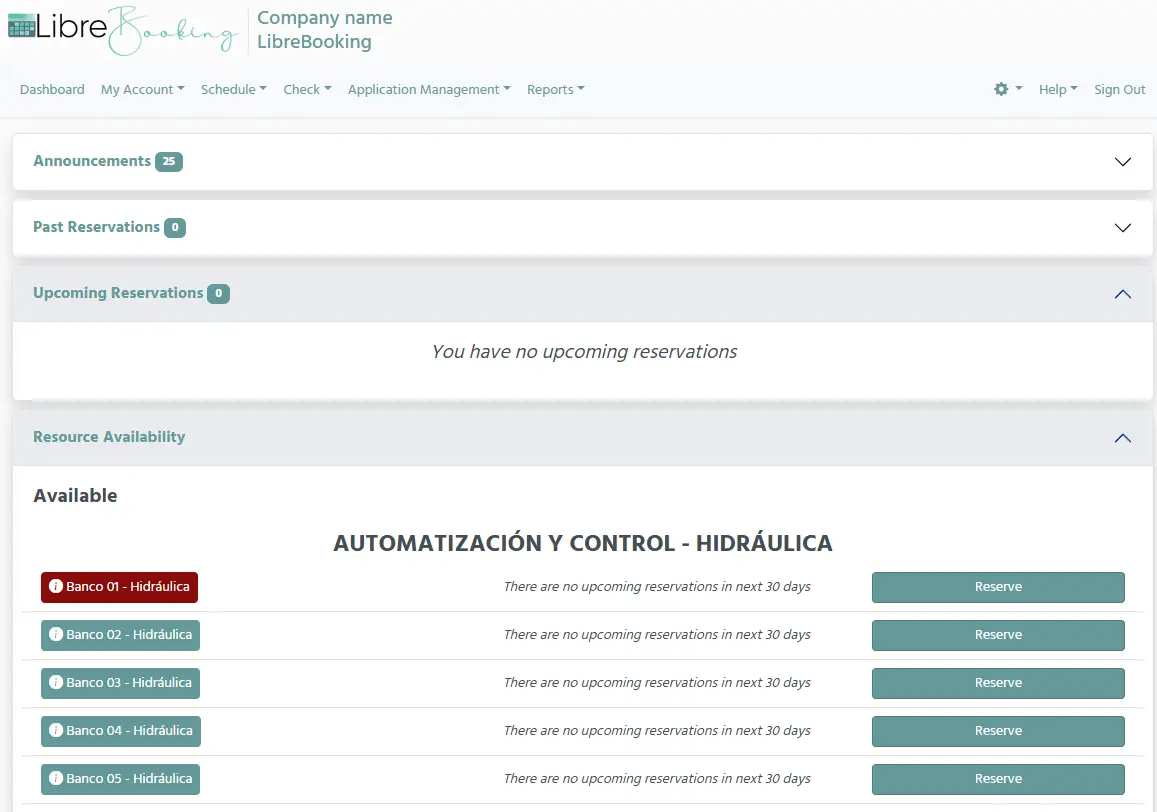
Each room or item can have its own rules: how long a booking may last, how far ahead people can book, whether an administrator must approve it, and how many hours each person may use per week. People can check in when they arrive, and a room nobody claims is released for others. A school, for example, could let teachers book the computer room, the projectors and the minibus, with the minibus needing the office's approval and each class limited to two hours a week.
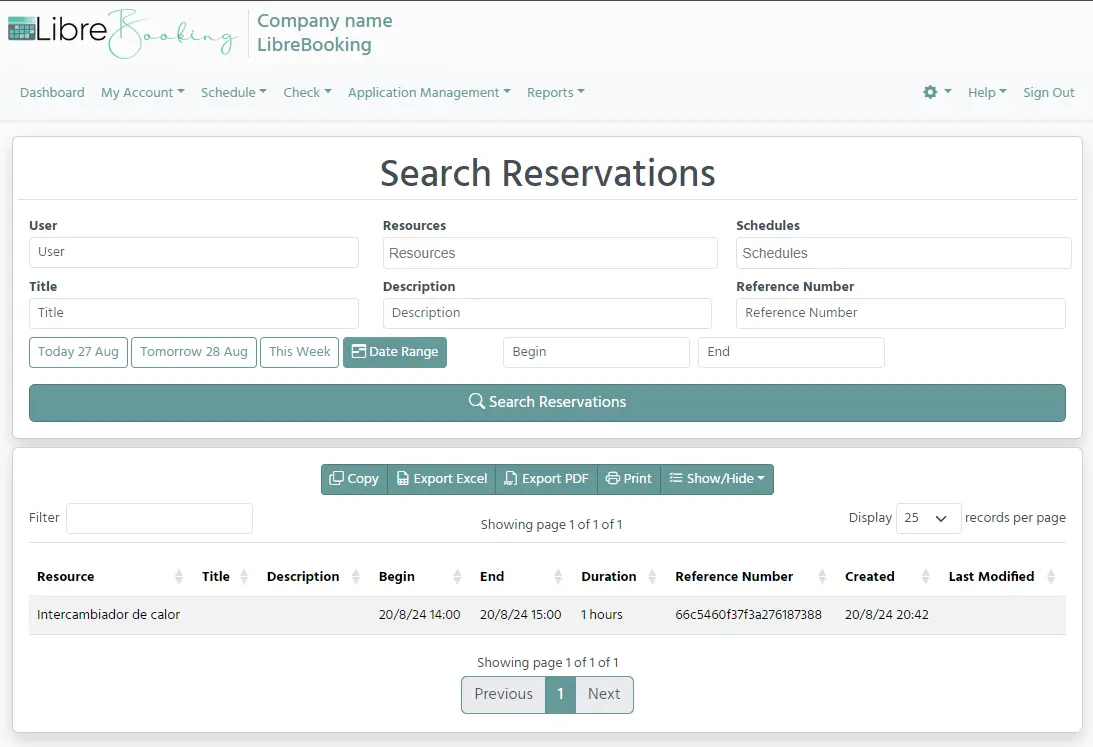
LibreBooking works in any browser, including on phones. Bookings appear in Outlook, Thunderbird or Google Calendar through a calendar feed, reports show how much each resource is used, and lists export to Excel or PDF. It can also sign people in with your company's existing login.
Cloudgate installs LibreBooking on a server Cloudgate provides or one you connect, together with its database and the job that sends reminders, and gives it a secure web address. Register with the admin email you chose, then add your rooms and equipment.
What you can do with LibreBooking
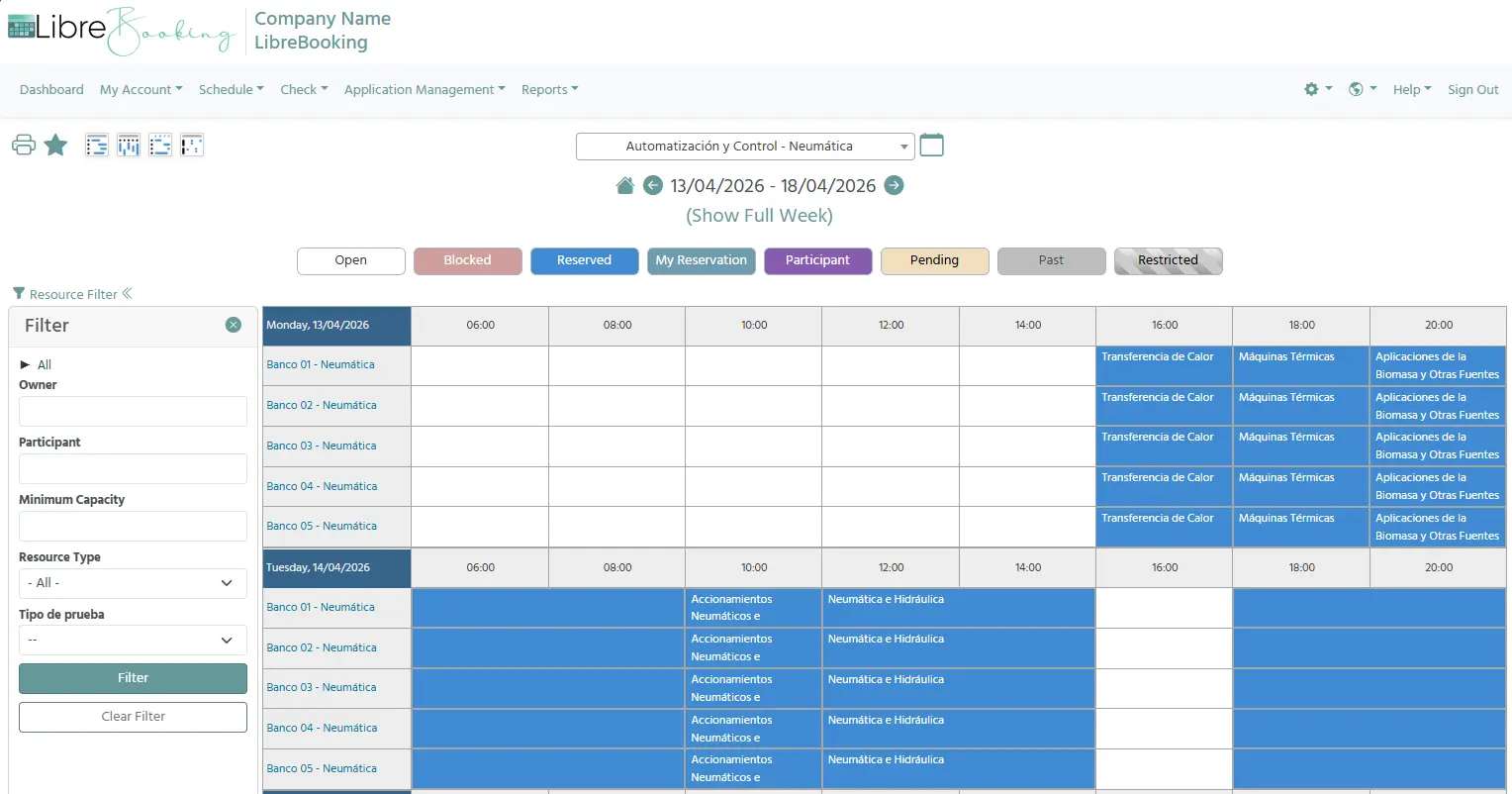
- See every room on one schedule A day or week grid shows which rooms, desks or items are free, booked, pending or blocked.
- Set the booking rules Choose minimum and maximum booking lengths, how far ahead people can book, buffer time between bookings and who may book what.
- Approve bookings when it matters Make chosen rooms or equipment need an administrator's approval before a booking is confirmed.
- Keep usage fair Limit how many hours or bookings each person or group can make per day, week or month.
- Book what goes with the room Add projectors, chairs or other accessories to a booking, and repeat bookings every week.
- Check in or free the room Ask people to check in, and release the room automatically when no one turns up.
- Get reminders and calendar feeds Send email confirmations and reminders, and show bookings in Outlook, Thunderbird or Google Calendar.
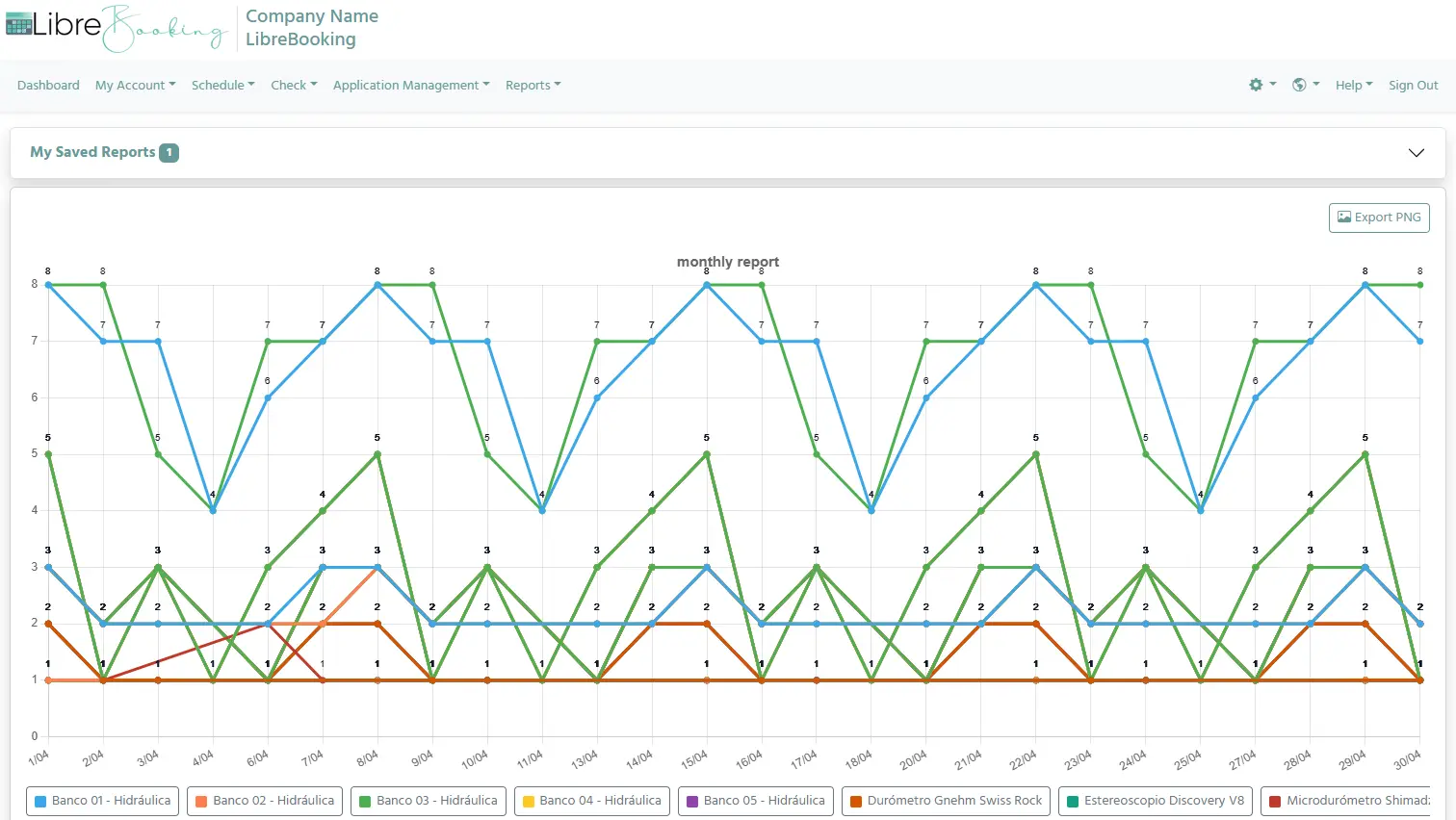
- Report on usage See how often each resource is used, save reports, and export lists to Excel or PDF.
Replaces Skedda and Robin
LibreBooking does the same job as Skedda and Robin. Here is what changes when you switch.
- No price per room, desk or user, however many you add
- Booking rules, approvals and quotas without a higher plan
- Your bookings and staff list stay on your own server
- No floor plan or desk map to click on
- Bookings show in Outlook or Google Calendar as a feed, without two-way sync
- No phone app; it works in your phone's browser
- The look is plain and practical rather than polished
What happens when you click Deploy?
You do not need a server or any technical knowledge. Four steps, and LibreBooking is running at its own web address.
- Step 1 Click Deploy and create your account
Deploy takes you to Cloudgate. Create an account, or log in if you have one. LibreBooking itself is free.
- Step 2 Choose a server
No server? Get one from Cloudgate: pick a size and a country, and Cloudgate gets it ready. Already have one? Connect it instead.
- Step 3 Cloudgate sets up LibreBooking
It prepares the server, makes the passwords the app needs and starts it. There is nothing to install and nothing to write down.
- Step 4 Open your app and sign in
Your app gets a free web address to start, without https. Add your own domain, like app.yourshop.com, and Cloudgate secures it with https for you.
New to Cloudgate? See what Cloudgate is
Run Cloudgate yourself? Deploy from your own console
In your Cloudgate console, open Templates and choose LibreBooking.
Questions
Is LibreBooking free?
Yes, LibreBooking is free and open source under the GPL-3.0 licence. There is no paid edition and no price per room, desk or user; you pay only for your server.
Is LibreBooking a good alternative to Skedda?
Yes, for booking shared rooms and equipment with rules. LibreBooking has schedules, approvals, quotas, limits, check-in and usage reports, with no fee per space. Skedda has an interactive floor plan and a more polished look, which LibreBooking does not have.
Can LibreBooking book desks and equipment as well as rooms?
Yes. In LibreBooking, anything people share can be a resource, such as a meeting room, a desk, a projector, a van or a lab instrument, each with its own rules, photo and capacity.
Does LibreBooking work with Outlook or Google Calendar?
Partly. Each person can add their bookings to Outlook, Thunderbird or Google Calendar through a calendar feed, but bookings are made in LibreBooking, not from the calendar app.
How do I sign in to LibreBooking the first time?
Open your LibreBooking address, choose to create an account, and register with the admin email you entered when setting it up; that account becomes the administrator. There is no default password.
Is there a LibreBooking phone app?
No, there is no app store app, but LibreBooking's pages are built to work on phones, so people can book from their phone's browser.
Should I use LibreBooking or Easy!Appointments?
Use LibreBooking when your team or members book shared rooms and equipment. Use Easy!Appointments when customers book a time slot with you or your staff for a service.
Do I need technical skills to run LibreBooking?
No. Click Deploy, create your Cloudgate account and choose a server, and Cloudgate sets up LibreBooking and gives it a web address. You use it in your browser like any other online tool.
Do I need my own server for LibreBooking?
No. When you deploy LibreBooking, hosted Cloudgate can provide a server. If you already rent one, you can connect it instead.
Can I move my data from Skedda to LibreBooking?
Most people export from Skedda and import into LibreBooking. The official guides at librebooking.readthedocs.io walk through it.
Related apps

Let clients book time with you from a simple link.

A light, self-hosted booking link for consultants and small teams.

Answer website chat, email, WhatsApp and social in one inbox.

Lightweight self-hosted short links, with expiry and QR codes.