
Chhoto URL
Lightweight self-hosted short links, with expiry and QR codes.
No server needed to start: Cloudgate can provide one. What happens when you click Deploy
What is Chhoto URL?
Chhoto URL is a lightweight, self-hosted URL shortener: custom short links on your own domain, with link expiry, QR codes and private hit counts.
Chhoto URL is a free, open-source, self-hosted URL shortener and a lightweight alternative to Bitly and TinyURL: it turns long web addresses into short links on your own domain, with expiry dates, QR codes and a private hit count for each. "Chhoto" is Bangla for small, and the app is built to stay that way.
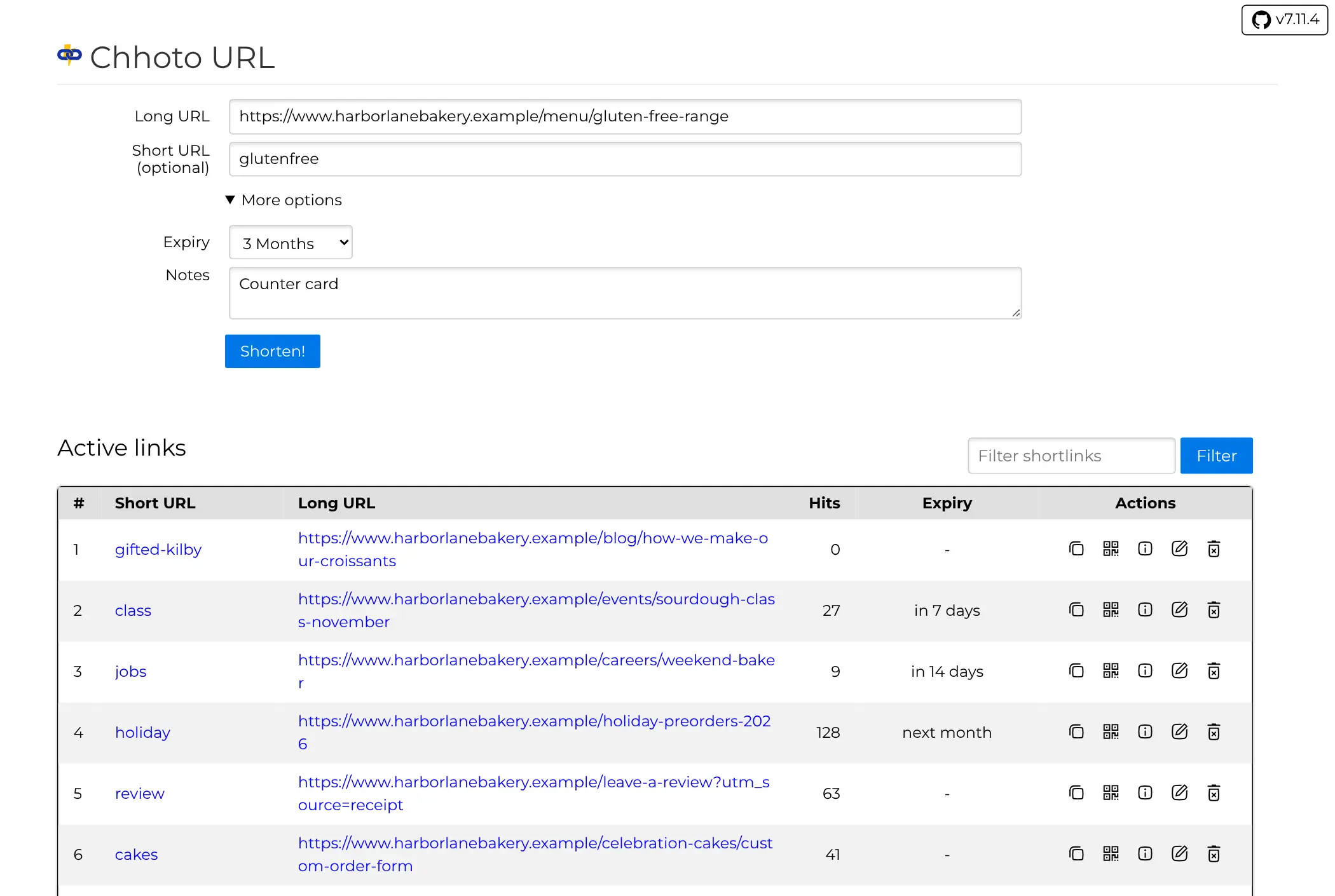
It suits a person or small business that wants tidy links for flyers, menus and social posts without paying for a link service. A bakery, for example, could print go.yourbakery.com/holiday on its pre-order leaflet with a QR code, set the link to expire after the holidays, note where it was printed, and check how many people opened it.
There are no click charts, maps or referrer lists: Chhoto URL counts hits and records nothing else about your visitors. One password opens the app, with no user accounts. The page works well on a phone, and there is no separate phone app. Its maintainer considers it complete, so expect fixes rather than new features.
Cloudgate installs Chhoto URL on a server Cloudgate provides or one you connect and gives it a secure web address, which is also the domain your short links use. It needs very little memory, so it fits the smallest server. Your links and hit counts stay on your server.
What you can do with Chhoto URL
- Short links on your domain Paste a long web address and get a short link on your own domain, with an ending you type or a random one such as gifted-kilby.
- Links that expire Set a link to stop working after 10 minutes, a day, a week, a few months or a year, or keep it forever.
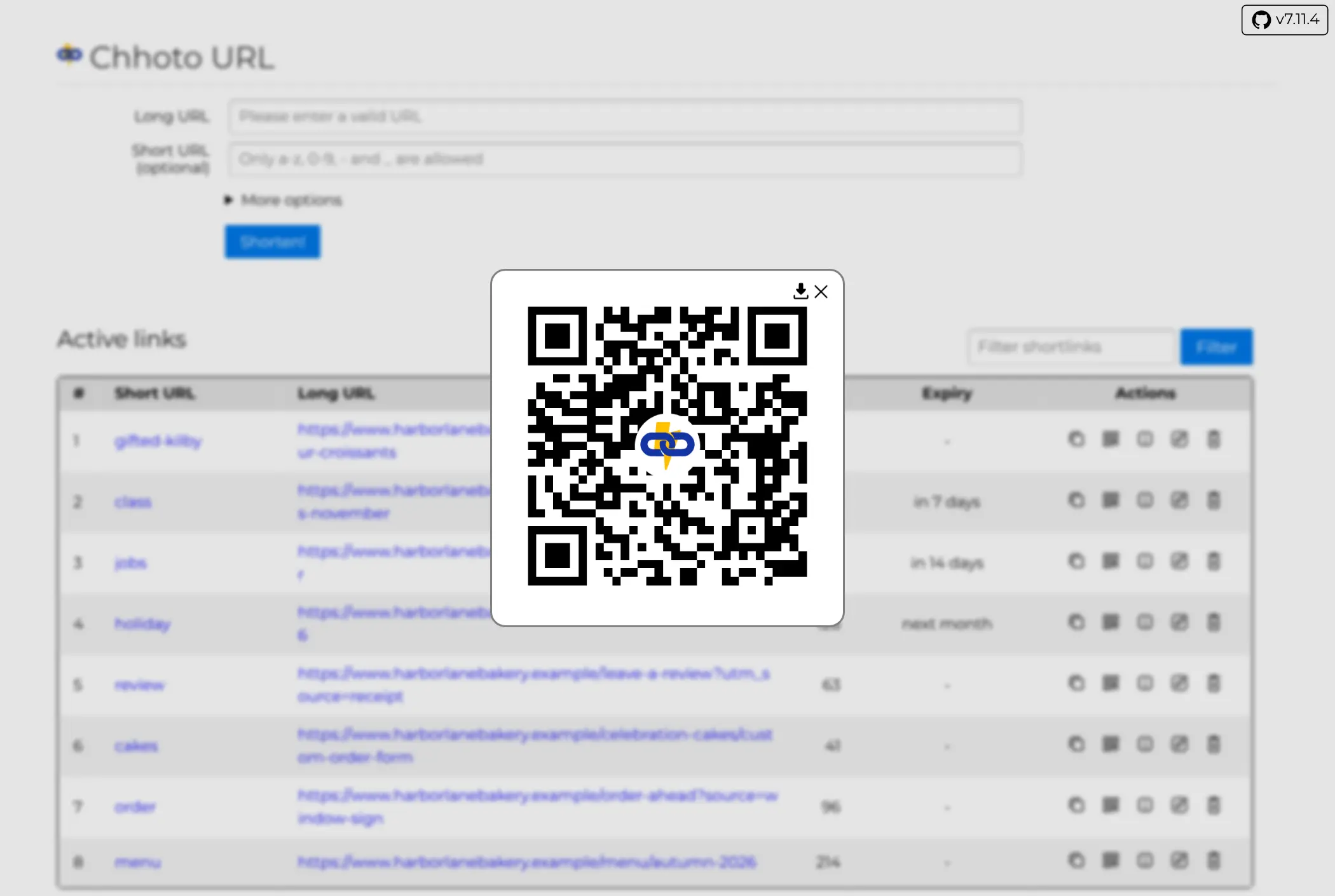
- A QR code for every link Open the QR code for any short link and download it for a flyer, menu or shop window.
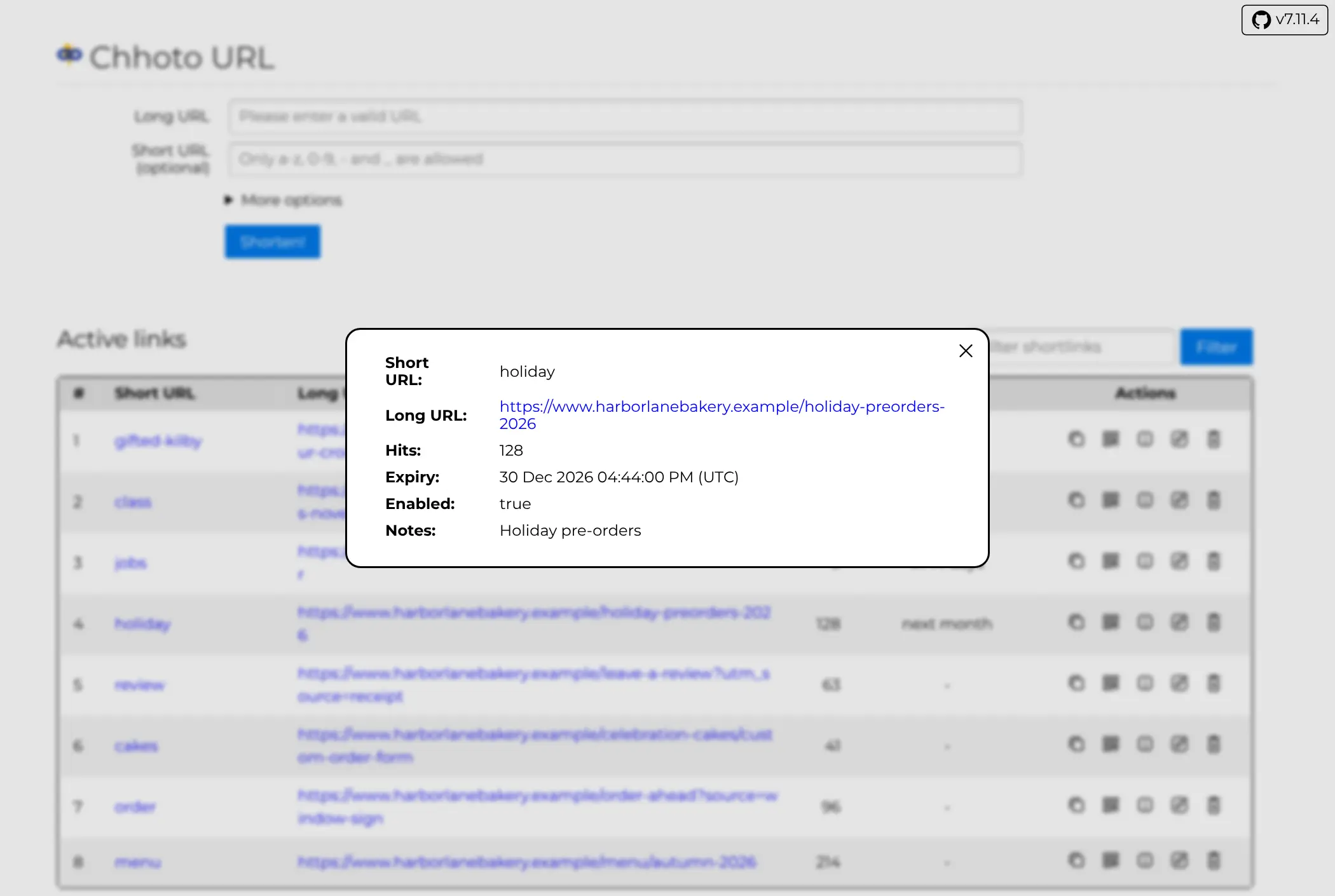
- Notes and a quick filter Add a note to each link, such as where you printed it, and filter your list by link or note.
- Edit or pause a link Change where a short link points after you've shared it, or turn it off for a while without deleting it.
- Hit counts without tracking Each link counts how many times it was opened, and nothing else about your visitors is recorded.
- Works on your phone The page fits a phone screen and switches to dark mode with your device.
- Connect other tools An API and an official command-line tool create links from scripts and other apps, several at a time.
Replaces Bitly, TinyURL and Rebrandly
Chhoto URL does the same job as Bitly, TinyURL and Rebrandly. Here is what changes when you switch.
- No limit on links or clicks, and no monthly fee
- Your own domain and your own endings on every link
- Link expiry, QR codes and notes, all built in
- Free and open source, with no paid edition
- Only a hit count per link, with no charts, countries or referrers
- One shared password and no user accounts
- No import, so your bit.ly links don't move across
- No campaigns, link-in-bio pages or phone app
What happens when you click Deploy?
You do not need a server or any technical knowledge. Four steps, and Chhoto URL is running at its own web address.
- Step 1 Click Deploy and create your account
Deploy takes you to Cloudgate. Create an account, or log in if you have one. Chhoto URL itself is free.
- Step 2 Choose a server
No server? Get one from Cloudgate: pick a size and a country, and Cloudgate gets it ready. Already have one? Connect it instead.
- Step 3 Cloudgate sets up Chhoto URL
It prepares the server, makes the passwords the app needs and starts it. There is nothing to install and nothing to write down.
- Step 4 Open your app and sign in
Your app gets a free web address to start, without https. Add your own domain, like app.yourshop.com, and Cloudgate secures it with https for you.
New to Cloudgate? See what Cloudgate is
Run Cloudgate yourself? Deploy from your own console
In your Cloudgate console, open Templates and choose Chhoto URL.
Questions
Is Chhoto URL free?
Yes, Chhoto URL costs nothing. It is open source under the MIT licence, every feature is in the free app, and there is no cap on links or clicks. Your only cost is the server, and it fits the smallest one.
Is Chhoto URL a good alternative to Bitly?
Yes, Chhoto URL is a good Bitly alternative if you want plain short links on your own domain, with custom endings, expiry dates and QR codes, and a hit count is all the stats you need. It has no click charts, campaigns, link-in-bio pages or team accounts.
How do I sign in to Chhoto URL the first time?
Open your Chhoto URL address and enter the password Cloudgate created, which is shown on the app's variables page. There is no setup step and no username; that one password opens the page where you make and manage links.
Does Chhoto URL track the people who click my links?
No, Chhoto URL only counts how many times each link is opened. It records no countries, referrers, devices or other details about visitors, and it sets no tracking cookies on them.
Should I choose Chhoto URL or YOURLS?
Choose Chhoto URL for the simplest app, with link expiry, QR codes, notes and a phone-friendly page built in. Choose YOURLS if you want detailed stats for each link, such as clicks over time, countries and referring sites, or its plugins.
Can I import my links from Bitly into Chhoto URL?
No, there is no importer for Bitly or any other service, and bit.ly links can never leave Bitly. Recreate the links you still share in Chhoto URL; if they used a branded domain of yours, point that domain at Chhoto URL and reuse the same endings so printed links keep working.
Can each person on my team have their own Chhoto URL login?
No, Chhoto URL has one password and no user accounts, by design. Everyone who has the password sees and manages every link; for separate links per person, install a separate copy for each.
Do I need technical skills to run Chhoto URL?
No. Click Deploy, create your Cloudgate account and choose a server, and Cloudgate sets up Chhoto URL and gives it a web address. You use it in your browser like any other online tool.
Do I need my own server for Chhoto URL?
No. When you deploy Chhoto URL, hosted Cloudgate can provide a server. If you already rent one, you can connect it instead.
Related apps

Short, branded links on your own domain, with click stats.

Short links on your domain, with detailed visit stats.

Short links with detailed click stats and plugins.

Short links on your own domain, with secrets, expiry and use limits.