
Chatwoot
Answer website chat, email, WhatsApp and social in one inbox.
No server needed to start: Cloudgate can provide one. What happens when you click Deploy
What is Chatwoot?
Self-hosted Chatwoot: an open-source Intercom and Zendesk alternative that puts website chat, email, WhatsApp and social messages in one shared inbox.
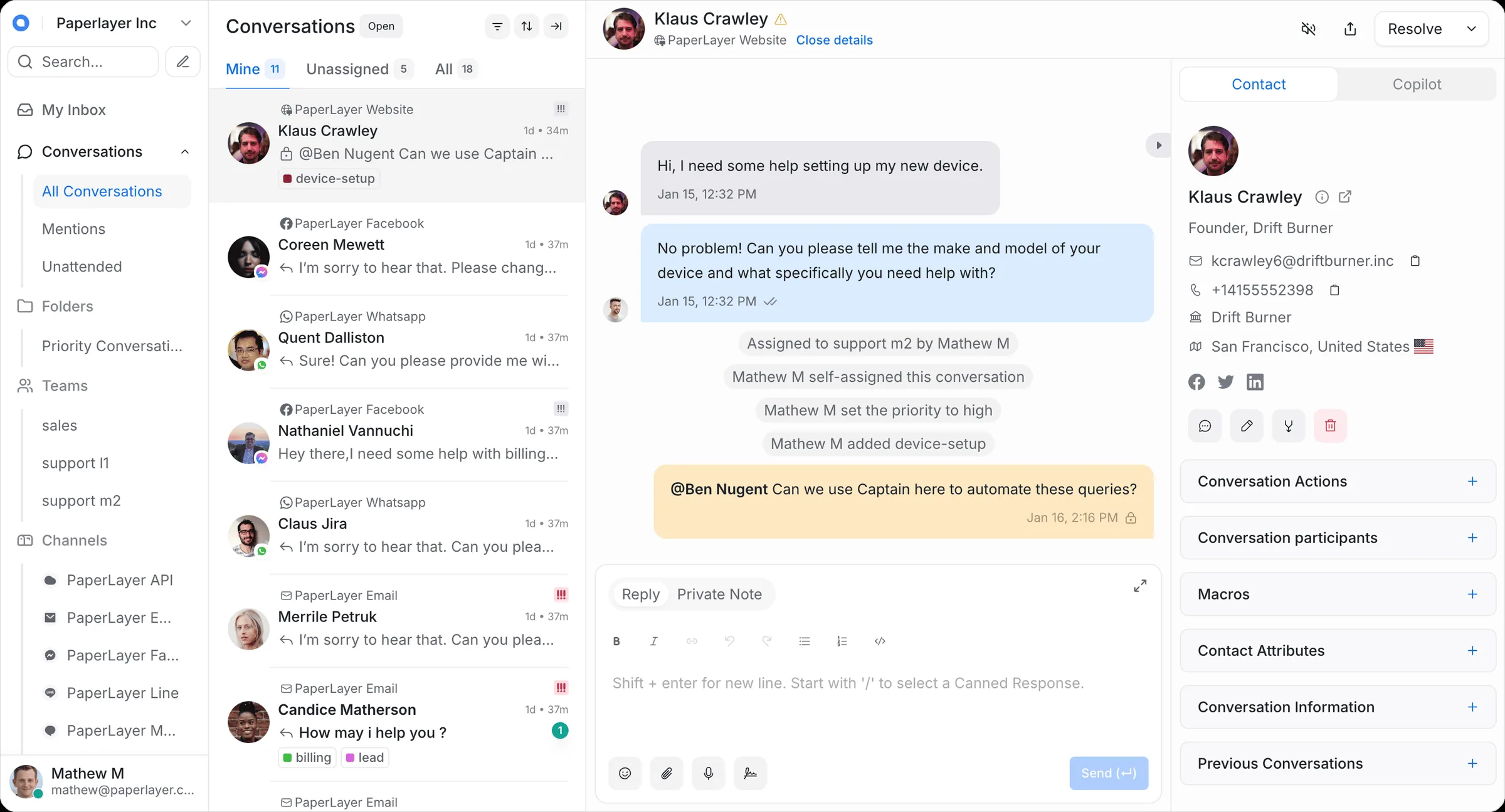
Chatwoot is an open-source customer support app that brings every customer conversation into one shared inbox. Messages from the chat window on your website, your support email address, WhatsApp, Facebook, Instagram and Telegram all arrive in the same place, so nobody has to check five apps to see who is waiting for an answer.
Your team can assign conversations to each other, add private notes and use saved replies for common questions. You can also publish a help centre with articles customers can find on their own, and see reports on response times and satisfaction ratings. An online shop, for example, can have two people answering chat and email during the day, with every past conversation with a customer in front of them.
Chatwoot has free apps for iPhone and Android and connects to other tools through webhooks, with ready-made integrations for services such as Slack and Dialogflow. The chat window is added to a website by pasting one snippet of code. To invite teammates and reply by email you need an email sending service, which you can fill in during setup.
Cloudgate installs Chatwoot, its database and its background workers on a server Cloudgate provides or one you connect and gives it a secure web address. The first person to open that address creates the admin account, connects the channels and invites the support team.
What you can do with Chatwoot
- One shared inbox Messages from website chat, email, WhatsApp, Facebook, Instagram and Telegram arrive in one place.
- Chat on your website Add a chat window to your site so visitors can ask questions and get answers while they browse.
- Work as a team Assign conversations, leave private notes for colleagues and see who is already replying.
- Answer faster Save replies to common questions and insert them with a shortcut.
- Help customers help themselves Publish a help centre with articles that answer the questions you get most.
- See how you are doing Track response times, conversation volume and customer satisfaction ratings.
- Reply from your phone Free iPhone and Android apps let your team answer customers on the go.
Replaces Intercom and Zendesk
Chatwoot does the same job as Intercom and Zendesk. Here is what changes when you switch.
- No price per support agent
- Customer conversations stay on your own server
- Chat, email and social messages in one inbox
- Fewer automation and AI features than Intercom
- Inviting your team and replying by email need an email sending service
- You connect each channel yourself, once, in the settings
- There is no one-click import of past Intercom or Zendesk conversations
What happens when you click Deploy?
You do not need a server or any technical knowledge. Four steps, and Chatwoot is running at its own web address.
- Step 1 Click Deploy and create your account
Deploy takes you to Cloudgate. Create an account, or log in if you have one. Chatwoot itself is free.
- Step 2 Choose a server
No server? Get one from Cloudgate: pick a size and a country, and Cloudgate gets it ready. Already have one? Connect it instead.
- Step 3 Cloudgate sets up Chatwoot
It prepares the server, makes the passwords the app needs and starts it. There is nothing to install and nothing to write down.
- Step 4 Open your app and sign in
Your app gets a free web address to start, without https. Add your own domain, like app.yourshop.com, and Cloudgate secures it with https for you.
New to Cloudgate? See what Cloudgate is
Run Cloudgate yourself? Deploy from your own console
In your Cloudgate console, open Templates and choose Chatwoot.
Questions
Is Chatwoot free?
Yes. The Chatwoot community edition that Cloudgate installs is free and open source under the MIT licence, with no fee per agent. You pay only for hosting and for any email or WhatsApp service you connect.
Is Chatwoot a good alternative to Intercom or Zendesk?
Yes, for small and medium support teams that mainly need a shared inbox, live chat and a help centre. It has fewer automation and AI features than Intercom, but it costs nothing per agent and keeps conversations on your server.
Which channels can Chatwoot handle?
Chatwoot handles website live chat, email, WhatsApp, Facebook Messenger, Instagram, Telegram, LINE and SMS in one inbox. Each channel is connected once in the settings, and some, such as WhatsApp, need an account with that service.
How do I self-host Chatwoot?
The simplest way is to install it with Cloudgate on a server Cloudgate provides or one you connect. Cloudgate sets up Chatwoot with its database and background workers and gives it a secure web address; the first person to open it creates the admin account.
Can I import my data from Intercom or Zendesk?
Partly. You can import your customer contacts from a CSV file, but Chatwoot has no built-in import for past Intercom or Zendesk conversations.
Is my customer data private?
Yes. Conversations, contacts and attachments are stored on your own server, not with Chatwoot. Messages still pass through the services you connect, such as WhatsApp or Facebook.
Do I need an email service?
Yes, if you want to invite teammates or answer customers by email. During setup you can enter the details of an email sending service such as Mailgun, Brevo or your email provider's SMTP server.
Do I need technical skills?
No. Click Deploy, create your Cloudgate account and choose a server, and Cloudgate sets up Chatwoot and gives it a web address. You use it in your browser like any other online tool.
Do I need my own server?
No. When you deploy Chatwoot, hosted Cloudgate can provide a server. If you already rent one, you can connect it instead.


