
Legejo
A self-hosted e-book library that syncs with Kobo and KOReader.
No server needed to start: Cloudgate can provide one. What happens when you click Deploy


What is Legejo?
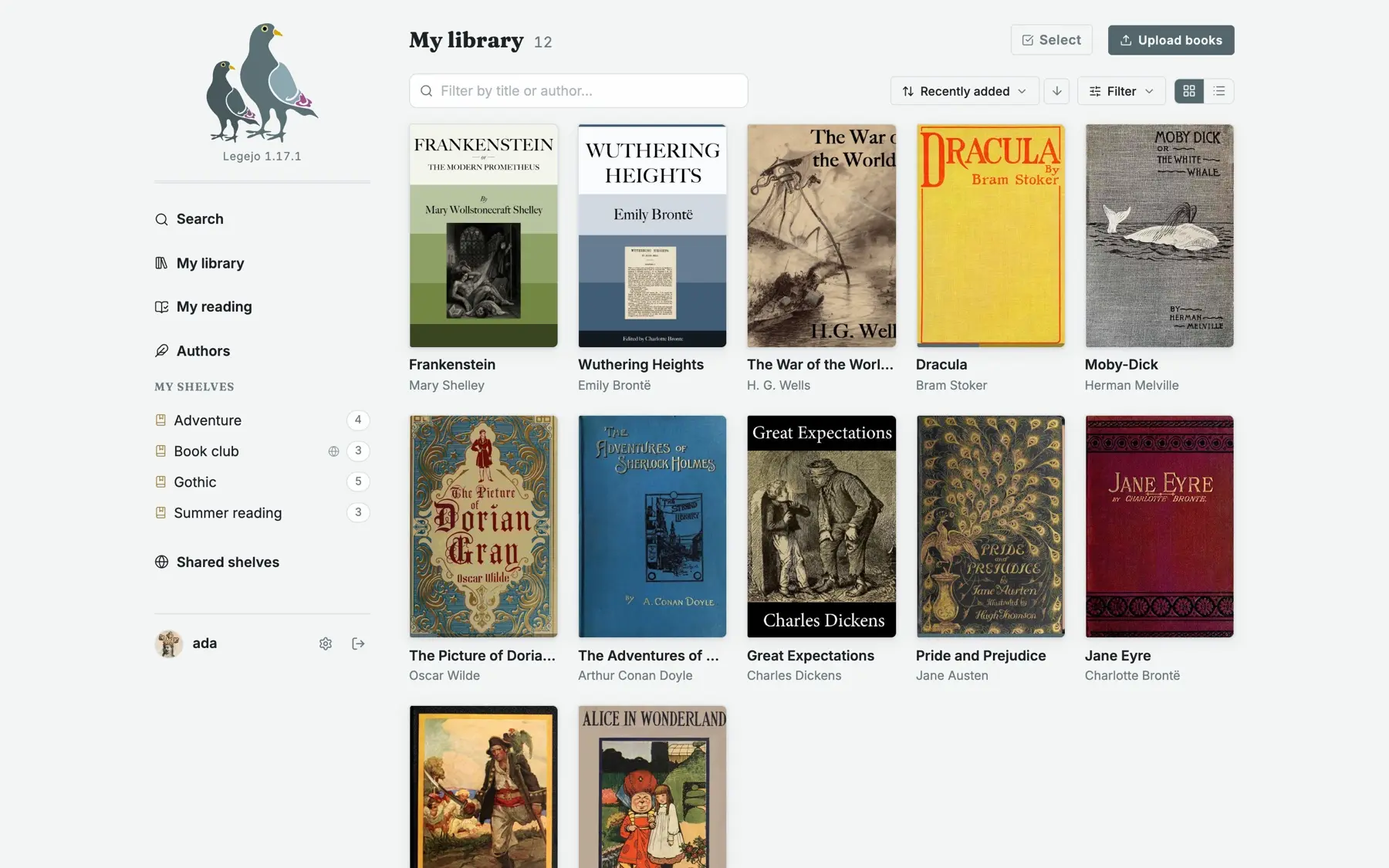
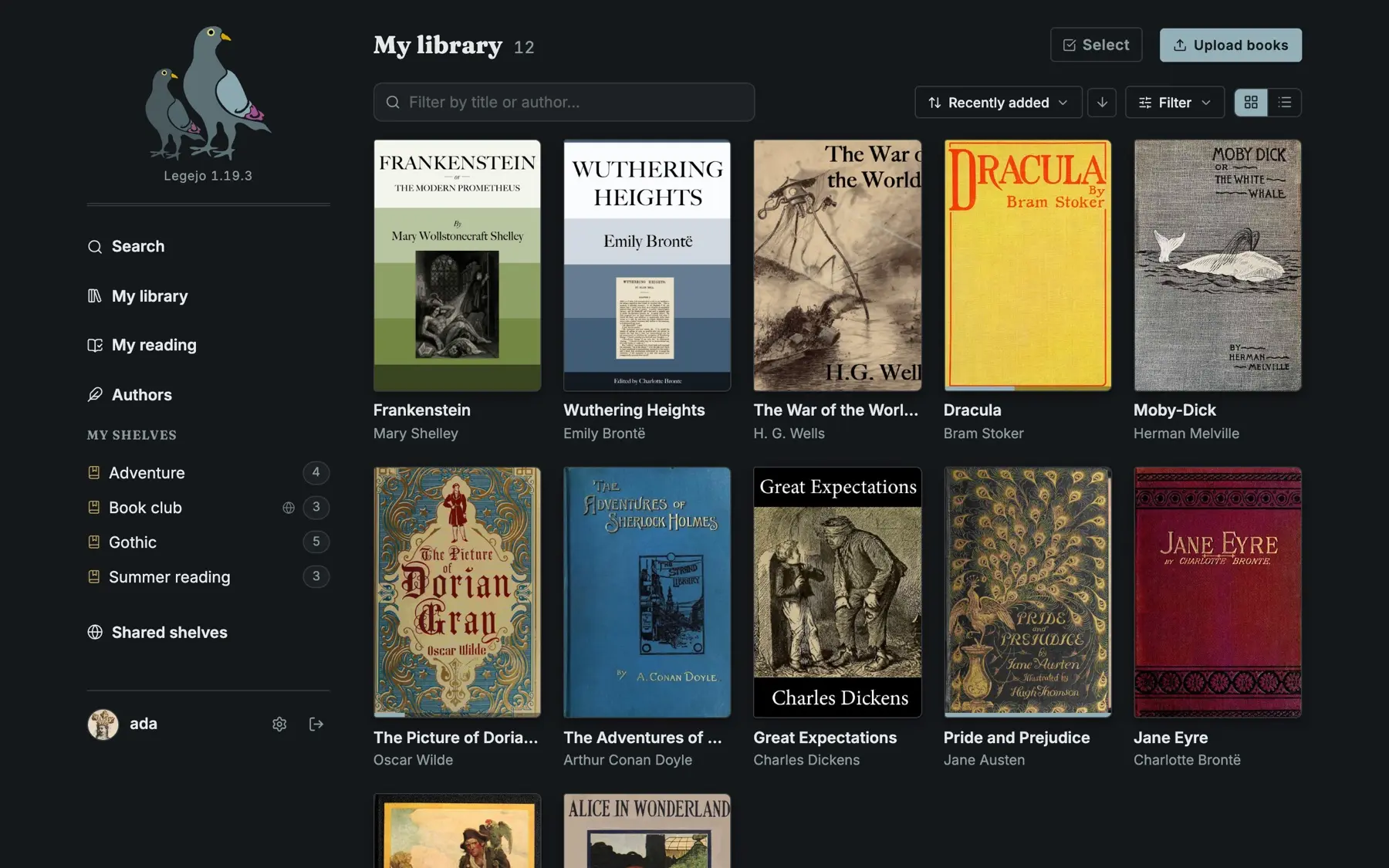
Legejo is a self-hosted e-book library: upload your EPUBs, read them in the browser and sync your place and highlights with a Kobo or KOReader.
Legejo is a free, open-source, self-hosted e-book library: it keeps the books you own on your own server and lets you read them in the browser, on a Kobo or in KOReader, with your place following you between devices, instead of relying on Kindle.
You upload EPUB, PDF and CBZ comic files, and Legejo checks and repairs each EPUB, fills in missing details from Open Library, and lets you sort books onto shelves with series and tags. A small book club, for example, could keep its reading on a shared Book club shelf, give each member an account, and have each member's Kobo pick up the month's book and sync their highlights.
Legejo is lighter and more focused than most book servers: it is made for e-books rather than comics, and puts e-reader sync first. A shelf can be shared with readers on your server or, by private link, with someone on another Legejo. Optional extras include audiobooks as private podcast feeds and word lists for learning a language. There is no store: you bring your own DRM-free books.
Cloudgate installs Legejo on a server Cloudgate provides or one you connect and gives it a secure web address, so your Kobo can reach it from anywhere.
What you can do with Legejo
- Your e-books, tidied on upload Every EPUB is checked and repaired, missing details come from Open Library, and title, author, series and cover are written back into the file.
- A reader in the browser Read with your own theme, typeface and margins, highlight and add notes, look up words and have the book read aloud; PDFs and CBZ comics open too.
- Kobo and KOReader sync A Kobo syncs its books, collections, place and highlights both ways, KOReader keeps your place, and any OPDS reading app can open the library.
- Shelves to share Keep a shelf private, share it with the readers on your server, or send it by private link to someone on another Legejo or in a reading app.
- Reading on your phone Add Legejo to your home screen, keep a book on the phone to read offline, and your place catches up when you are back online.
- Accounts for every reader Invite readers with a link, each with their own shelves and progress, and let everyone export their library and reading history.
- Optional extras Turn on audiobooks as private podcast feeds, word lists for learning a language from your books, or catalogues of free books such as Project Gutenberg.
Replaces Kindle
Legejo does the same job as Kindle. Here is what changes when you switch.
- Your DRM-free e-books from any shop or source in one private library, with no subscription
- Your place, highlights and notes follow you between the browser, a Kobo and KOReader
- Everyone in the household or club reads from the same server, each with their own shelves and progress
- No paid tier, no ads and no tracking; the books stay on your server
- There is no store; you bring your own DRM-free files, and Kindle purchases can't be imported
- Legejo keeps its own copy of each book, so it doesn't read an existing Calibre library or folder in place
- Comics are CBZ only, and audiobooks play in your podcast app rather than in Legejo
- Legejo is a young project, first released in October 2026 and updated often, so keep backups of your library
What happens when you click Deploy?
You do not need a server or any technical knowledge. Four steps, and Legejo is running at its own web address.
- Step 1 Click Deploy and create your account
Deploy takes you to Cloudgate. Create an account, or log in if you have one. Legejo itself is free.
- Step 2 Choose a server
No server? Get one from Cloudgate: pick a size and a country, and Cloudgate gets it ready. Already have one? Connect it instead.
- Step 3 Cloudgate sets up Legejo
It prepares the server, makes the passwords the app needs and starts it. There is nothing to install and nothing to write down.
- Step 4 Open your app and sign in
Your app gets a free web address to start, without https. Add your own domain, like app.yourshop.com, and Cloudgate secures it with https for you.
New to Cloudgate? See what Cloudgate is
Run Cloudgate yourself? Deploy from your own console
In your Cloudgate console, open Templates and choose Legejo.
Questions
Is Legejo free?
Yes. Legejo is free, open-source software under the AGPL-3.0 licence, with no paid tier, no store and no ads. You pay only for your server and its storage. The optional book suggestions from a language model need a key from a paid AI provider.
How is Legejo different from Calibre-Web or Kavita?
Legejo is built around EPUB e-books, with Kobo sync and a KOReader sync server included and every EPUB repaired and tagged on upload. Calibre-Web works on top of a library made with the Calibre desktop app, and Kavita is made for comics and manga as well as e-books.
Does Legejo sync with a Kobo or KOReader?
Yes. A Kobo syncs its books, collections, reading place and highlights with Legejo in both directions, and KOReader can sync your reading place with it. Other e-readers and reading apps can open the library over OPDS, and books can be sent to a Kindle once mail is set up.
How do I sign in to Legejo the first time?
The username is admin and the password is the one Cloudgate shows on the app's page; Cloudgate creates that account when Legejo first starts, so nobody else can claim it. Your library begins with The Legejo Cookbook, the user manual, written as a book.
Can I import my Kindle books into Legejo?
Only DRM-free files. Legejo reads EPUB, PDF and CBZ files you upload, but books bought in the Kindle store are copy-protected and can't be added as they are.
Is there a Legejo phone app?
No app-store app, but Legejo installs from the browser onto a phone's home screen and opens like an app. You can keep a book on the phone and read it offline.
What server size do I need for Legejo?
The smallest server is enough for Legejo; the project says it idles at around 30 MB of memory. Plan the disk for the size of your library and any audiobooks.
Do I need technical skills to run Legejo?
No. Click Deploy, create your Cloudgate account and choose a server, and Cloudgate sets up Legejo and gives it a web address. You use it in your browser like any other online tool.
Do I need my own server for Legejo?
No. When you deploy Legejo, hosted Cloudgate can provide a server. If you already rent one, you can connect it instead.
Related apps

A self-hosted library to read and listen, synced to Kobo and iPhone.

A self-hosted e-book library to browse, read and send your books.
A self-hosted e-book library that converts and tidies your books.

A self-hosted library for your e-books, comics and audiobooks.