Calibre-Web Automated
A self-hosted e-book library that converts and tidies your books.
No server needed to start: Cloudgate can provide one. What happens when you click Deploy
What is Calibre-Web Automated?
Calibre-Web Automated is a self-hosted e-book library, built on Calibre-Web, that converts and fixes the books you add for any e-reader.
Calibre-Web Automated is a free, open-source, self-hosted e-book library that imports, converts and tidies the books you add, instead of keeping them in a store's cloud such as Amazon's Kindle library. It is built on Calibre-Web and keeps everything it does, adding the jobs that otherwise needed the Calibre desktop program.
You upload e-books in the browser in almost any format, and each one is added to the library, converted to EPUB or another format you choose, and checked for faults that make Send to Kindle reject it. When you fix a cover or an author's name, the change is saved in the book file, not only on the web page. A small language school, for example, could upload graded readers from several publishers in mixed formats and email each one, ready to read, to its students' Kindles.
Like Calibre-Web, it lets you read in the browser, sync a Kobo, open the library in OPDS reading apps and give each person an account. There is no store: you bring your own DRM-free e-books, and email sending needs your email server's settings.
Cloudgate installs Calibre-Web Automated on a server Cloudgate provides or one you connect and gives it a secure web address. Sign in as admin with the password Cloudgate shows; the library starts empty, with uploads turned on.
What you can do with Calibre-Web Automated
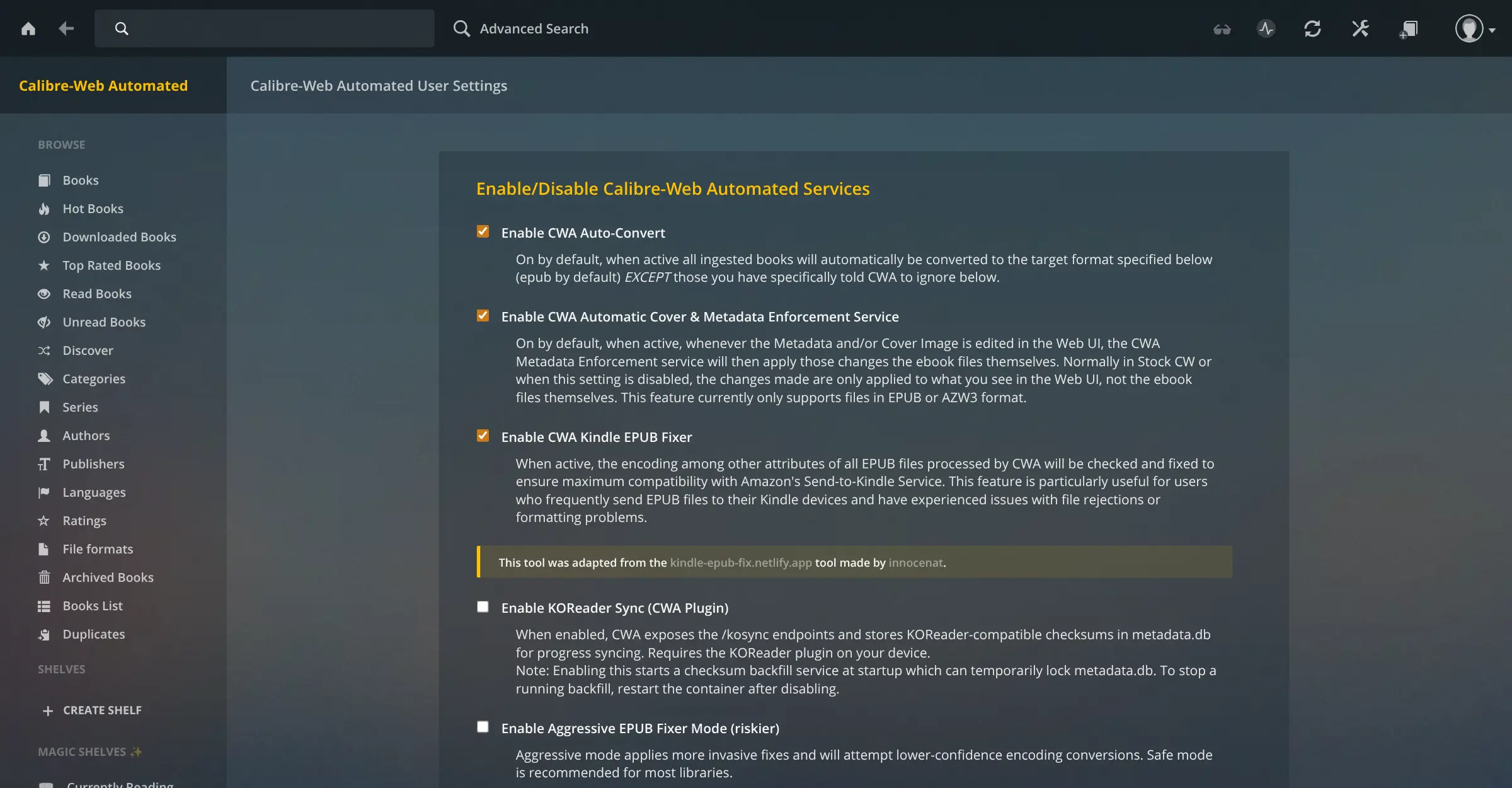
- Books converted as you add them Upload EPUB, MOBI, AZW3, PDF, DOCX and over 20 other formats, and each book is added to the library and converted to EPUB, or another format you choose.
- Edits saved into the book A new cover, title or author you set is written into the EPUB file itself, so the book shows it on your e-reader too.
- Fewer rejected Kindle sends A built-in fixer repairs common EPUB faults that make Amazon's Send to Kindle refuse a book, and you can email a book to several e-readers at once.
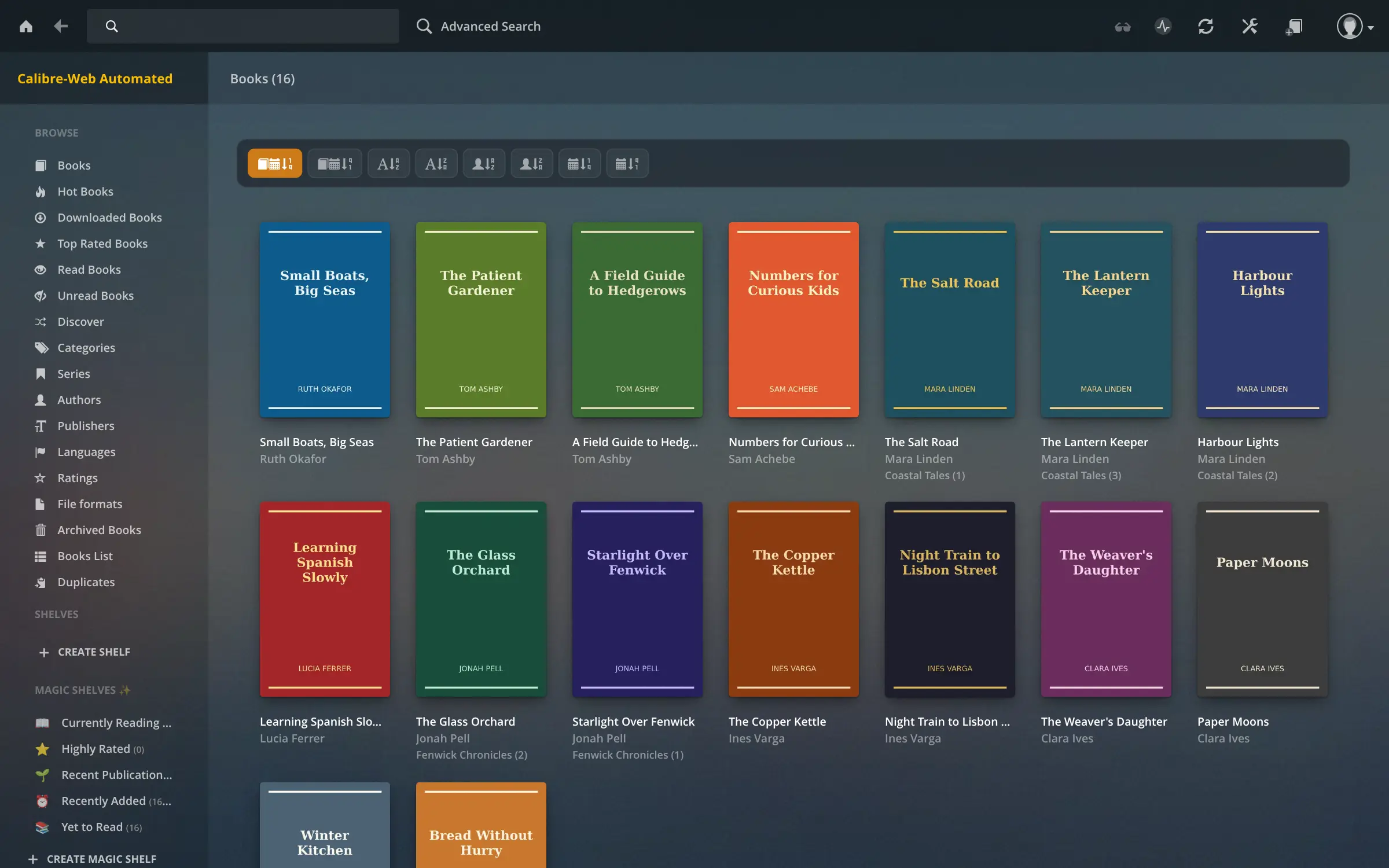
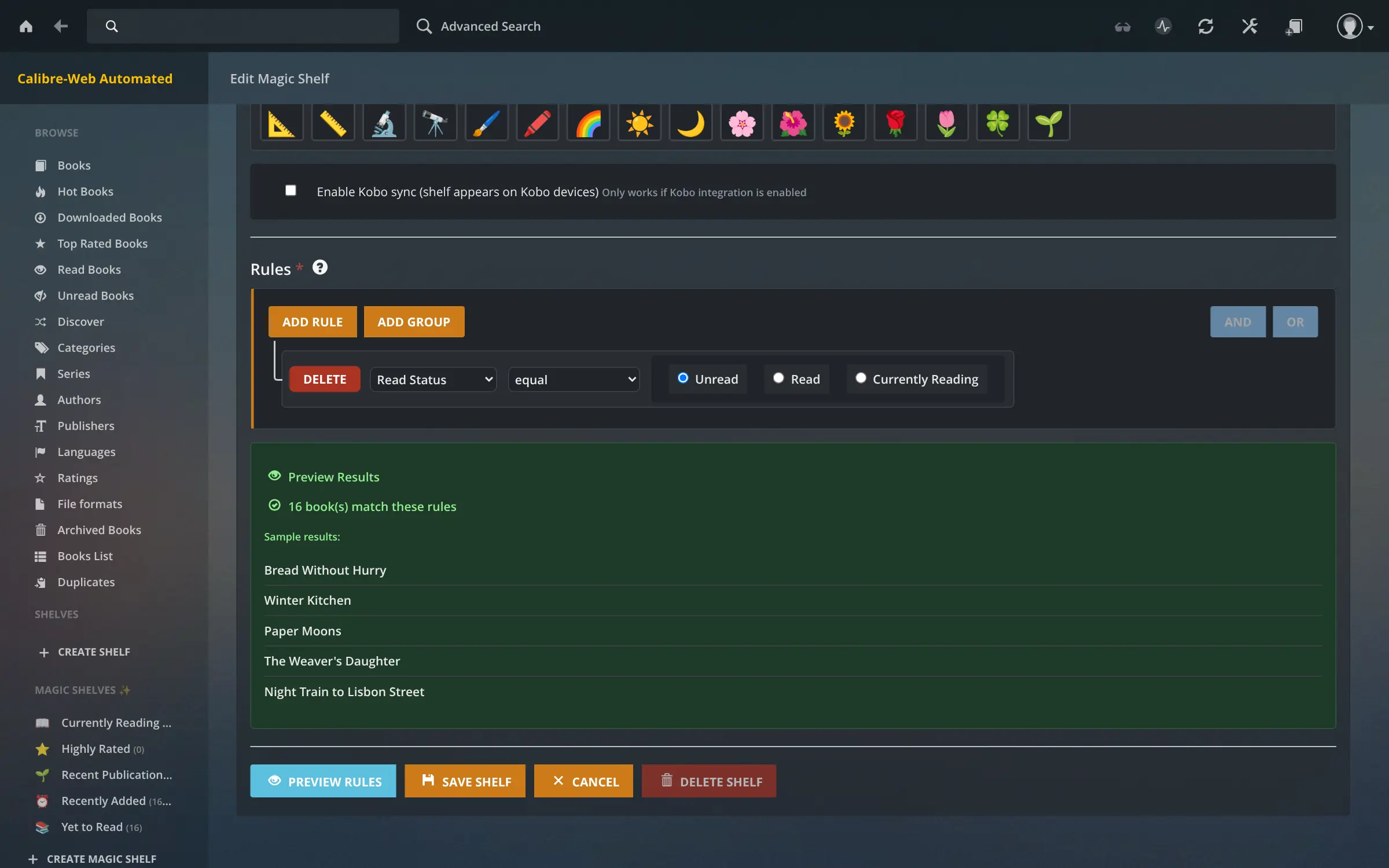
- Shelves that fill themselves Magic Shelves collect books by rules, such as unread, recently added or highly rated, and update as your library changes.
- Duplicates and batch edits Find the same book added twice and merge it, or edit, mark as read or delete many books at once from a list.
- Everything Calibre-Web does Read in the browser, sync a Kobo, open the library in OPDS reading apps, and give each person their own account and permissions.
Replaces Kindle
Calibre-Web Automated does the same job as Kindle. Here is what changes when you switch.
- Your e-books from any shop or source in one private library, with no subscription
- Books in mixed formats are converted for your e-reader without a desktop program
- Covers and details you fix travel with the book to every device
- Family members or students share the same books, each with their own account
- There is no store; you bring your own DRM-free e-books, and Kindle purchases can't be imported
- Sending to a Kindle needs an email server set up in the admin settings
- It needs a bigger server than plain Calibre-Web, because it includes Calibre's converter
- The interface is Calibre-Web's older design, in a dark theme only
What happens when you click Deploy?
You do not need a server or any technical knowledge. Four steps, and Calibre-Web Automated is running at its own web address.
- Step 1 Click Deploy and create your account
Deploy takes you to Cloudgate. Create an account, or log in if you have one. Calibre-Web Automated itself is free.
- Step 2 Choose a server
No server? Get one from Cloudgate: pick a size and a country, and Cloudgate gets it ready. Already have one? Connect it instead.
- Step 3 Cloudgate sets up Calibre-Web Automated
It prepares the server, makes the passwords the app needs and starts it. There is nothing to install and nothing to write down.
- Step 4 Open your app and sign in
Your app gets a free web address to start, without https. Add your own domain, like app.yourshop.com, and Cloudgate secures it with https for you.
New to Cloudgate? See what Cloudgate is
Run Cloudgate yourself? Deploy from your own console
In your Cloudgate console, open Templates and choose Calibre-Web Automated.
Questions
Is Calibre-Web Automated free?
Yes. Calibre-Web Automated is free, open-source software under the GPL-3.0-or-later licence, with no paid edition or paid features. You pay only for your server and its storage.
What is the difference between Calibre-Web and Calibre-Web Automated?
Calibre-Web Automated is Calibre-Web with extra automation built in. It keeps all of Calibre-Web's features and adds automatic conversion of the books you add, writing cover and detail edits into the book files, an EPUB fixer for Send to Kindle, rule-based Magic Shelves, duplicate finding and batch editing. Plain Calibre-Web can't convert formats without the separate Calibre program.
Should I choose Calibre-Web or Calibre-Web Automated?
Choose Calibre-Web Automated if your books come in mixed formats, you send many books to a Kindle, or you want the library kept tidy for you. Choose plain Calibre-Web if you want the lightest setup on a smaller server and your books are already in the format your e-reader uses.
How do I sign in to Calibre-Web Automated the first time?
Sign in to Calibre-Web Automated with the username admin and the password Cloudgate shows for this app. The template replaces the well-known default password, admin123, before the first start, so that password does not work. The library starts empty, ready for uploads.
Can Calibre-Web Automated send books to my Kindle?
Yes. Once the admin enters email server settings, Calibre-Web Automated can email each book to one or more Kindles or other e-readers, and new books can be sent automatically after they are added. Its EPUB fixer repairs files that Send to Kindle would otherwise reject.
Can I import my Kindle books into Calibre-Web Automated?
Only DRM-free ones. Books bought in the Kindle store are copy-protected and can't be added as they are. Calibre-Web Automated imports DRM-free MOBI, AZW3 and other files and converts them to EPUB on its own, and its EPUB fixer helps books you send to a Kindle get accepted.
What server size do I need for Calibre-Web Automated?
A server with 2 GB of memory is enough for Calibre-Web Automated; it needs more than plain Calibre-Web because converting books runs Calibre's converter. Leave disk space for your collection and for the backup copies of original files it keeps after converting or fixing a book.
Do I need technical skills to run Calibre-Web Automated?
No. Click Deploy, create your Cloudgate account and choose a server, and Cloudgate sets up Calibre-Web Automated and gives it a web address. You use it in your browser like any other online tool.
Do I need my own server for Calibre-Web Automated?
No. When you deploy Calibre-Web Automated, hosted Cloudgate can provide a server. If you already rent one, you can connect it instead.
Related apps

A self-hosted library to read and listen, synced to Kobo and iPhone.

A self-hosted e-book library to browse, read and send your books.

A self-hosted library for your e-books, comics and audiobooks.
A self-hosted e-book library that syncs with Kobo and KOReader.