
Kener
A public status page with incidents, maintenance and uptime history.
No server needed to start: Cloudgate can provide one. What happens when you click Deploy
What is Kener?
Kener is a self-hosted status page: watch your websites and APIs, post incidents and maintenance, and keep customers informed by email.
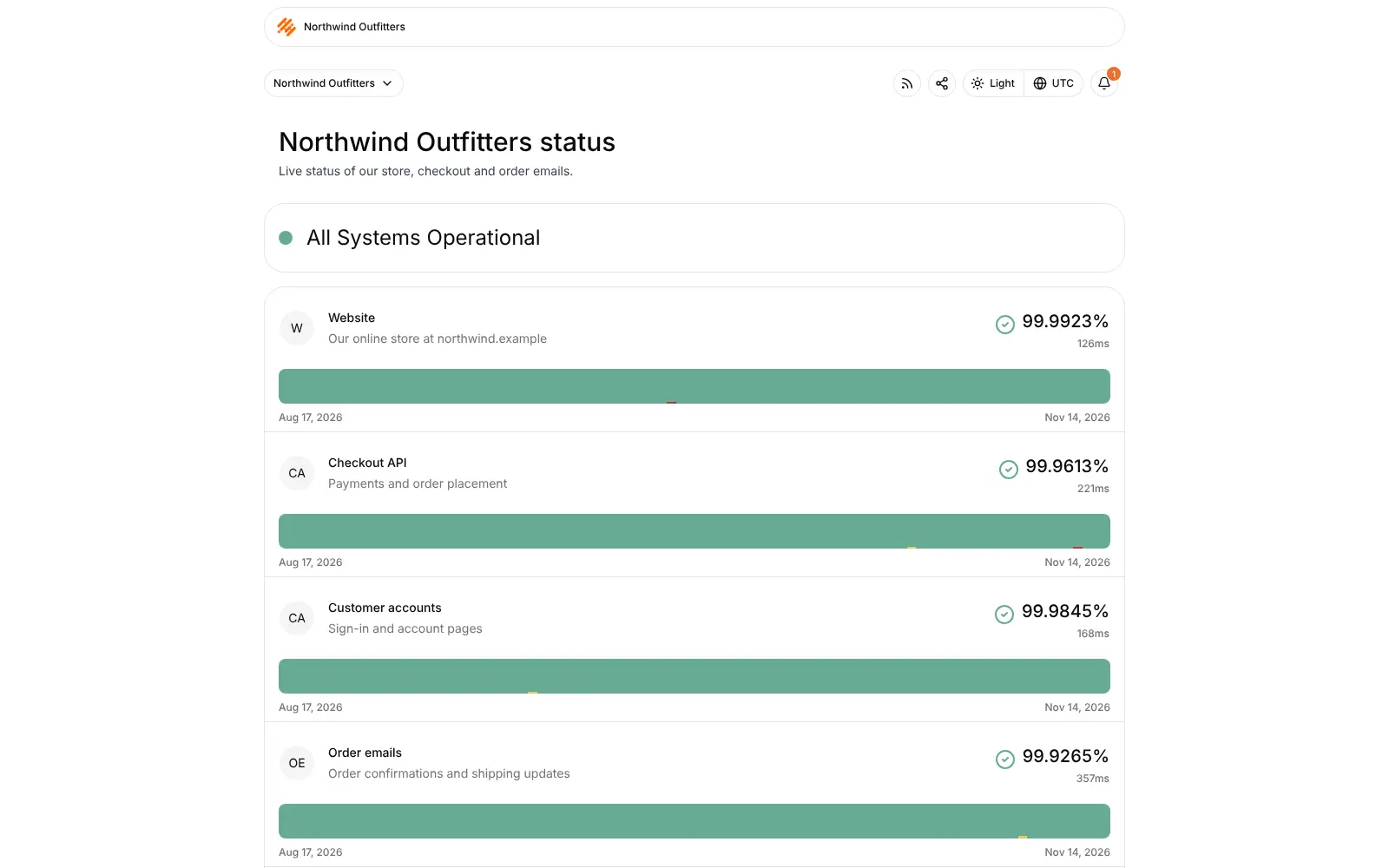
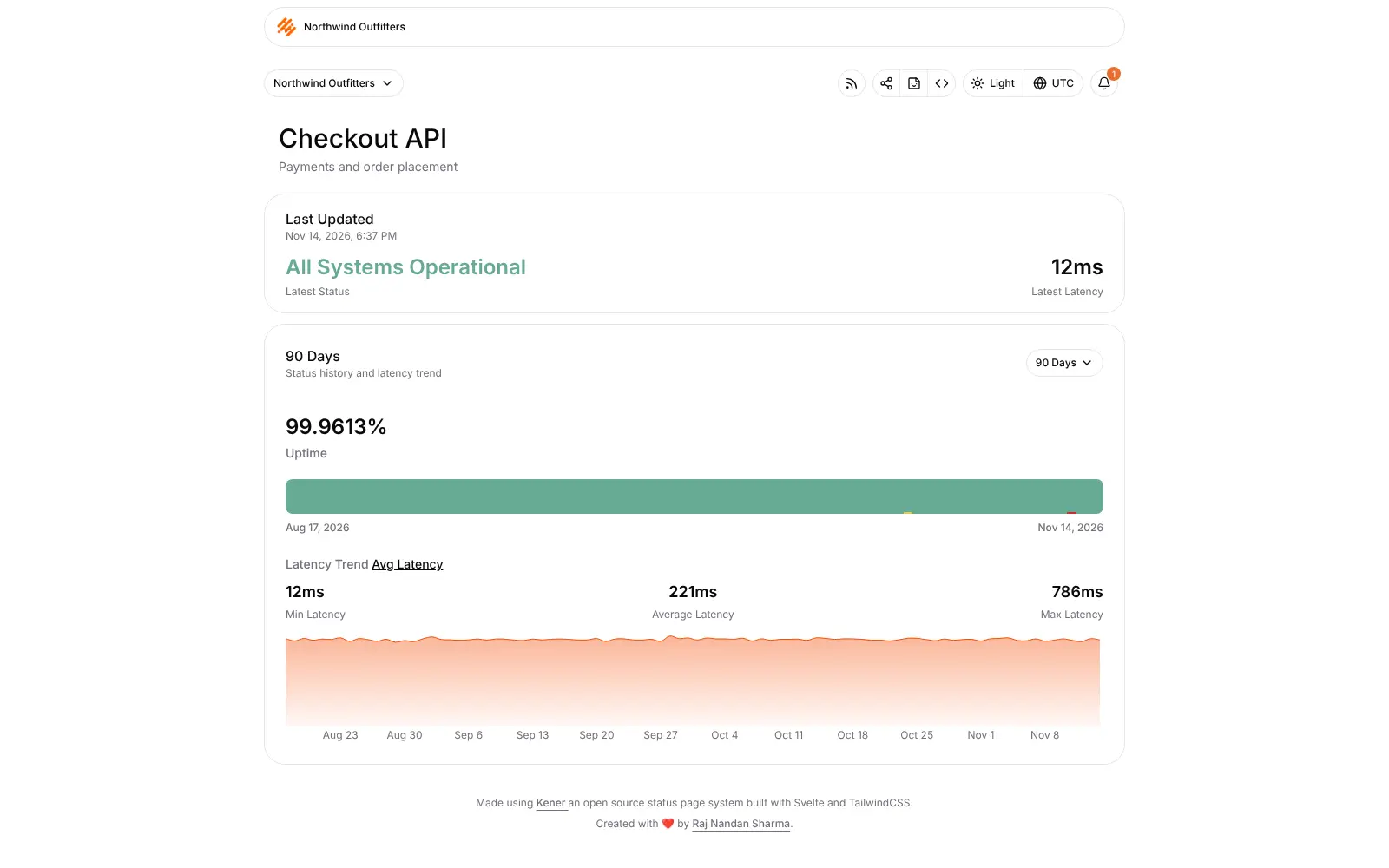
Kener is a self-hosted status page that checks your websites and services and shows customers what is up, an open source alternative to Atlassian Statuspage and Instatus. It keeps a 90-day uptime history for each service, and lets you post incidents with timeline updates and announce planned maintenance on your own branded page.
An online course platform, for example, could watch its website, video player, sign-in and payments. When checkout fails, the team posts an incident, adds updates as they fix it, and subscribers get each update by email. Before a weekend upgrade, it schedules a maintenance notice so students know in advance.
Kener sends alerts by email, webhook, Slack and Discord, and offers status badges, embeddable widgets and an RSS feed. Email to subscribers needs an email service, SMTP or Resend, set up first. Kener is a status page first; if you mainly want alerts in many apps, Uptime Kuma has more channels. Checks run from your one server, so host Kener apart from what it watches.
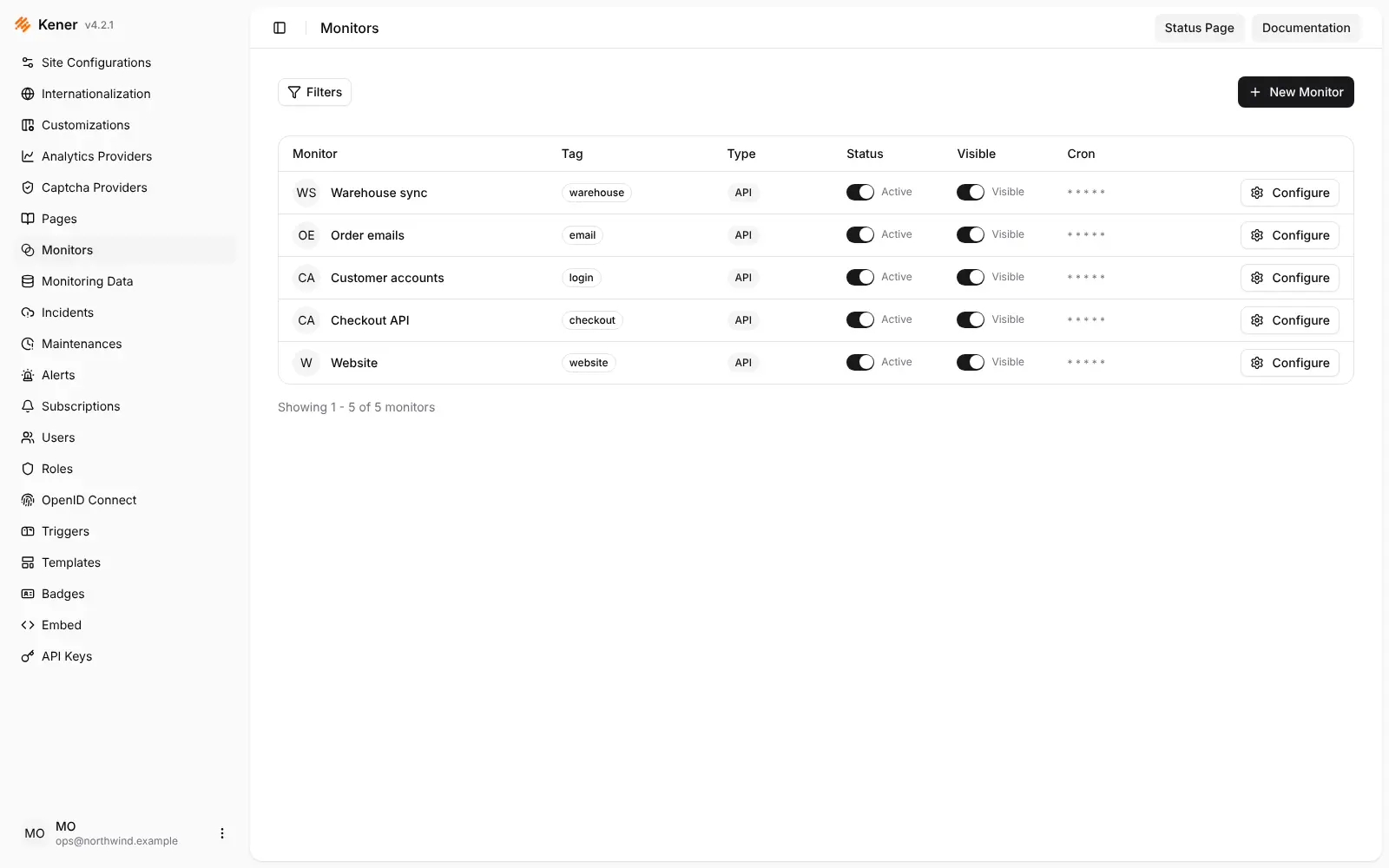
Cloudgate installs Kener on a server Cloudgate provides or one you connect and gives it a secure web address. Open the address followed by /account/signin right away to create the admin account, then delete the two demo monitors and add your own.
What you can do with Kener
- Publish a public status page Show customers which services are working, with a 90-day uptime bar, uptime percentage and response times for each.
- Check your sites and services Watch websites and APIs, plus ping, TCP, DNS, SSL certificate, database and heartbeat checks.
- Post incidents as they happen Write an incident and add timeline updates, from investigating to resolved, so customers can follow along.
- Announce planned maintenance Schedule maintenance windows ahead of time so customers know about planned work.
- Keep people informed Send alerts by email, webhook, Slack or Discord, and let visitors subscribe to updates by email.
- Run several branded pages Set your logo, colours, light and dark mode, and run more than one status page from one install.
- Embed status anywhere Add status badges and embeddable widgets to your website, or offer an RSS feed of the page.
- Work as a team Invite colleagues with roles, sign in with OpenID Connect, and use API keys with the full REST API.
Replaces Statuspage and Instatus
Kener does the same job as Statuspage and Instatus. Here is what changes when you switch.
- No monthly bill and no plan limits on pages or subscribers
- Your own domain, logo and colours on every page
- Incidents, maintenance and subscribers are all included, with no paid edition
- Your status history stays on your own server
- Checks run from your one server, not from many locations
- If that server goes down, so does your status page, so host it apart from what it watches
- Fewer integrations, with alerts by email, webhook, Slack and Discord only
- Email to subscribers needs an email service such as SMTP or Resend set up first
What happens when you click Deploy?
You do not need a server or any technical knowledge. Four steps, and Kener is running at its own web address.
- Step 1 Click Deploy and create your account
Deploy takes you to Cloudgate. Create an account, or log in if you have one. Kener itself is free.
- Step 2 Choose a server
No server? Get one from Cloudgate: pick a size and a country, and Cloudgate gets it ready. Already have one? Connect it instead.
- Step 3 Cloudgate sets up Kener
It prepares the server, makes the passwords the app needs and starts it. There is nothing to install and nothing to write down.
- Step 4 Open your app and sign in
Your app gets a free web address to start, without https. Add your own domain, like app.yourshop.com, and Cloudgate secures it with https for you.
New to Cloudgate? See what Cloudgate is
Run Cloudgate yourself? Deploy from your own console
In your Cloudgate console, open Templates and choose Kener.
Questions
Is Kener free?
Yes, Kener is free and open source under the MIT licence, with no paid edition or paid features. You pay only for your server.
Is Kener a good alternative to Atlassian Statuspage?
Yes, Kener is an open source alternative to Statuspage and Instatus for small teams. It has a branded public page, incidents with timeline updates, scheduled maintenance and email subscribers, with no plan limits. Statuspage is fully managed and has more integrations, while Kener runs and checks from your one server.
Should I use Kener or Uptime Kuma?
Kener is a status page first, while Uptime Kuma is a monitoring tool first. Pick Kener for incident updates, maintenance notices, subscribers, several branded pages and team roles; pick Uptime Kuma for over 90 alert channels and a simpler status page.
How do I sign in to Kener the first time?
The first person to open your Kener address followed by /account/signin creates the admin account, so do it right after install. After that the set-up form closes, and new users join only by invitation from the admin.
Can Kener email my customers about incidents?
Yes, but only once an email service is set up. Kener sends subscriber notifications, invitations and password resets through SMTP or Resend, and subscriptions are off until you turn them on.
Should Kener run on the same server as my website?
No, host Kener apart from what it watches. Kener checks from its own server, so if your website and Kener share a server that goes down, your status page goes down with it.
Can I import my Statuspage history into Kener?
No, Kener has no import from Statuspage or other status page services. You add your monitors and set up your page from scratch.
Do I need technical skills to run Kener?
No. Click Deploy, create your Cloudgate account and choose a server, and Cloudgate sets up Kener and gives it a web address. You use it in your browser like any other online tool.
Do I need my own server for Kener?
No. When you deploy Kener, hosted Cloudgate can provide a server. If you already rent one, you can connect it instead.
Related apps

Uptime alerts, incidents and status pages in one self-hosted app.

Uptime checks and a status page, set in one file.
Uptime checks, on-call paging and a status page in one tool.

Uptime, server and SSL monitoring with status pages.