
Keeper.sh
Sync busy times across all your calendars and stop double-booking.
No server needed to start: Cloudgate can provide one. What happens when you click Deploy

What is Keeper.sh?
Keeper.sh is self-hosted calendar sync: copy busy times between Google, Outlook, iCloud and CalDAV calendars so you are never double-booked.
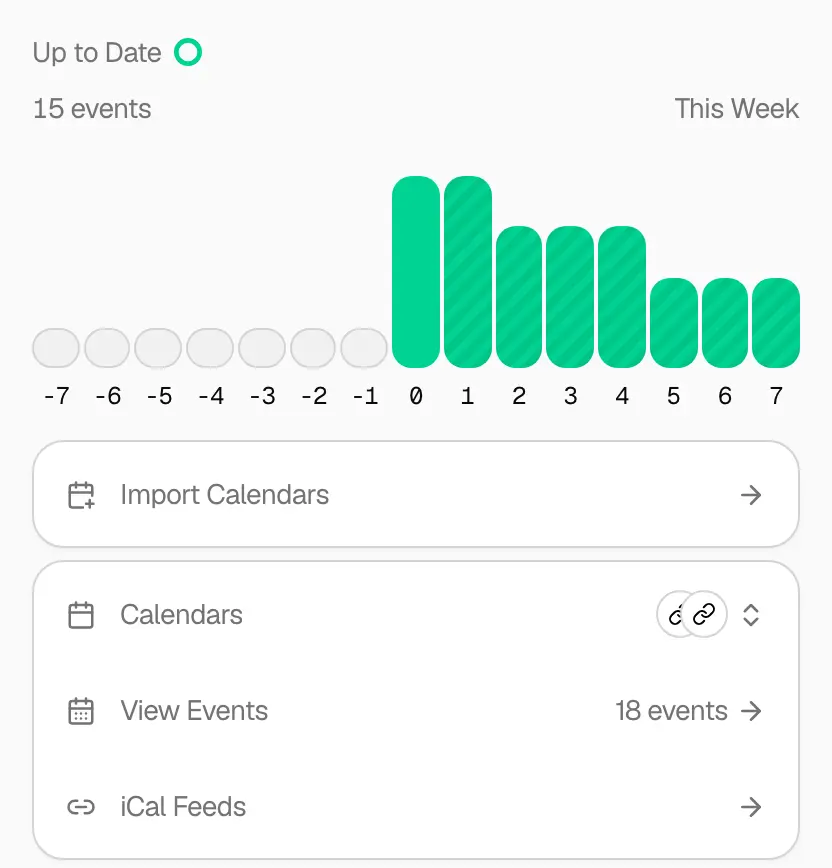
Keeper.sh is self-hosted calendar sync: it copies busy times between your Google, Outlook, iCloud, Fastmail and CalDAV calendars so you are never double-booked, much like OneCal or CalendarBridge. You connect your calendars, choose which ones feed which, and Keeper.sh keeps them in step.
By default each copy shows only the name of the calendar it came from, so your work calendar sees that you are busy without seeing your dentist appointment. You can pass on titles, descriptions and places for calendars you trust, filter out events you don't want copied, and gather everything into one calendar link. When an event is moved or deleted, its copies follow. A freelance designer with a personal calendar, her own business calendar and a client's Outlook calendar could have each one show her as busy whenever any of the others has a meeting.
Keeper.sh works with Google Calendar, Outlook, iCloud, Fastmail and CalDAV servers such as Nextcloud, and it offers an API and an MCP connection for AI assistants. Self-hosted, it includes every feature of its paid hosted plan.
Cloudgate installs Keeper.sh on your server with a secure web address. iCloud, Fastmail and CalDAV calendars connect right away; Google and Outlook first need a sign-in app registered with those companies.
What you can do with Keeper.sh
- Stop double-booking Events from one calendar are copied into your other calendars as busy blocks, so a client meeting also blocks the time at work.
- Keep event details private Copies show only the name of the calendar they came from, unless you choose to pass on the title, description or place. Guest lists are never copied.
- Connect the calendars you use Google Calendar, Outlook, iCloud, Fastmail and any CalDAV calendar such as Nextcloud, plus read-only calendar links.
- Sync one to many Send one calendar to several others, or gather several calendars into one, and filter which events are copied.
- Clean up after deletions When you delete or move an event, its copies follow, and Keeper.sh never touches events it didn't create.
- Subscribe to one combined feed Get a single calendar link with all your events that any calendar app can subscribe to.
- Let AI assistants see your calendar An API and an MCP connection let AI assistants such as Claude read and manage your calendars.
Replaces OneCal and CalendarBridge
Keeper.sh does the same job as OneCal and CalendarBridge. Here is what changes when you switch.
- Every feature of the paid hosted plan, with no limit on accounts or calendars
- Your calendar logins and events stay on your own server
- Works with iCloud, Fastmail and CalDAV, not only Google and Outlook
- Google Calendar and Outlook need your own sign-in app registered with Google or Microsoft
- It only syncs; there are no booking pages or scheduling assistant
- Copies go one way, from each source calendar to its destinations
What happens when you click Deploy?
You do not need a server or any technical knowledge. Four steps, and Keeper.sh is running at its own web address.
- Step 1 Click Deploy and create your account
Deploy takes you to Cloudgate. Create an account, or log in if you have one. Keeper.sh itself is free.
- Step 2 Choose a server
No server? Get one from Cloudgate: pick a size and a country, and Cloudgate gets it ready. Already have one? Connect it instead.
- Step 3 Cloudgate sets up Keeper.sh
It prepares the server, makes the passwords the app needs and starts it. There is nothing to install and nothing to write down.
- Step 4 Open your app and sign in
Your app gets a free web address to start, without https. Add your own domain, like app.yourshop.com, and Cloudgate secures it with https for you.
New to Cloudgate? See what Cloudgate is
Run Cloudgate yourself? Deploy from your own console
In your Cloudgate console, open Templates and choose Keeper.sh.
Questions
Is Keeper.sh free?
Yes. Keeper.sh is free, open-source software under the AGPL-3.0 licence. Its makers also sell a hosted version, but a self-hosted Keeper.sh includes every paid feature at no cost. You pay only for your server.
Is Keeper.sh a good alternative to OneCal or CalendarBridge?
Yes, Keeper.sh does the main job of OneCal or CalendarBridge, keeping busy times in step across calendars. Keeper.sh copies events between Google, Outlook, iCloud, Fastmail and CalDAV calendars, with privacy controls and event filters. It does not offer booking pages, and connecting Google or Outlook takes some setup.
Which calendars can Keeper.sh sync?
Keeper.sh syncs Google Calendar, Outlook and Microsoft 365, iCloud, Fastmail and any CalDAV server, such as Nextcloud or Radicale, can each be a source or a destination. Calendar links (iCal or ICS) can be read but not written to.
Will colleagues see my personal appointments through Keeper.sh?
No, not by default. An event Keeper.sh copies shows only the name of the calendar it came from, so a work calendar shows you as busy without the title, description or place of your personal event. You can choose to pass those on for each calendar.
How do I connect Google Calendar or Outlook to Keeper.sh?
You register a free sign-in app with Google or Microsoft, which the Keeper.sh README walks through, and give Keeper.sh its ID and secret as the GOOGLE_CLIENT_ID and GOOGLE_CLIENT_SECRET, or MICROSOFT_CLIENT_ID and MICROSOFT_CLIENT_SECRET, settings. Cloudgate does not ask for these during setup and leaves them empty. iCloud, Fastmail and CalDAV calendars don't need this and connect with an app password.
How do I sign in to Keeper.sh the first time?
Open Keeper.sh's web address and create an account with a username and password. Keeper.sh has no separate admin; each account connects and manages its own calendars, and anyone who can open the address can create one. There is no email check and no password reset on a self-hosted Keeper.sh, so keep your password somewhere safe.
Can AI assistants use my calendar through Keeper.sh?
Yes. Keeper.sh offers an API and an MCP server, so an AI assistant such as Claude can read your events and manage your calendars across every account you have connected.
Do I need technical skills to run Keeper.sh?
No. Click Deploy, create your Cloudgate account and choose a server, and Cloudgate sets up Keeper.sh and gives it a web address. You use it in your browser like any other online tool.
Do I need my own server for Keeper.sh?
No. When you deploy Keeper.sh, hosted Cloudgate can provide a server. If you already rent one, you can connect it instead.
Can I move my data from OneCal to Keeper.sh?
Most people export from OneCal and import into Keeper.sh. The official guides at github.com walk through it.
Related apps

Your own booking link, so clients pick a time without emails.

Let clients book time with you from a simple link.

A light, self-hosted booking link for consultants and small teams.

Answer website chat, email, WhatsApp and social in one inbox.