
Kavita
A self-hosted reading server for your e-books, comics and manga.
No server needed to start: Cloudgate can provide one. What happens when you click Deploy
What is Kavita?
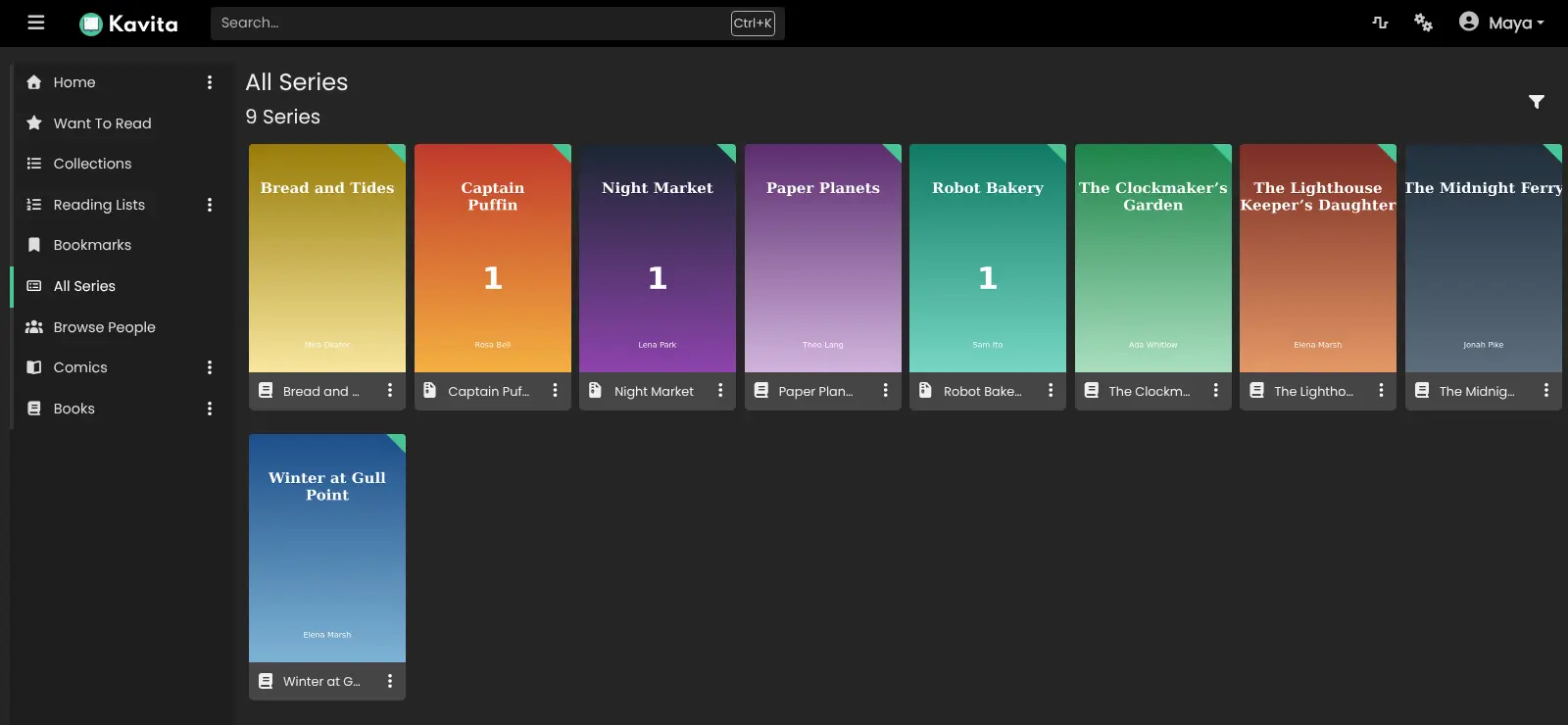
Kavita is a self-hosted reading server for e-books, comics and manga: read the files you own in any browser and share them with family or a club.
Kavita is a free, open-source, self-hosted reading server for e-books, comics and manga: it puts the files you own on a private website where everyone you invite can read them, instead of renting a library such as Kindle Unlimited.
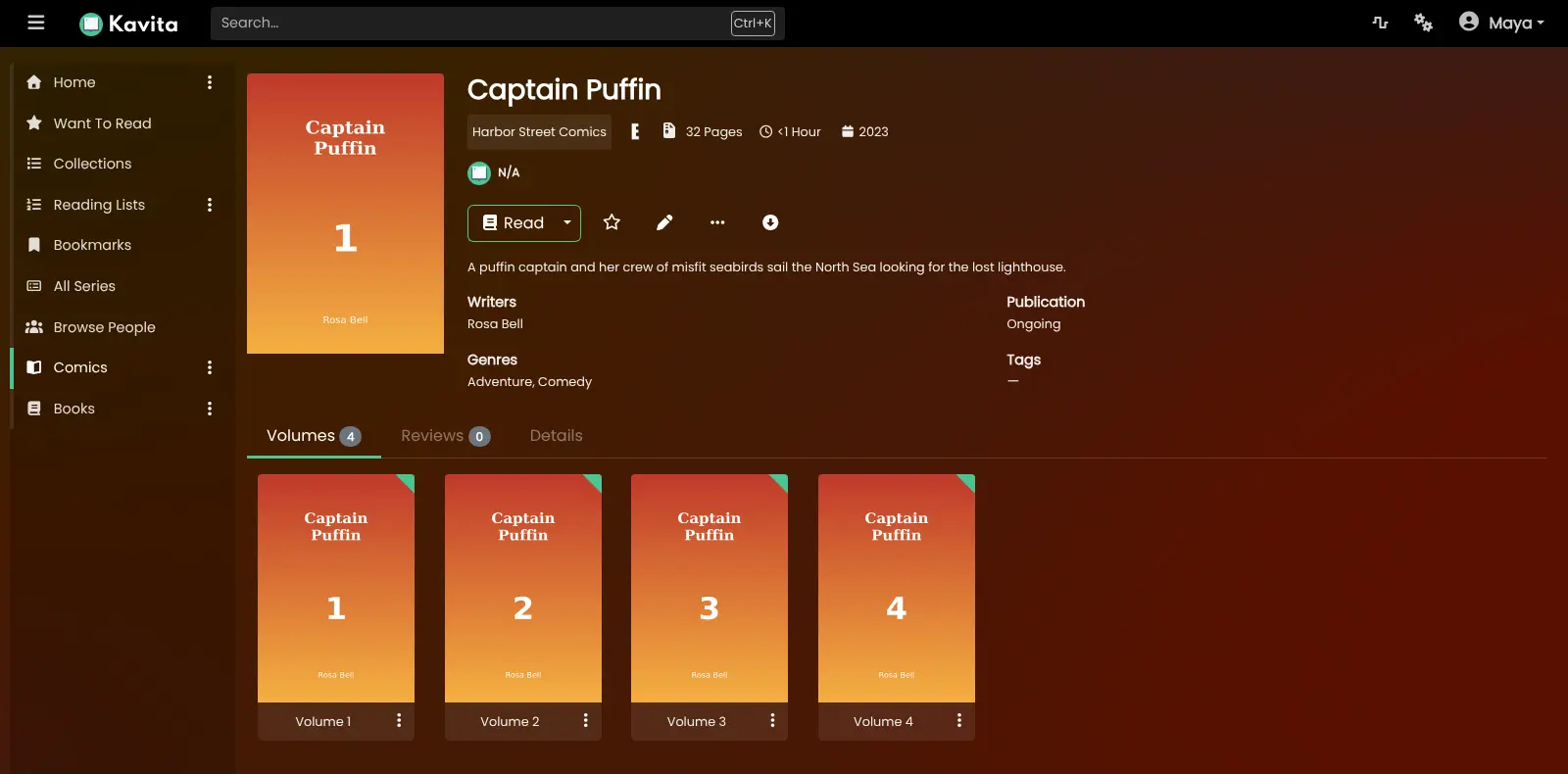
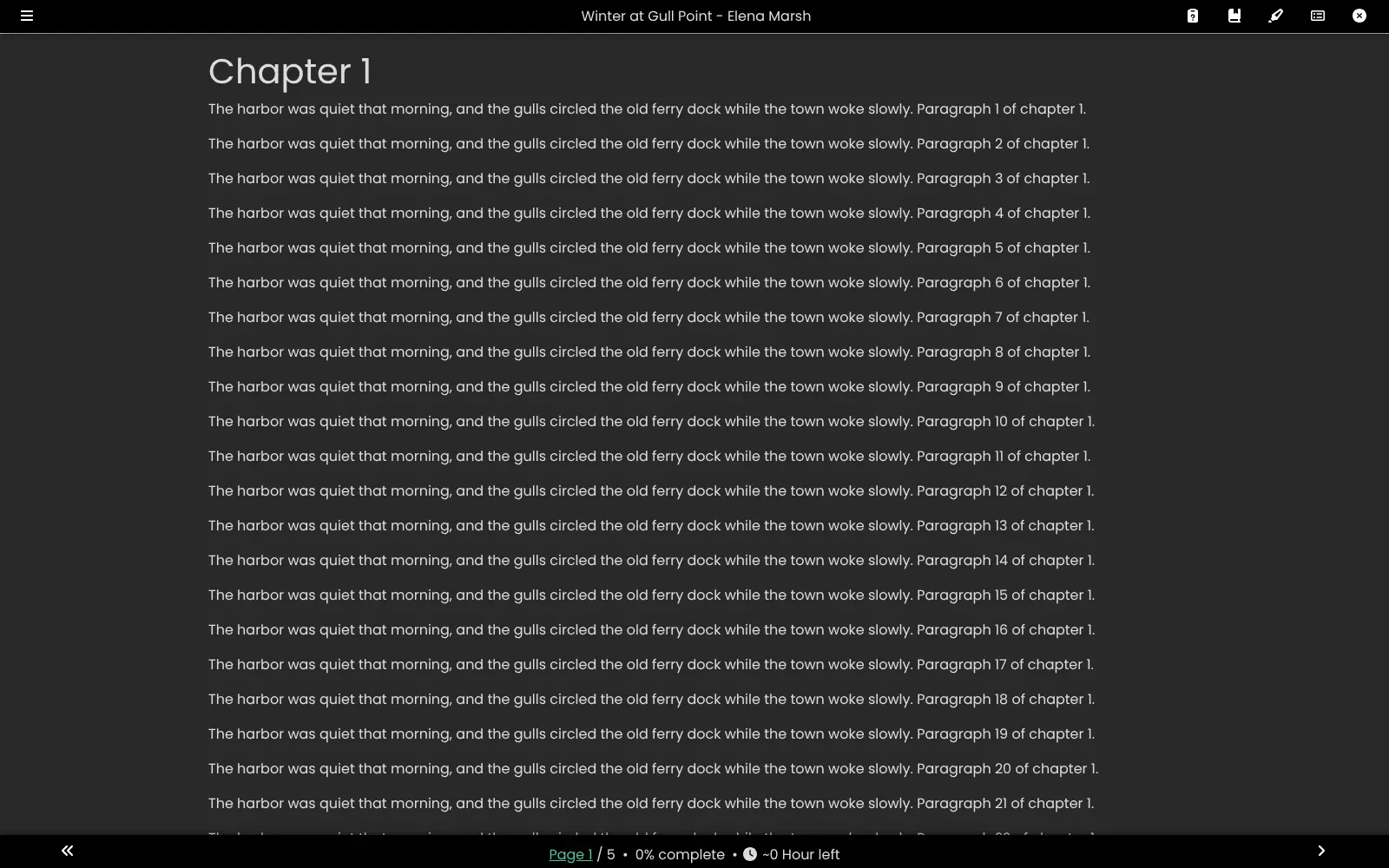
You upload EPUB, PDF and comic files, and Kavita sorts them into series with covers, writers and genres. Comics and manga open in a reader made for them, page by page, two pages side by side, or as one long strip for webtoons, and e-books open in a reader with your own font and theme. A neighborhood comic club, for example, could keep its shared collection on Kavita, give each member an account, and keep a reading list for the month's meeting.
Each reader keeps their own progress, and the admin can limit libraries and age ratings per person. Reading apps that support OPDS can open the library, and books can be emailed to a Kindle once email is set up. There is no store: you bring your own DRM-free files. Kavita+ is an optional paid add-on for outside ratings, recommendations and progress sync.
Cloudgate installs Kavita on a server Cloudgate provides or one you connect and gives it a secure web address. Open it to create the admin account; a second address opens File Browser for uploading your files.
What you can do with Kavita
- Comics, manga and books together Read CBZ, CBR and other comic archives, folders of images, EPUB and PDF files from one library.
- Readers made for each format Page through comics one or two pages at a time, scroll webtoons as one long strip, or read e-books with your own font and theme.
- Series, collections and reading lists Kavita groups files into series with covers, and you can build collections, reading lists and a Want to Read list.
- Search and smart filters Filter by genre, writer, publisher, age rating or reading progress, and pin saved filters to the home page.
- Accounts for everyone Each reader gets their own progress, and the admin decides which libraries and age ratings each person can see.
- Highlights and notes Highlight passages in an e-book and add notes, and share them with other readers on your server.
- Reading apps and e-readers An OPDS feed lets reading apps on phones and tablets open your library, and books can be emailed to a Kindle or another e-reader once the admin adds email settings.
Replaces Kindle and ComiXology
Kavita does the same job as Kindle and ComiXology. Here is what changes when you switch.
- Your comics, manga and e-books from any shop or source in one private library, with no subscription
- Everyone in the household or club reads from the same library, each with their own progress
- Files stay on your server, and you decide who can see which library
- There is no store; you bring your own DRM-free files, and Kindle or ComiXology purchases can't be imported
- Kavita sorts books by file name and expects one folder per series, so tidy files give the best results
- There is no official phone app; you read in the browser or in a third-party reading app
- Kavita is labelled beta until its 1.0 release, so keep backups of your library
- Outside ratings, recommendations and progress sync with AniList or MyAnimeList need the paid Kavita+
What happens when you click Deploy?
You do not need a server or any technical knowledge. Four steps, and Kavita is running at its own web address.
- Step 1 Click Deploy and create your account
Deploy takes you to Cloudgate. Create an account, or log in if you have one. Kavita itself is free.
- Step 2 Choose a server
No server? Get one from Cloudgate: pick a size and a country, and Cloudgate gets it ready. Already have one? Connect it instead.
- Step 3 Cloudgate sets up Kavita
It prepares the server, makes the passwords the app needs and starts it. There is nothing to install and nothing to write down.
- Step 4 Open your app and sign in
Your app gets a free web address to start, without https. Add your own domain, like app.yourshop.com, and Cloudgate secures it with https for you.
New to Cloudgate? See what Cloudgate is
Run Cloudgate yourself? Deploy from your own console
In your Cloudgate console, open Templates and choose Kavita.
Questions
Is Kavita free?
Yes. Kavita is free, open-source software under the GPL-3.0 licence, and you pay only for your server and its storage. Kavita+ is an optional paid subscription that adds outside metadata, ratings, recommendations and progress sync with services such as AniList and MyAnimeList; the reading features are free.
What is the difference between Kavita and Calibre-Web?
Kavita is built for comics, manga and webtoons as well as e-books, with page-by-page and long-strip readers and series grouping. Calibre-Web is an e-book library first, built around libraries made with the Calibre desktop app.
How do I sign in to Kavita the first time?
The first person to open Kavita's web address creates the admin account with a username, email and password; there is no default password. Then add a library in the admin settings and choose the books folder.
How do I add my books and comics?
Open the second web address Cloudgate gives this app, which is File Browser, and sign in as admin with the password Cloudgate shows. Make one folder per series and drag your files in; Kavita picks up new files on its own.
Can I import my Kindle or ComiXology books?
Only DRM-free files. Kavita reads EPUB, PDF and comic files you upload, but purchases from the Kindle or ComiXology stores are copy-protected and can't be added as they are.
Is there a Kavita phone app?
No, Kavita has no official phone app. Its website works on phones and tablets, and reading apps that support OPDS, such as Panels, Chunky or Moon+ Reader, can open your library.
What server size do I need for Kavita?
A small server with 1 GB of memory is enough for Kavita. Plan the disk for the size of your collection, since comics take more space than e-books.
Do I need technical skills to run Kavita?
No. Click Deploy, create your Cloudgate account and choose a server, and Cloudgate sets up Kavita and gives it a web address. You use it in your browser like any other online tool.
Do I need my own server for Kavita?
No. When you deploy Kavita, hosted Cloudgate can provide a server. If you already rent one, you can connect it instead.
Related apps

A self-hosted comic, manga and e-book server for the books you own.

A self-hosted comic and manga server to read your own collection.

A self-hosted e-book library to browse, read and send your books.

A self-hosted library to read and listen, synced to Kobo and iPhone.