
Immich Kiosk
A full-screen slideshow of your Immich photos in any web browser.
No server needed to start: Cloudgate can provide one. What happens when you click Deploy




What is Immich Kiosk?
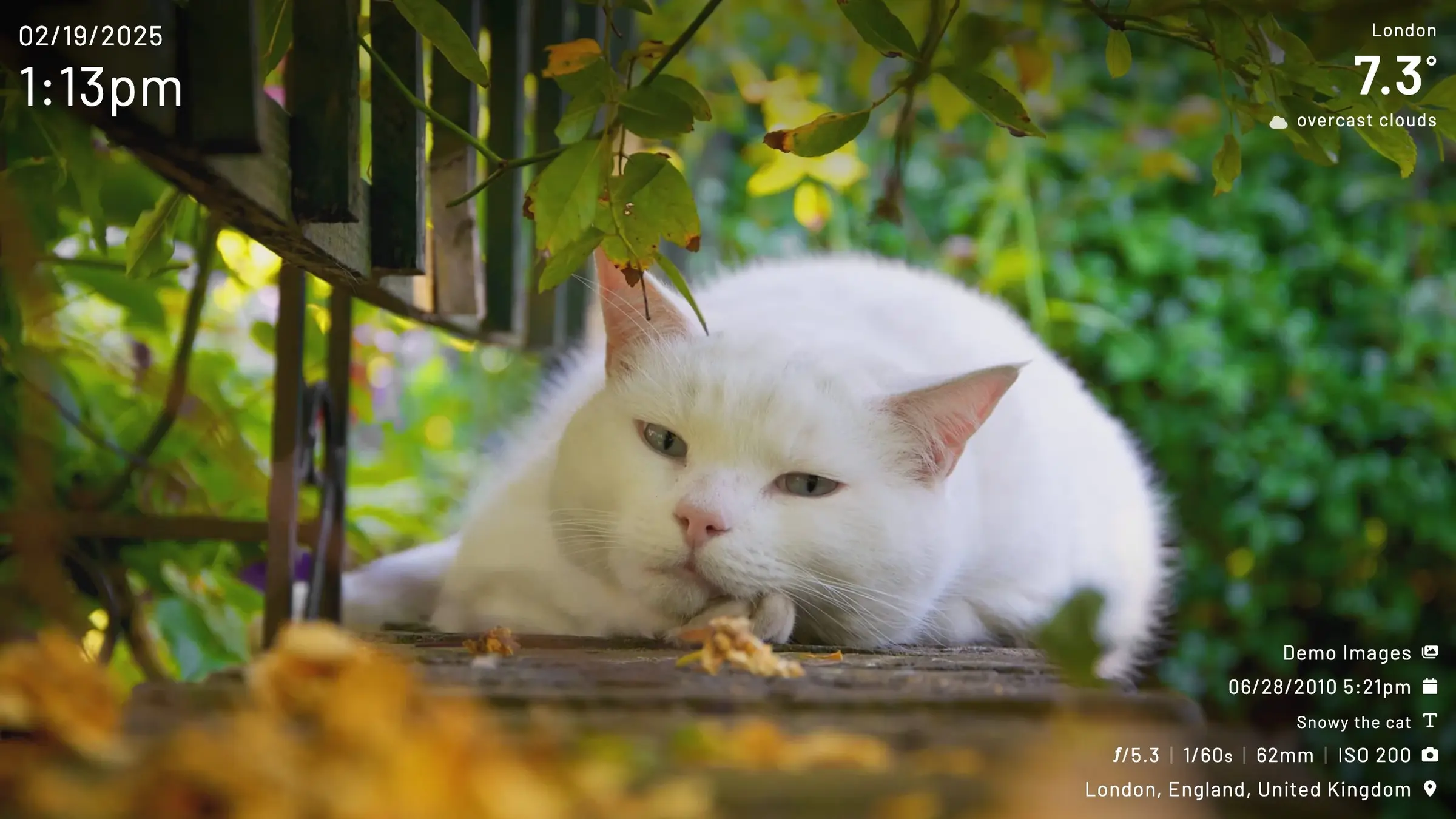
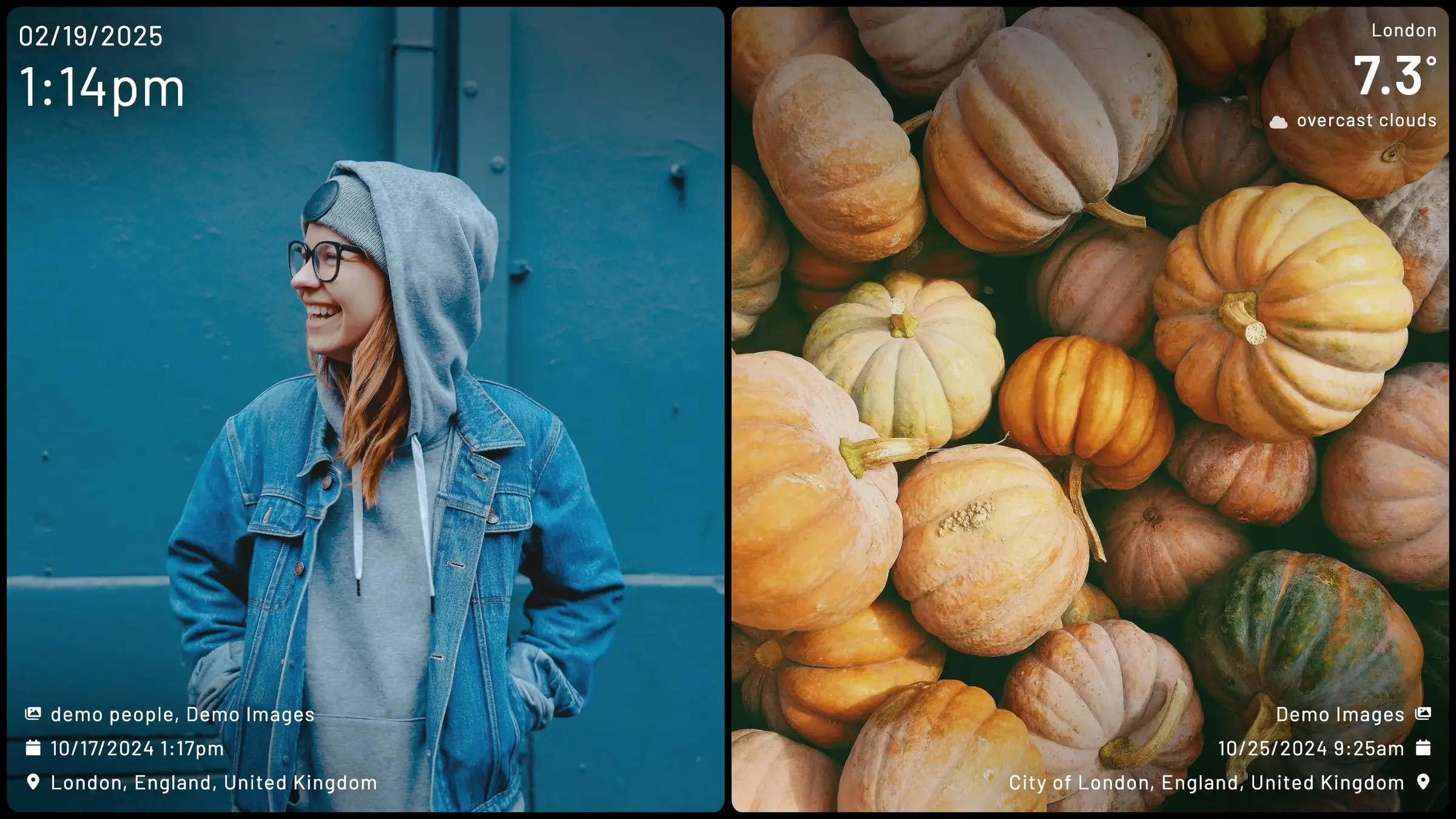
Immich Kiosk is a self-hosted Immich slideshow that runs in any web browser: each tablet, TV or screen can show its own albums, people and layout.
Immich Kiosk is a self-hosted slideshow for the photos in your Immich library: it turns a tablet, TV or spare monitor into a digital photo frame, in place of an Aura or Nixplay frame and its subscription. You open Kiosk's web address on the screen, and your photos and videos play full screen.
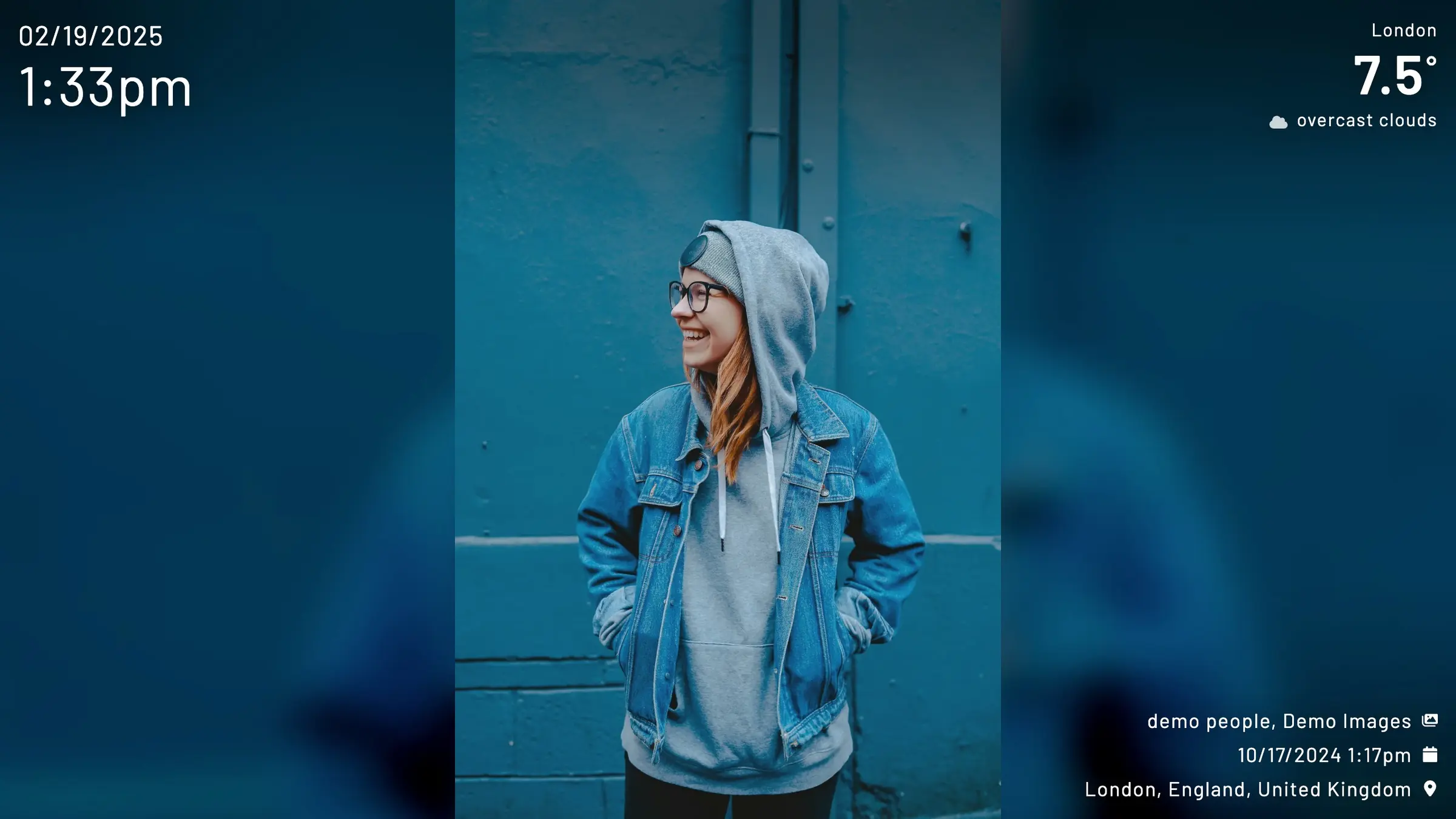
You decide what appears. Kiosk can show random photos from your whole library, or only chosen albums, people, memories from this day in past years, a range of dates, tags or star ratings. It can add the time and date, show two portrait photos side by side, and go dark at night. A café could put a screen by the counter that shows its "Specials" album during the day and goes dark after closing.
Kiosk runs in any modern web browser, so it works on old tablets, smart TVs, small computers and Home Assistant dashboards. One install serves every screen, and each screen's settings live in its web address. Kiosk is a community project, not part of Immich, and it needs an Immich server; you can install one from this catalogue.
Cloudgate installs Immich Kiosk on your server with a secure web address and a password. During setup you enter your Immich address and an API key from your Immich account, then open Kiosk's address on each screen.
What you can do with Immich Kiosk
- Show your photos on any screen Open Kiosk's web address on a tablet, TV, laptop or small computer and your photos play full screen.
- Choose what each screen shows Pick random photos, chosen albums, people, memories from this day, a date range, tags or star ratings.
- Add a clock Show the time and date over your photos, in the format you like.
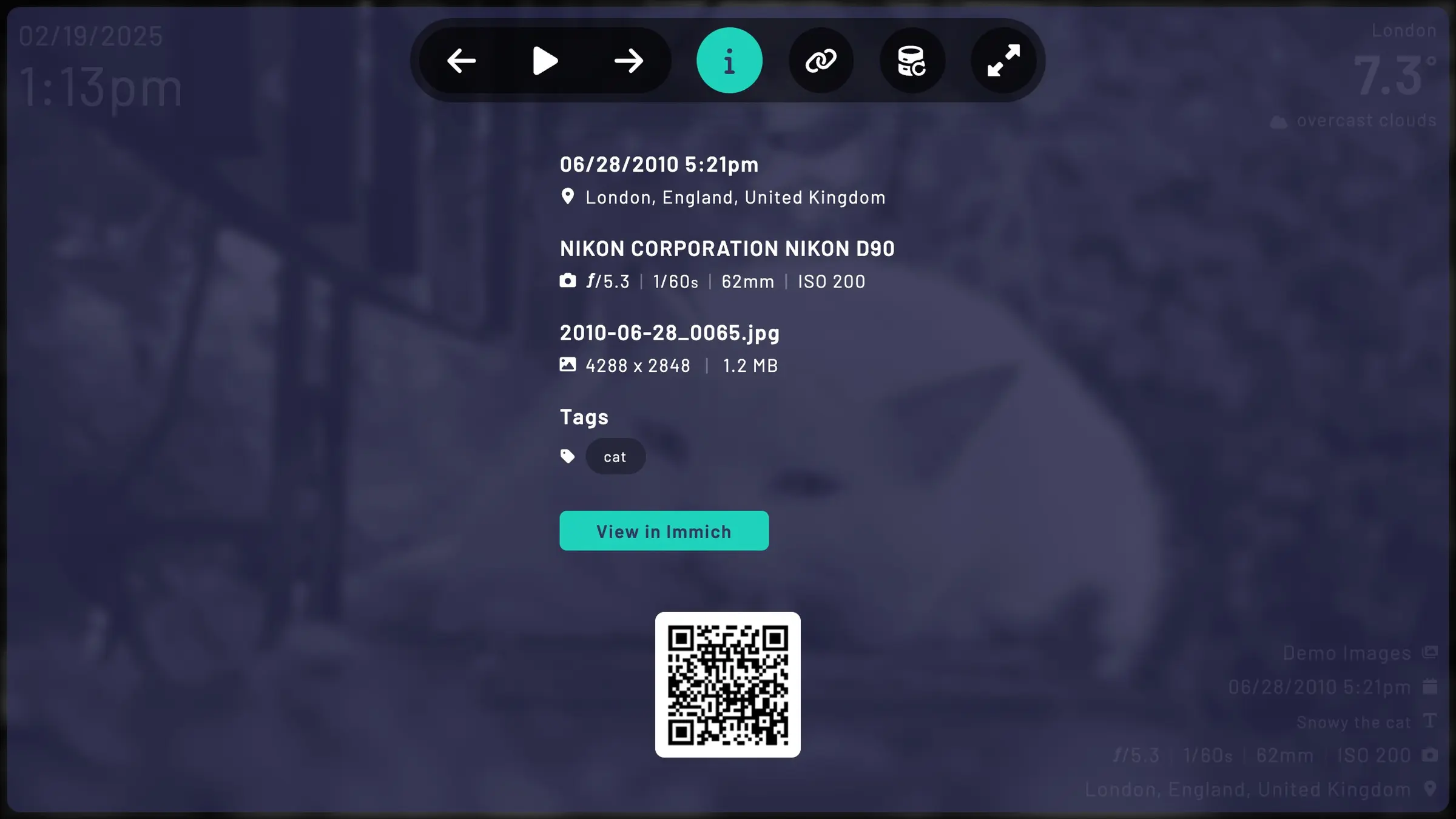
- Set the look Show one photo or two side by side, fade between them, and choose how much photo detail appears.
- Let the screen sleep at night Kiosk shows a dark screen between the hours you set, so a frame in the hallway goes quiet overnight.
- Run every screen from one install Each screen gets its own settings from its web address, so the kitchen and the office can show different albums.
Replaces Aura Frames and Nixplay
Immich Kiosk does the same job as Aura Frames and Nixplay. Here is what changes when you switch.
- No frame to buy and no cloud photo plan; use a screen you already have
- Shows the photos already in your own Immich library, in full quality
- Each screen can show a different album, person or time of year
- You need your own Immich server, which holds the photos
- A dedicated frame works out of the box; Kiosk needs a screen with a browser kept open
- Kiosk's password is a light lock, so show albums you are happy to display
What happens when you click Deploy?
You do not need a server or any technical knowledge. Four steps, and Immich Kiosk is running at its own web address.
- Step 1 Click Deploy and create your account
Deploy takes you to Cloudgate. Create an account, or log in if you have one. Immich Kiosk itself is free.
- Step 2 Choose a server
No server? Get one from Cloudgate: pick a size and a country, and Cloudgate gets it ready. Already have one? Connect it instead.
- Step 3 Cloudgate sets up Immich Kiosk
It prepares the server, makes the passwords the app needs and starts it. There is nothing to install and nothing to write down.
- Step 4 Open your app and sign in
Your app gets a free web address to start, without https. Add your own domain, like app.yourshop.com, and Cloudgate secures it with https for you.
New to Cloudgate? See what Cloudgate is
Run Cloudgate yourself? Deploy from your own console
In your Cloudgate console, open Templates and choose Immich Kiosk.
Questions
Is Immich Kiosk free?
Yes. Immich Kiosk is free, open-source software under the AGPL-3.0 licence, with no paid version. You pay only for your server.
Do I need Immich to use Immich Kiosk?
Yes. Immich Kiosk shows the photos and videos stored in an Immich server and keeps none of its own. You can install Immich from this catalogue too. Kiosk is a community project and is not made by the Immich team.
Is Immich Kiosk a good alternative to a Nixplay or Aura frame?
Yes, if you already keep your photos in Immich. Immich Kiosk turns a screen you own into a photo frame with no frame subscription, and it can show any album or person from your library. A Nixplay or Aura frame is simpler to set up, because it is a finished device.
Can I use an old tablet as an Immich Kiosk photo frame?
Yes. Open Immich Kiosk's web address in the tablet's browser, or in a full-screen kiosk browser app, and leave the tablet on its charger. Very old tablets whose browsers are no longer updated may not run it.
Can different screens show different photos in Immich Kiosk?
Yes. One Immich Kiosk install serves every screen, and each screen's settings, such as the album, the people or the layout, are part of the web address it opens.
Who can see my photos in Immich Kiosk?
Only screens that open Immich Kiosk's address with its password, which Cloudgate creates and shows on the app's variables page. Anyone who has the full link can see the slideshow, and Kiosk's own documentation says this password offers little protection, so point Kiosk at albums you are happy to display.
Who is the Immich Kiosk admin?
Immich Kiosk has no accounts and no admin. It reads your photos with an Immich API key, which you create in your Immich account settings and can remove there at any time. Kiosk shows only the photos that Immich user can see.
Do I need technical skills to run Immich Kiosk?
No. Click Deploy, create your Cloudgate account and choose a server, and Cloudgate sets up Immich Kiosk and gives it a web address. You use it in your browser like any other online tool.
Do I need my own server for Immich Kiosk?
No. When you deploy Immich Kiosk, hosted Cloudgate can provide a server. If you already rent one, you can connect it instead.
Can I move my data from Aura Frames to Immich Kiosk?
Most people export from Aura Frames and import into Immich Kiosk. The official guides at docs.immichkiosk.app walk through it.
Related apps

Turn a tablet or TV into a photo frame for your Immich photos.

Image hosting to upload pictures and share them by link.

Upload files and screenshots and share them by link from your server.

A two-panel web file manager for your server, in any browser.