
Grist
A self-hosted spreadsheet that works like a database.
No server needed to start: Cloudgate can provide one. What happens when you click Deploy



What is Grist?
Grist is a self-hosted relational spreadsheet with linked tables, Python formulas, forms, charts and access rules, for teams outgrowing a shared spreadsheet.
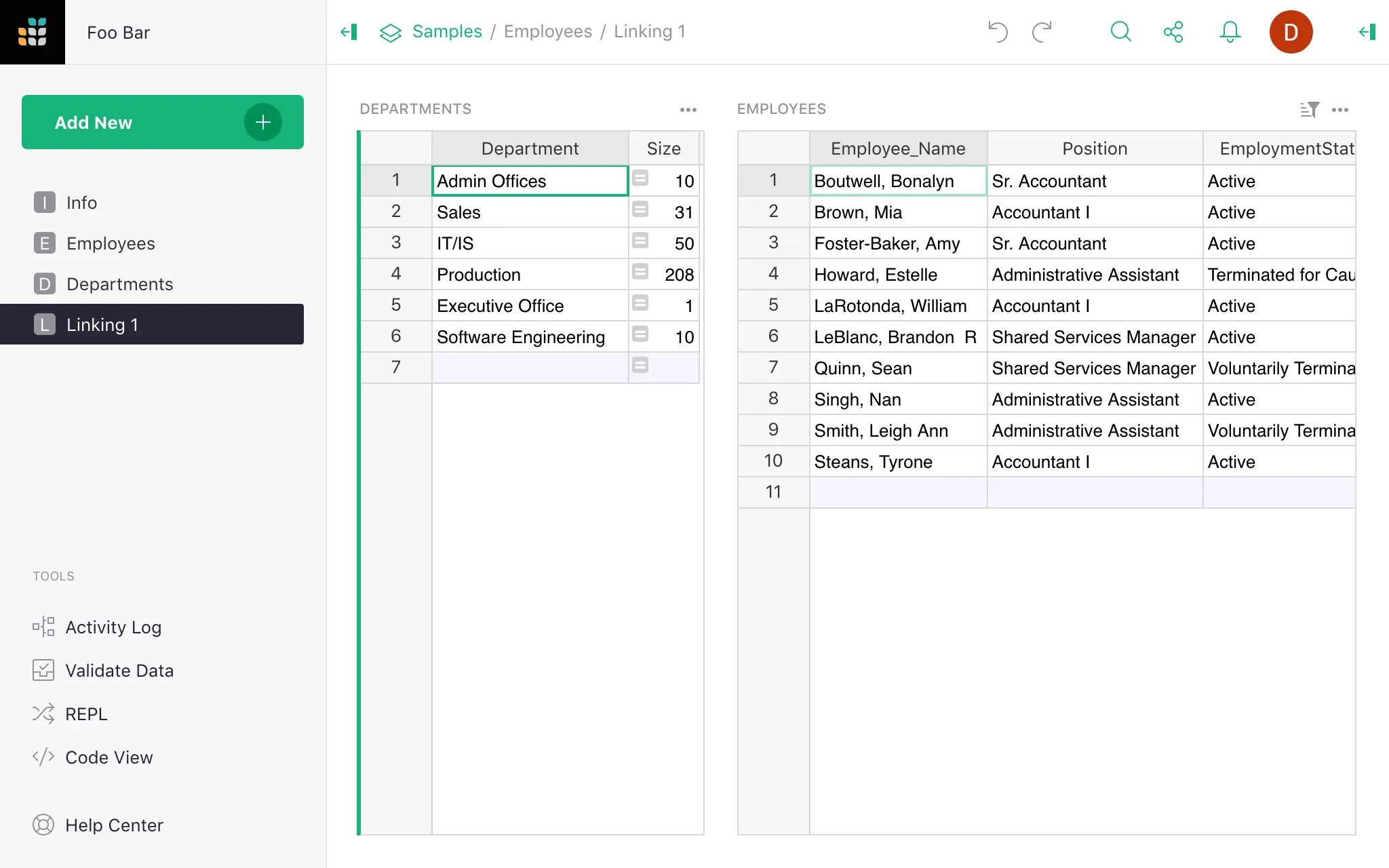
Self-hosted Grist is an open-source relational spreadsheet, an alternative to Airtable and to shared Google Sheets or Excel files. It looks and edits like a spreadsheet, but each column has a type and tables can link to each other, so your data stays tidy as it grows.
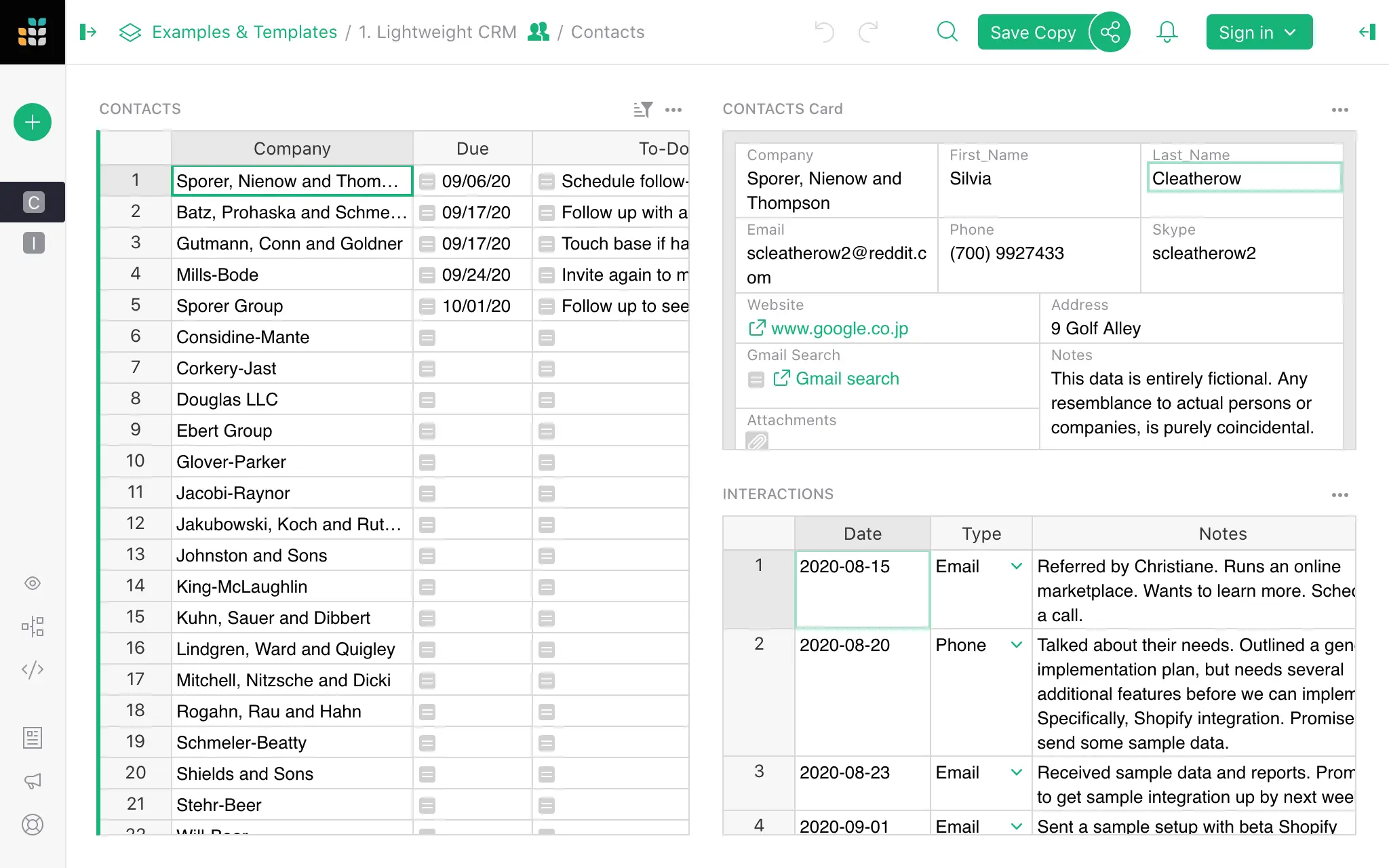
On one page you can put tables, cards, charts, a calendar and forms side by side; select a row and the rest follow it. Formulas are written in Python and also cover many Excel functions. Access rules decide who can see or change each table, column or row. A small wholesaler, for example, could keep customers, orders and stock in linked tables, let sales staff see only their own customers, and take orders through a form.
Grist imports Excel, CSV and JSON files, Google Drive files and whole Airtable bases, and exports back to Excel or CSV. It has an API, webhooks and Zapier support, and a separate desktop version runs on Windows, Mac and Linux. There is no phone app, but Grist works in a phone's browser.
Cloudgate installs Grist on a server Cloudgate provides or one you connect and gives it a secure web address. Enter the boot key from the app's variables page, then finish Grist's Quick setup. Each document is a single file on your server.
What you can do with Grist
- Keep tidy, typed tables Each column has a type, such as number, date, choice, toggle, attachment or a link to another table.
- Link tables together Connect customers to orders or projects to tasks, and see related records from either side.
- Write formulas in Python Formulas use Python and many familiar Excel functions, and apply to a whole column at once.
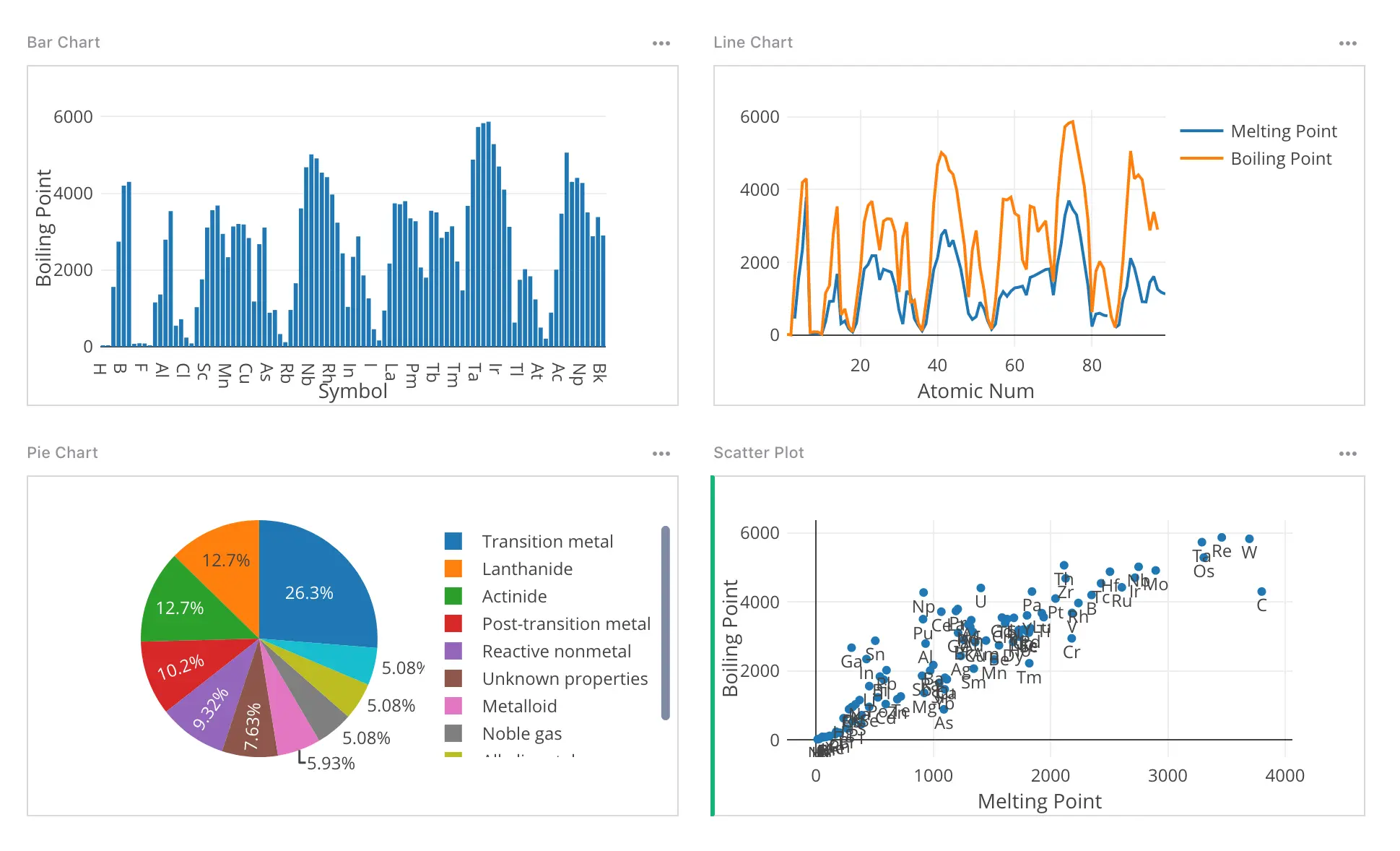
- Build simple dashboards Put tables, cards, charts and a calendar on one page; pick a row and the rest follow it.
- Collect answers with forms Share a form, and every answer lands as a new row in your table.
- Decide who sees what Access rules can hide or lock whole tables, single columns or rows, based on who is signed in.
- Bring your data in Import Excel, CSV and JSON files, files from Google Drive, or a whole Airtable base.
Replaces Airtable and Google Sheets
Grist does the same job as Airtable and Google Sheets. Here is what changes when you switch.
- No per-editor fee and no record limit set by Grist
- Your tables stay on your server, each document in one file that is easy to back up
- Rules down to single rows and columns, plus Python formulas
- It works differently from Excel or Google Sheets, with one formula per column, so expect a short learning curve
- Fewer built-in views than Airtable; a Kanban board is an add-on widget
- Automations, notifications, the AI Assistant and your own single sign-on need the paid full edition
- Free team sign-in uses getgrist.com accounts, which Grist Labs hosts
What happens when you click Deploy?
You do not need a server or any technical knowledge. Four steps, and Grist is running at its own web address.
- Step 1 Click Deploy and create your account
Deploy takes you to Cloudgate. Create an account, or log in if you have one. Grist itself is free.
- Step 2 Choose a server
No server? Get one from Cloudgate: pick a size and a country, and Cloudgate gets it ready. Already have one? Connect it instead.
- Step 3 Cloudgate sets up Grist
It prepares the server, makes the passwords the app needs and starts it. There is nothing to install and nothing to write down.
- Step 4 Open your app and sign in
Your app gets a free web address to start, without https. Add your own domain, like app.yourshop.com, and Cloudgate secures it with https for you.
New to Cloudgate? See what Cloudgate is
Run Cloudgate yourself? Deploy from your own console
In your Cloudgate console, open Templates and choose Grist.
Questions
Is Grist free?
Yes, the Community edition of Grist is free and open source under the Apache 2.0 licence, and you pay only for your server. Grist is open core: the full edition adds your own single sign-on, Automations, notifications and the AI Assistant, and needs an activation key that is free for individuals and organisations under US $1 million a year and paid above that. The official app image Cloudgate installs also contains those full-edition extensions, which are not open source and stay switched off without a key.
Is Grist a good alternative to Airtable?
Yes, if you want linked tables, forms and views on your own server without per-editor fees or record limits. Grist feels more like a spreadsheet, uses Python formulas and has finer access rules; Airtable has more built-in views and automations, which in Grist need the full edition.
Can I import my Airtable bases into Grist?
Yes, Grist imports Airtable bases directly, including their records and attachments, using an Airtable personal access token. Views, interfaces and forms do not come across, so you rebuild those in Grist.
How do I sign in to Grist the first time?
Open Grist's web address and enter the boot key, which Cloudgate shows on the app's variables page. Grist then opens its Quick setup: confirm the admin email, pick the gVisor sandbox so formulas run safely, choose how people sign in, then select "Apply and go live".
How does my team sign in to Grist?
In the free Community edition, people sign in with a free getgrist.com account: Grist Labs hosts the login, and your documents stay on your server. Signing in through your own Google Workspace, Microsoft, Okta or other provider (OIDC or SAML) needs a full-edition activation key. Without a sign-in method, everyone who opens the address acts as the owner, so only use that on a private network.
Can I use Grist instead of Google Sheets or Excel?
Yes, for lists and records that have outgrown a sheet, such as customers, stock or projects. You can import Excel, CSV and Google Drive files and export to Excel or CSV again, but Grist uses one formula per column instead of per cell, so it takes a little getting used to.
Is my data private with Grist?
Yes, your documents are stored on your own server, each one as a single file you can back up or move. If you use getgrist.com accounts for sign-in, only the login goes through Grist Labs.
Do I need technical skills to run Grist?
No. Click Deploy, create your Cloudgate account and choose a server, and Cloudgate sets up Grist and gives it a web address. You use it in your browser like any other online tool.
Do I need my own server for Grist?
No. When you deploy Grist, hosted Cloudgate can provide a server. If you already rent one, you can connect it instead.
Related apps

An Airtable-style database with Gantt views.

No-code database with grid, kanban and calendar views.

A spreadsheet-style database with no row limits.

A spreadsheet view on your PostgreSQL data, for your whole team.