
APITable
An Airtable-style database with Gantt views.
No server needed to start: Cloudgate can provide one. What happens when you click Deploy




What is APITable?
Self-hosted APITable: an open-source Airtable alternative with linked tables, forms, automations, dashboards and grid, kanban, Gantt and calendar views.
Self-hosted APITable is an open-source, spreadsheet-style database and an alternative to Airtable. Each table holds one kind of thing, such as clients, projects or stock, and tables link to each other, so a client's row shows every project you have done for them.
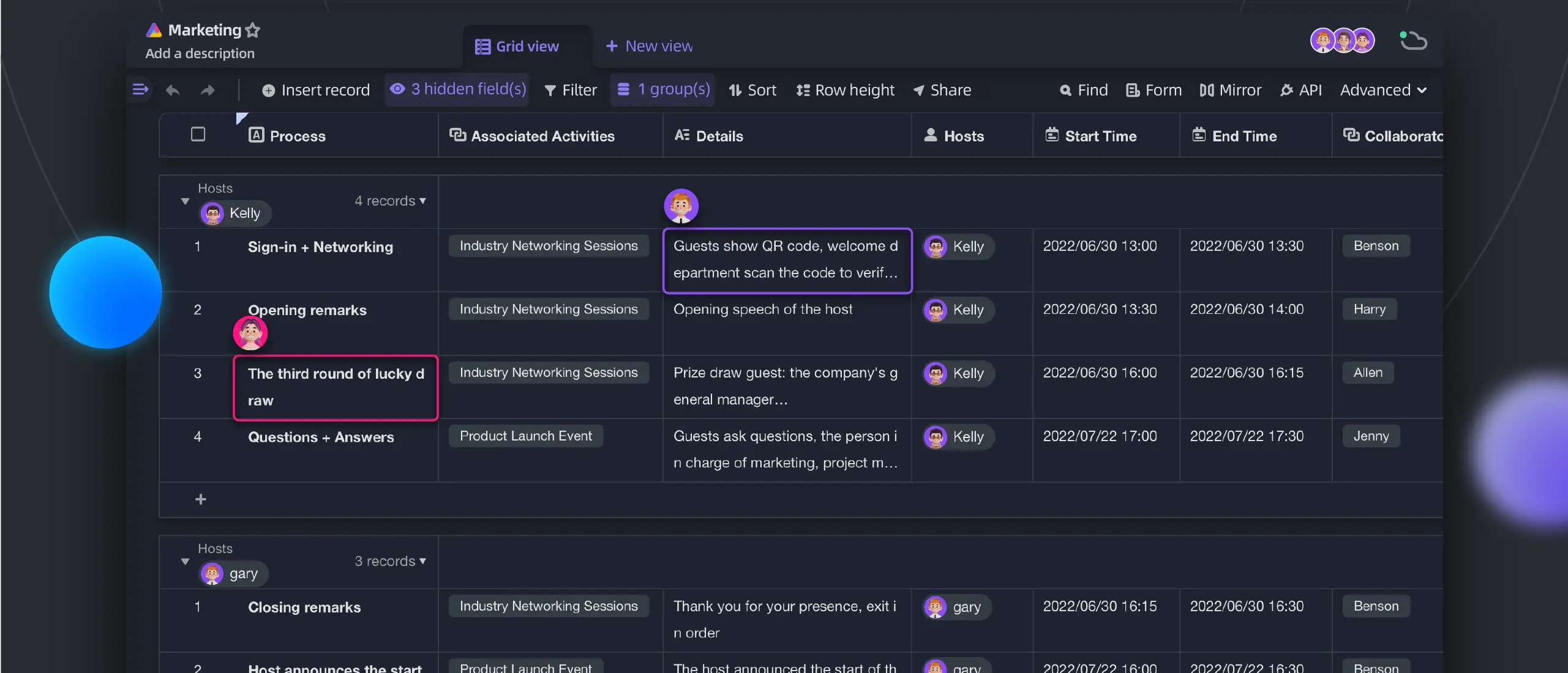
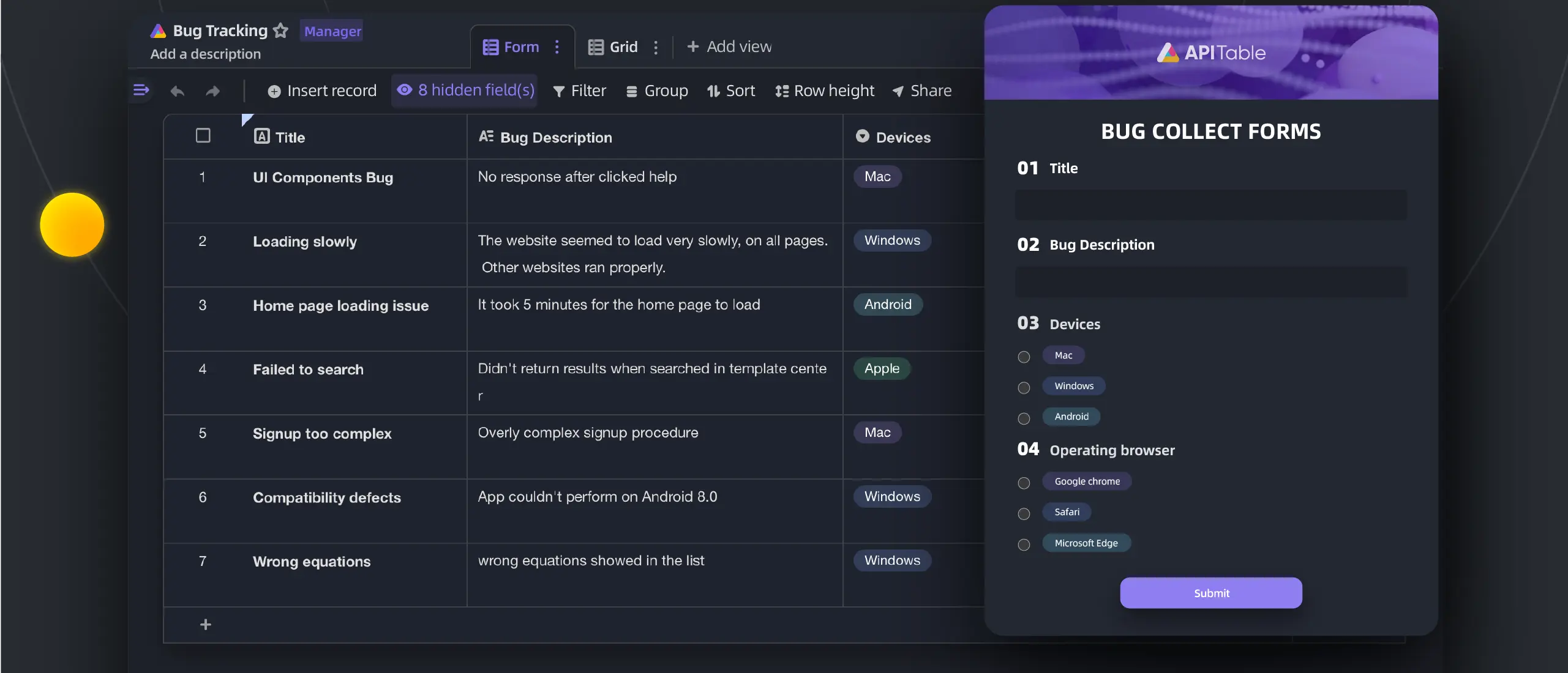
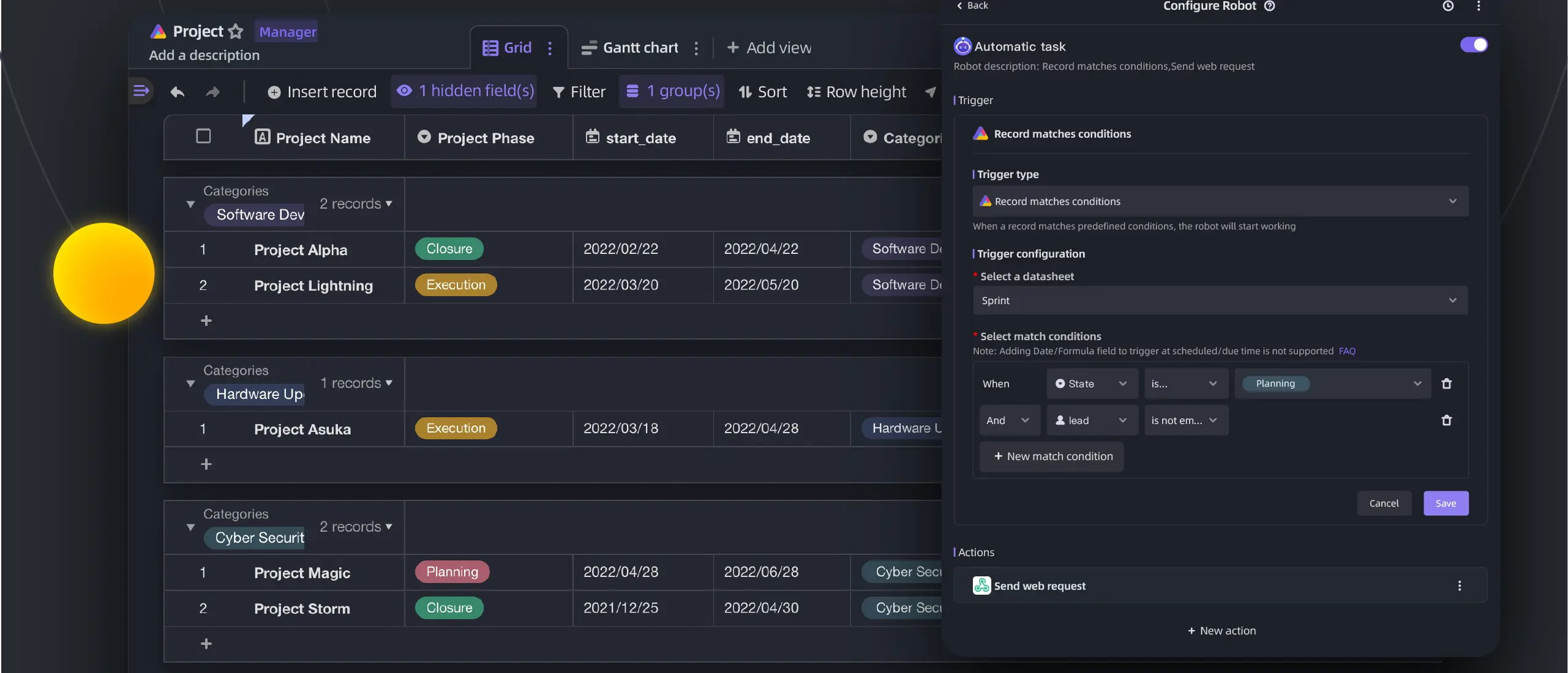
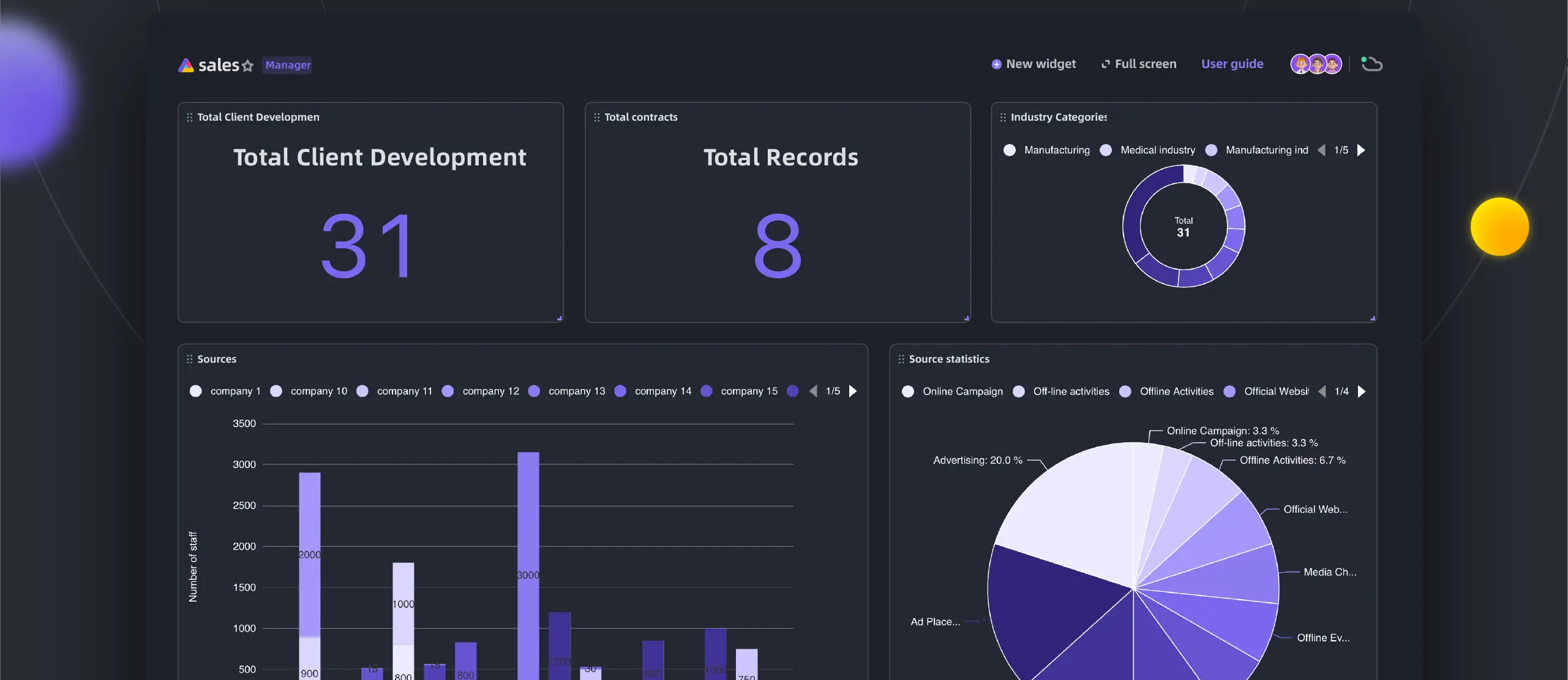
You can look at the same table as a grid, kanban board, Gantt chart, calendar, gallery or mind map, turn it into a form in one click, and build dashboards of charts from it. Automation robots act when a record matches your conditions, and permissions on folders and columns decide who sees what. A small agency, for example, could keep its clients and projects in linked tables, plan deadlines on a Gantt chart and collect new briefs through a form.
Every table has an API, and tables can be shared or embedded in other pages. There is no phone app, but it works in a phone's web browser. APITable is released as beta about once a year, and it needs a larger server than most similar apps. Single sign-on, audit logs and AI features are part of the paid AITable products.
Cloudgate installs APITable on a server Cloudgate provides or one you connect and gives it a secure web address. You sign up, and your account gets its own space for the team.
What you can do with APITable
- Work like a spreadsheet Rows and columns with field types, formulas, filters, sorting and grouping, and many people editing at once.
- Link your tables Connect customers to orders or projects to tasks, with one-way or two-way links between any tables in your space.
- Switch views See the same table as a grid, kanban board, Gantt chart, calendar, gallery or mind map.
- Collect answers with forms Turn a table into a form in one click and share it; every answer becomes a new row.
- Automate routine steps Set up robots that act when a record matches your conditions, such as sending a web request.
- Build dashboards Add charts and totals from your tables to a dashboard, using the built-in widgets.
- Control who sees what Set permissions on folders, files and columns, and share filtered views so people only see their own rows.
- Connect your own tools Every table has an API, and the API panel shows the calls for the table you are looking at.
Replaces Airtable
APITable does the same job as Airtable. Here is what changes when you switch.
- No price per editor and no record caps from APITable; your server's size is the limit
- Gantt, kanban, calendar and mind map views, automations and dashboards are in the free edition
- Column permissions and row-level shared views without a paid plan
- Your data stays on your own server
- Every release is labelled beta, and new versions come out about once a year
- It needs a bigger server than most alternatives; the project recommends 8 GB of memory
- This template runs APITable's all-in-one image, which the project calls suitable for demos and testing rather than production, because its multi-container images have no version tags
- Single sign-on, audit logs, backups, AI and some integrations are in the paid AITable products
- No phone app; it works in the phone's web browser
What happens when you click Deploy?
You do not need a server or any technical knowledge. Four steps, and APITable is running at its own web address.
- Step 1 Click Deploy and create your account
Deploy takes you to Cloudgate. Create an account, or log in if you have one. APITable itself is free.
- Step 2 Choose a server
No server? Get one from Cloudgate: pick a size and a country, and Cloudgate gets it ready. Already have one? Connect it instead.
- Step 3 Cloudgate sets up APITable
It prepares the server, makes the passwords the app needs and starts it. There is nothing to install and nothing to write down.
- Step 4 Open your app and sign in
Your app gets a free web address to start, without https. Add your own domain, like app.yourshop.com, and Cloudgate secures it with https for you.
New to Cloudgate? See what Cloudgate is
Run Cloudgate yourself? Deploy from your own console
In your Cloudgate console, open Templates and choose APITable.
Questions
Is APITable free?
Yes. APITable is free and open source under the AGPL-3.0 licence, and you pay only for your server. Single sign-on, audit logs, automatic backups, a watermark, AI features and some integrations are only in the paid AITable cloud and enterprise editions.
Is APITable a good alternative to Airtable?
Yes, for teams that want linked tables, forms, automations and grid, kanban, Gantt and calendar views on their own server without a price per editor. Airtable has more ready-made integrations and a phone app, and it gets updates far more often than APITable.
Is APITable still maintained?
Yes, but slowly. Every APITable release is labelled beta, and recent versions have come out about once a year; version 1.14.0-beta was released in September 2026. If you want frequent updates, Baserow, NocoDB or Teable release more often.
How is APITable different from Baserow or NocoDB?
APITable's free edition includes Gantt, kanban, calendar and mind map views, automations, dashboards and column permissions. It needs a larger server, has beta-only releases and gets updates less often than Baserow or NocoDB.
How do I sign in the first time?
You open APITable's web address and sign up with an email address and password; there is no default admin login. Your account gets its own space, and you invite your colleagues into it.
What server size does APITable need?
APITable recommends 4 CPUs and 8 GB of memory or more, which is more than most similar apps. The first start takes several minutes before the page opens. This template uses APITable's all-in-one image, which the project describes as meant for demos and testing rather than enterprise or production use; the multi-container setup it recommends instead has parts published without version tags, so Cloudgate can't pin them.
Is my data private with APITable?
Yes. Your tables, files and settings are stored on your own server, not with APITable or AITable, and you decide who joins your space.
Do I need technical skills to run APITable?
No. Click Deploy, create your Cloudgate account and choose a server, and Cloudgate sets up APITable and gives it a web address. You use it in your browser like any other online tool.
Do I need my own server for APITable?
No. When you deploy APITable, hosted Cloudgate can provide a server. If you already rent one, you can connect it instead.
Can I move my data from Airtable to APITable?
Most people export from Airtable and import into APITable. The official guides at github.com walk through it.
Related apps

No-code database with grid, kanban and calendar views.

A self-hosted spreadsheet that works like a database.

A spreadsheet-style database with no row limits.

A spreadsheet view on your PostgreSQL data, for your whole team.