
NocoDB
Self-hosted no-code database with grid, kanban and calendar views.
No server needed to start: Cloudgate can provide one. What happens when you click Deploy
What is NocoDB?
Self-hosted NocoDB: a no-code database that works like a spreadsheet, with linked tables and kanban, calendar and form views. A fair-code Airtable alternative.
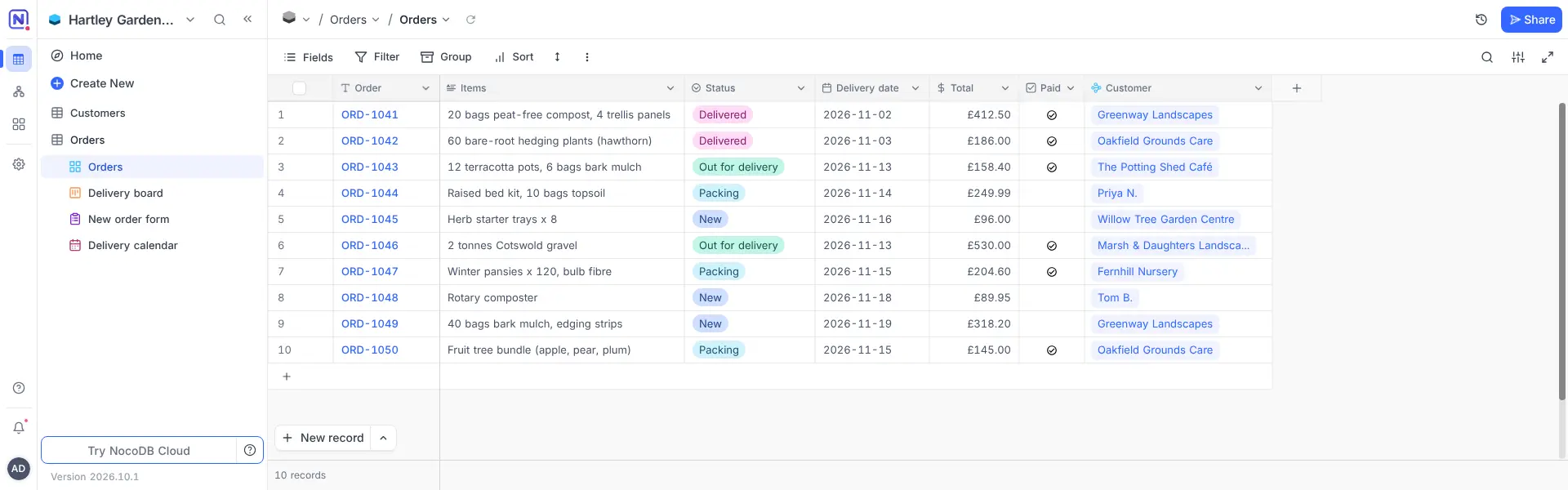
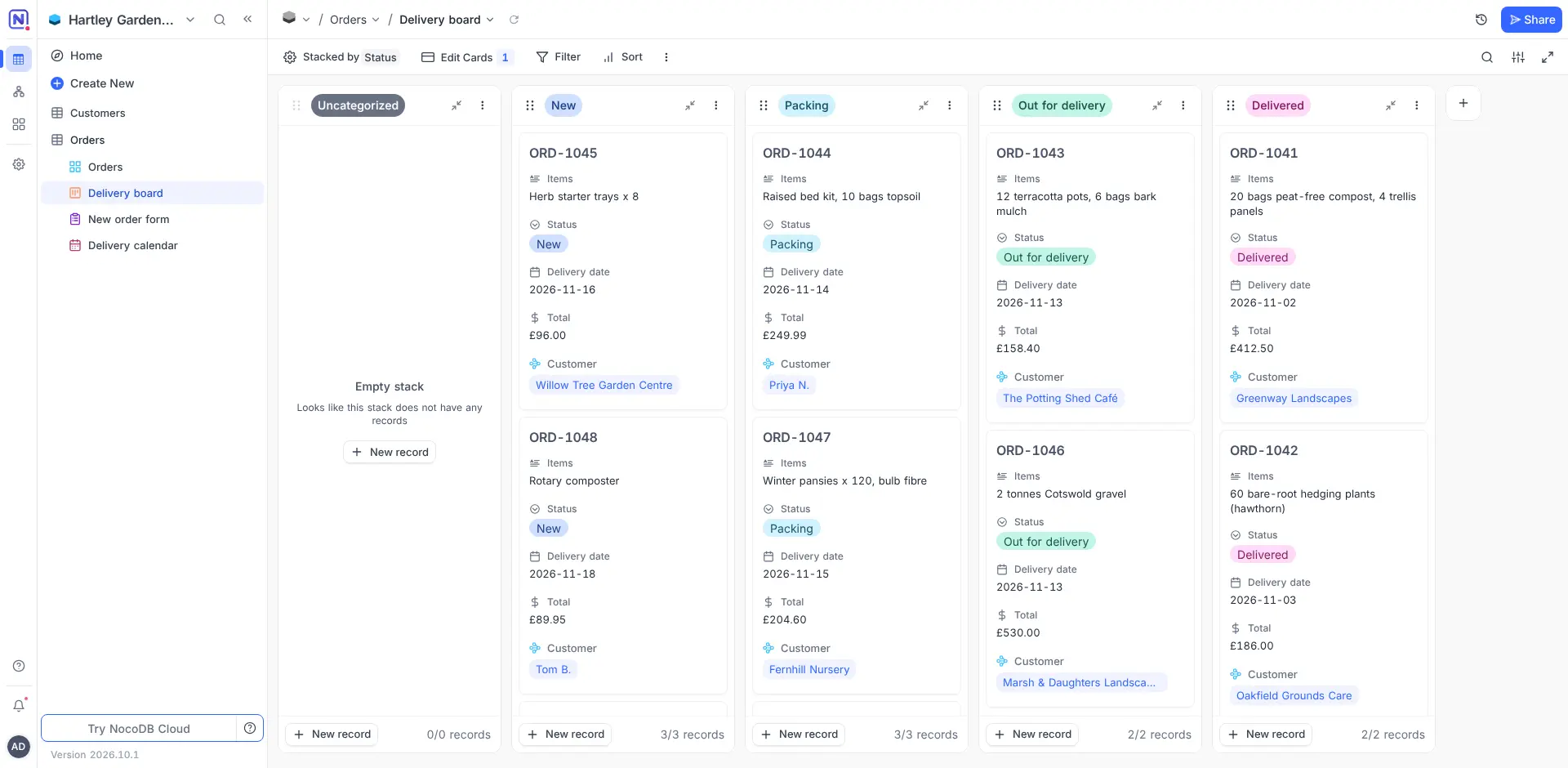
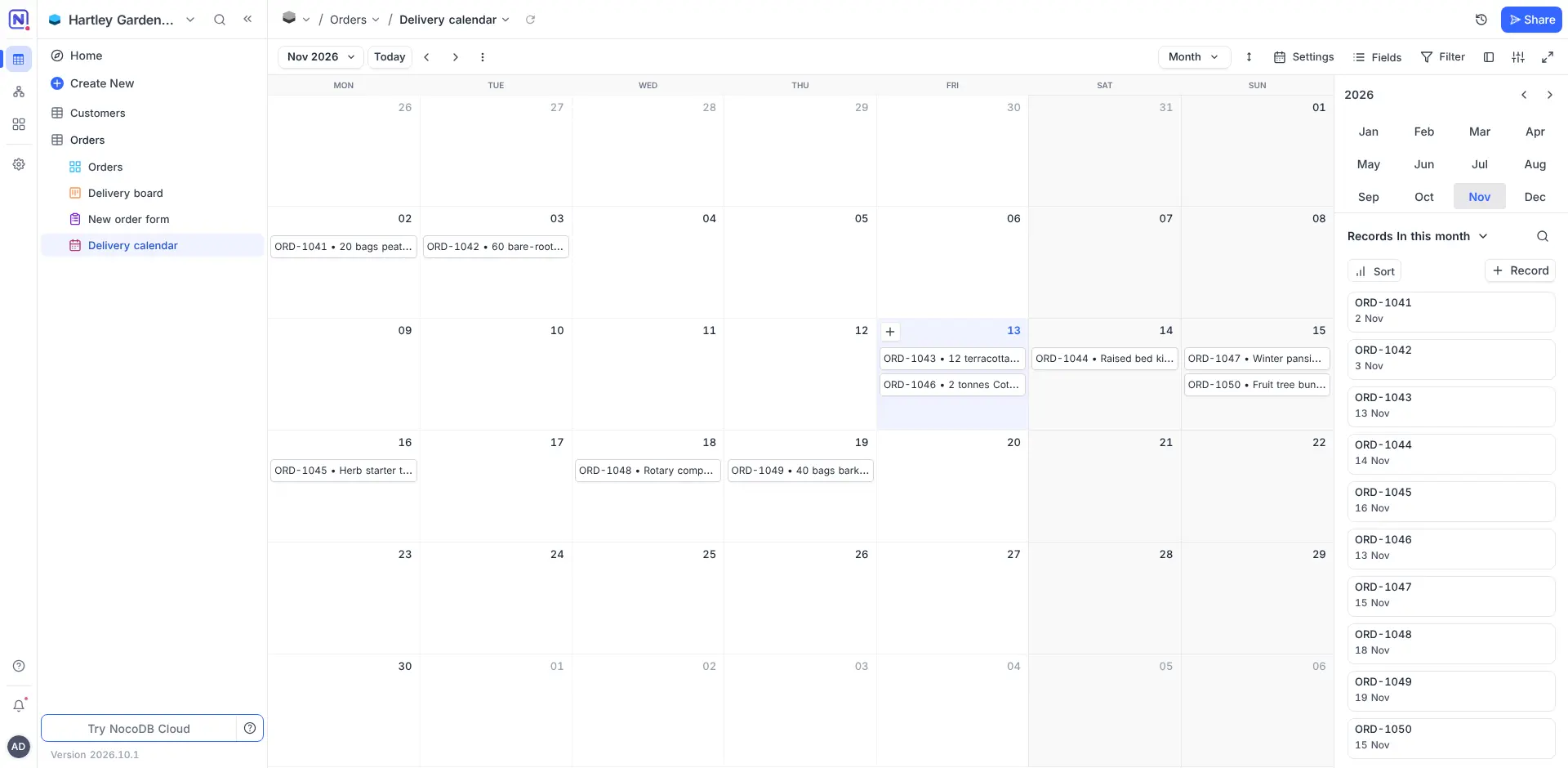
NocoDB is a self-hosted no-code database that works like a spreadsheet: an Airtable alternative you run on your own server. You build tables with proper field types, link them to each other, and look at the same records as a grid, a kanban board, a gallery, a calendar or a form.
A garden supplies shop, for example, could keep its customers and orders in two linked tables, track each order on a kanban board from New to Delivered, plan deliveries on a calendar, and take orders through a shared form that adds a row for every answer.
NocoDB imports Airtable bases as well as CSV, Excel and JSON files, and it can also open an existing PostgreSQL or MySQL database in the same spreadsheet view. Its API and webhooks connect it to other apps. There is no phone app, but it works in a phone's web browser.
NocoDB is fair-code rather than open source: it is free to host for your own business under the Sustainable Use License, and some extras, such as single sign-on and timeline views, need a paid licence. Cloudgate installs NocoDB on a server Cloudgate provides or one you connect and gives it a secure web address. The first person to sign up becomes the admin and invites the rest of the team.
What you can do with NocoDB
- Work like a spreadsheet Rows and columns, with field types for dates, money, files, people, choices and formulas.
- Link your tables Connect orders to customers or products to suppliers, and pull in totals and details from the linked rows.
- See the same data five ways Switch between grid, kanban, gallery, calendar and form views, with filters, sorting and grouping you can save.
- Collect data with forms Share a form, publicly or with a password, and every answer becomes a new row.
- Bring your data with you Import an Airtable base, or CSV, Excel and JSON files, in a few clicks.
- Open a database you already have Connect an existing PostgreSQL or MySQL database and work on its tables in the same spreadsheet view.
- Connect other apps Use the built-in API and webhooks to move data in and out, and send notifications to Slack, Teams or Discord.
- Work together Invite colleagues with different roles, comment on records and keep notes in pages next to your tables.
Replaces Airtable
NocoDB does the same job as Airtable. Here is what changes when you switch.
- No price per editor and no record or storage caps; your server's size is the limit
- Kanban, gallery, calendar and form views are included in the free self-hosted plan
- Your data stays on your own server
- It can work directly on a database you already run
- Timeline and Gantt views, single sign-on, audit logs and field-level permissions need a paid NocoDB licence
- Automations are limited to two per base in the free plan, and Airtable automations do not carry over
- Airtable formula fields are not imported, so you rebuild them
- There is no phone app; it works in the phone's web browser
What happens when you click Deploy?
You do not need a server or any technical knowledge. Four steps, and NocoDB is running at its own web address.
- Step 1 Click Deploy and create your account
Deploy takes you to Cloudgate. Create an account, or log in if you have one. NocoDB itself is free.
- Step 2 Choose a server
No server? Get one from Cloudgate: pick a size and a country, and Cloudgate gets it ready. Already have one? Connect it instead.
- Step 3 Cloudgate sets up NocoDB
It prepares the server, makes the passwords the app needs and starts it. There is nothing to install and nothing to write down.
- Step 4 Open your app and sign in
Your app gets a free web address to start, without https. Add your own domain, like app.yourshop.com, and Cloudgate secures it with https for you.
New to Cloudgate? See what Cloudgate is
Run Cloudgate yourself? Deploy from your own console
In your Cloudgate console, open Templates and choose NocoDB.
Questions
Is NocoDB free?
Yes, NocoDB's self-hosted Community plan is free for your own business, with no limit on records, storage or users, and you pay only for hosting. Some extras, such as single sign-on, audit logs, timeline views and more than two automations per base, need a paid NocoDB licence.
Is NocoDB open source?
No, NocoDB is no longer open source. Since January 2026 it uses the Sustainable Use License, a fair-code licence; earlier versions were open source under the AGPL. Its code is still public, and you may run and change it for your own business, but you may not sell NocoDB itself to others as a hosted service.
Is NocoDB a good alternative to Airtable?
Yes, NocoDB is a good Airtable alternative for teams that want Airtable-style linked tables, forms and kanban and calendar views on their own server, without a price per editor. It has fewer automations and integrations than Airtable, and timeline and Gantt views are paid. Baserow is an open-source option that does the same job.
Can I import my Airtable bases into NocoDB?
Yes, NocoDB imports a whole Airtable base, including its tables, views, linked records, lookups, rollups and rows. Formula fields are not imported, so you add them again by hand. It also imports CSV, Excel and JSON files.
Can NocoDB work with a database I already have?
Yes, NocoDB can connect to an existing PostgreSQL or MySQL database and show its tables in the same spreadsheet view, so people can browse and edit the data without writing queries.
How do I sign in to NocoDB the first time?
NocoDB has no default password. Open its web address and sign up with your email and a password; the first account becomes the admin. After that, new people need an invitation from the admin.
What server size do I need for NocoDB?
NocoDB needs at least 2 GB of memory and 2 CPU cores, so Cloudgate installs it on a server that size, which suits a small team. NocoDB recommends 8 GB of memory and 4 cores for heavier use.
Do I need technical skills?
No. Click Deploy, create your Cloudgate account and choose a server, and Cloudgate sets up NocoDB and gives it a web address. You use it in your browser like any other online tool.
Do I need my own server?
No. When you deploy NocoDB, hosted Cloudgate can provide a server. If you already rent one, you can connect it instead.

