
GlobaLeaks
A secure, anonymous whistleblowing channel on your own server.
No server needed to start: Cloudgate can provide one. What happens when you click Deploy
What is GlobaLeaks?
GlobaLeaks is self-hosted whistleblowing software: a secure channel for anonymous reports, follow-up messages and case handling on your own server.
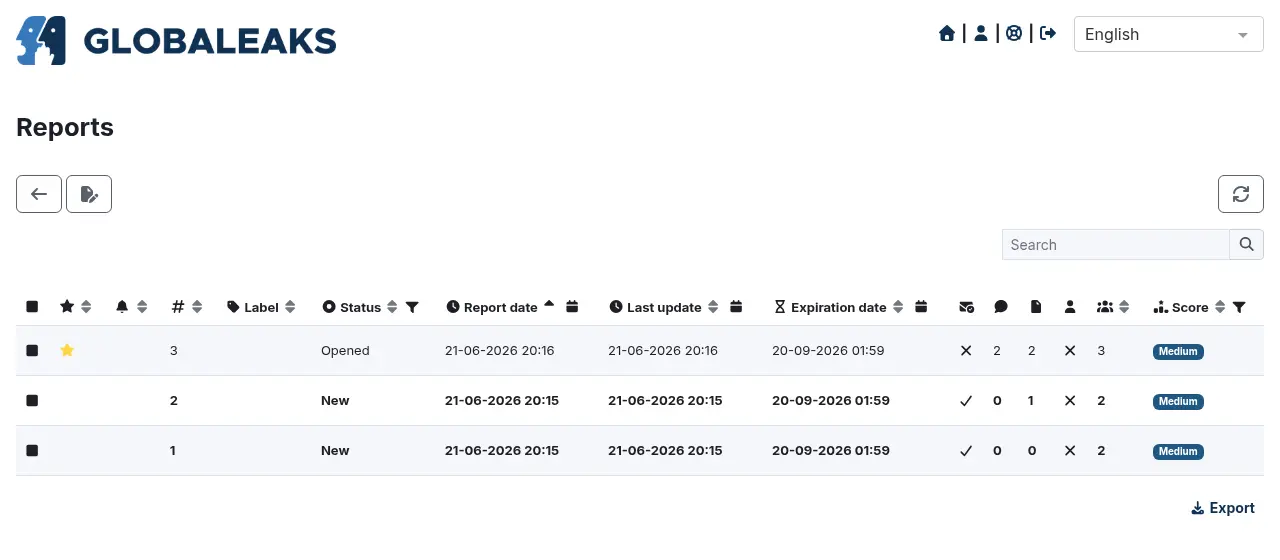
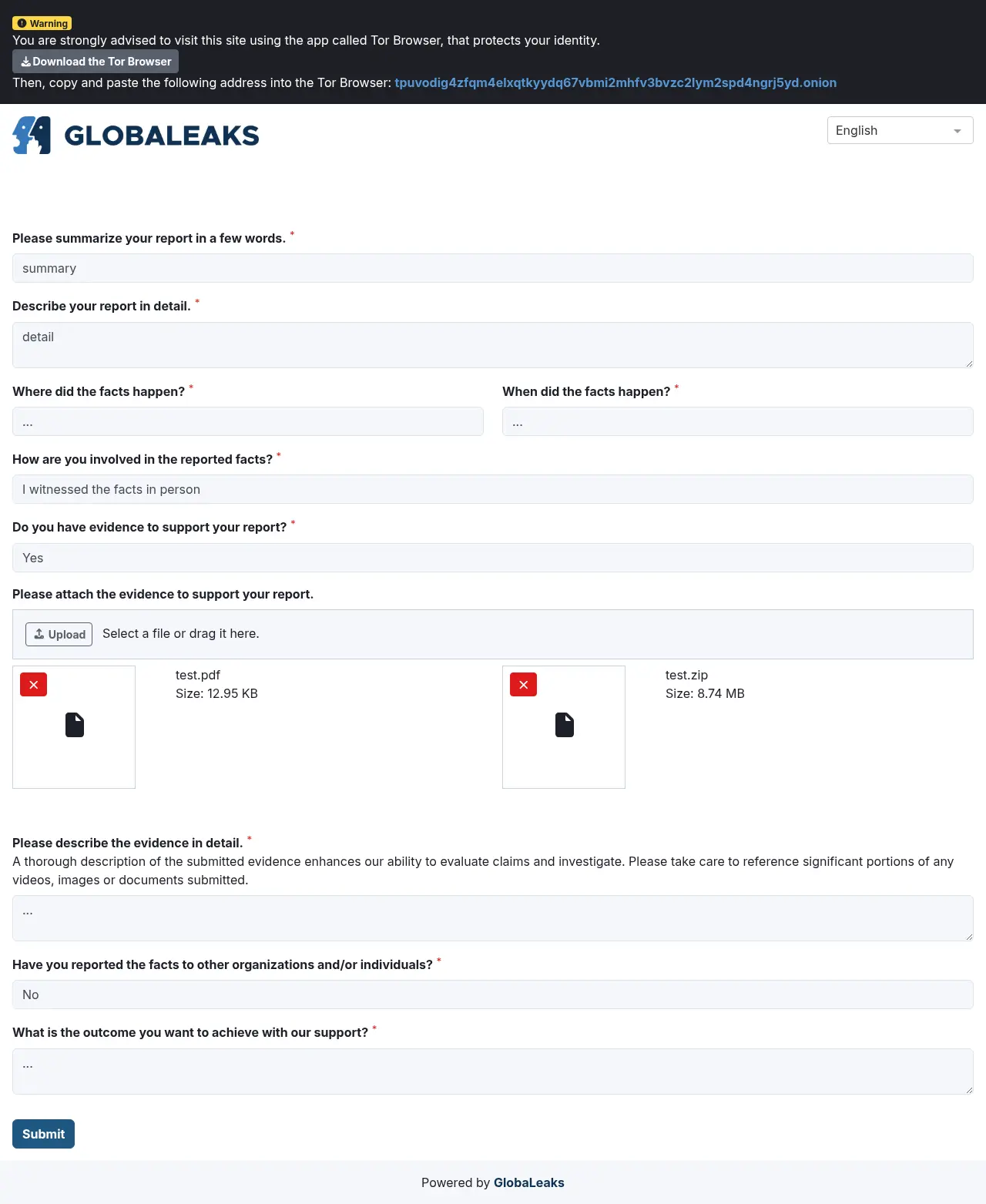
GlobaLeaks is free, open-source whistleblowing software that gives your organization its own secure reporting channel, as a self-hosted alternative to NAVEX EthicsPoint and EQS Integrity Line. Staff, suppliers or the public send reports through a simple web form, named or anonymous, and the people you choose receive them, ask follow-up questions and track each case to the end.
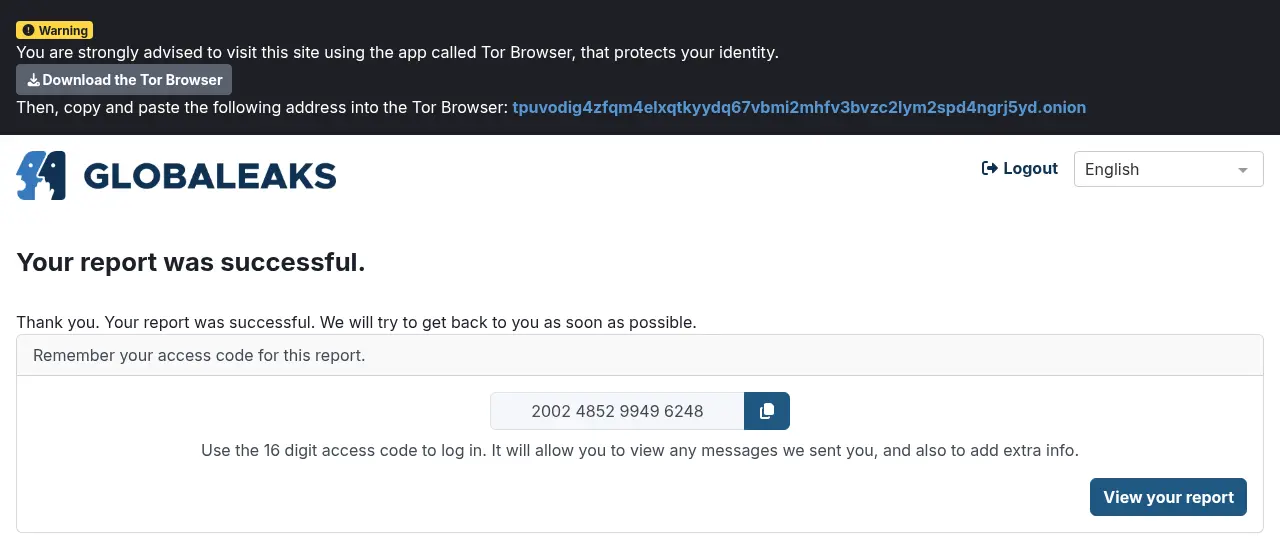
Reporters never need an account. After sending a report they get a 16-digit access code, which lets them come back to read your questions, reply and add files while staying anonymous. A manufacturer with 80 staff, for example, could put a "Report a concern" link on its intranet, let two trusted managers receive reports, and keep a record of every case it handles under the EU Whistleblower Directive.
You can set up separate channels and questionnaires per department, add your logo, and offer the site in more than 70 languages. It works in any browser, including on phones, and can email your team when a new report arrives.
Cloudgate installs GlobaLeaks on a server Cloudgate provides or one you connect, and gives it a secure web address. A short setup wizard then creates your admin account and your first recipient, and every report stays on your server.
What you can do with GlobaLeaks
- Take reports, named or anonymous People fill in a guided form, attach files and choose whether, and when, to tell you who they are.
- Talk without knowing who it is Each report gets a 16-digit access code the reporter uses to read your questions, reply and add evidence, with no account.
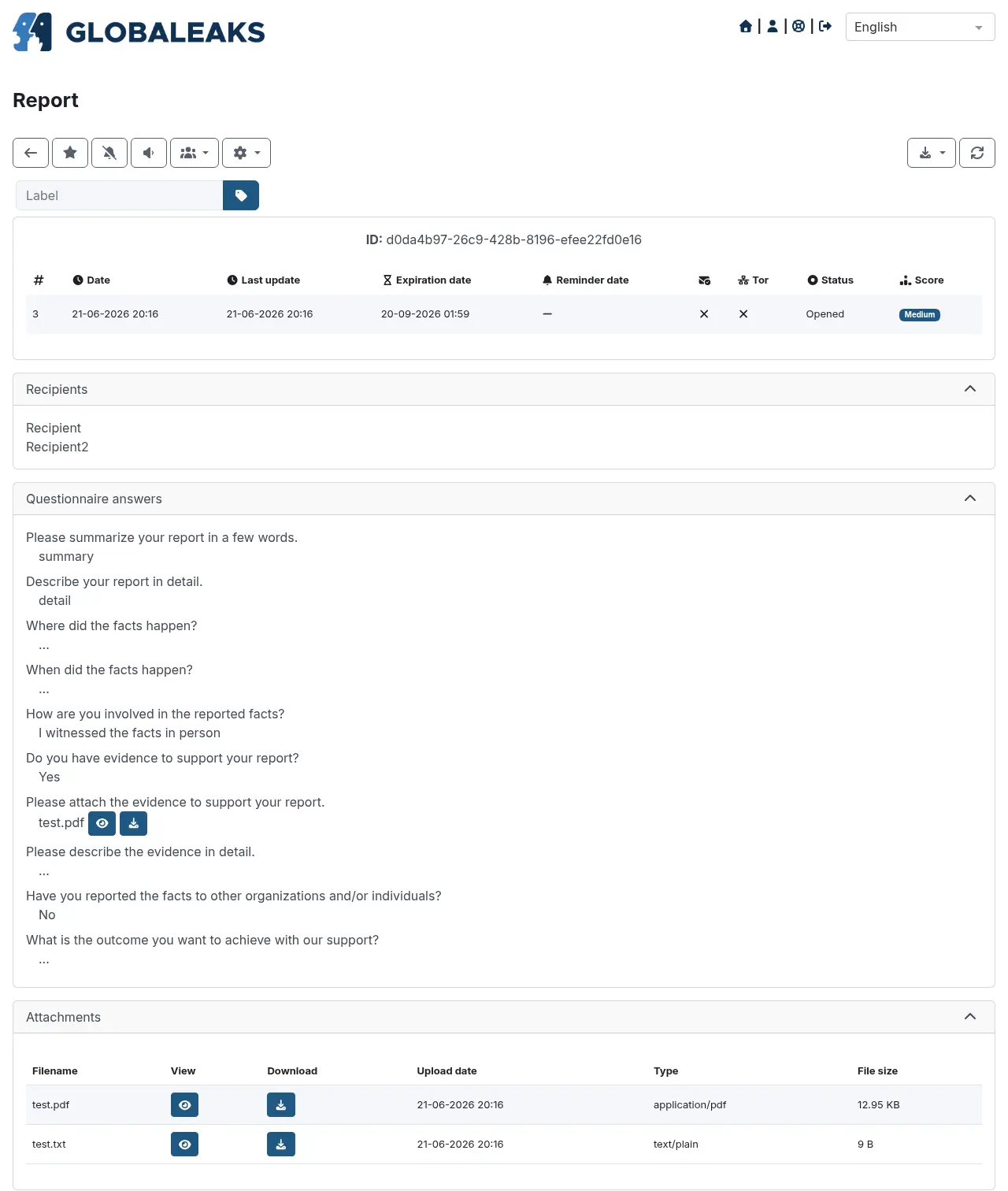
- Handle every case in one place Track reports with labels, statuses, reminders and expiry dates, search them, and export a case when you need to.
- Ask the right questions Build your own questionnaires and set up separate channels, for example one per department or topic.
- Protect the reporter's identity A custodian role decides who may see a reporter's identity, and the conflict-of-interest settings keep a report away from the person it names.
- Keep reports private and short-lived Reports are stored encrypted, IP addresses are not logged, and retention rules delete old reports for you.
- Speak your team's language Add your logo and colours, and offer the site in more than 70 languages, including right-to-left ones.
Replaces NAVEX EthicsPoint and EQS Integrity Line
GlobaLeaks does the same job as NAVEX EthicsPoint and EQS Integrity Line. Here is what changes when you switch.
- No subscription for the software, whatever your number of reports or staff
- Reports and reporters' details stay on your own server
- Anonymous two-way messages through an access code, with no account needed
- As many reporting channels and questionnaires as you like
- Reports come in through the website only, with no phone hotline
- Built for small and mid-sized organizations, as its spam protection accepts only a few new reports an hour
- Your existing cases do not move across from another tool
- Every screen keeps a small "Powered by GlobaLeaks" line, as its licence asks
What happens when you click Deploy?
You do not need a server or any technical knowledge. Four steps, and GlobaLeaks is running at its own web address.
- Step 1 Click Deploy and create your account
Deploy takes you to Cloudgate. Create an account, or log in if you have one. GlobaLeaks itself is free.
- Step 2 Choose a server
No server? Get one from Cloudgate: pick a size and a country, and Cloudgate gets it ready. Already have one? Connect it instead.
- Step 3 Cloudgate sets up GlobaLeaks
It prepares the server, makes the passwords the app needs and starts it. There is nothing to install and nothing to write down.
- Step 4 Open your app and sign in
Your app gets a free web address to start, without https. Add your own domain, like app.yourshop.com, and Cloudgate secures it with https for you.
New to Cloudgate? See what Cloudgate is
Run Cloudgate yourself? Deploy from your own console
In your Cloudgate console, open Templates and choose GlobaLeaks.
Questions
Is GlobaLeaks free?
Yes, GlobaLeaks is free and open source under the AGPL-3.0 licence, with no paid edition. You pay only for the server it runs on.
Is GlobaLeaks a good alternative to NAVEX EthicsPoint or EQS Integrity Line?
Yes, GlobaLeaks fits if you want a web-based reporting channel and case management on your own server, without a yearly subscription. Unlike those services, it has no phone hotline and you handle the setup and running of the site yourself.
Can people report anonymously with GlobaLeaks?
Yes, reporters can stay anonymous and still talk to you, using the 16-digit access code they get after sending a report. GlobaLeaks does not log IP addresses, and it advises reporters to use the Tor Browser for extra protection.
Does GlobaLeaks help with the EU Whistleblower Directive?
Yes, GlobaLeaks is designed to follow the EU Whistleblower Directive (2019/1937) and ISO 37002, with confidential reports, two-way follow-up and data retention rules. Your own policy and how you handle reports still decide whether you comply.
How do I sign in to GlobaLeaks the first time?
The first visit to GlobaLeaks opens a setup wizard where you pick a language and a name, then create the admin account and the first recipient's account. There is no default password; afterwards, add your own email account in the notification settings so report alerts come from your domain.
Does GlobaLeaks have phone apps?
No, GlobaLeaks has no phone apps, but the reporting site and the case screens work in any phone's browser.
What server size do I need for GlobaLeaks?
A small server is enough for GlobaLeaks, because the project asks for 2 processor cores, 1 GB of memory and 20 GB of disk. Plan more disk if people send large files or you keep reports for a long time.
Do I need technical skills to run GlobaLeaks?
No. Click Deploy, create your Cloudgate account and choose a server, and Cloudgate sets up GlobaLeaks and gives it a web address. You use it in your browser like any other online tool.
Do I need my own server for GlobaLeaks?
No. When you deploy GlobaLeaks, hosted Cloudgate can provide a server. If you already rent one, you can connect it instead.
Can I move my data from NAVEX EthicsPoint to GlobaLeaks?
Most people export from NAVEX EthicsPoint and import into GlobaLeaks. The official guides at docs.globaleaks.org walk through it.
Related apps

A self-hosted anonymous tip line that only you can read.

One sign-in with two-step login for the apps you host yourself.

Single sign-on and one user list for all your apps, on your server.

Encrypted notes that self-destruct by views or by timer.