
Dolibarr
CRM, quotes, invoices and stock in one business app.
No server needed to start: Cloudgate can provide one. What happens when you click Deploy
What is Dolibarr?
Self-hosted Dolibarr ERP & CRM: customers, quotes, orders, invoices, stock and bank accounts in one app for small businesses and associations.
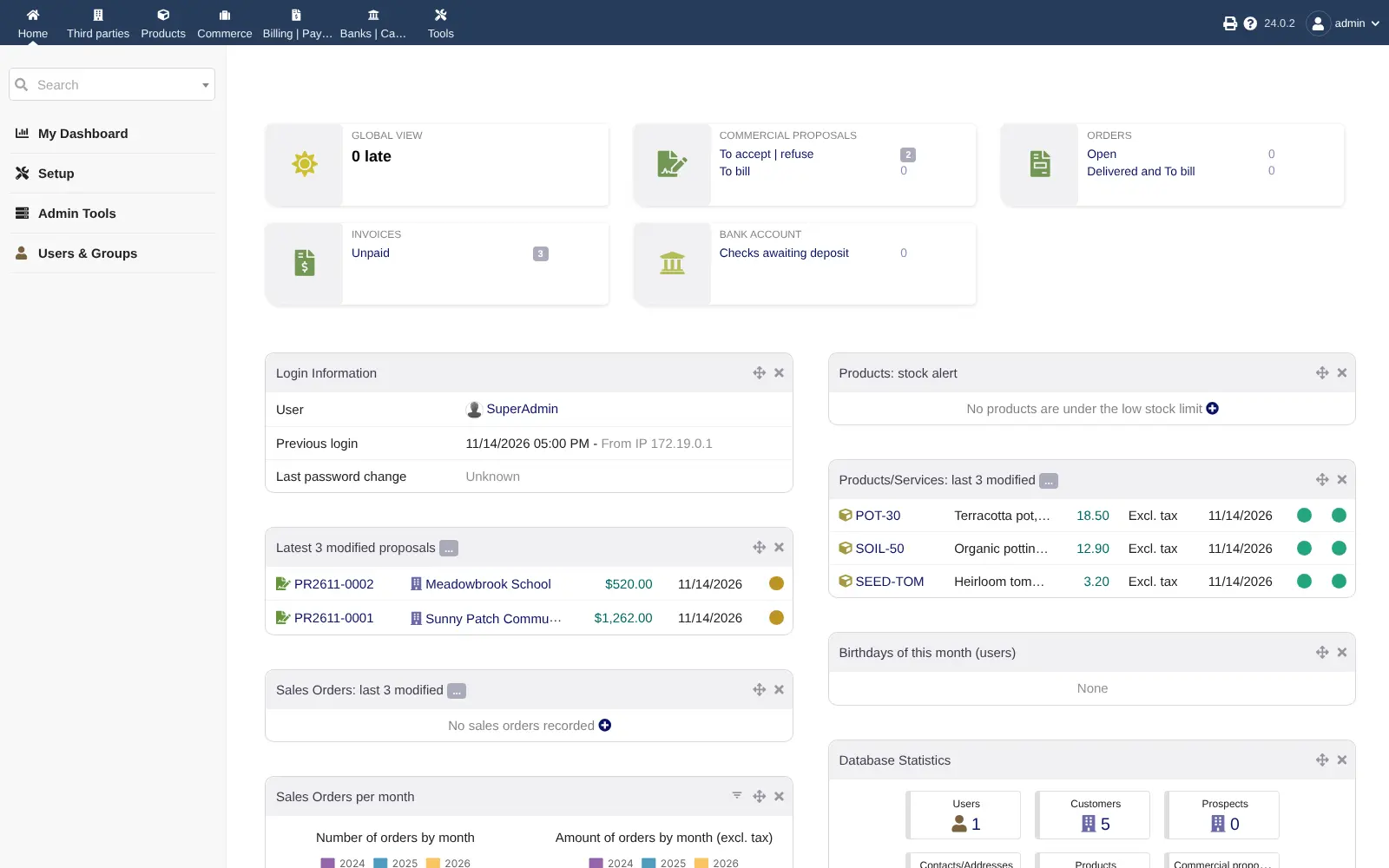
Dolibarr ERP & CRM is free, open-source, self-hosted business software that keeps your customers, quotes, orders, invoices, products and stock in one app, as an alternative to QuickBooks, Zoho Books, Xero or FreshBooks. It suits small businesses, freelancers and associations, and it is built from modules: you switch on only what you use.
A garden supply shop, for example, could send a community garden a quote it signs online, turn it into an order and an invoice, and watch its stock of pots and potting soil go down as it delivers. When the payment arrives, it is recorded against the invoice and the bank account. Later the shop could add purchasing, projects, point of sale or accounting without changing software.
Dolibarr covers more of the business than accounting apps such as Bigcapital, with a CRM, projects and point of sale, but its bookkeeping is simpler, with no bank feeds or payroll. The interface is dense and has many settings. It works in any web browser, and there is an Android app.
Cloudgate installs Dolibarr on a server Cloudgate provides or one you connect, with your company name and country, and gives it a secure web address. Sign in as admin, set your main currency first, and start adding customers.
What you can do with Dolibarr
- Keep track of customers and suppliers One record per customer, prospect or supplier, with their contacts, quotes, orders and invoices in one place.
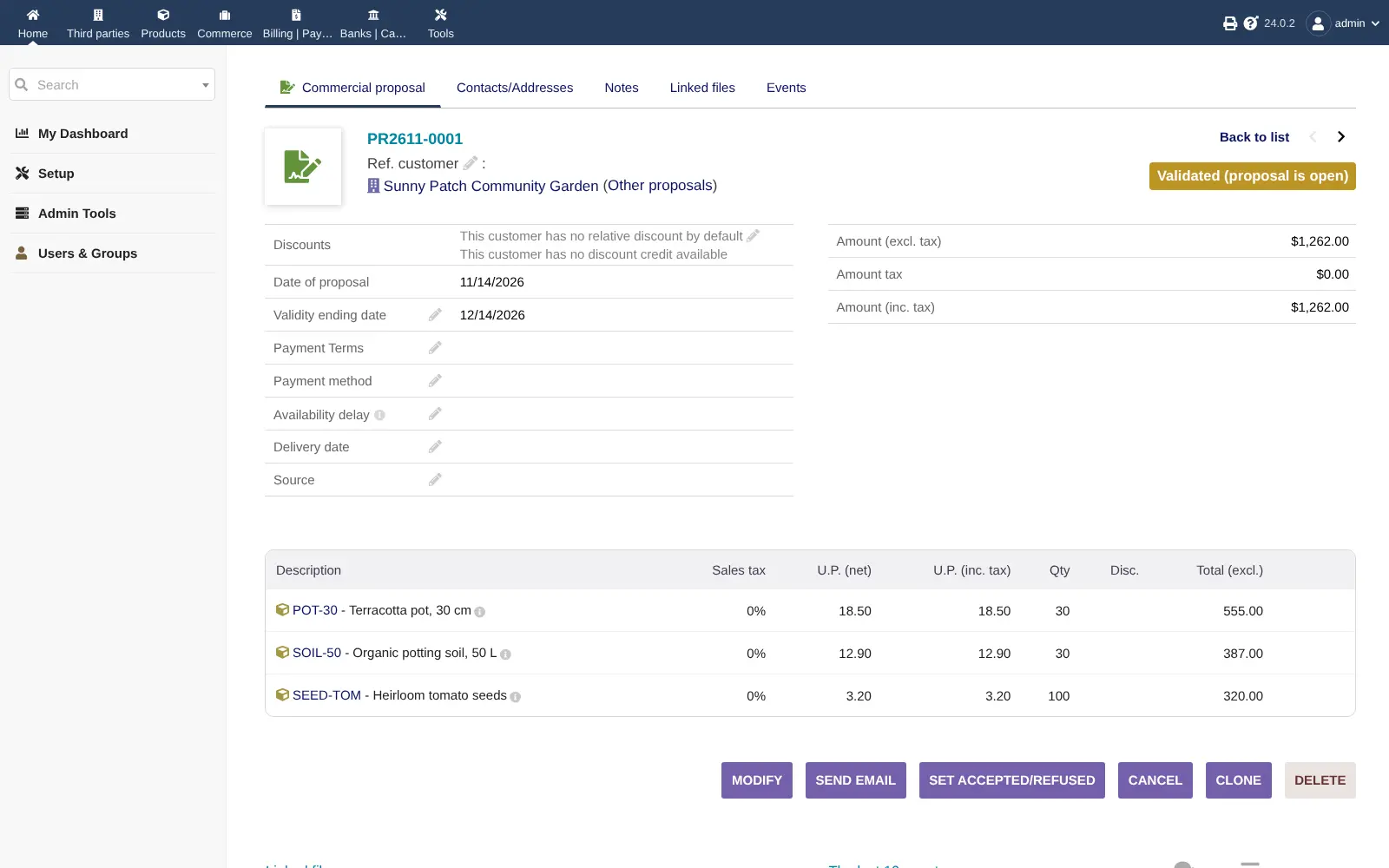
- Send quotes customers can sign Write commercial proposals, let customers sign them online, and turn an accepted quote into an order and an invoice.
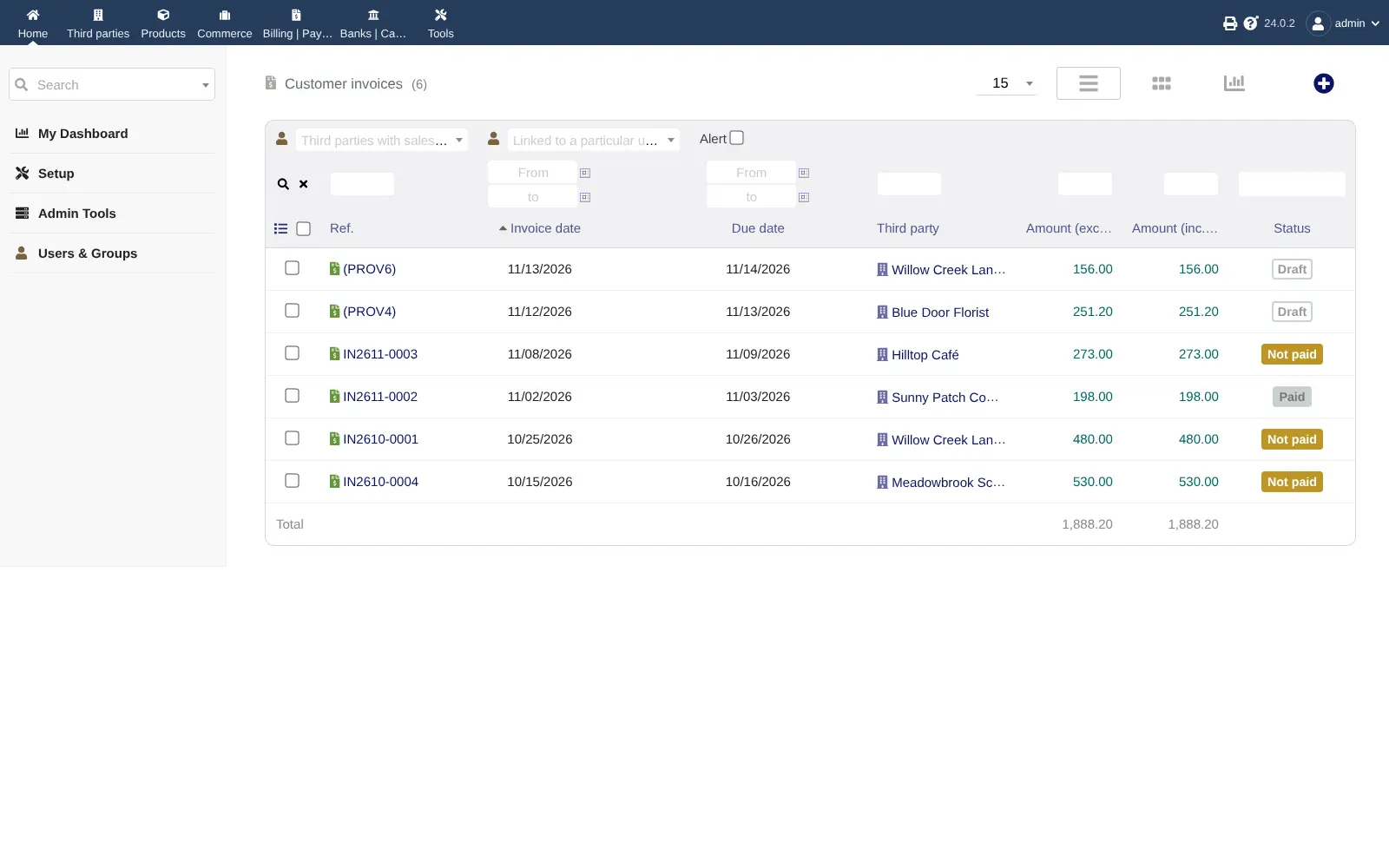
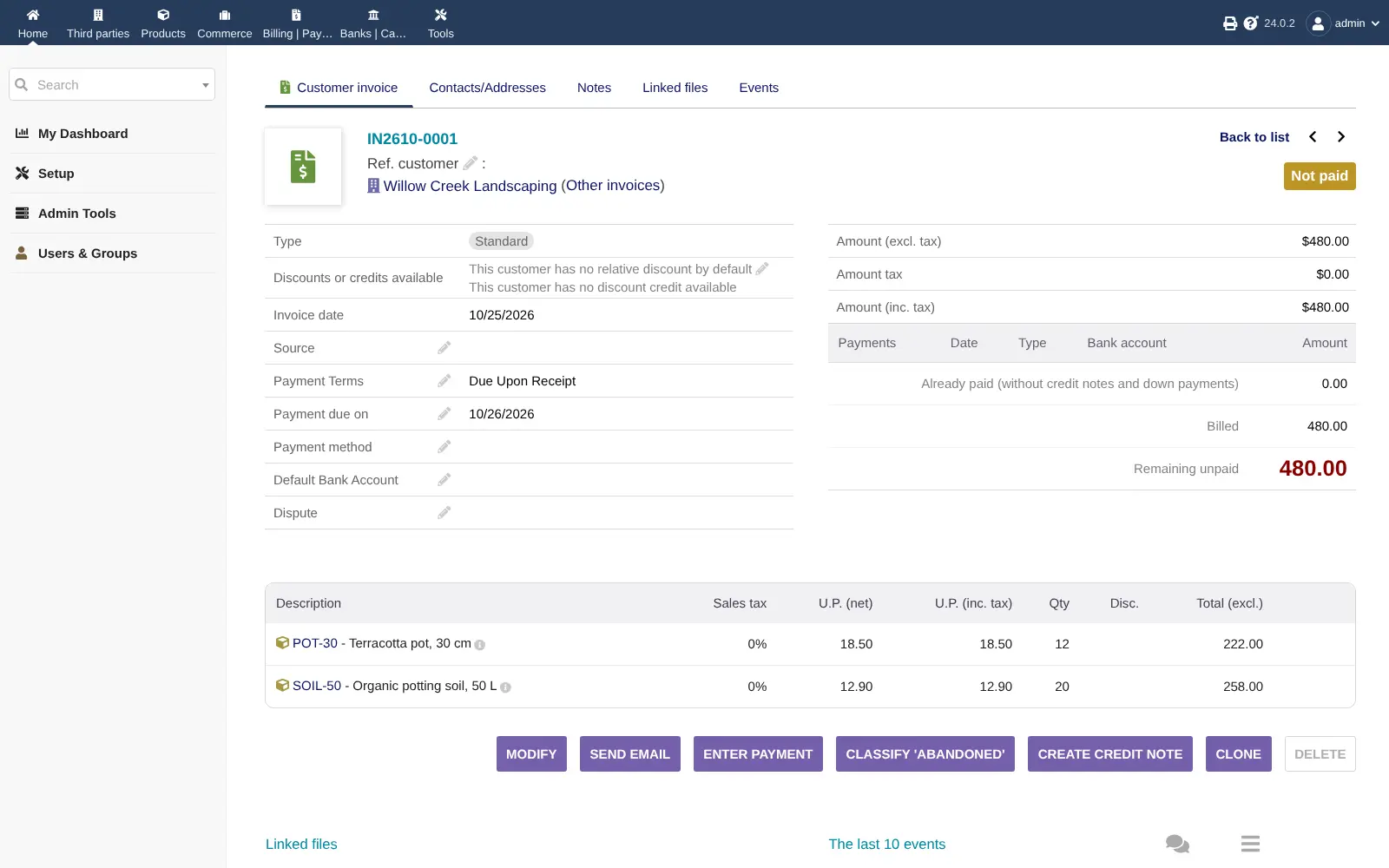
- Invoice and get paid Create invoices, credit notes and recurring invoices as PDFs, email them, and record each payment against what is owed.
- Manage products and stock Keep a catalogue of products and services and follow stock across warehouses, with barcodes, lots and serial numbers.
- Follow your bank accounts Record bank and cash accounts and see which payments came in and went out.
- Switch on what you need About 100 free modules add purchasing, projects and timesheets, accounting, leave and expense reports, tickets, point of sale and more.
- Work in your language and currency Dolibarr has many interface languages, several currencies and tax rules for many countries.
Replaces QuickBooks Online, Zoho Books, Xero and FreshBooks
Dolibarr does the same job as QuickBooks Online, Zoho Books, Xero and FreshBooks. Here is what changes when you switch.
- Customers, quotes, orders, invoices and stock in one app instead of several subscriptions
- Every core module is free, with no limit on users or invoices
- Projects, timesheets, HR and point of sale are there when you need them
- Your business records stay on your own server
- Bookkeeping is simpler than in QuickBooks or Xero, with no automatic bank feeds, payroll or tax filing
- The interface is dense and has many settings to work through at first
- Its tax rules are strongest for Europe; check what your country needs, such as e-invoicing
- Running several companies needs a paid third-party add-on
What happens when you click Deploy?
You do not need a server or any technical knowledge. Four steps, and Dolibarr is running at its own web address.
- Step 1 Click Deploy and create your account
Deploy takes you to Cloudgate. Create an account, or log in if you have one. Dolibarr itself is free.
- Step 2 Choose a server
No server? Get one from Cloudgate: pick a size and a country, and Cloudgate gets it ready. Already have one? Connect it instead.
- Step 3 Cloudgate sets up Dolibarr
It prepares the server, makes the passwords the app needs and starts it. There is nothing to install and nothing to write down.
- Step 4 Open your app and sign in
Your app gets a free web address to start, without https. Add your own domain, like app.yourshop.com, and Cloudgate secures it with https for you.
New to Cloudgate? See what Cloudgate is
Run Cloudgate yourself? Deploy from your own console
In your Cloudgate console, open Templates and choose Dolibarr.
Questions
Is Dolibarr free?
Yes, Dolibarr is free and open source under the GPL-3.0-or-later licence, and every one of its core modules is included. You pay only for your server; the paid extras are third-party add-ons from the DoliStore marketplace and hosted plans.
Is Dolibarr a good alternative to QuickBooks?
Yes, if you want more than bookkeeping. Dolibarr goes wider than QuickBooks, with a CRM, quotes, orders, invoices, stock, purchasing and projects in one app. Its bookkeeping is simpler, though, with no automatic bank feeds, no payroll and no tax filing.
How do I sign in to Dolibarr the first time?
Sign in with the username admin and the password Cloudgate generated, shown on the app's variables page in Cloudgate. Dolibarr is already installed, with your company name and country set; first set your main currency under Home > Setup > Company/Organization, because it stays on euros otherwise.
Which parts of Dolibarr are switched on?
In Dolibarr, third parties (customers and suppliers), products, stock, quotes, orders, invoices, banks and scheduled jobs are on from the start. You can switch on projects, accounting, HR, point of sale and the other modules at any time under Setup > Modules/Applications.
Can I import my data from QuickBooks or another tool?
Partly. Dolibarr has no QuickBooks importer, but its import module reads CSV and Excel files, so you can export your customers, suppliers and products from your old software and import them.
Is there a Dolibarr phone app?
On Android, yes, DoliDroid opens your Dolibarr in an app. There is no iPhone app, but Dolibarr works in a phone's web browser.
What server size do I need for Dolibarr?
A small server is enough for most small businesses, because Dolibarr runs on modest hardware and its database grows by only about 1 MB for every 100 customers, suppliers or invoices. You can move to a bigger server later.
Do I need technical skills to run Dolibarr?
No. Click Deploy, create your Cloudgate account and choose a server, and Cloudgate sets up Dolibarr and gives it a web address. You use it in your browser like any other online tool.
Do I need my own server for Dolibarr?
No. When you deploy Dolibarr, hosted Cloudgate can provide a server. If you already rent one, you can connect it instead.
Related apps

Accounting with invoices, inventory and reports.
Double-entry accounting with orders, stock and invoices.
CRM, sales, stock and invoicing in one business app.

ERP for your books, stock, orders and production.