
docassemble
Guided interviews that fill in letters, forms and contracts.
No server needed to start: Cloudgate can provide one. What happens when you click Deploy
What is docassemble?
Self-hosted docassemble runs guided online interviews that ask plain questions and fill in your Word and PDF templates, like Gavel or HotDocs.
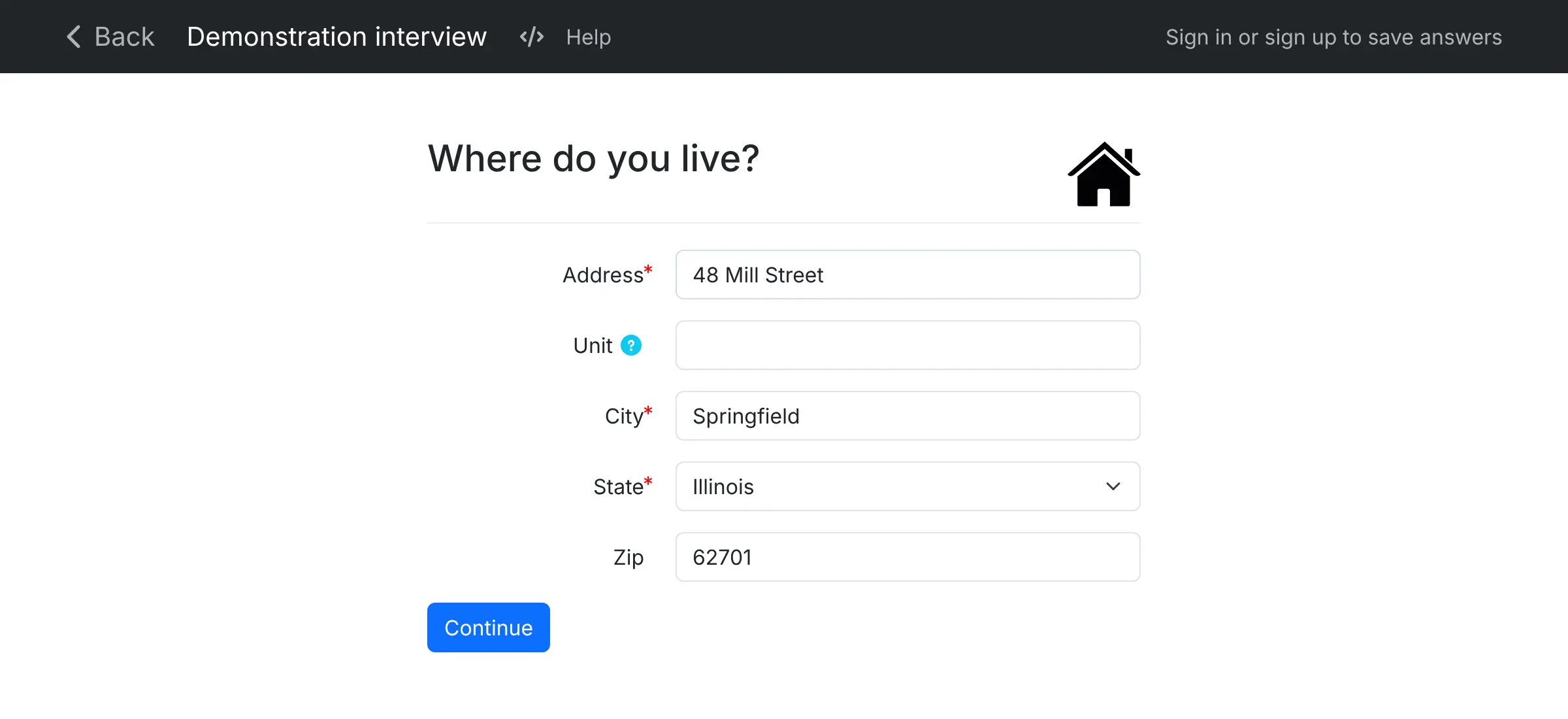
docassemble is a free, open-source, self-hosted platform for guided interviews and document assembly, and an alternative to Gavel and HotDocs. It asks people questions one screen at a time, chooses the next question from their earlier answers, and fills in your Word or PDF templates to produce a finished letter, form or court document.
A legal aid office, for example, could build an interview that helps tenants ask a landlord for repairs. Each tenant answers questions about their home on their phone, signs on the screen and downloads a ready-to-send letter, while staff can join by live chat to help anyone who gets stuck.
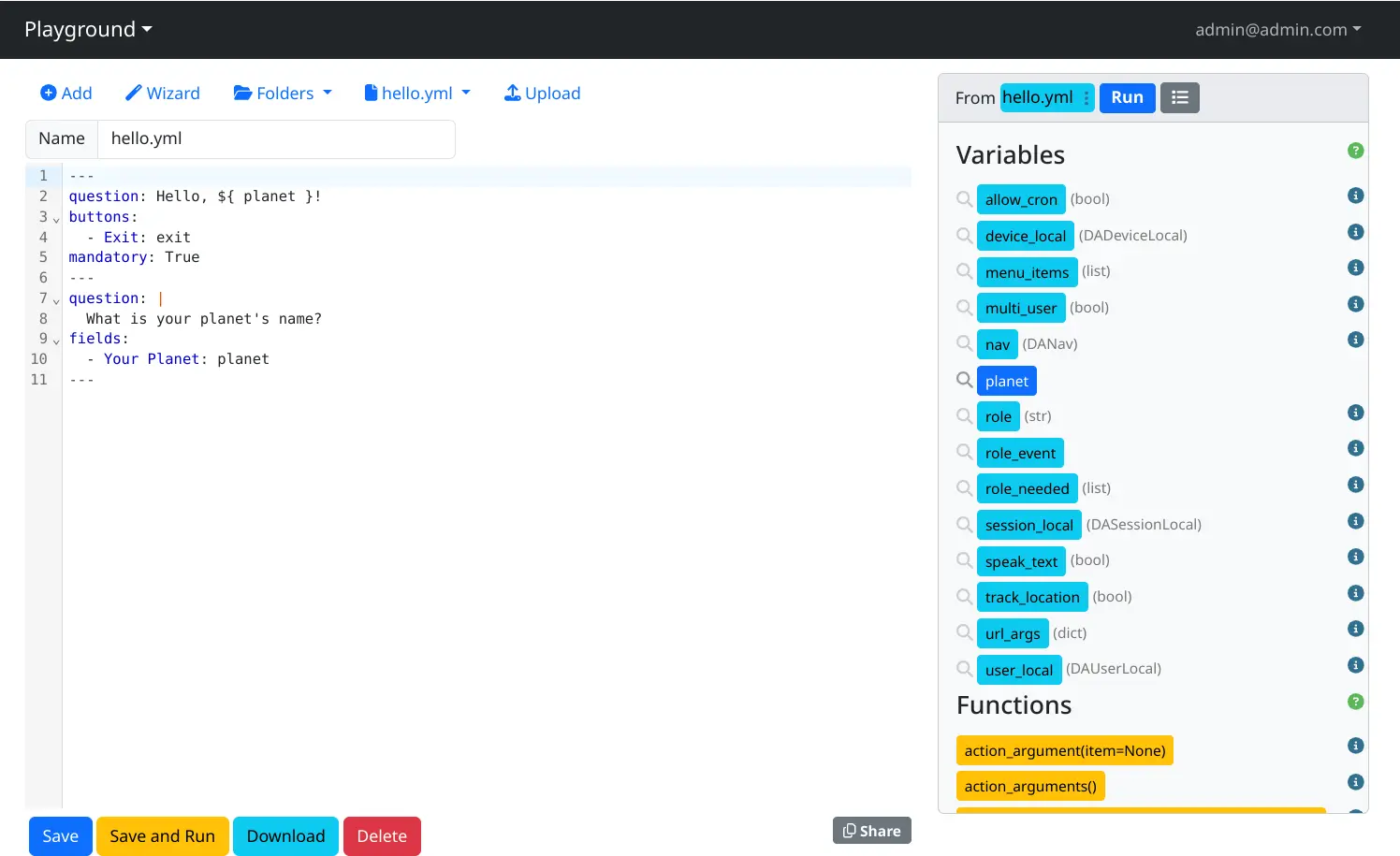
Interviews are written in docassemble's browser editor as plain text with simple if/then logic, so someone on your team needs to learn the basics; the people answering never see that part. It supports several languages, saved answers, email and text messages, and an API for your other software.
Cloudgate installs docassemble on a server Cloudgate provides or one you connect, and gives it a secure web address. It needs a larger server than most apps.
What you can do with docassemble
- Ask one question at a time People answer plain questions on a clean web page, and docassemble works out which question to ask next and skips the ones that don't apply.
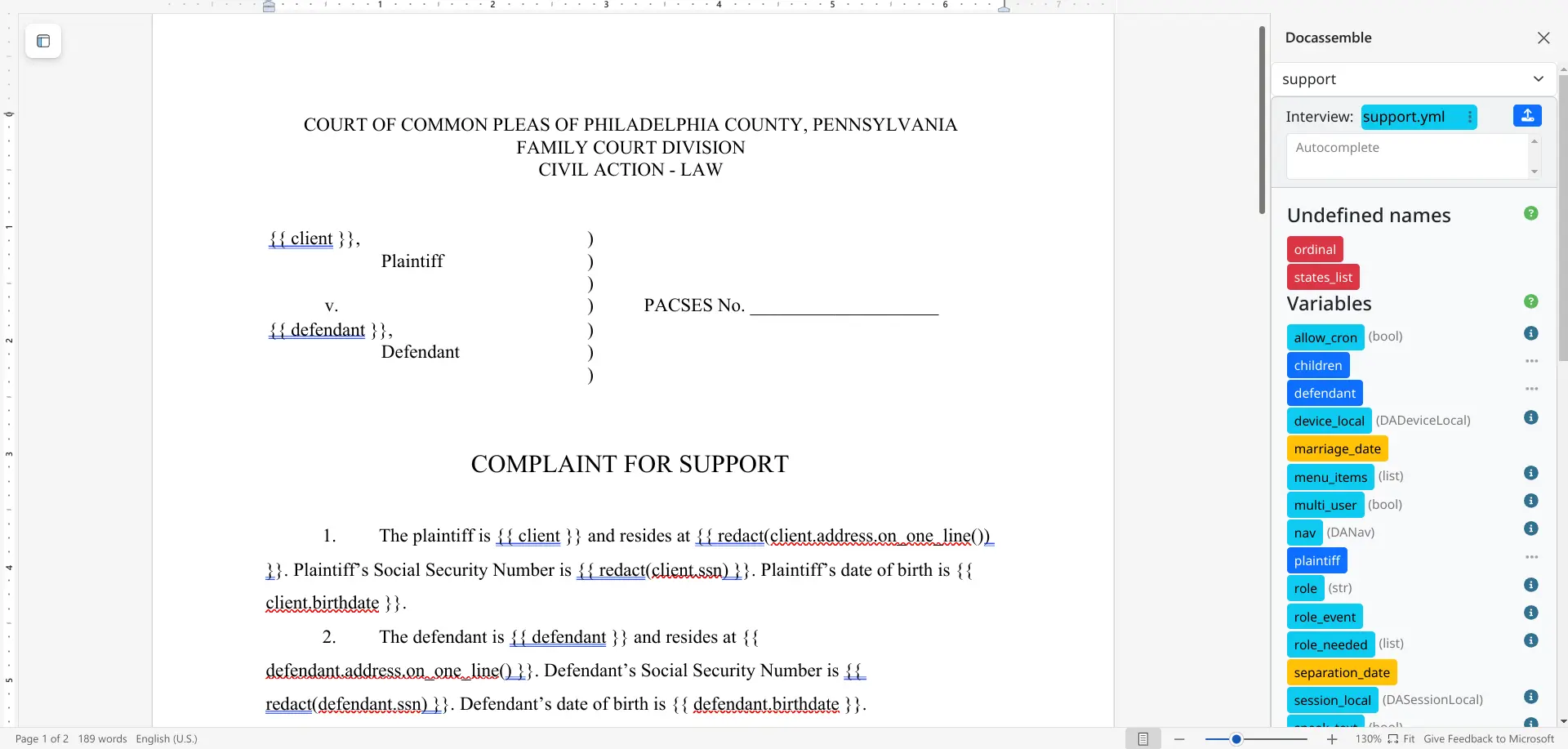
- Fill in your documents Answers go into your Word or fillable PDF templates, and people download or email the finished document as PDF, DOCX or RTF.
- Write interviews in the browser The Playground editor lets you write, run and test an interview in one place, and a Word add-in helps you mark up templates from Word.
- Collect signatures People sign with a finger or mouse on the screen, and the signature is placed into the document.
- Save and come back later People who sign up can stop halfway through an interview and pick up where they left off.
- Help people live Your staff can chat with someone who is filling in an interview, share their screen or take control to help.
- Offer more than one language Write interviews in several languages and translate the buttons and system screens too.
- Connect other systems Send and receive email and text messages from an interview, and use the API to pass answers to and from your other software.
Replaces Gavel and HotDocs
docassemble does the same job as Gavel and HotDocs. Here is what changes when you switch.
- No fee per seat, workflow or session; you pay only for your server
- Clients' answers stay on your own server, stored encrypted
- Interview logic can be as detailed as you need, because it is written as text and simple code
- Open source under the MIT licence, with no paid edition
- Interviews are written as text files with simple Python, not built in a drag-and-drop editor
- No ready-made library of court forms or contracts; you build interviews or reuse community ones
- Nothing imports from Gavel, HotDocs or Clio Draft, so templates are set up again
- It needs a large server, at least 4 GB of memory, and help comes from the community, not a vendor
What happens when you click Deploy?
You do not need a server or any technical knowledge. Four steps, and docassemble is running at its own web address.
- Step 1 Click Deploy and create your account
Deploy takes you to Cloudgate. Create an account, or log in if you have one. docassemble itself is free.
- Step 2 Choose a server
No server? Get one from Cloudgate: pick a size and a country, and Cloudgate gets it ready. Already have one? Connect it instead.
- Step 3 Cloudgate sets up docassemble
It prepares the server, makes the passwords the app needs and starts it. There is nothing to install and nothing to write down.
- Step 4 Open your app and sign in
Your app gets a free web address to start, without https. Add your own domain, like app.yourshop.com, and Cloudgate secures it with https for you.
New to Cloudgate? See what Cloudgate is
Run Cloudgate yourself? Deploy from your own console
In your Cloudgate console, open Templates and choose docassemble.
Questions
Is docassemble free?
Yes, docassemble is free and open source under the MIT licence, and there is no paid edition. You pay only for your server.
Is docassemble a good alternative to Gavel or HotDocs?
Yes, if someone on your team is comfortable writing interviews as text files. docassemble asks people questions, fills Word and PDF templates and has no seat, workflow or session limits, but it has no drag-and-drop builder like Gavel's and no vendor support like HotDocs'.
Do I need to know how to code to use docassemble?
No, not to answer docassemble interviews, but whoever writes them needs to learn some basics. Interviews are written in YAML, a plain text format, with Markdown for formatting and simple if/then/else statements in Python for the logic. The project says no prior programming experience is needed to start.
Can I use my existing Word or PDF templates?
Yes, docassemble fills templates written in Word (.docx) or fillable PDF files. You add the names of the answers to your template, and a Word add-in helps you do that from inside Word.
How do I sign in to docassemble the first time?
Sign in at docassemble's web address with the admin email you chose during setup and the password Cloudgate generated. From the menu you can then open the Playground, manage users and change the settings. Other people can sign up as regular users.
Can I move my templates from HotDocs, Gavel or Clio Draft?
No, docassemble has no importer for HotDocs, Gavel or Clio Draft. Your Word and PDF documents can be reused as templates, but the questions and logic have to be written again as a docassemble interview.
What server size does docassemble need?
docassemble needs a larger server, with at least 4 GB of memory and 40 GB of disk, according to its documentation. Everything it needs runs in one package, so the first start takes several minutes.
Do I need my own server for docassemble?
No. When you deploy docassemble, hosted Cloudgate can provide a server. If you already rent one, you can connect it instead.
Related apps

PDF tools that run in your browser, so files never upload.

Online office for Word, Excel and PowerPoint files.
Convert images, video, documents and e-books on your own server.

Send documents for e-signature, like DocuSign.