
Crawl4AI
Turn any web page into clean Markdown or data for your AI tools.
No server needed to start: Cloudgate can provide one. What happens when you click Deploy
What is Crawl4AI?
Self-hosted Crawl4AI turns web pages into clean Markdown and structured JSON for AI apps, through an API and a browser playground on your own server.
Crawl4AI is an open-source web crawler that turns web pages into clean Markdown and structured data for AI tools, a self-hosted alternative to paid scraping APIs such as Firecrawl and ScrapingBee. You send it a link and it opens the page in a real browser, strips out menus and clutter, and returns text an AI model can read, or the exact fields you asked for as JSON.
It suits teams building their own AI assistants, search or data tools. A small online shop, for example, could have its developer feed every product and help page into the shop's support chatbot, or collect the prices from its suppliers' public catalogue pages as tidy data, without paying per page.
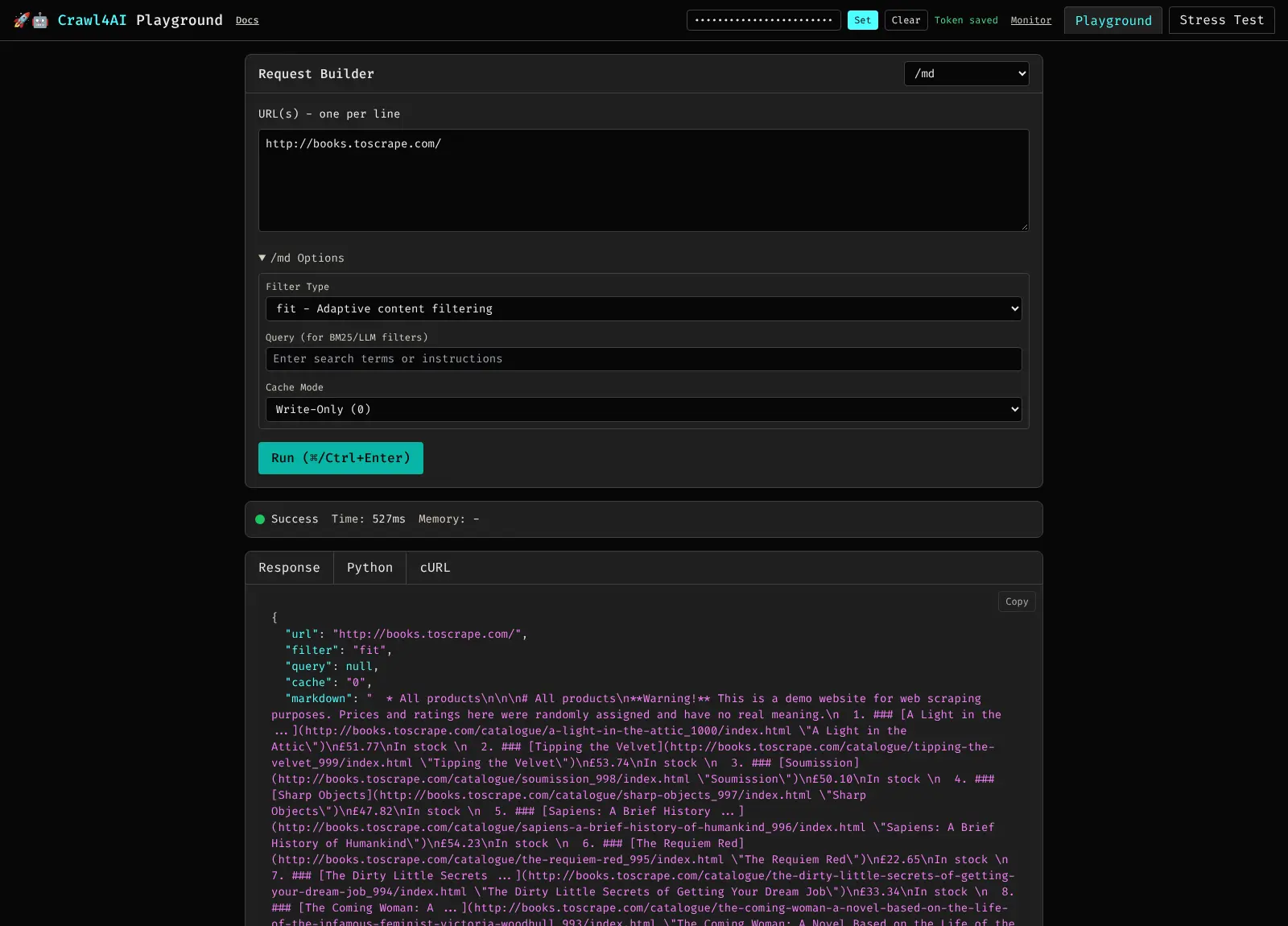
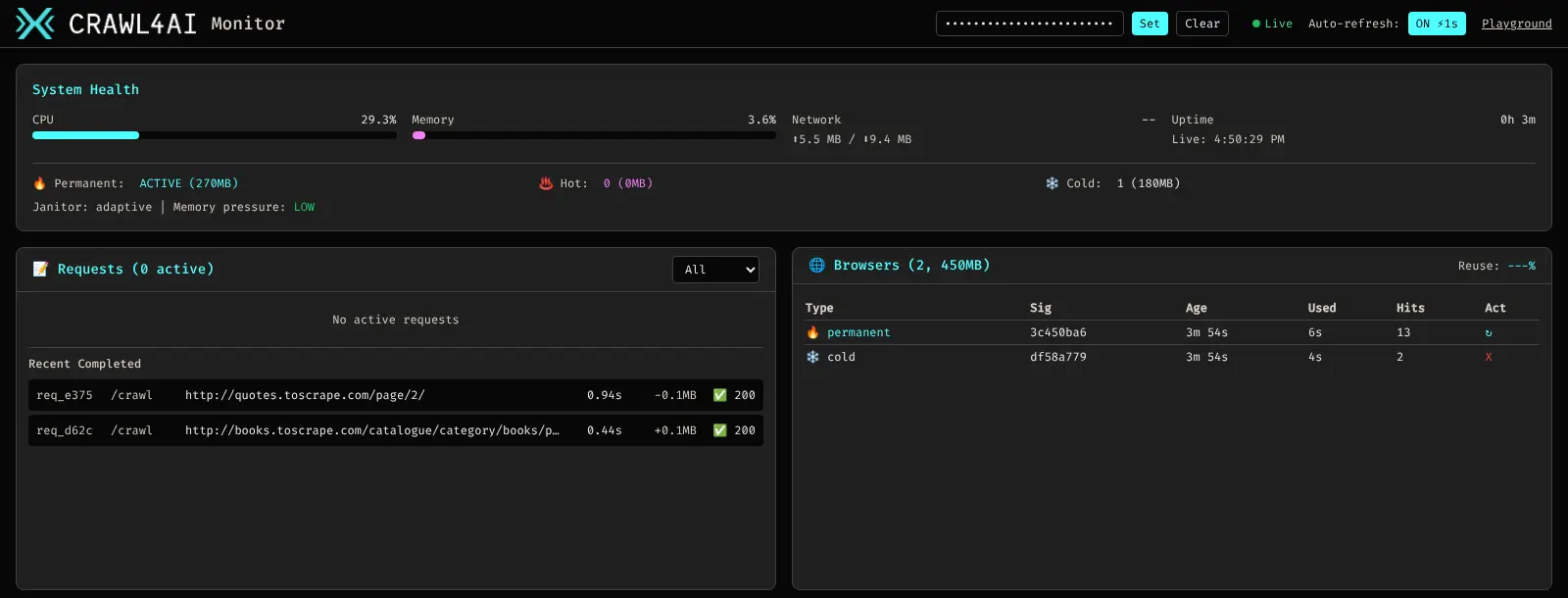
You use Crawl4AI through its API, from your own code, from workflow tools that can call a web address, or from AI assistants such as Claude Code. A playground in the browser lets you try a link and copy the request, and a dashboard shows what the server is doing. AI extraction works with OpenAI, Anthropic, Gemini, a local model and others, and is optional.
Cloudgate installs Crawl4AI on a server Cloudgate provides or one you connect, gives it a secure web address and creates the API token that keeps it private.
What you can do with Crawl4AI
- Turn pages into clean Markdown Get a page's headings, lists, tables and links as tidy Markdown, with menus, footers and other clutter filtered out.
- Pull out structured data Describe the fields you want, such as product names and prices, and get them back as JSON, with no AI needed.
- Ask an AI to extract it Connect OpenAI, Anthropic, Gemini, a local Ollama model or another provider to pull data out of a page in plain-language terms.
- Read pages that need JavaScript Every page loads in a real browser, which can wait for content, scroll long pages and keep a sign-in session.
- Save screenshots and PDFs Capture any page as an image or a PDF, along with its images, links and page details.
- Try it in the playground Paste a link, see the result in your browser and copy the matching Python or cURL request for your own code.
- Plug it into AI assistants Connect Claude Code and other assistants that support MCP, so they can fetch and read pages through your own server.
- Run big batches in the background Send many links as one job and get a webhook call when the results are ready, while a dashboard shows what is running.
Replaces Firecrawl and ScrapingBee
Crawl4AI does the same job as Firecrawl and ScrapingBee. Here is what changes when you switch.
- No per-page or per-credit fee, only the cost of your server
- The pages you fetch and the results stay on your own server
- Use any AI provider, or none, for extracting data
- Open-source code you can read, change and keep running
- It is a tool for developers, with an API and a playground rather than a point-and-click scraper builder
- No built-in proxy network, and sites with strong bot protection may block requests from your server
- No web search or ready-made scrapers for particular sites; those are in paid services and Crawl4AI's own Cloud
- Crawling a whole site by following its links is turned off in this setup
What happens when you click Deploy?
You do not need a server or any technical knowledge. Four steps, and Crawl4AI is running at its own web address.
- Step 1 Click Deploy and create your account
Deploy takes you to Cloudgate. Create an account, or log in if you have one. Crawl4AI itself is free.
- Step 2 Choose a server
No server? Get one from Cloudgate: pick a size and a country, and Cloudgate gets it ready. Already have one? Connect it instead.
- Step 3 Cloudgate sets up Crawl4AI
It prepares the server, makes the passwords the app needs and starts it. There is nothing to install and nothing to write down.
- Step 4 Open your app and sign in
Your app gets a free web address to start, without https. Add your own domain, like app.yourshop.com, and Cloudgate secures it with https for you.
New to Cloudgate? See what Cloudgate is
Run Cloudgate yourself? Deploy from your own console
In your Cloudgate console, open Templates and choose Crawl4AI.
Questions
Is Crawl4AI free?
Yes, Crawl4AI is free and open source under the Apache-2.0 licence, and the self-hosted server has no page limits. You pay only for your server, plus your AI provider if you use AI extraction. Its licence file asks anyone who uses it in public to credit the Crawl4AI project. The makers also sell a hosted Crawl4AI Cloud, which you don't need here.
Is Crawl4AI a good alternative to Firecrawl?
Yes, if you want an Apache-2.0 crawler on your own server that turns pages into Markdown or JSON with no per-page fee. Firecrawl's hosted API is quicker to start with and manages proxies and blocked pages for you; with Crawl4AI you bring your own proxies when you need them. Firecrawl's own code is open source under the AGPL-3.0 licence and can be self-hosted too.
Can Crawl4AI replace ScrapingBee?
Partly. Like ScrapingBee, Crawl4AI fetches pages in a real browser and returns the content, and you can send it as many requests as your server handles. It has no proxy network, no ready-made scrapers for particular sites and no scheduler, so you start crawls from your own code, a workflow tool or an AI assistant.
How do I use Crawl4AI the first time?
Open Crawl4AI's web address to reach the playground, paste the API token Cloudgate shows on the app's variables page into the "API token" box at the top and click Set. There is no admin account; every request to the API needs that token, so strangers who find the address can't use your server.
Do I need an OpenAI or other AI key to use Crawl4AI?
No. In Crawl4AI, turning pages into Markdown, pulling out data with a field list, screenshots and PDFs all work without an AI key. You add a provider and its key during setup only if you want an AI model to extract data or filter pages for you.
Can Crawl4AI read pages that use JavaScript or have bot protection?
Yes for JavaScript, because Crawl4AI loads each page in a real Chromium browser. Bot protection is different, since requests come from your server's address and there is no built-in proxy network; some sites will block or challenge them, and you can add proxies of your own.
What server size does Crawl4AI need?
Crawl4AI needs at least 4 GB of memory, the minimum its makers ask for, because every page loads in a real browser. Cloudgate gives it a large server; a busy server crawling many pages at once may need more.
Do I need technical skills to run Crawl4AI?
No. Click Deploy, create your Cloudgate account and choose a server, and Cloudgate sets up Crawl4AI and gives it a web address. You use it in your browser like any other online tool.
Do I need my own server for Crawl4AI?
No. When you deploy Crawl4AI, hosted Cloudgate can provide a server. If you already rent one, you can connect it instead.
Can I move my data from Firecrawl to Crawl4AI?
Most people export from Firecrawl and import into Crawl4AI. The official guides at docs.crawl4ai.com walk through it.
Related apps

A self-hosted AI agent with its own computer that does tasks for you.

Private AI chat over your own documents, for staff and your website.

One private AI chat for many models, using your own API keys.

Build Coze-style AI agents, chatbots and workflows on your server.