
CiviCRM
A free nonprofit CRM for donors, members, events and email.
No server needed to start: Cloudgate can provide one. What happens when you click Deploy
What is CiviCRM?
Self-hosted CiviCRM: a free, open-source nonprofit CRM for donors, donations, memberships, events and bulk email, with no fee per user or contact.
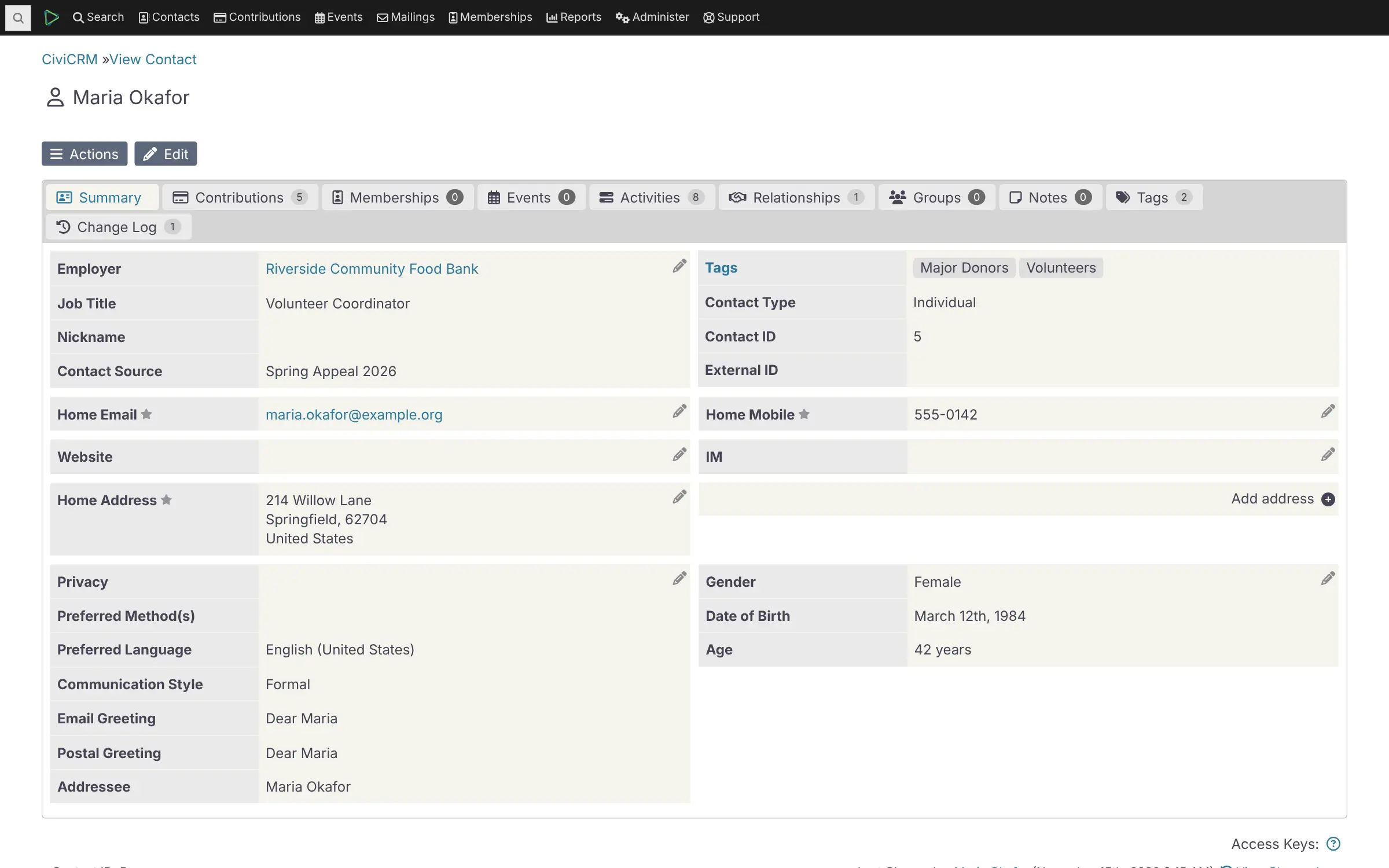
Self-hosted CiviCRM is a free, open-source CRM for nonprofits, charities and membership associations, and a replacement for donor systems such as Salesforce Nonprofit Cloud, Bloomerang, Raiser's Edge and DonorPerfect. One database holds your supporters, households and organizations together with their donations, memberships, event registrations, emails and cases.
Staff can take donations online, renew memberships, sell event places and email targeted groups, all from the same records. A small animal shelter could run its monthly giving page, its volunteer orientation events and its spring appeal from CiviCRM, then see who gave, who came and who opened the email on one contact record.
CiviCRM takes more learning than a hosted donor CRM. Online payments work through your own Stripe, PayPal or other processor account, and bulk email and receipts through an email sending service you connect. Reminders, renewals and mailings go out on their own every 15 minutes. Your old records come in as CSV spreadsheets.
Cloudgate installs CiviCRM Standalone, the edition that needs no WordPress or Drupal, on a server Cloudgate provides or one you connect, with its database, and gives it a secure web address. Sign in as admin with the password Cloudgate generates, shown on the app's variables page, then invite your colleagues. There is no fee per user or per contact.
What you can do with CiviCRM
- Keep every supporter in one place Record people, households and organizations with their relationships, groups, tags and your own custom fields, and merge duplicates.
- Take and track donations Build online donation pages with suggested amounts and recurring gifts, send receipts, and record pledges and soft credits.
- Run memberships Set up membership types, prices and renewal rules, and send renewal reminders automatically.
- Sell event places Publish registration pages with prices and waitlists, and keep every participant on their contact record.
- Send newsletters and appeals Email targeted groups of supporters and see bounces and clicks, using an email sending service you choose.
- Manage cases and campaigns Follow client or constituent cases step by step, and run campaigns, petitions, surveys and personal fundraising pages.
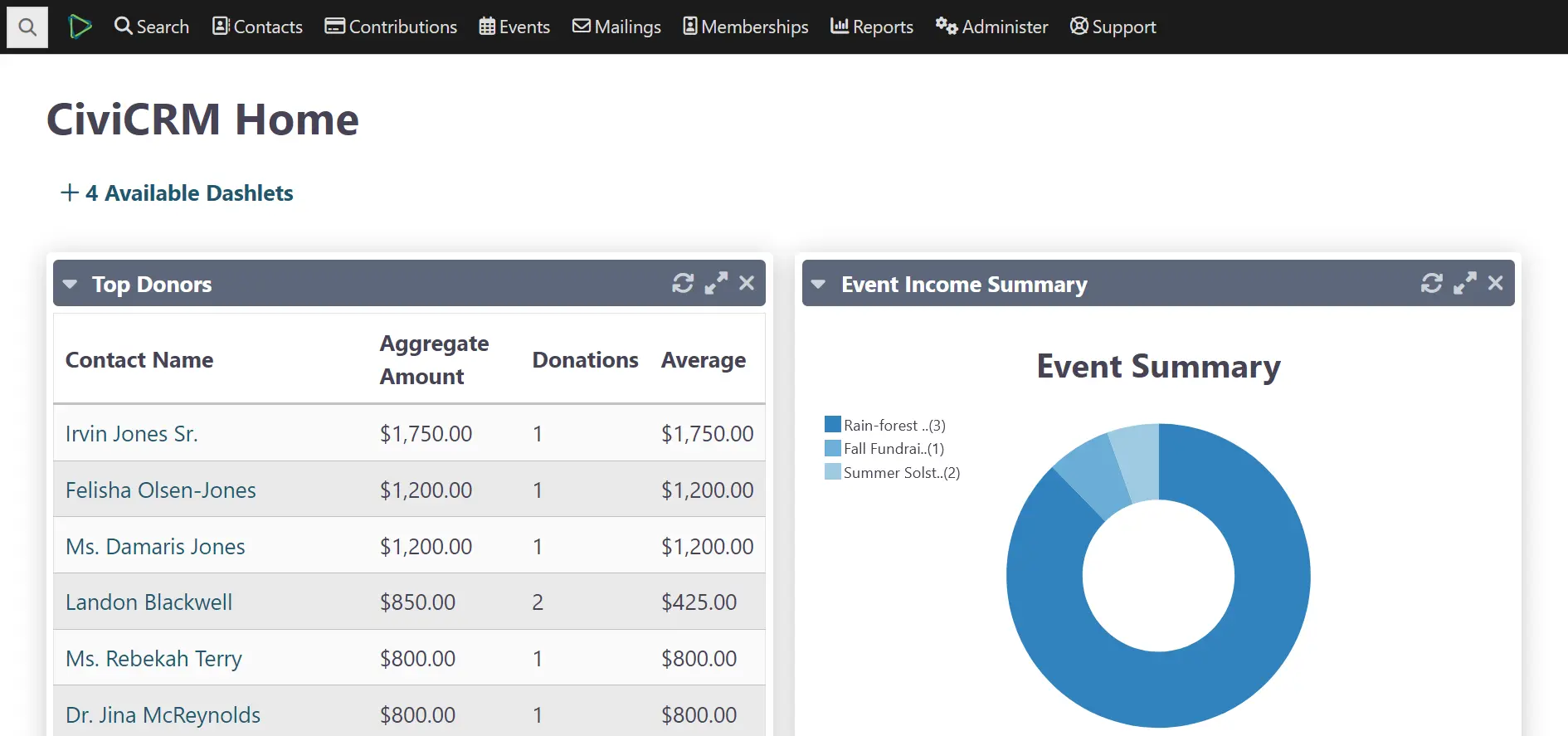
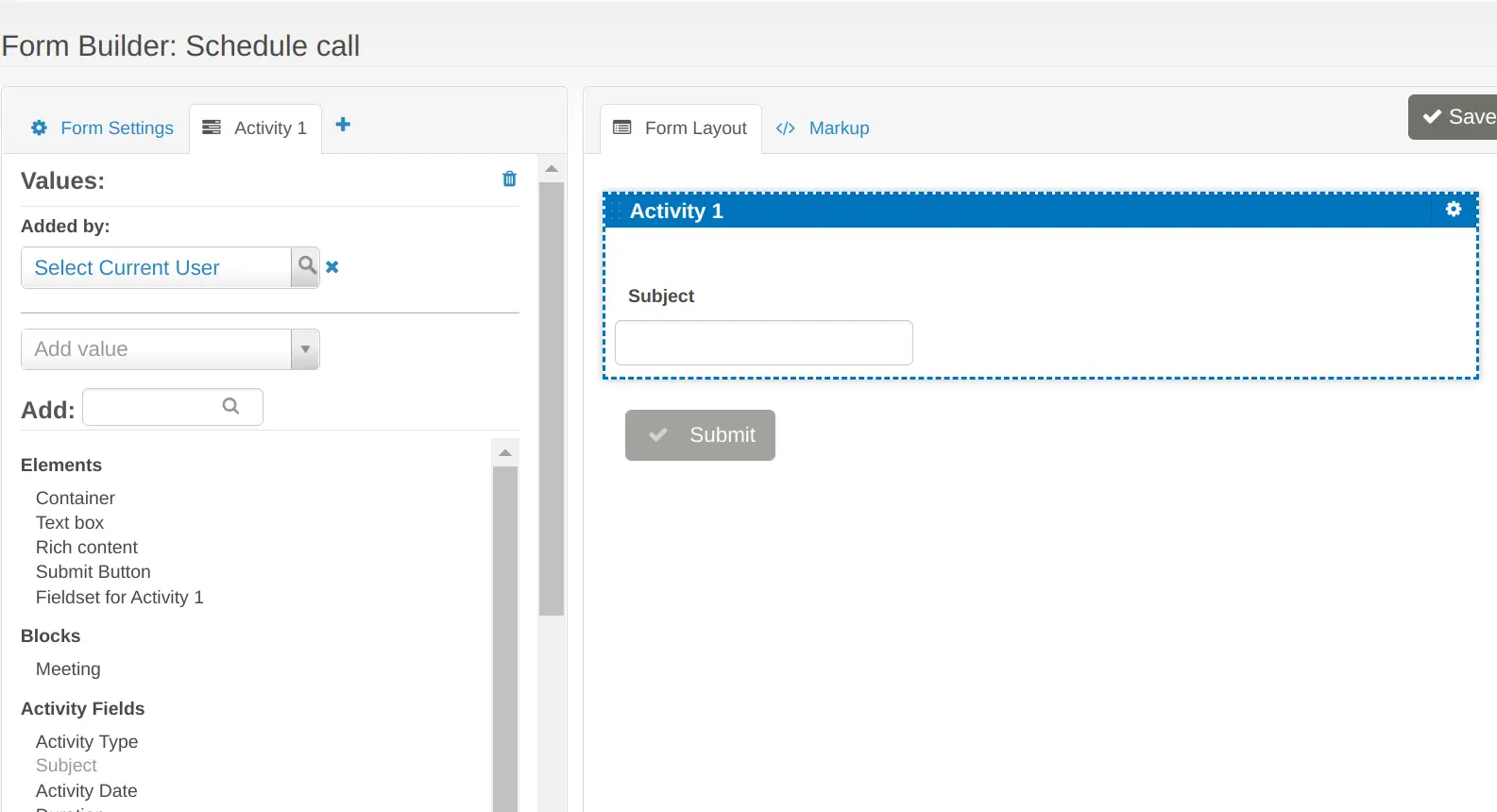
- See your numbers Built-in reports such as top donors and event income appear on your home dashboard, and SearchKit and FormBuilder let you make your own searches and forms without code.
Replaces Salesforce Nonprofit Cloud, Bloomerang, Raiser’s Edge NXT and DonorPerfect
CiviCRM does the same job as Salesforce Nonprofit Cloud, Bloomerang, Raiser’s Edge NXT and DonorPerfect. Here is what changes when you switch.
- No price per user or per contact; you pay only for your server
- Donors, members, events, email and cases in one database built for nonprofits
- Your supporters' records stay on your own server
- Open source under the AGPL-3.0, with no paid edition
- More to learn and set up than a hosted donor CRM, with its own terms such as contributions and price sets
- Online payments need your own payment processor account, and bulk email needs an email sending service
- Less built-in wealth screening and donor-retention analysis than Bloomerang or Raiser's Edge
- No direct importer from other donor CRMs; you export CSV files and match the fields
What happens when you click Deploy?
You do not need a server or any technical knowledge. Four steps, and CiviCRM is running at its own web address.
- Step 1 Click Deploy and create your account
Deploy takes you to Cloudgate. Create an account, or log in if you have one. CiviCRM itself is free.
- Step 2 Choose a server
No server? Get one from Cloudgate: pick a size and a country, and Cloudgate gets it ready. Already have one? Connect it instead.
- Step 3 Cloudgate sets up CiviCRM
It prepares the server, makes the passwords the app needs and starts it. There is nothing to install and nothing to write down.
- Step 4 Open your app and sign in
Your app gets a free web address to start, without https. Add your own domain, like app.yourshop.com, and Cloudgate secures it with https for you.
New to Cloudgate? See what Cloudgate is
Run Cloudgate yourself? Deploy from your own console
In your Cloudgate console, open Templates and choose CiviCRM.
Questions
Is CiviCRM free?
Yes, CiviCRM is free and open source under the AGPL-3.0 licence, with no paid edition and no limit on users or contacts. You pay only for your server, plus any payment processor or email sending service you use; CiviCRM's makers sell hosting and support separately, which you do not need here.
Is CiviCRM a good alternative to Salesforce Nonprofit Cloud?
Yes, if you want a CRM built for nonprofits with no price per user. CiviCRM covers donors, gifts, memberships, events, bulk email and cases out of the box, without Salesforce admin skills; the trade-off is that you run the server and learn CiviCRM's own way of working.
Do I need WordPress or Drupal to use CiviCRM?
No. Since CiviCRM 6.0, CiviCRM Standalone runs on its own, with its own sign-in page and no website system around it, and that is the edition this template installs. It needs its own web address, which Cloudgate gives it.
How do I sign in to CiviCRM the first time?
Open your CiviCRM web address followed by /civicrm/login and sign in with the admin username you chose at setup (admin unless you changed it) and the password Cloudgate generated, shown on the app's variables page. CiviCRM is already installed, so there is no installer to run, and you add your colleagues as users from inside CiviCRM.
Can I import my donors from Bloomerang, Raiser's Edge or DonorPerfect?
Yes, through CSV files. CiviCRM imports contacts, contributions, memberships, event participants and activities from spreadsheets, so you export your records from your old system and match the columns to CiviCRM's fields; there is no direct connector.
What server size do I need for CiviCRM?
A medium server with 2 GB of memory, which is what Cloudgate asks for. CiviCRM itself publishes no minimum and calls itself a demanding web application, so move to a bigger server if many staff use it at once or your database grows large.
Is there a CiviCRM phone app?
Yes, CiviMobile is a free app for iPhone and Android made by Agiliway, a separate company, and it works with CiviCRM Standalone once you add its extension. CiviCRM itself works in any web browser, including on a phone.
Do I need technical skills to run CiviCRM?
No. Click Deploy, create your Cloudgate account and choose a server, and Cloudgate sets up CiviCRM and gives it a web address. You use it in your browser like any other online tool.
Do I need my own server for CiviCRM?
No. When you deploy CiviCRM, hosted Cloudgate can provide a server. If you already rent one, you can connect it instead.
Related apps

Let clients book time with you from a simple link.

A light, self-hosted booking link for consultants and small teams.

Answer website chat, email, WhatsApp and social in one inbox.

Lightweight self-hosted short links, with expiry and QR codes.