calibre
The calibre e-book manager, running in your browser tab.
No server needed to start: Cloudgate can provide one. What happens when you click Deploy



What is calibre?
Self-hosted calibre puts the full e-book manager in your browser: organise your library, fix book details and covers, convert and edit e-books.
calibre is a free, open-source e-book manager, and this self-hosted version runs the full calibre program on your server and shows it in a browser tab. It keeps your e-books in one library, fixes their titles, authors and covers, converts them between formats, and lets you read and edit them, as a private alternative to keeping your books in the Kindle library.
Because calibre runs on the server, you get the same library and settings from any computer, with nothing to install. An author, for example, could drop a finished EPUB into calibre from a work laptop, check and fix its table of contents in the editor, convert it to AZW3 for a Kindle, and download both files from a home computer later.
calibre opens all the major e-book formats and converts between dozens of them. It is a desktop program with menus and windows, so it works best on a computer; on a phone it is usable but cramped. It doesn't remove copy protection, so it works with DRM-free books.
Cloudgate installs calibre on a server Cloudgate provides or one you connect, and gives it a secure web address protected by a password. Sign in, click through calibre's welcome wizard and drag in your first books. Your library stays on your server.
What you can do with calibre
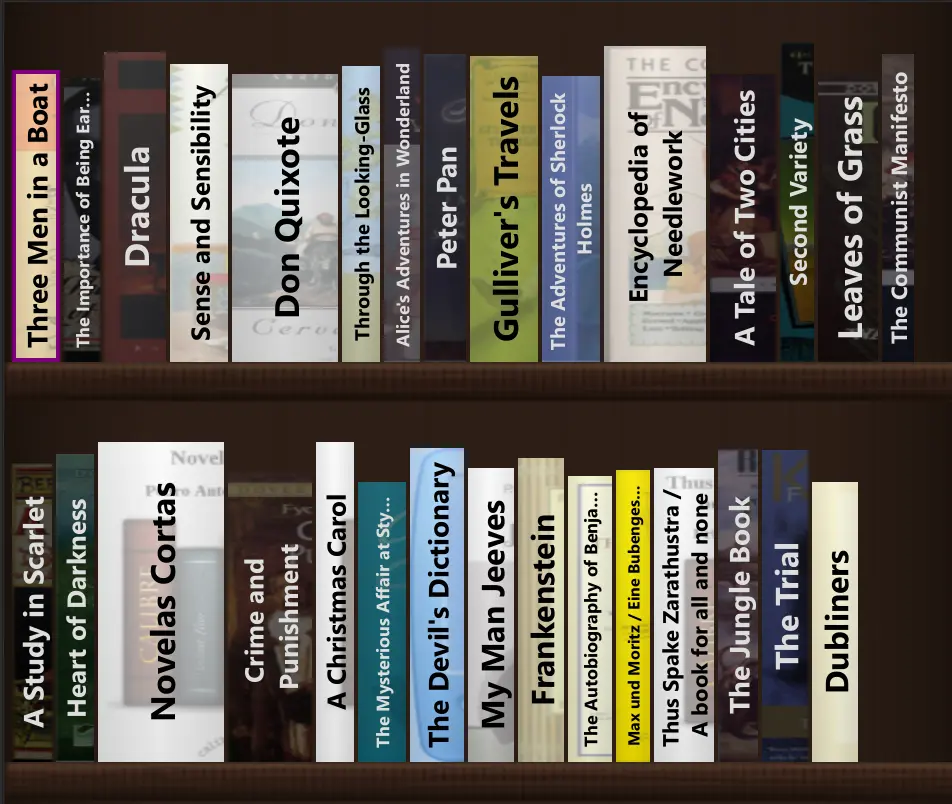
- Organise your e-book library Sort and search books by title, author, series, tags or your own fields, or browse them as covers or on a bookshelf.
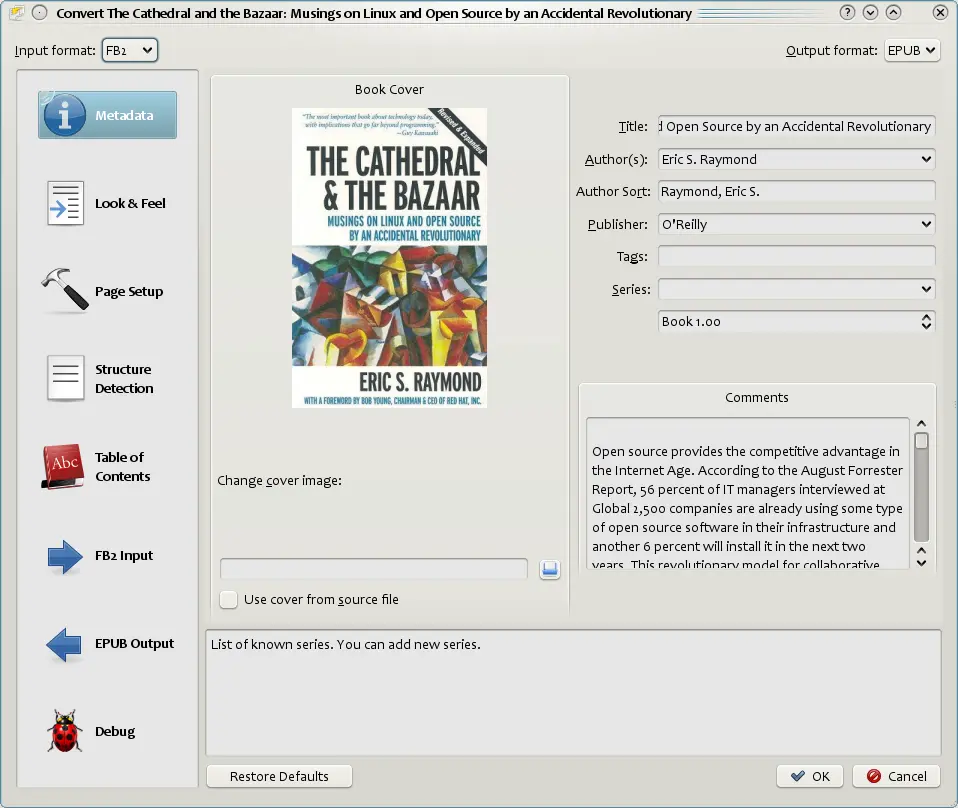
- Fix titles, authors and covers Download book details and covers from online sources, or edit them yourself.
- Convert between formats Turn EPUB, MOBI, AZW3, PDF and dozens of other file types into the format your e-reader needs.
- Read in the built-in viewer Open all the major e-book formats with bookmarks, highlights and search.
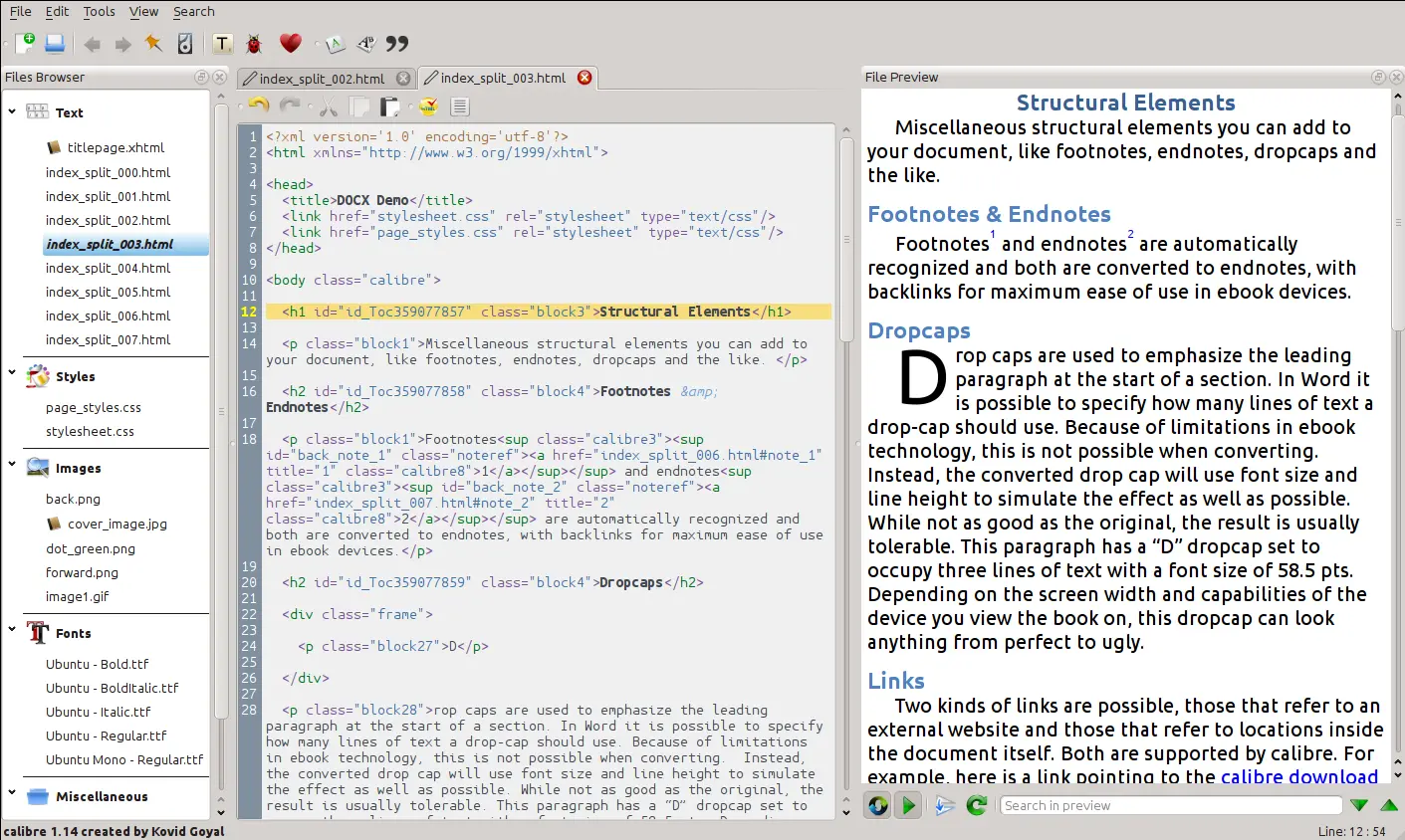
- Edit e-books Change the text, styles and table of contents of EPUB and Kindle AZW3 books, with a live preview.
- Turn news into e-books Fetch articles from news sites or any RSS feed as an e-book to read later.
Replaces Kindle
calibre does the same job as Kindle. Here is what changes when you switch.
- One private library for e-books from any shop or source, with no subscription
- Converting and editing tools that Kindle's library doesn't offer
- The same calibre from any computer, with nothing to install
- Books stay on your server as ordinary files you can download at any time
- There is no store, and DRM-protected Kindle purchases can't be opened or converted
- It is a desktop program in a tab, best used on a computer rather than a phone
- One shared login, not separate accounts for each reader
- E-readers can't be plugged in by cable; you download the converted file and copy it over
What happens when you click Deploy?
You do not need a server or any technical knowledge. Four steps, and calibre is running at its own web address.
- Step 1 Click Deploy and create your account
Deploy takes you to Cloudgate. Create an account, or log in if you have one. calibre itself is free.
- Step 2 Choose a server
No server? Get one from Cloudgate: pick a size and a country, and Cloudgate gets it ready. Already have one? Connect it instead.
- Step 3 Cloudgate sets up calibre
It prepares the server, makes the passwords the app needs and starts it. There is nothing to install and nothing to write down.
- Step 4 Open your app and sign in
Your app gets a free web address to start, without https. Add your own domain, like app.yourshop.com, and Cloudgate secures it with https for you.
New to Cloudgate? See what Cloudgate is
Run Cloudgate yourself? Deploy from your own console
In your Cloudgate console, open Templates and choose calibre.
Questions
Is calibre free?
Yes, calibre is free and open source under the GPL-3.0 licence, with no paid edition. You pay only for the server it runs on and the space your books take.
What is the difference between calibre and Calibre-Web?
This template is the full calibre desktop program shown in your browser, with converting and e-book editing, for one person. Calibre-Web is a separate website for reading and sharing a calibre library, with an account for each reader, but it can't convert or edit books.
How do I sign in to calibre the first time?
Your browser asks for a user name and password; type calibre and the password Cloudgate created, shown on the app's variables page. calibre's welcome wizard then opens; keep the suggested library folder so your books are saved, and pick your e-reader.
How do I add my e-books?
Drag e-book files from your computer into the calibre window in your browser, or use the upload panel at the side of the screen. Converted books are downloaded the same way.
Can I bring in my Kindle books?
Only DRM-free files. calibre manages and converts e-books you own without copy protection, but it can't open or convert Kindle, Kobo or Apple purchases that are DRM-protected.
Can I use it on a phone?
Yes, but it is cramped, because calibre is a desktop program with menus and windows. It works best in a browser on a laptop or desktop computer.
What server size do I need for calibre?
A medium server with about 2 GB of memory, because the whole calibre program runs on the server and is shown in your browser. Add disk space to match the size of your library.
Do I need technical skills to run calibre?
No. Click Deploy, create your Cloudgate account and choose a server, and Cloudgate sets up calibre and gives it a web address. You use it in your browser like any other online tool.
Do I need my own server for calibre?
No. When you deploy calibre, hosted Cloudgate can provide a server. If you already rent one, you can connect it instead.
Can I move my data from Kindle to calibre?
Most people export from Kindle and import into calibre. The official guides at manual.calibre-ebook.com walk through it.
Related apps
A self-hosted library for your e-books, comics and audiobooks.
A self-hosted library to read and listen, synced to Kobo and iPhone.

A self-hosted e-book library to browse, read and send your books.
A self-hosted e-book library that converts and tidies your books.