

Open-source alternatives to Plex

Jellyfin is the free, open-source Plex alternative we recommend: it streams your own films, series and home videos to browsers, phones and TVs, with no paid tier and no outside account. Plex now charges for streaming your own media away from home; Jellyfin includes every feature free, though it is less polished and relies more on tidy folder names.

2 alternatives Free apps Our pick: Jellyfin

At a glance

App Good for Code Import from Plex Ease of use
Jellyfin Families who keep their own films, series and home videos and want to stream them to every TV and phone Code Open source Import from Plex Partly Some setup
Kyoo Households with a messy folder of films, series or anime who want them sorted and streamed with no renaming Code Open source Import from Plex Partly Some setup

Why look for an alternative to Plex?

Plex is a media server and app for streaming your own films, series and music to your devices, alongside free films and live TV channels of its own. Its server is free to install and its apps are polished, with automatic matching of posters and descriptions.

People look for an alternative because Plex has moved more of it behind payment: since April 2025, streaming your own media from outside your home needs a Plex Pass or a Remote Watch Pass, and the lifetime Plex Pass now costs far more than it did. Plex also needs a plex.tv account to sign in. A self-hosted Jellyfin streams the same files to every TV and phone with every feature free and no outside account, and Kyoo does the same for browsers, Android and Chromecast with no renaming needed, though with either you look after the server and its storage.

The alternatives, compared

Jellyfin

Our pick

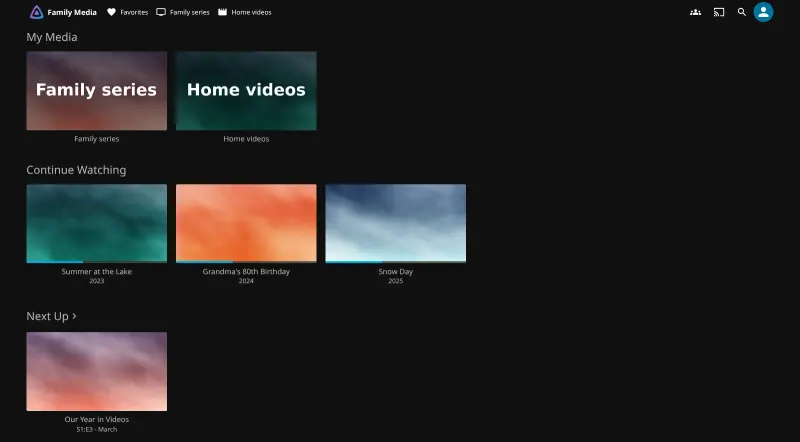
A self-hosted media server for your family's films and home videos.

Streams your own films, series, home videos and music to a web browser and free official apps for phones, smart TVs, Roku, Android TV, Fire TV and Xbox, with separate accounts, parental controls, offline downloads and watching together in sync. Every feature is free, with no outside account. Plex is more polished and matches films and shows more reliably; Jellyfin depends more on tidy folder names, and on most cloud servers, with no graphics card, converting video as it plays is slow.

What you gain
  • Every feature is free, including streaming outside your home, offline downloads and the TV apps
  • No account with an outside company, and no tracking of what your family watches
  • Your files stay as they are; point Jellyfin at the same folders you used before
What is different
  • You bring the films; there is no catalogue to stream from
  • Matching films and shows to their artwork depends on tidy folder and file names, and Plex is more polished in places
  • This server has no graphics card, so converting video while it plays is slow; files your devices play directly work best
Some setup Open source

Stream your own films, series and anime, with no renaming.

Streams your own films, series and anime to a web browser, Android, Android TV and Chromecast, with an account and a Continue watching row for each person and no paid pass. It sorts badly named files with no folder rules and skips intros and credits out of the box. It has far fewer apps than Plex, with no iPhone or smart TV app, handles video only, and is a younger project built mostly by one developer.

What you gain
  • No subscription or paid pass to stream your own videos away from home
  • No outside account; sign-ins live on your own server
  • No need to rename files or follow a folder layout
What is different
  • Fewer apps; there is no iPhone, iPad or smart TV app
  • Video only, with no music or photo libraries
  • A younger project, mostly built by one developer
Some setup Open source

Moving from Plex

Your media files work as they are. For Jellyfin, point its libraries at the same films and TV folders, or upload them at the second, File Browser address that comes with the Jellyfin template. Run Jellyfin's setup wizard first to create the admin, then add a library for each kind of media and let it fetch posters and descriptions. Name folders the way Jellyfin's guide shows, such as a folder per film with its year, so everything matches. Watch history does not come across officially; third-party tools such as JellyPlex-Watched or WatchState can copy it. Then give each family member their own account, and install the Jellyfin app on each TV and phone. For Kyoo, upload the same files at its File Browser address with no renaming; Kyoo identifies them by itself. Create your own account first so it becomes the admin, then verify each family member's account. Kyoo has no tool to bring over Plex watch history.

Questions

What is the best open-source alternative to Plex?

Start with Jellyfin. Both are free and open source.

Is Jellyfin really free?

Yes. Jellyfin is open source under the GPL-2.0 licence, with no paid tier, premium licence or subscription, and its official apps are free too. You pay only for your server and its storage.

Can I watch Jellyfin away from home without paying?

Yes. There is no charge for streaming your own media anywhere. With Cloudgate, Jellyfin runs on a server with its own secure web address, so the family can reach it from any network.

Does Jellyfin need a Plex-style online account?

No. Accounts live on your own Jellyfin server, and it does not phone home or send your data to a central service.

Should I choose Jellyfin or Kyoo?

Choose Jellyfin for most households: it has apps for far more TVs and phones and handles music too. Choose Kyoo if your films, series or anime are badly named or all in one folder and you watch in a browser, on Android or through Chromecast, since it needs no renaming and skips intros by itself.

Will my files play smoothly on a cloud server?

Usually, with either app, if they are in formats phones and TVs play directly, such as H.264 video in MP4. Files that must be converted as they play, such as some 4K or HEVC video, are heavy work for a server without a graphics card.

Are these Plex alternatives really free?

Yes, Jellyfin and Kyoo are free. To run them you need Cloudgate and a server. Use hosted Cloudgate, which can also provide the server, or install Cloudgate on a server of your own for free. Cloudgate's plans and prices are at cloudgate.octabyte.io/pricing. One server can run several apps.

Do I need a developer to replace Plex?

No. Cloudgate installs the app you choose on your server and gives it a secure web address, and you use it in your browser instead of Plex.