
YOURLS
Short links with detailed click stats and plugins.
No server needed to start: Cloudgate can provide one. What happens when you click Deploy
What is YOURLS?
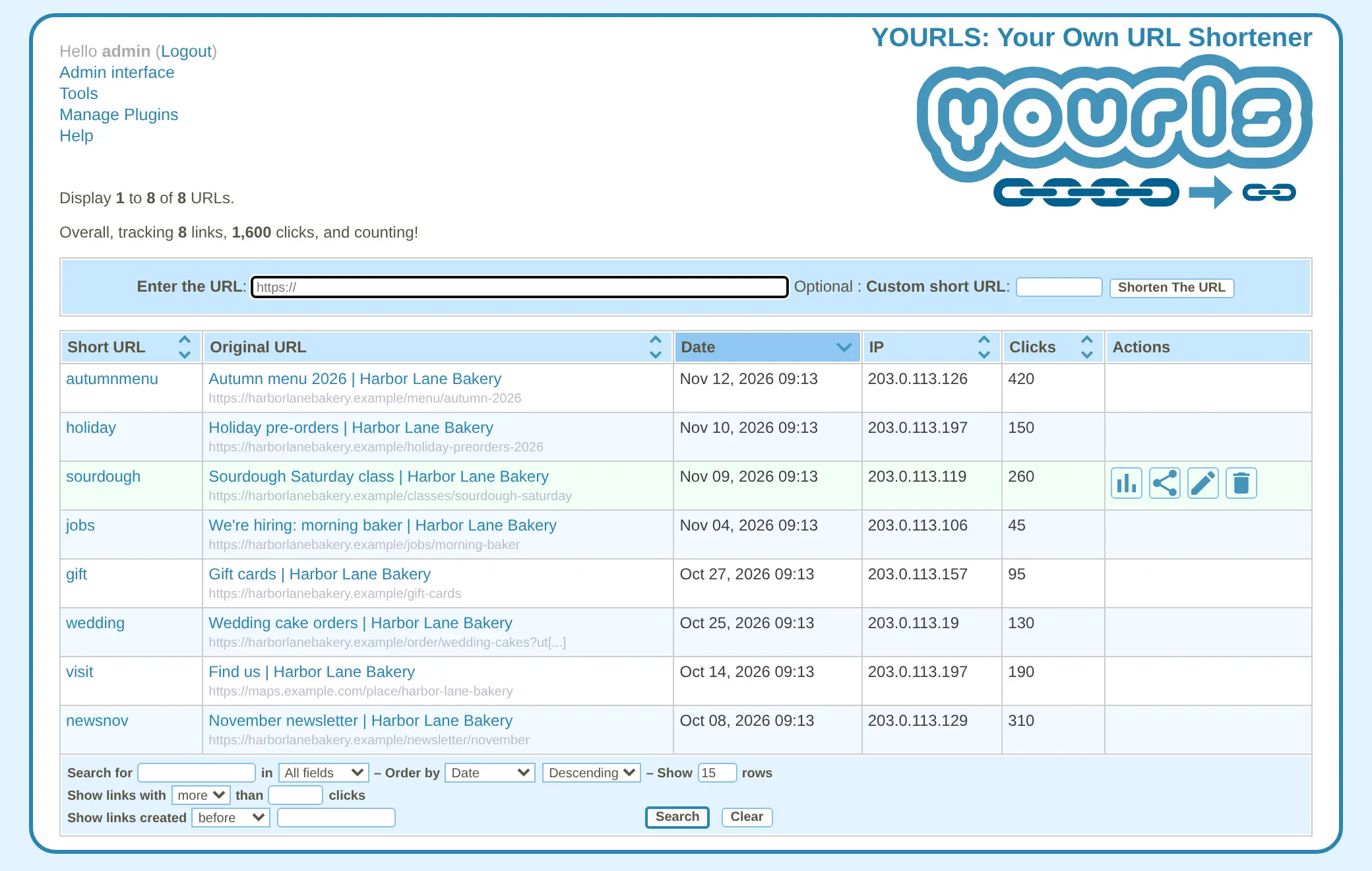
YOURLS is a self-hosted URL shortener for branded short links on your own domain, with detailed click stats, bookmarklets, an API and plugins.
YOURLS is a free, open-source, self-hosted URL shortener and an alternative to Bitly: it makes short links on your own domain and keeps detailed click stats for each one. The name stands for "Your Own URL Shortener", and it has been around since 2009.
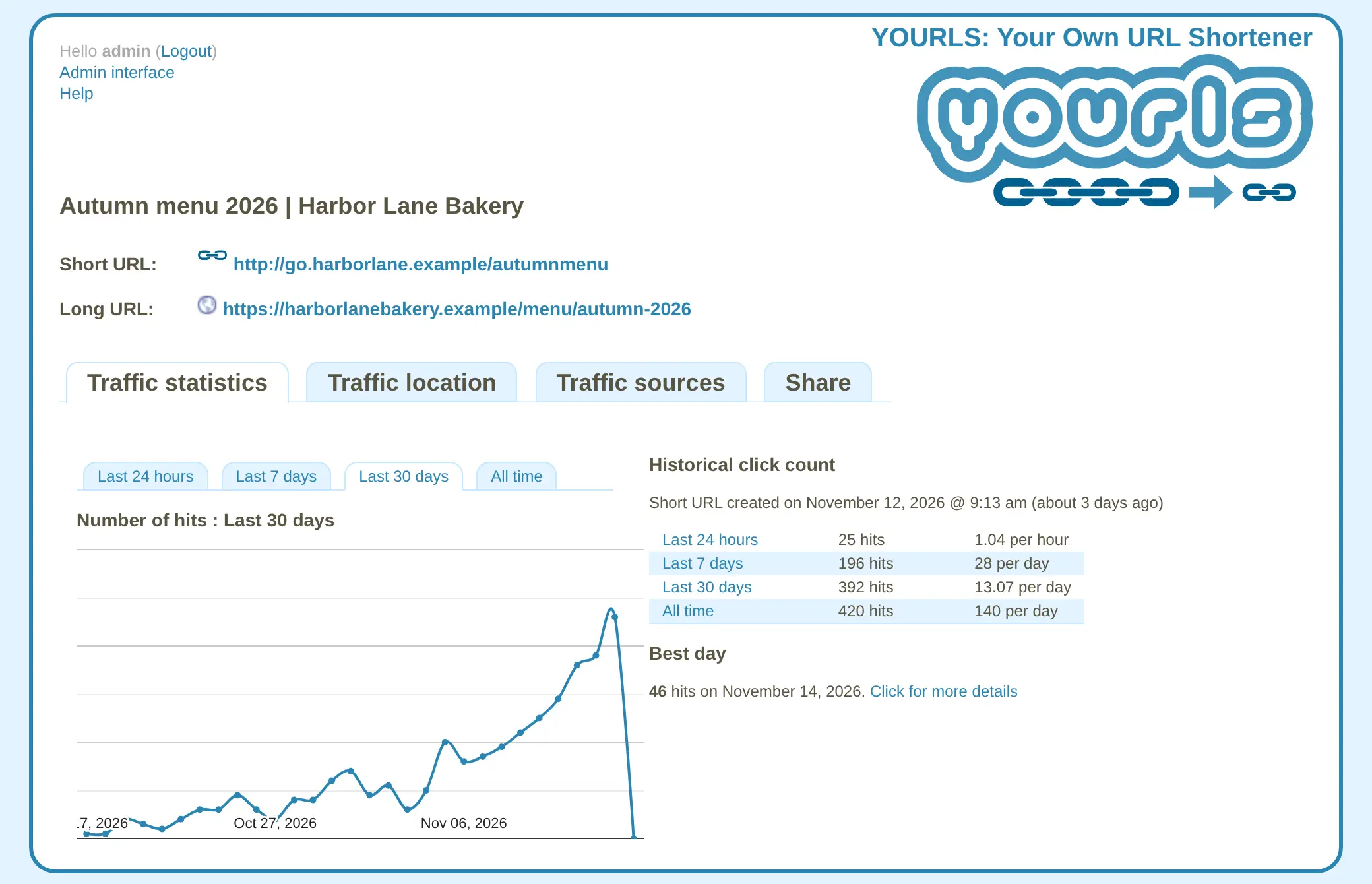
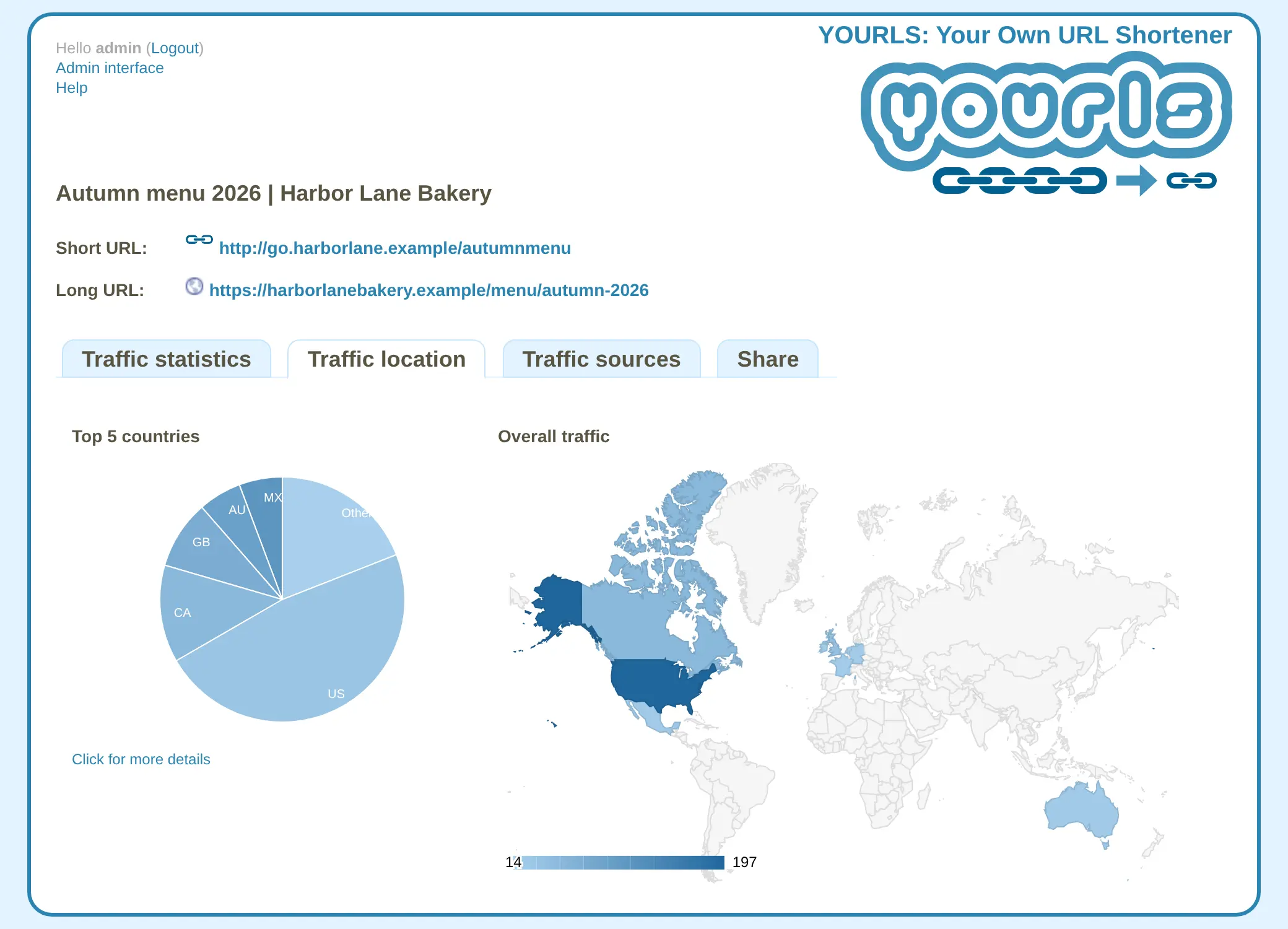
It suits a business, club or person who puts links on flyers, social profiles and newsletters and wants to know which ones work. A bakery, for example, could print go.yourbakery.com/autumnmenu on a flyer, then add a + to the end of that link to see how many people opened the menu each day, the busiest day, which countries they were in and which sites sent them.
You shorten links on the admin page, with a bookmarklet in your browser or through its API from other tools. Community plugins add extras such as QR codes. There is no phone app, and one install serves one short domain with one admin login.
Cloudgate installs YOURLS on a server Cloudgate provides or one you connect and gives it a secure web address, which is also the domain your short links use, so pick a short one. Open its admin page, click Install YOURLS once and sign in. Your links and click stats stay on your server.
What you can do with YOURLS
- Shorten links on your domain Paste a long web address and get a short link on your own short domain, with an ending you choose or one picked for you.
- Detailed stats for every link See clicks in the last day, week, month and all time, the best day, and a chart of hits over time.
- Know where clicks come from A world map and pie chart show visitors' countries, and a referrer list shows which sites sent them.
- Check any link with a plus sign Add + to the end of a short link, such as /menu+, to open its stats page.
- Shorten from your browser Bookmarklets shorten the page you're on in one click, with or without a custom ending.
- Add features with plugins Dozens of community plugins add things like QR codes, random endings or link import.
- Connect other tools An API lets scripts and other apps create short links and read their stats.
Replaces Bitly and Rebrandly
YOURLS does the same job as Bitly and Rebrandly. Here is what changes when you switch.
- No limit on links, clicks or monthly use
- More detail per link, with time charts, countries and referrers
- Your click data stays on your own server
- Free and open source, with no paid edition
- One short domain per install, and one admin login
- QR codes, link expiry and passwords need plugins
- A plain, older-looking admin page that isn't built for phones
- No built-in import, so your bit.ly links don't move across
What happens when you click Deploy?
You do not need a server or any technical knowledge. Four steps, and YOURLS is running at its own web address.
- Step 1 Click Deploy and create your account
Deploy takes you to Cloudgate. Create an account, or log in if you have one. YOURLS itself is free.
- Step 2 Choose a server
No server? Get one from Cloudgate: pick a size and a country, and Cloudgate gets it ready. Already have one? Connect it instead.
- Step 3 Cloudgate sets up YOURLS
It prepares the server, makes the passwords the app needs and starts it. There is nothing to install and nothing to write down.
- Step 4 Open your app and sign in
Your app gets a free web address to start, without https. Add your own domain, like app.yourshop.com, and Cloudgate secures it with https for you.
New to Cloudgate? See what Cloudgate is
Run Cloudgate yourself? Deploy from your own console
In your Cloudgate console, open Templates and choose YOURLS.
Questions
Is YOURLS free?
Yes, YOURLS is free and open source under the MIT licence, with no paid edition and no limit on links or clicks. You pay only for your server.
Is YOURLS a good alternative to Bitly?
Yes, if you want branded short links on your own domain with detailed click stats and no monthly limits. YOURLS has no campaigns, link-in-bio pages or team accounts, and it needs a plugin for QR codes.
How do I sign in to YOURLS the first time?
Open your app's address followed by /admin/, click Install YOURLS once to set it up, then sign in with the admin username you chose and the password Cloudgate created, which is shown on the app's variables page. There is one admin login, set when you install the app.
Why does my YOURLS address show "Forbidden"?
That's by design. YOURLS has no public front page, so the bare address shows "Forbidden". Your short links work at the address followed by their ending, such as /menu, and the admin page is at /admin/.
Does YOURLS make QR codes?
Not on its own. YOURLS needs a community plugin to add QR codes to short links; the same goes for link expiry dates and passwords.
Can I use more than one domain with YOURLS?
No, one YOURLS uses one short domain, the web address you give it at setup. For a second domain, install a second YOURLS.
Can I import my links from Bitly into YOURLS?
No, YOURLS has no built-in import from Bitly. Your bit.ly links stay with Bitly; create new links in YOURLS for the ones you still use.
Do I need technical skills to run YOURLS?
No. Click Deploy, create your Cloudgate account and choose a server, and Cloudgate sets up YOURLS and gives it a web address. You use it in your browser like any other online tool.
Do I need my own server for YOURLS?
No. When you deploy YOURLS, hosted Cloudgate can provide a server. If you already rent one, you can connect it instead.
Related apps
Short links on your domain, with detailed visit stats.
Short, branded links on your own domain, with click stats.
Lightweight self-hosted short links, with expiry and QR codes.

Short links on your own domain, with secrets, expiry and use limits.