
Kutt
Short, branded links on your own domain, with click stats.
No server needed to start: Cloudgate can provide one. What happens when you click Deploy
What is Kutt?
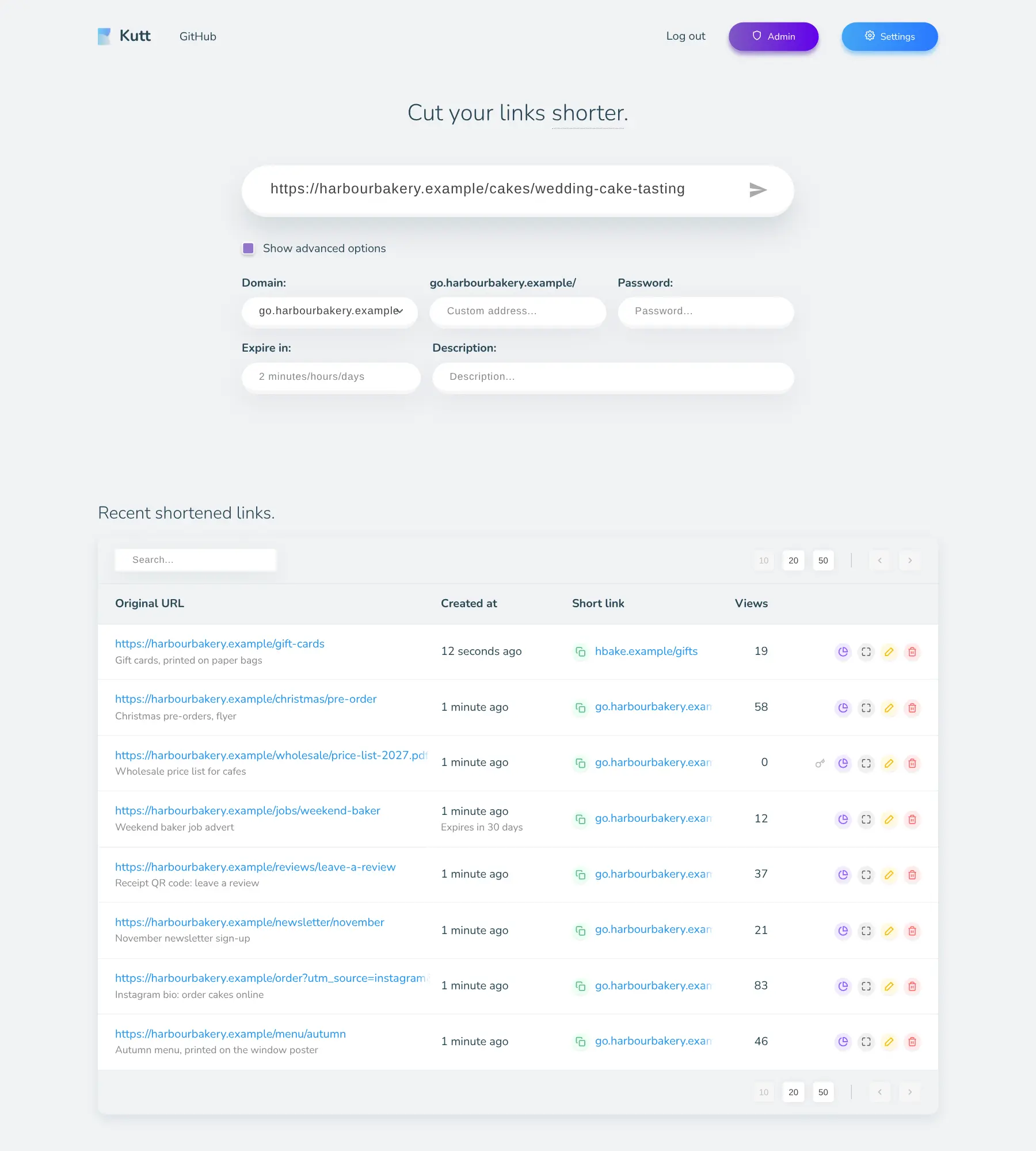
Kutt is a self-hosted link shortener: short, branded links on your own domain, with a QR code and click stats for each one.
Kutt is a free, open-source, self-hosted link shortener and an alternative to Bitly: it turns long web addresses into short links on your own domain and shows how many people clicked each one. You choose the ending of each link yourself, so a link reads go.yourshop.com/autumn instead of a jumble of letters.
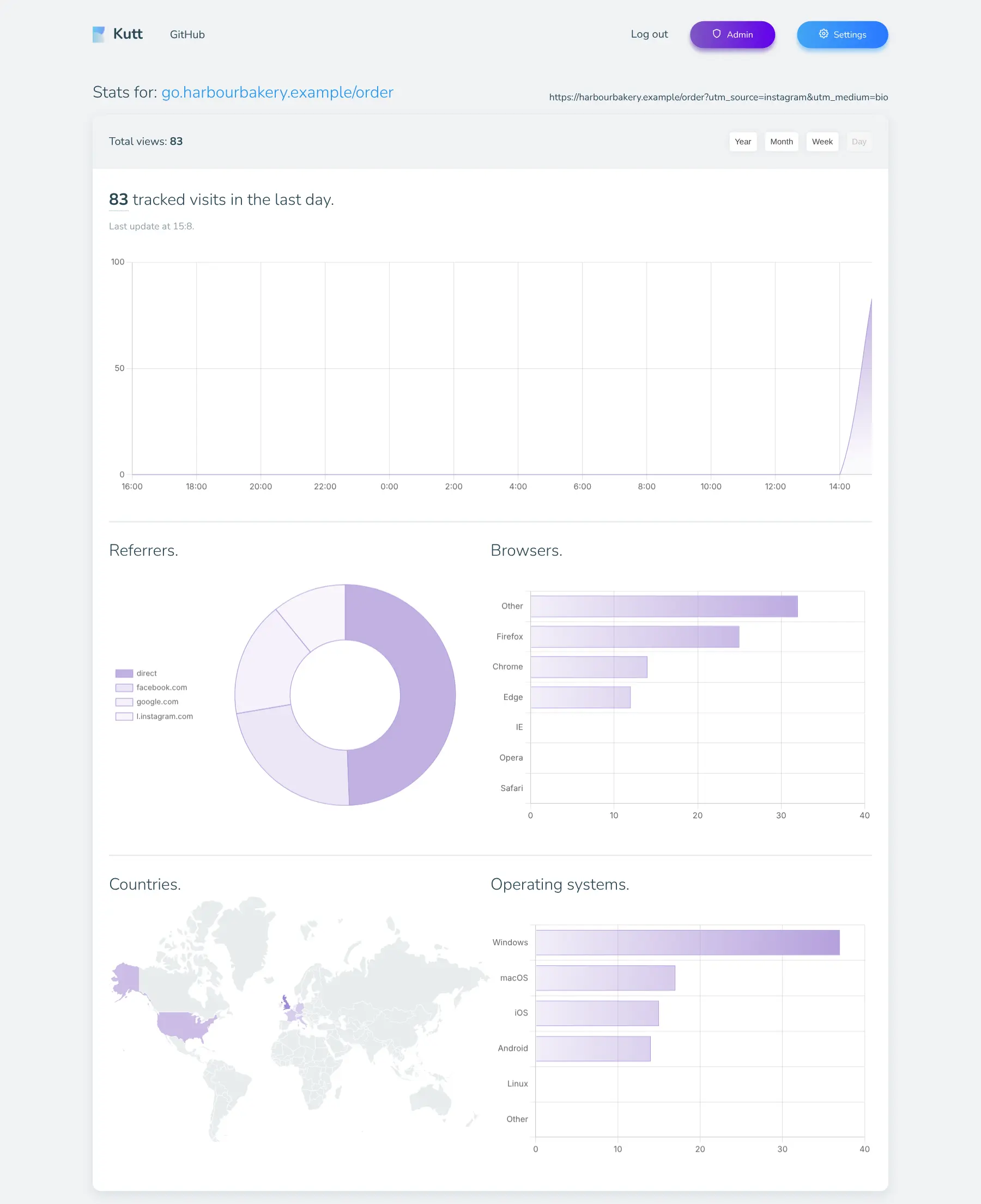
It suits small businesses, marketers and creators who put links on printed material, social profiles and newsletters. A bakery, for example, could print a short link such as go.yourbakery.com/xmas and its QR code on a Christmas flyer, then see how many people opened the pre-order page, from which countries and whether on iPhone or Android. If the page moves, the bakery changes where the link points and the printed flyers keep working.
Kutt runs in your web browser and has browser extensions for Chrome and Firefox to shorten the page you're on. Links can have a password or an expiry date, and the admin decides who else gets an account.
Cloudgate installs Kutt on a server Cloudgate provides or one you connect and gives it a secure web address, which is also the domain your short links use, so pick a short one. Open it right away to create your admin account. Your links and click stats stay on your server.
What you can do with Kutt
- Shorten any link Paste a long web address and get a short one, with an ending you choose, such as /autumn-menu.
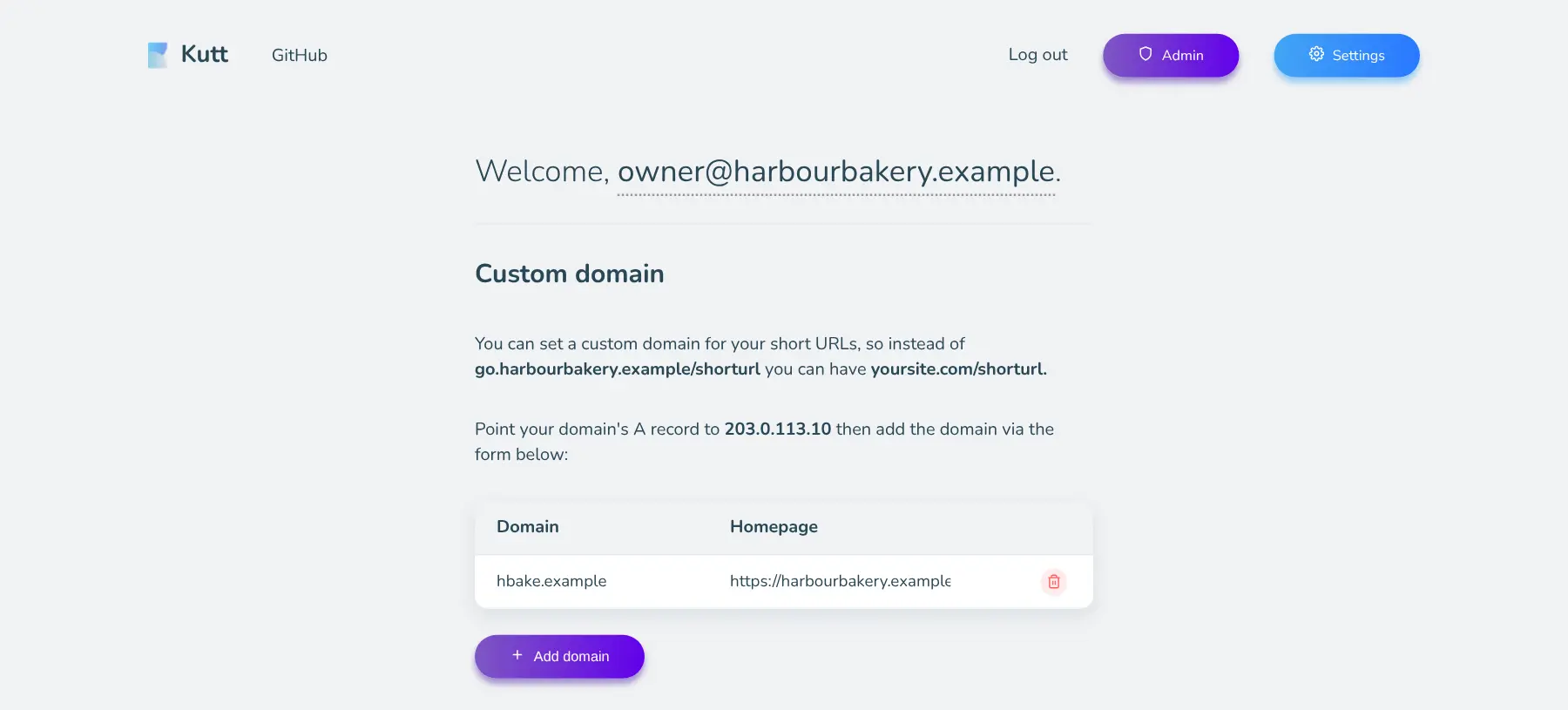
- Use your own domain Put your links on a short domain of your own, such as go.yourshop.com, and add more domains later.
- See who clicks Each link has private stats for views over time, where visitors came from, their countries, browsers and devices.
- Print a QR code Every link has a QR code you can put on a poster, a menu or a receipt.
- Protect or expire links Add a password to a link, give it an expiry time, or edit where it points after it's printed.
- Share it with your team The admin adds colleagues and manages every user, link and domain from one admin page.
Replaces Bitly and Rebrandly
Kutt does the same job as Bitly and Rebrandly. Here is what changes when you switch.
- No limit on links, clicks or custom domains
- Change where a link points even after it's printed
- Your click data stays on your own server
- A QR code for every link at no extra cost
- Simpler stats, with no campaigns, link-in-bio pages or UTM builder
- Your existing Bitly links don't move across
- No phone app; you use it in a web browser or a browser extension
What happens when you click Deploy?
You do not need a server or any technical knowledge. Four steps, and Kutt is running at its own web address.
- Step 1 Click Deploy and create your account
Deploy takes you to Cloudgate. Create an account, or log in if you have one. Kutt itself is free.
- Step 2 Choose a server
No server? Get one from Cloudgate: pick a size and a country, and Cloudgate gets it ready. Already have one? Connect it instead.
- Step 3 Cloudgate sets up Kutt
It prepares the server, makes the passwords the app needs and starts it. There is nothing to install and nothing to write down.
- Step 4 Open your app and sign in
Your app gets a free web address to start, without https. Add your own domain, like app.yourshop.com, and Cloudgate secures it with https for you.
New to Cloudgate? See what Cloudgate is
Run Cloudgate yourself? Deploy from your own console
In your Cloudgate console, open Templates and choose Kutt.
Questions
Is Kutt free?
Yes, Kutt is free and open source under the MIT licence, with no limit on links or domains when you run it yourself. You pay only for your server. The Premium plans on kutt.to are for the project's own hosted service, not the software.
Is Kutt a good alternative to Bitly?
Yes, if you want short links on your own domain with click stats and no monthly limits. Kutt covers shortening, branded domains, QR codes, passwords, expiry dates and per-link stats, but it has fewer marketing extras than Bitly's paid plans, such as campaigns and link-in-bio pages.
How do I use my own short domain with Kutt?
Choose that domain, for example go.yourshop.com, as Kutt's web address when you set it up, and point the domain at your server in your domain provider's settings; Cloudgate shows you the record to add. Every short link then uses that domain. To add another domain later, point it at the server too, add it to the app in Cloudgate, then add it in Kutt's Settings.
How do I sign in to Kutt the first time?
The first person to open Kutt's address creates the admin account with an email and password. Open it as soon as setup finishes, before you share the address. Public sign-up is off, so the admin adds other users.
Can I import my links from Bitly into Kutt?
No, Kutt has no import from Bitly. Your bit.ly links stay with Bitly; create new links in Kutt for the ones you still use, choosing the same short endings on your own domain if you like.
Does Kutt make QR codes?
Yes, every short link in Kutt has a QR code button, so you can print the link on a flyer, menu or receipt and still count the scans in its stats.
Do I need technical skills to run Kutt?
No. Click Deploy, create your Cloudgate account and choose a server, and Cloudgate sets up Kutt and gives it a web address. You use it in your browser like any other online tool.
Do I need my own server for Kutt?
No. When you deploy Kutt, hosted Cloudgate can provide a server. If you already rent one, you can connect it instead.
Related apps

Short links on your domain, with detailed visit stats.

Short links with detailed click stats and plugins.

Lightweight self-hosted short links, with expiry and QR codes.

Short links on your own domain, with secrets, expiry and use limits.