
WooCommerce
Run your own online store on WordPress, with no fee on each sale.
No server needed to start: Cloudgate can provide one. What happens when you click Deploy
What is WooCommerce?
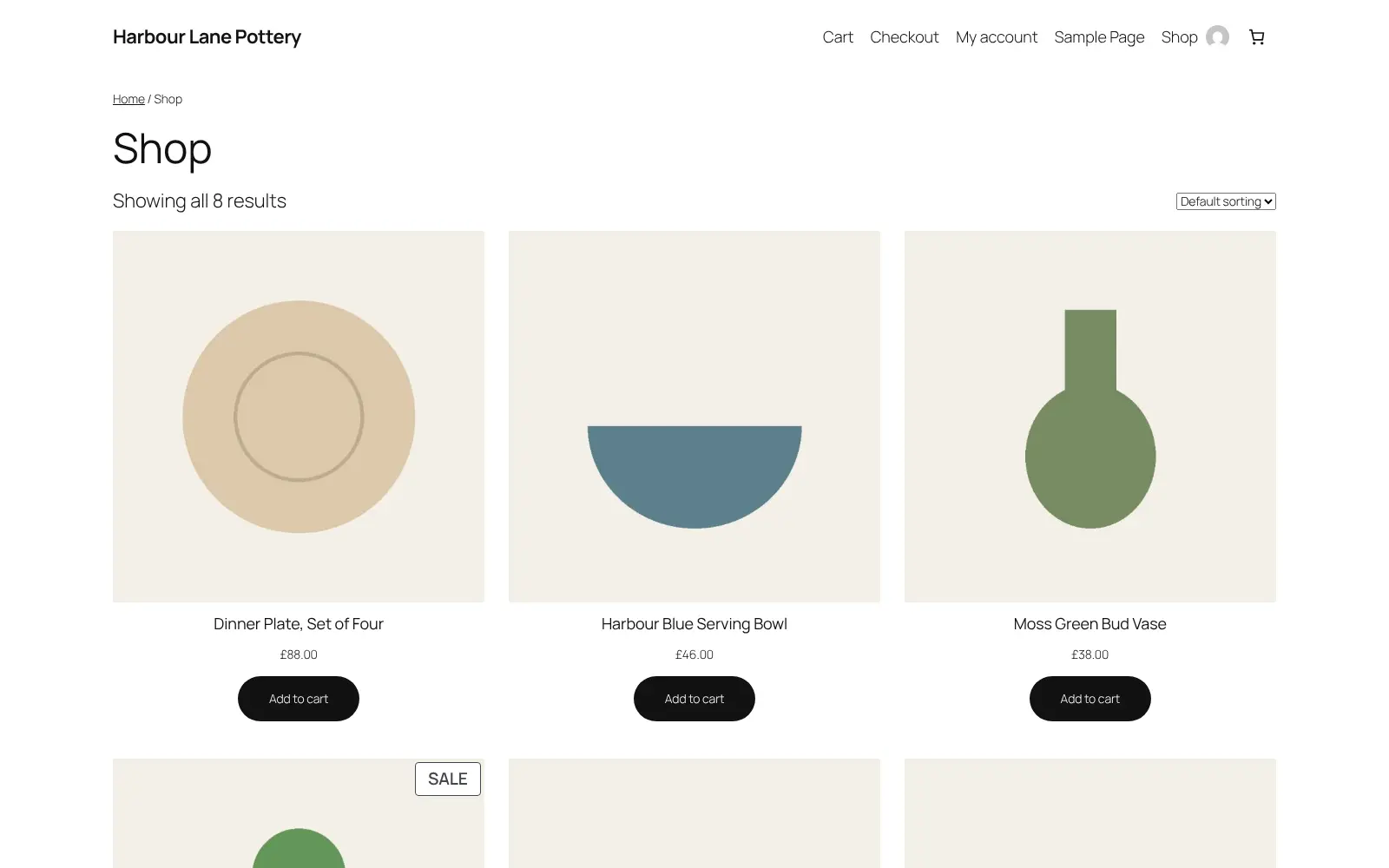
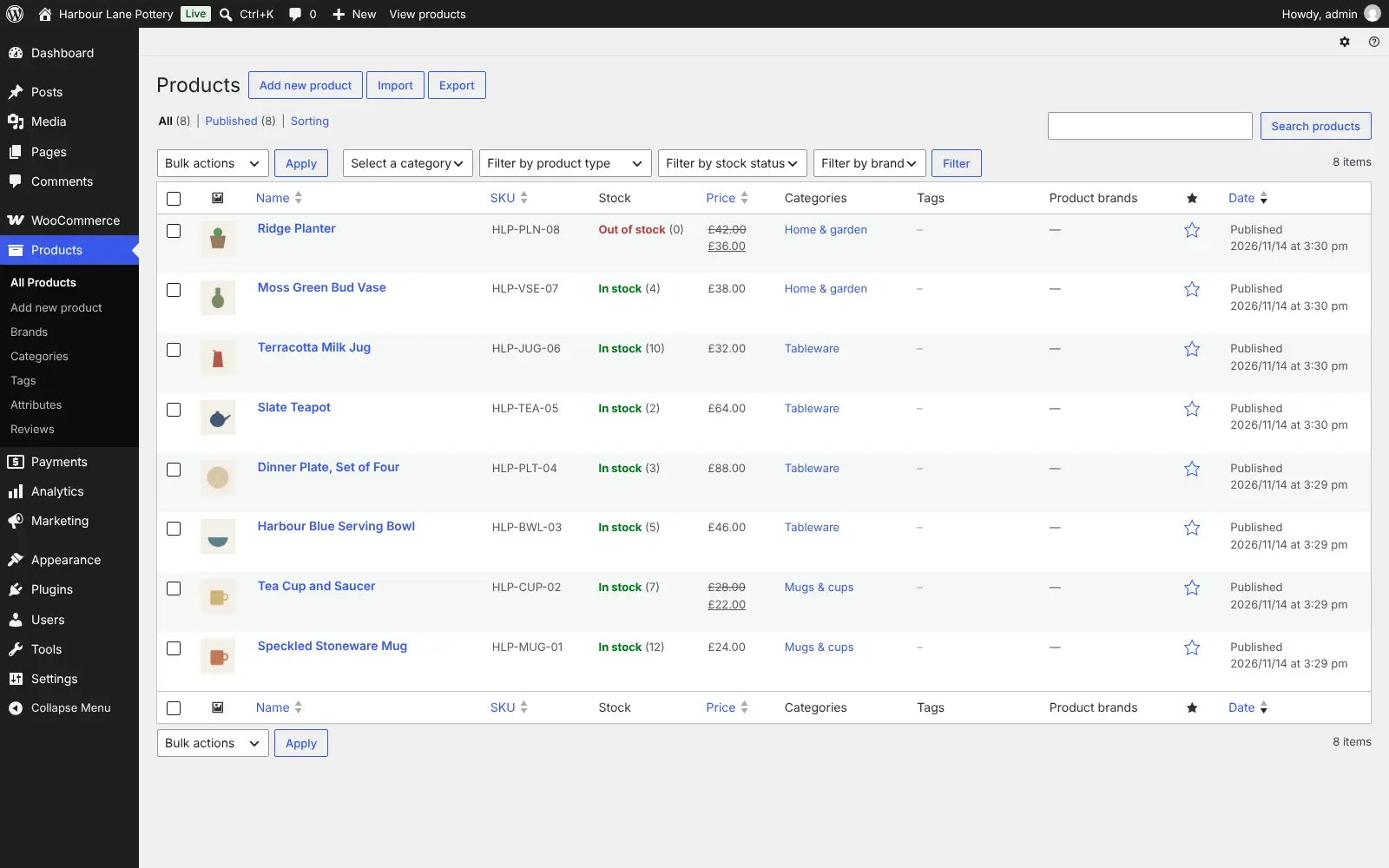
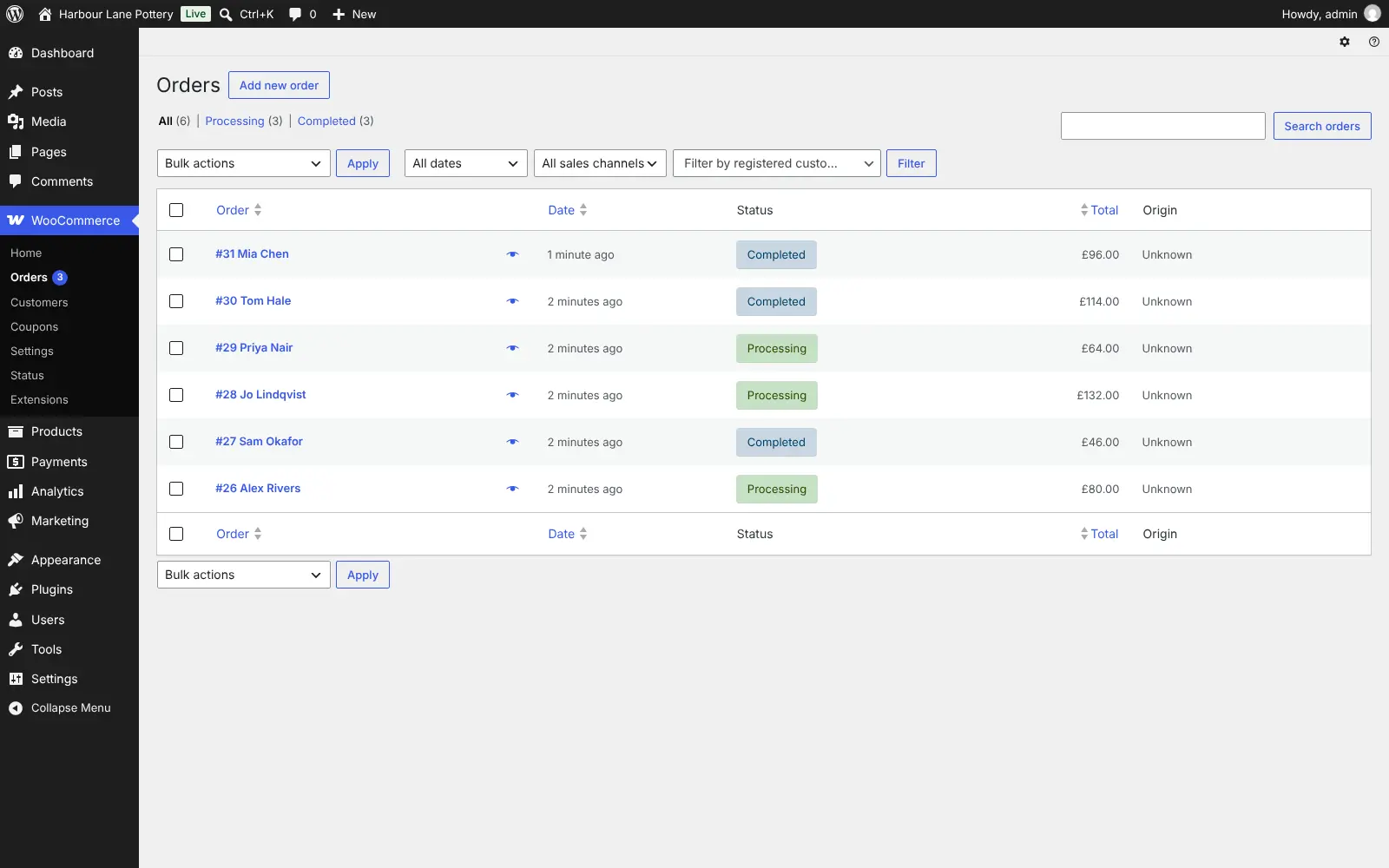
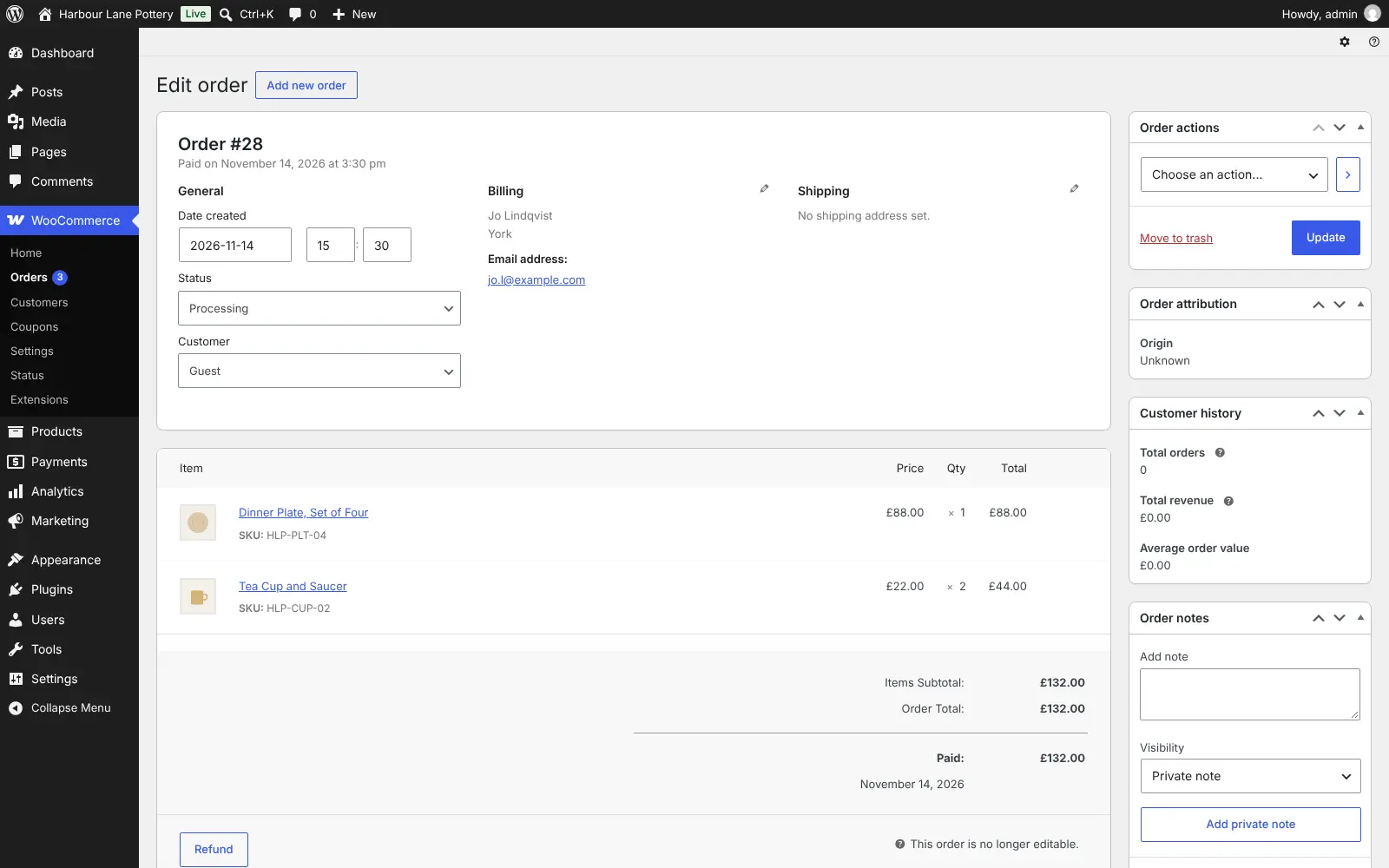
Self-hosted WooCommerce: your own online store on WordPress with products, checkout, orders, stock, shipping and tax, and no fee from WooCommerce on each sale.
WooCommerce is a free, open-source plugin that turns WordPress into a self-hosted online store, an alternative to Shopify, Wix and Squarespace where you sell from your own website and keep your store's data. You get a product catalogue, cart and checkout, orders, stock, discount codes, shipping and tax, all managed from the WordPress dashboard.
It suits small shops selling physical goods, digital downloads or services. A pottery studio, for example, could list its mugs and bowls with photos and prices, put a few on sale, charge one shipping rate for the UK and another for Europe, and pack each order from the orders list, paying no monthly platform fee and no cut of each sale to WooCommerce.
Payments come through providers such as Stripe and PayPal, whose plugins are free; they charge their usual card fees. Paid extensions add subscriptions, bookings and memberships, and the free WooCommerce app for iPhone and Android lets you check orders on the go.
Cloudgate installs WordPress with WooCommerce ready on a server Cloudgate provides or one you connect, and gives it a secure web address. Open it right away to create your admin account; WooCommerce then switches on and its setup wizard walks you through your store details. Connect an email sending service so customers get their order emails.
What you can do with WooCommerce
- Sell any kind of product List physical goods with sizes and colours, digital downloads or services, with sale prices and categories.
- Take card payments Connect Stripe, PayPal or one of many other payment providers through free or paid plugins.
- Manage orders and stock See every order, update its status, issue refunds and track how many of each product you have left.
- Set shipping and tax Create shipping zones with flat rates, free shipping or local pickup, and set the tax rates you charge.
- Offer discount codes Create coupons for a percentage off, a fixed amount off the basket or money off one product.
- Follow your sales Reports show revenue, orders, best-selling products, coupons used, taxes and stock levels.
- Import your catalogue Add or update many products at once from a spreadsheet, and export them again.
- Run the shop from your phone The free WooCommerce app for iPhone and Android lets you check orders and edit products on the go.
Replaces Shopify, Wix, Squarespace and BigCommerce
WooCommerce does the same job as Shopify, Wix, Squarespace and BigCommerce. Here is what changes when you switch.
- No monthly platform fee and no cut of each sale from WooCommerce
- Your products, orders and customer details stay on your own server
- Your store can be exported and moved to another host at any time
- Any WordPress theme or plugin, and a shop and website in one place
- You keep WordPress, WooCommerce and your plugins up to date and backed up yourself
- Subscriptions, bookings and memberships are paid extensions, and premium themes cost extra
- Your payment provider still charges its own card fees
- Order emails need an email sending service set up first
What happens when you click Deploy?
You do not need a server or any technical knowledge. Four steps, and WooCommerce is running at its own web address.
- Step 1 Click Deploy and create your account
Deploy takes you to Cloudgate. Create an account, or log in if you have one. WooCommerce itself is free.
- Step 2 Choose a server
No server? Get one from Cloudgate: pick a size and a country, and Cloudgate gets it ready. Already have one? Connect it instead.
- Step 3 Cloudgate sets up WooCommerce
It prepares the server, makes the passwords the app needs and starts it. There is nothing to install and nothing to write down.
- Step 4 Open your app and sign in
Your app gets a free web address to start, without https. Add your own domain, like app.yourshop.com, and Cloudgate secures it with https for you.
New to Cloudgate? See what Cloudgate is
Run Cloudgate yourself? Deploy from your own console
In your Cloudgate console, open Templates and choose WooCommerce.
Questions
Is WooCommerce free?
Yes, WooCommerce is free and open source under the GPL licence, and so is WordPress, so self-hosting it costs only your server. Some features are paid extensions, such as subscriptions, bookings and memberships, and premium themes cost extra.
Does WooCommerce take a cut of each sale?
No, WooCommerce charges no fee per sale and no monthly platform fee. The payment provider you connect, such as Stripe or PayPal, still charges its own card fees on each payment.
Is WooCommerce a good alternative to Shopify?
Yes, if you want to own your store and avoid a monthly plan and per-sale platform fees. In return you look after updates, backups and security yourself, and some features that come with a Shopify plan are paid extensions in WooCommerce.
Can I move my Shopify store to WooCommerce?
Partly. WooCommerce imports products from a spreadsheet (CSV) out of the box. Moving customers, orders and pages from Shopify needs an extension from the WooCommerce Marketplace, such as a paid Shopify migration tool.
How do I set up my WooCommerce store the first time?
Open your store's web address straight after Cloudgate sets it up and run WordPress's short installer, which creates your admin account; whoever does it first becomes the admin. WooCommerce is already installed and switches on by itself, then its setup wizard asks for your store address and what you sell.
Will my WooCommerce store send order emails to customers?
Yes, once you connect an email sending service. WooCommerce order confirmations and other store emails need a sending service such as your email provider's SMTP settings, added through an email plugin.
What server size do I need for WooCommerce?
WooCommerce needs a server with 2 GB of memory, which is what Cloudgate asks for. A store needs more room than a simple website, and you can move to a bigger server if your shop gets busy or you add many plugins.
Do I need technical skills to run WooCommerce?
No. Click Deploy, create your Cloudgate account and choose a server, and Cloudgate sets up WooCommerce and gives it a web address. You use it in your browser like any other online tool.
Do I need my own server for WooCommerce?
No. When you deploy WooCommerce, hosted Cloudgate can provide a server. If you already rent one, you can connect it instead.
Related apps

A self-hosted .NET shop for several stores, sellers and B2B buyers.

Run your own online shop on open-source Laravel, with no sales fee.

A modern online store you own, with no monthly fee or cut of sales.

A self-hosted shop engine for large catalogues and several languages.