
PrestaShop
A self-hosted shop engine for large catalogues and several languages.
No server needed to start: Cloudgate can provide one. What happens when you click Deploy
What is PrestaShop?
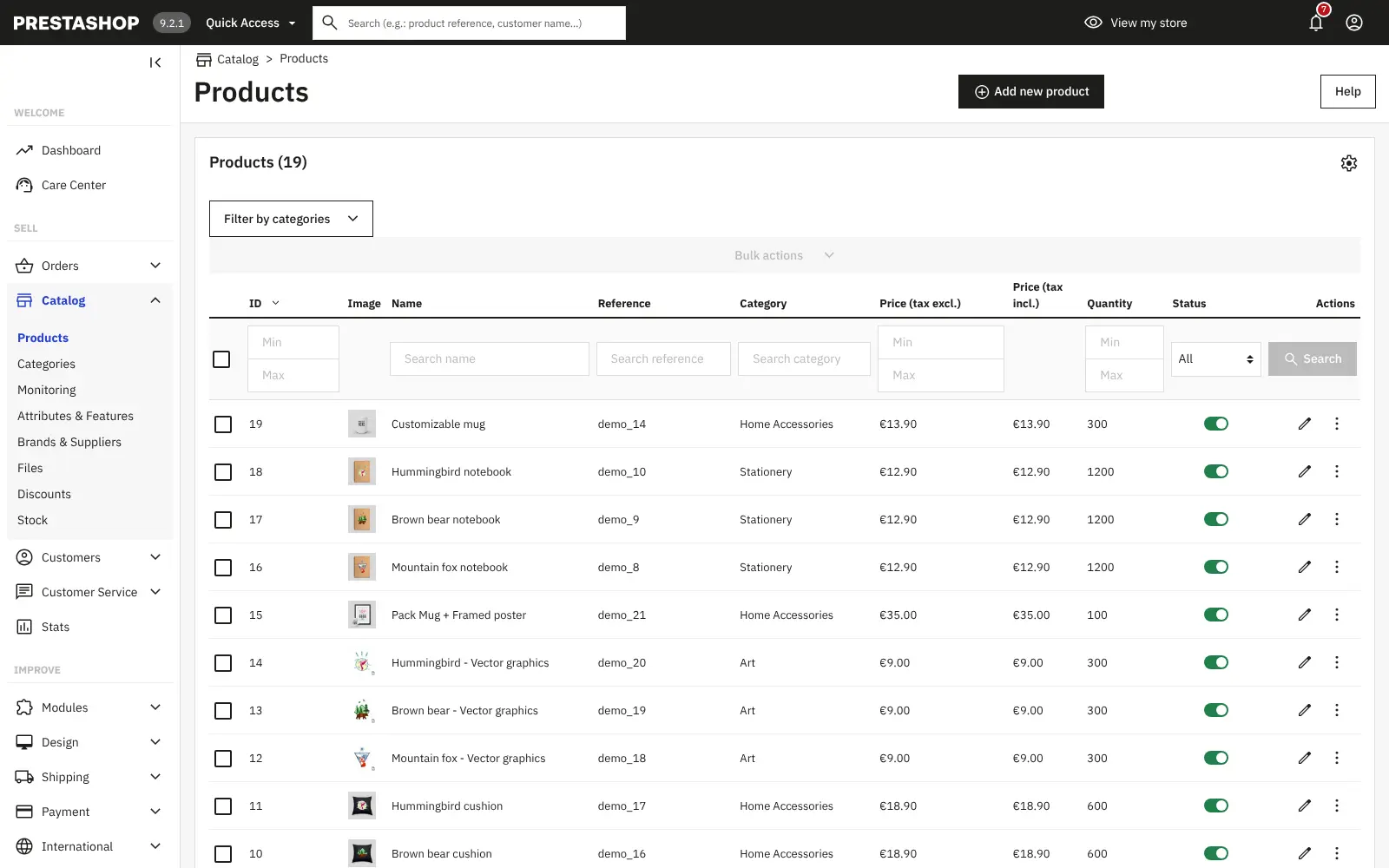
Self-hosted PrestaShop is open-source e-commerce software for your own online shop, with products, orders, payments, shipping and taxes in one back office.
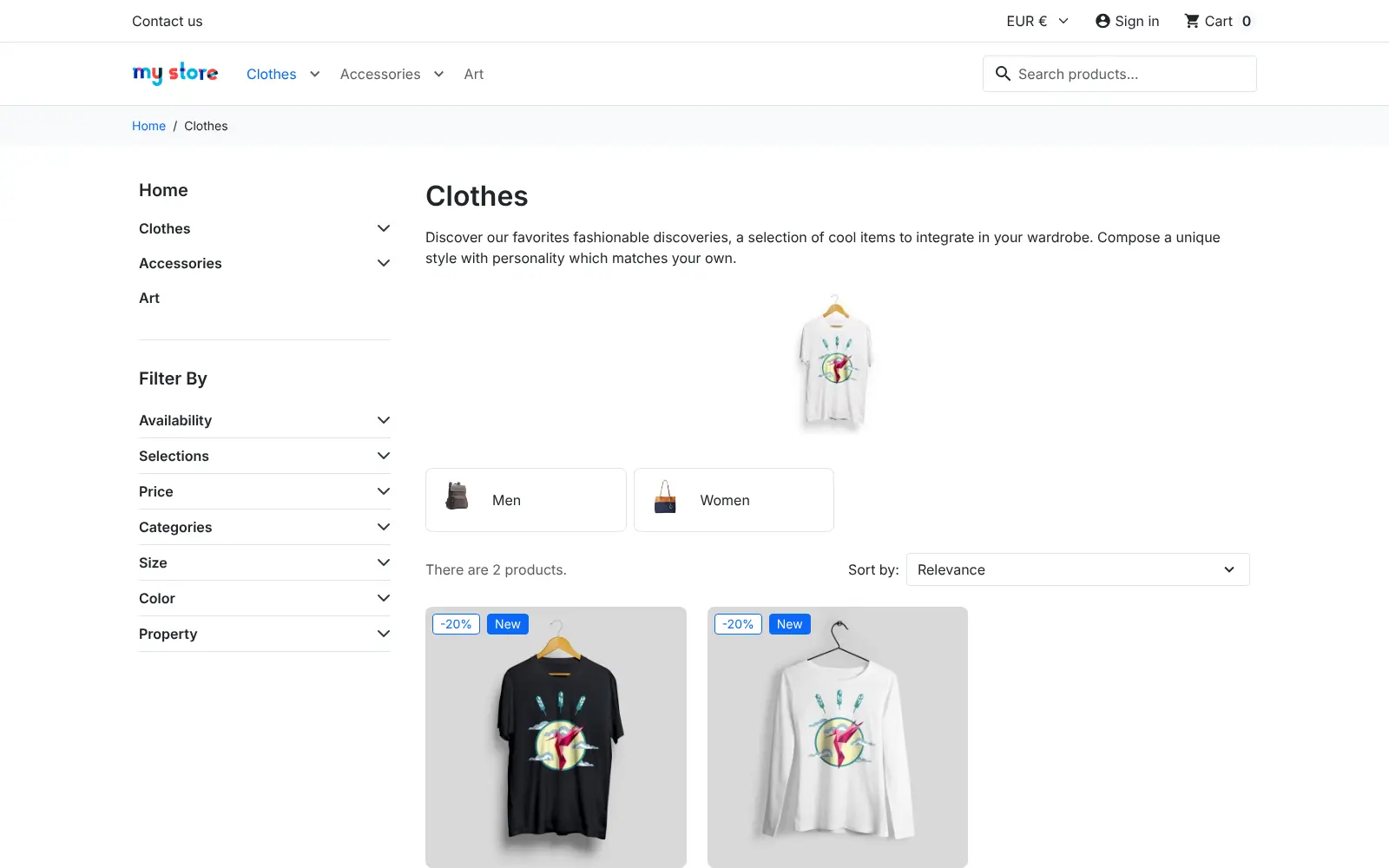
Self-hosted PrestaShop is a free, open-source e-commerce platform for running your own online shop, and an alternative to Shopify, BigCommerce and Wix eCommerce. You get a shop front with themes, a cart and checkout, and a back office for products, orders, customers, payments, shipping and taxes, with no platform fee on your sales.
It suits small and mid-sized shops, especially in Europe, that want to own their store and customer data. A clothing boutique, for example, could list its t-shirts in every size and colour, sell to France and Germany in two languages with the right VAT for each, and follow every order from payment to delivery slip.
PrestaShop grows with modules for payments, shipping, marketing and search engines. Some come with it; many more are on the PrestaShop Addons marketplace, where a lot of them are paid. Products, categories and customers can be imported from spreadsheets, and the shop and back office both work in a phone's browser.
Cloudgate installs PrestaShop and its database on a server Cloudgate provides or one you connect, creates your admin account and gives the shop a secure web address. Before you open, delete the demo catalogue, add a payment module and set up email sending so customers receive their order emails.
What you can do with PrestaShop
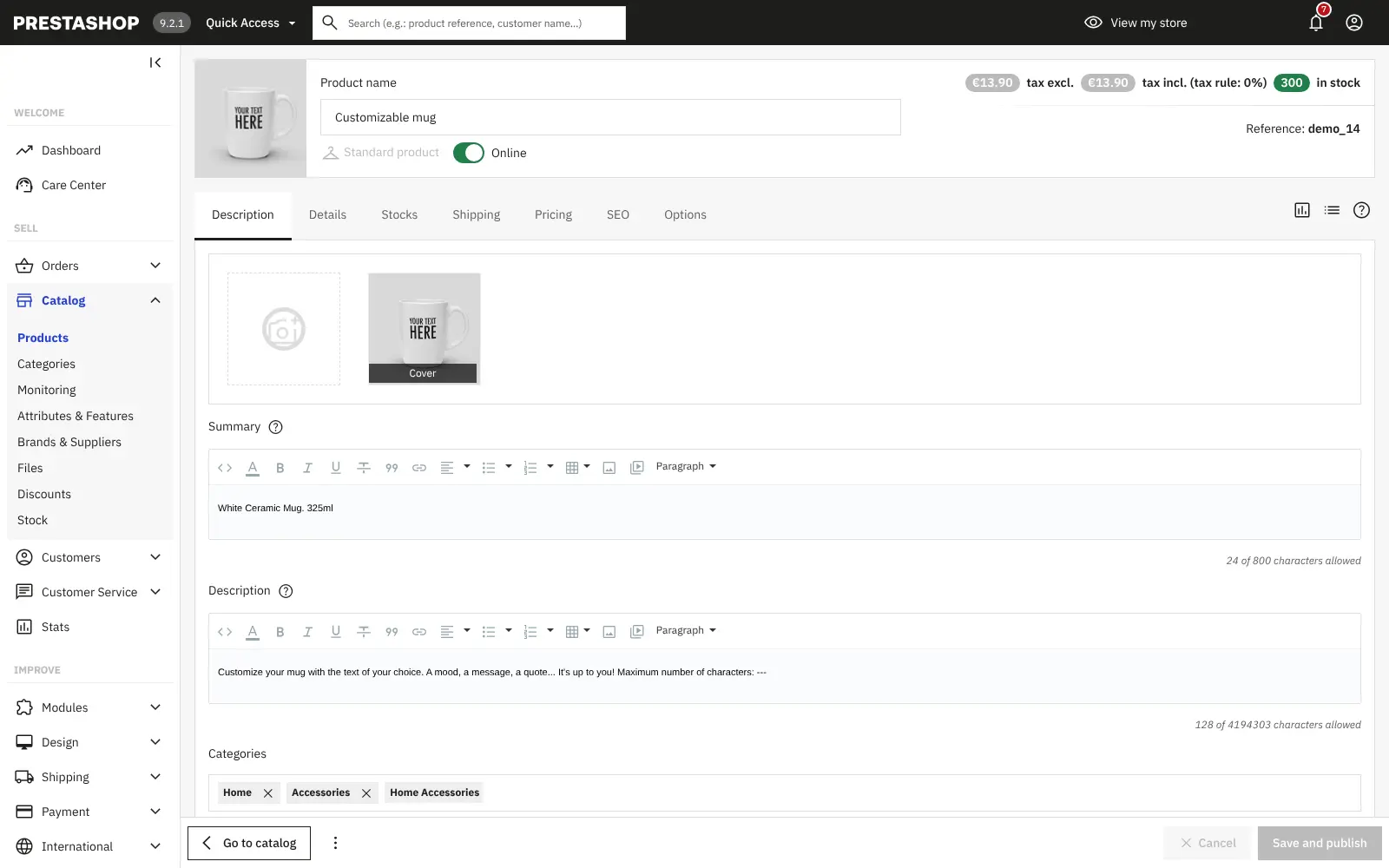
- Sell a full product catalogue Add products with photos, prices, stock and variants such as size and colour, or import them from a spreadsheet.
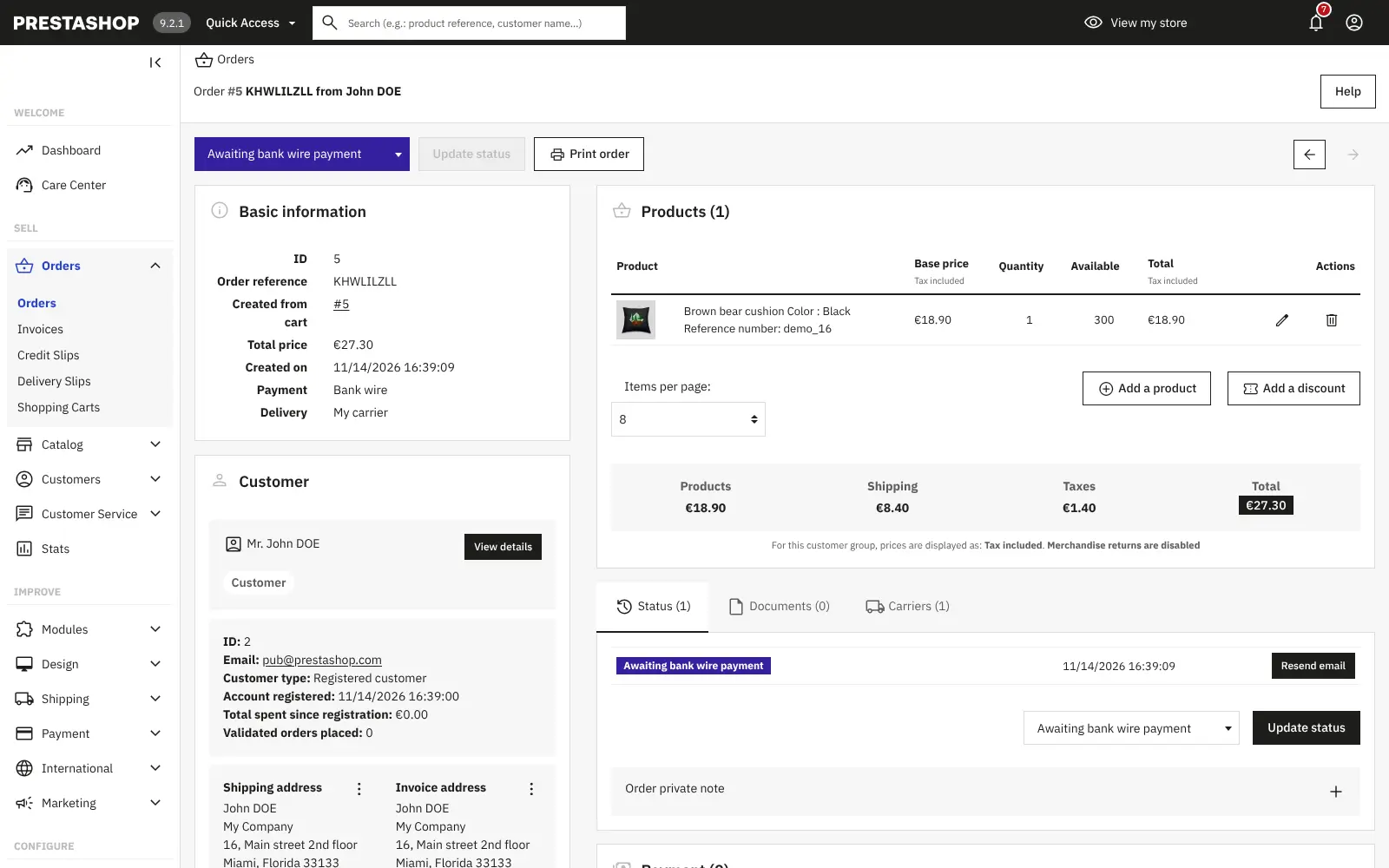
- Handle orders from start to finish Follow each order through its status, print invoices and delivery slips, and see abandoned carts.
- Take payments your way Bank transfer and cheque are built in, and payment modules add cards, PayPal and instalments.
- Sell in several languages and currencies Translate your shop, show prices in more than one currency and set tax rules for each product.
- Run several stores from one place Manage separate shops, for example one per country, each with its own products, payments and taxes.
- Keep customers coming back Customer accounts, discount codes, customer service messages and sales statistics are all in the back office.
- Choose a theme and add modules Start with the responsive Hummingbird theme and add modules for shipping, marketing and search engines.
Replaces Shopify and BigCommerce
PrestaShop does the same job as Shopify and BigCommerce. Here is what changes when you switch.
- No monthly platform fee and no platform cut of each sale
- Your products, orders and customer data stay on your server
- Full control of your theme, modules and store settings
- Several stores, languages and currencies at no extra plan cost
- You look after updates, backups and security yourself
- Many useful modules and themes are paid extras
- Fewer ready-made apps than Shopify
- You set up payments and email sending yourself
What happens when you click Deploy?
You do not need a server or any technical knowledge. Four steps, and PrestaShop is running at its own web address.
- Step 1 Click Deploy and create your account
Deploy takes you to Cloudgate. Create an account, or log in if you have one. PrestaShop itself is free.
- Step 2 Choose a server
No server? Get one from Cloudgate: pick a size and a country, and Cloudgate gets it ready. Already have one? Connect it instead.
- Step 3 Cloudgate sets up PrestaShop
It prepares the server, makes the passwords the app needs and starts it. There is nothing to install and nothing to write down.
- Step 4 Open your app and sign in
Your app gets a free web address to start, without https. Add your own domain, like app.yourshop.com, and Cloudgate secures it with https for you.
New to Cloudgate? See what Cloudgate is
Run Cloudgate yourself? Deploy from your own console
In your Cloudgate console, open Templates and choose PrestaShop.
Questions
Is PrestaShop free?
Yes, PrestaShop is free, open-source software (OSL-3.0 for the core, AFL-3.0 for its modules). You still pay for hosting and payment provider fees, many modules and themes on the PrestaShop Addons marketplace are paid, and the back office promotes PrestaShop's own paid services.
Is PrestaShop a good alternative to Shopify?
Yes, if you want to own your shop rather than rent it. PrestaShop has themes, modules, payments and multi-store selling with no monthly platform fee, but you run the updates, backups and security yourself, and it has fewer ready-made apps than Shopify.
How do I sign in to the PrestaShop back office?
Open your PrestaShop shop's web address followed by its back office folder, a random name chosen for security instead of /admin, and sign in with the email you entered during setup. Cloudgate lists the folder name and the generated password among the app's variables.
What do I need to do before my PrestaShop shop goes live?
Three things. Delete the demo catalogue PrestaShop installs, with its sample t-shirts, mugs, posters and demo customer; add a payment module for the payment methods you want; and add your email sending details so customers get their order emails.
Can I move my products from Shopify to PrestaShop?
Partly. PrestaShop imports products, categories, customers and addresses from CSV files, so you can export them from Shopify and import them. Moving everything, including past orders, needs a paid third-party migration tool.
Can PrestaShop sell in several languages and currencies?
Yes, PrestaShop is translated into many languages and localized for many countries. One back office can run several stores, each with its own languages, currencies, VAT, payment methods and products.
What server size do I need for PrestaShop?
A medium server, so Cloudgate asks for one. PrestaShop needs at least 512 MB of memory for PHP alone, and a shop with a large catalogue or many visitors runs better with more.
Do I need technical skills to run PrestaShop?
No. Click Deploy, create your Cloudgate account and choose a server, and Cloudgate sets up PrestaShop and gives it a web address. You use it in your browser like any other online tool.
Do I need my own server for PrestaShop?
No. When you deploy PrestaShop, hosted Cloudgate can provide a server. If you already rent one, you can connect it instead.
Related apps

Run your own online shop on open-source Laravel, with no sales fee.

A modern online store you own, with no monthly fee or cut of sales.

A self-hosted .NET shop for several stores, sellers and B2B buyers.

Your own online store engine for retail, wholesale and marketplaces.