
Winter CMS
A free, open-source Laravel CMS, the community fork of October CMS.
No server needed to start: Cloudgate can provide one. What happens when you click Deploy
What is Winter CMS?
Self-hosted Winter CMS is a free, open-source Laravel CMS for agency-built websites, the community fork of October CMS with no licence fees.
Self-hosted Winter CMS is a free, open-source content management system (CMS) built on Laravel, and the community-run alternative to October CMS, which now requires a licence for every site. Winter began in 2021 as a fork of October by its former maintainers, so October themes and most of its plugins work in it. It suits web agencies and developers who build websites for clients, as an alternative to paying per project for Craft CMS.
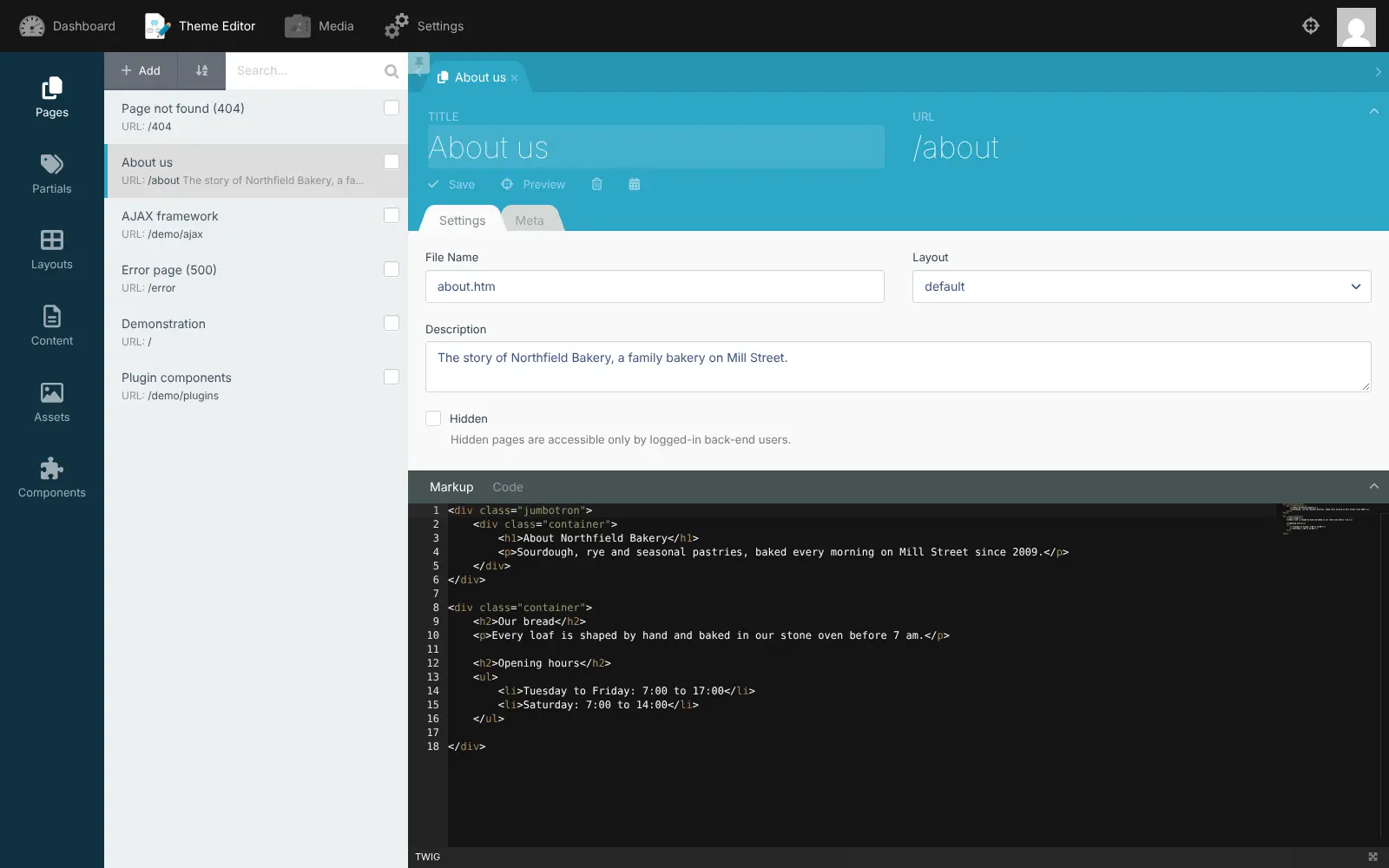
A developer builds your site's look as a theme in Winter's browser-based theme editor, then adds free plugins such as Static Pages, so you can change pages and menus in a visual editor, and Blog for news. A local bakery could have its agency build the site once, then update opening hours, menus and seasonal news itself, with the admin area branded with the bakery's logo.
Winter is less of a ready-made website builder than Squarespace or Wix: there is no drag-and-drop editor, and its own plugin marketplace is not open yet, so plugins are added by a developer.
Cloudgate installs Winter CMS and its database on a server Cloudgate provides or one you connect, and gives it a secure web address. Sign in at /backend as admin with the password shown in Cloudgate. You can later point your own domain name at it.
What you can do with Winter CMS
- Build pages in the theme editor Create pages, layouts, partials and content blocks in the browser, each page with its own title, web address and description.
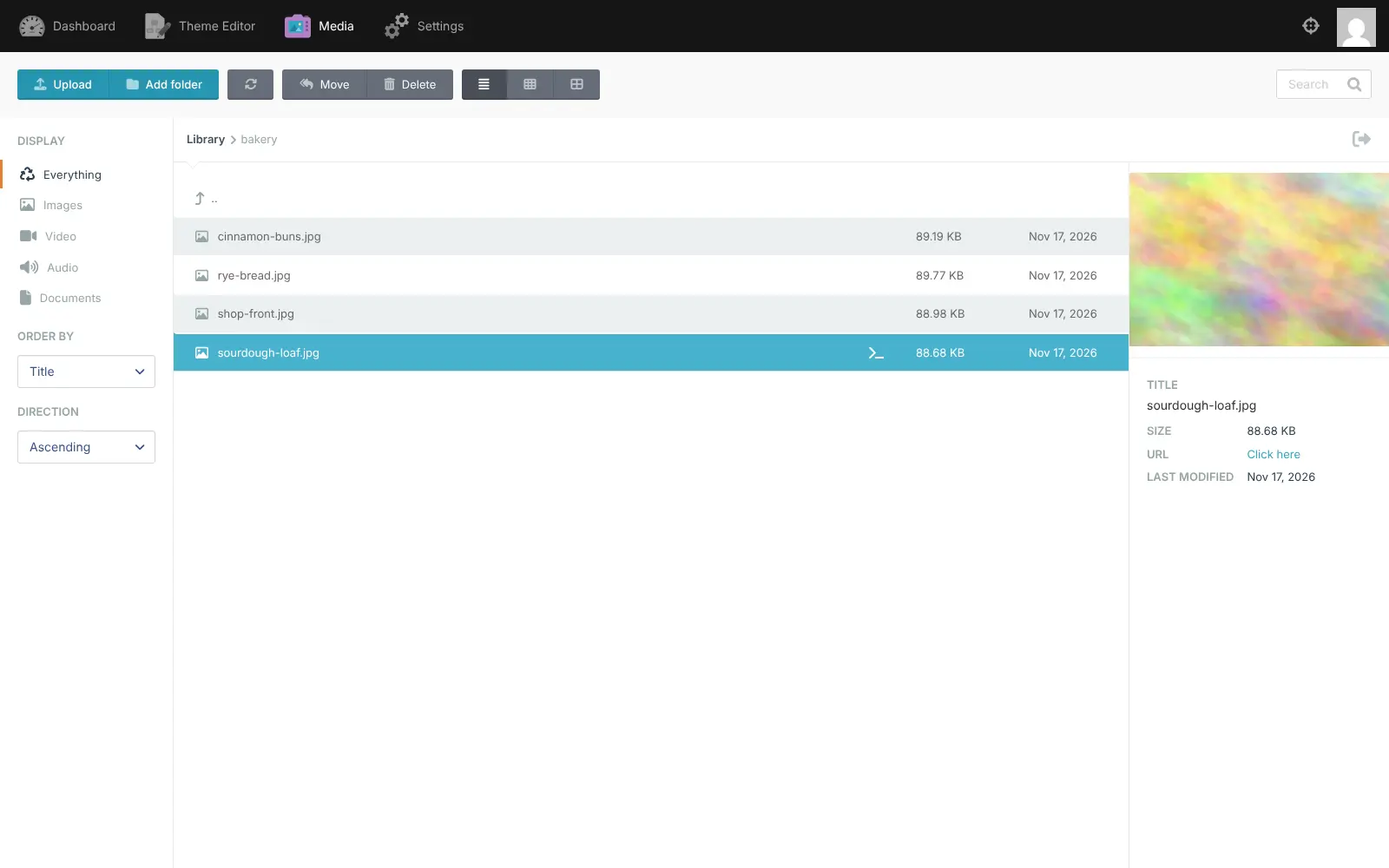
- Keep images and files in one library Upload images, video, audio and documents to the media manager, sort them into folders and search them.
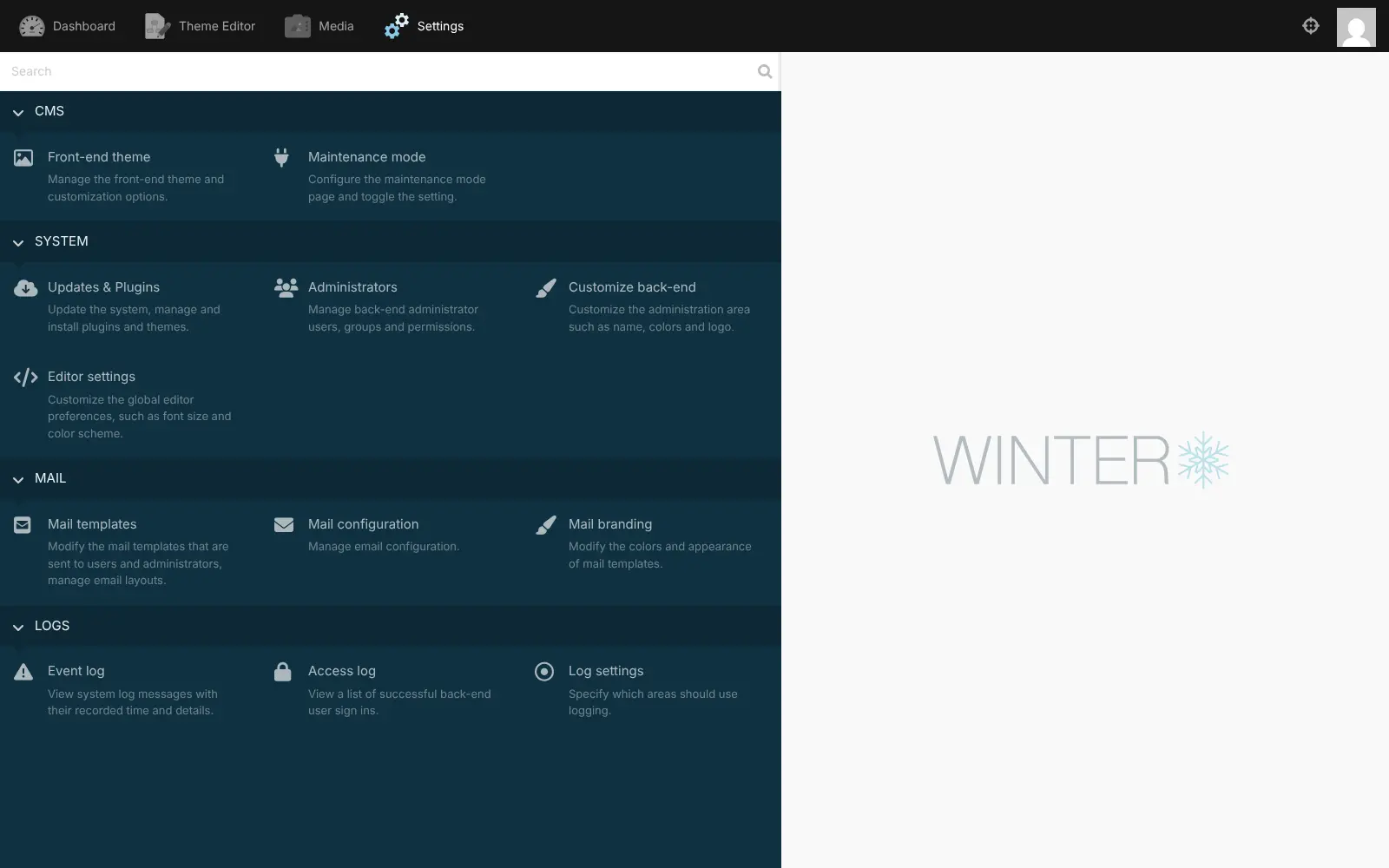
- Decide who can do what Add administrators, put them in groups and choose what each group may see and change.
- Brand the admin area for a client Change the admin area's name, colours and logo, so a client signs in to something that looks like their own.
- Edit the emails your site sends Change the mail templates and their colours for messages sent to visitors and administrators.
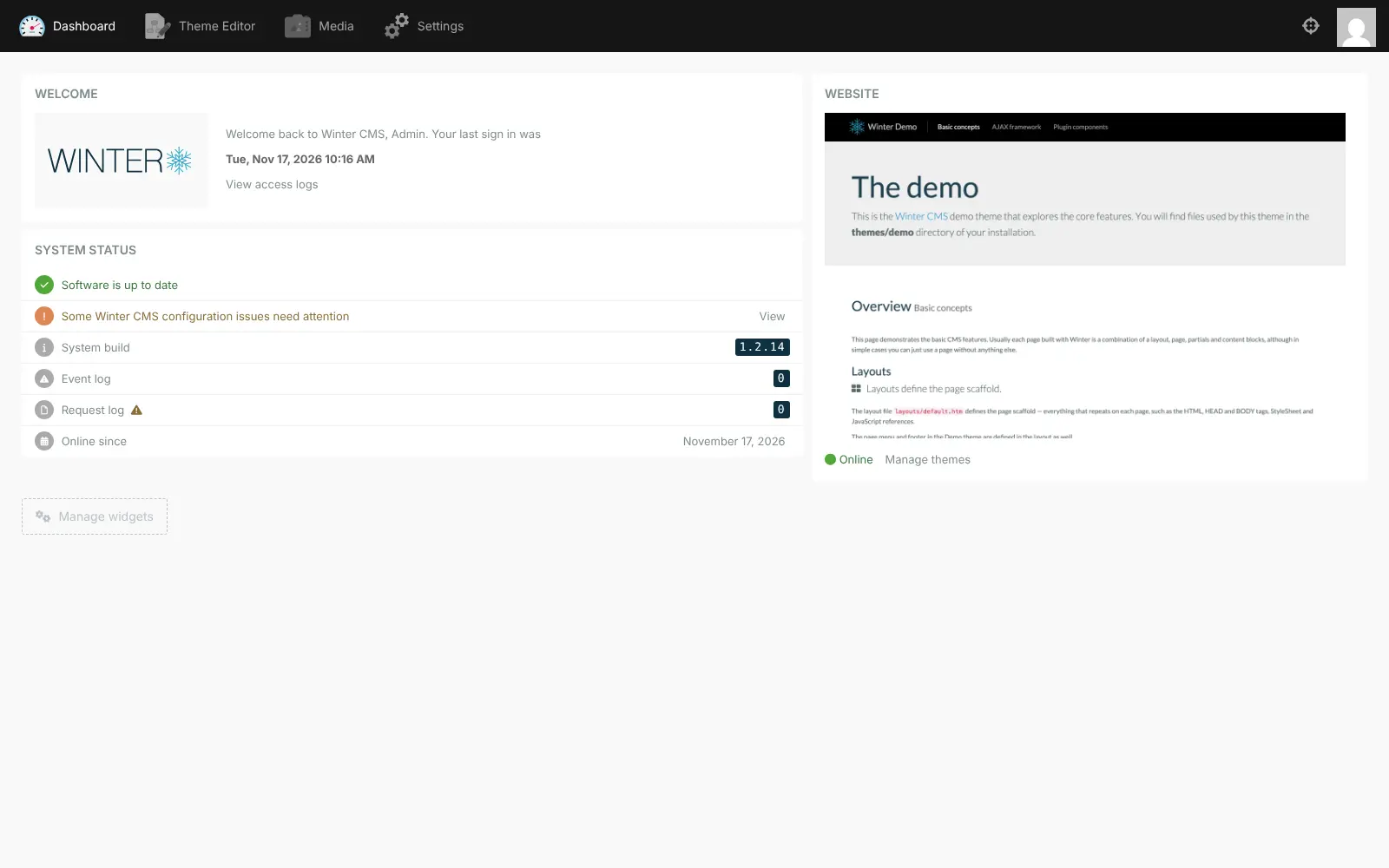
- Switch on maintenance mode Show a maintenance page to visitors while you work on the site, and check the event and sign-in logs.
- Extend it with plugins Add free plugins such as Static Pages for editing pages and menus without code, Blog, members and translations; most October CMS plugins and themes work too.
Replaces October CMS and Craft CMS
Winter CMS does the same job as October CMS and Craft CMS. Here is what changes when you switch.
- No licence to buy or renew; Winter CMS and its own plugins are free under the MIT licence
- Unlimited administrator accounts and sites, with no fee per project
- Your pages, files and accounts stay on your own server
- October CMS themes and most of its plugins carry over, as do the Laravel skills you already have
- Pages are written as HTML templates out of the box; editors get a visual page editor only once a developer adds the Static Pages plugin
- Winter's own plugin marketplace is not open yet, so plugins are added by a developer rather than from the admin screens
- Fewer plugins and a smaller community than October CMS or Craft CMS, and newer October CMS plugins may not work
- You look after updates and backups yourself
What happens when you click Deploy?
You do not need a server or any technical knowledge. Four steps, and Winter CMS is running at its own web address.
- Step 1 Click Deploy and create your account
Deploy takes you to Cloudgate. Create an account, or log in if you have one. Winter CMS itself is free.
- Step 2 Choose a server
No server? Get one from Cloudgate: pick a size and a country, and Cloudgate gets it ready. Already have one? Connect it instead.
- Step 3 Cloudgate sets up Winter CMS
It prepares the server, makes the passwords the app needs and starts it. There is nothing to install and nothing to write down.
- Step 4 Open your app and sign in
Your app gets a free web address to start, without https. Add your own domain, like app.yourshop.com, and Cloudgate secures it with https for you.
New to Cloudgate? See what Cloudgate is
Run Cloudgate yourself? Deploy from your own console
In your Cloudgate console, open Templates and choose Winter CMS.
Questions
Is Winter CMS free?
Yes, Winter CMS is free and open source under the MIT licence, with no paid edition and no licence per site. Its own plugins, such as Static Pages, Blog and Translate, are free too, so self-hosting Winter costs only your server.
What is the difference between Winter CMS and October CMS?
Winter CMS is a fork of October CMS, started in March 2021 by October's former maintainers. Both are built on Laravel and use the same kind of themes and plugins, but October CMS now requires a licence for every site in production and charges for updates after the first year, while Winter stays free and open source and is run by its community.
Can I move my October CMS site to Winter CMS?
Partly. Sites built on October CMS version 1 can switch to Winter in place by swapping the core packages, keeping their content, themes and most plugins. Sites on October CMS 3 or later have no official upgrade path, and plugins written for those versions may need changes, so it is a job for a developer.
Is Winter CMS a good alternative to Craft CMS?
Yes, for agencies that want a developer-friendly CMS with no fee per project or per user. Craft CMS has a more polished editor and richer structured content out of the box, while Winter needs plugins such as Static Pages and Blog for editor-friendly pages, added by a developer.
Can people without coding skills edit a Winter CMS site?
Yes, once a developer adds the free Static Pages plugin, which lets editors change pages and menus in a visual editor. Without it, pages are edited as HTML templates in the theme editor, so Winter suits sites that a developer or agency builds and hands over.
How do I sign in to Winter CMS the first time?
Go to your site's address followed by /backend and sign in with the username admin and the password Cloudgate created, which is shown in Cloudgate. You can add more administrators under Settings, Administrators. To change the admin password, change the ADMIN_PASSWORD variable in Cloudgate. Winter resets the admin password to that variable on every start, so a change made only in the backend does not last.
What server size do I need for Winter CMS?
A small server runs Winter CMS and its database for a typical company or client website. Choose a larger server for a busy site or many sites, and you can move to a bigger one later.
Do I need my own server for Winter CMS?
No. When you deploy Winter CMS, hosted Cloudgate can provide a server. If you already rent one, you can connect it instead.
Related apps

A lightweight headless CMS with no separate database to run.

A CMS for large, structured and multilingual websites.

A self-hosted flat-file CMS for fast websites and blogs.

A simple CMS for small organisations and former Drupal 7 sites.