
Cockpit
A lightweight headless CMS with no separate database to run.
No server needed to start: Cloudgate can provide one. What happens when you click Deploy
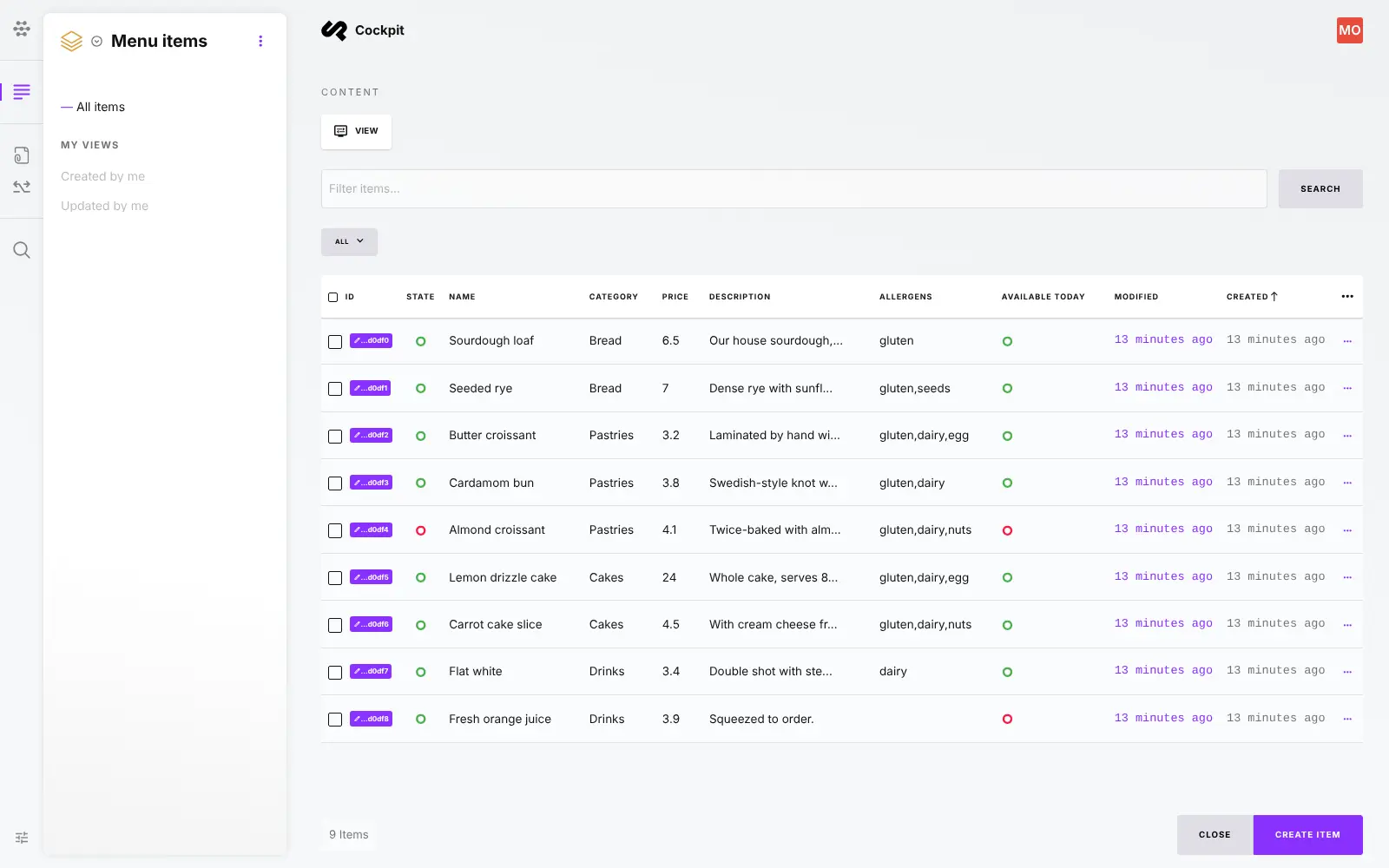
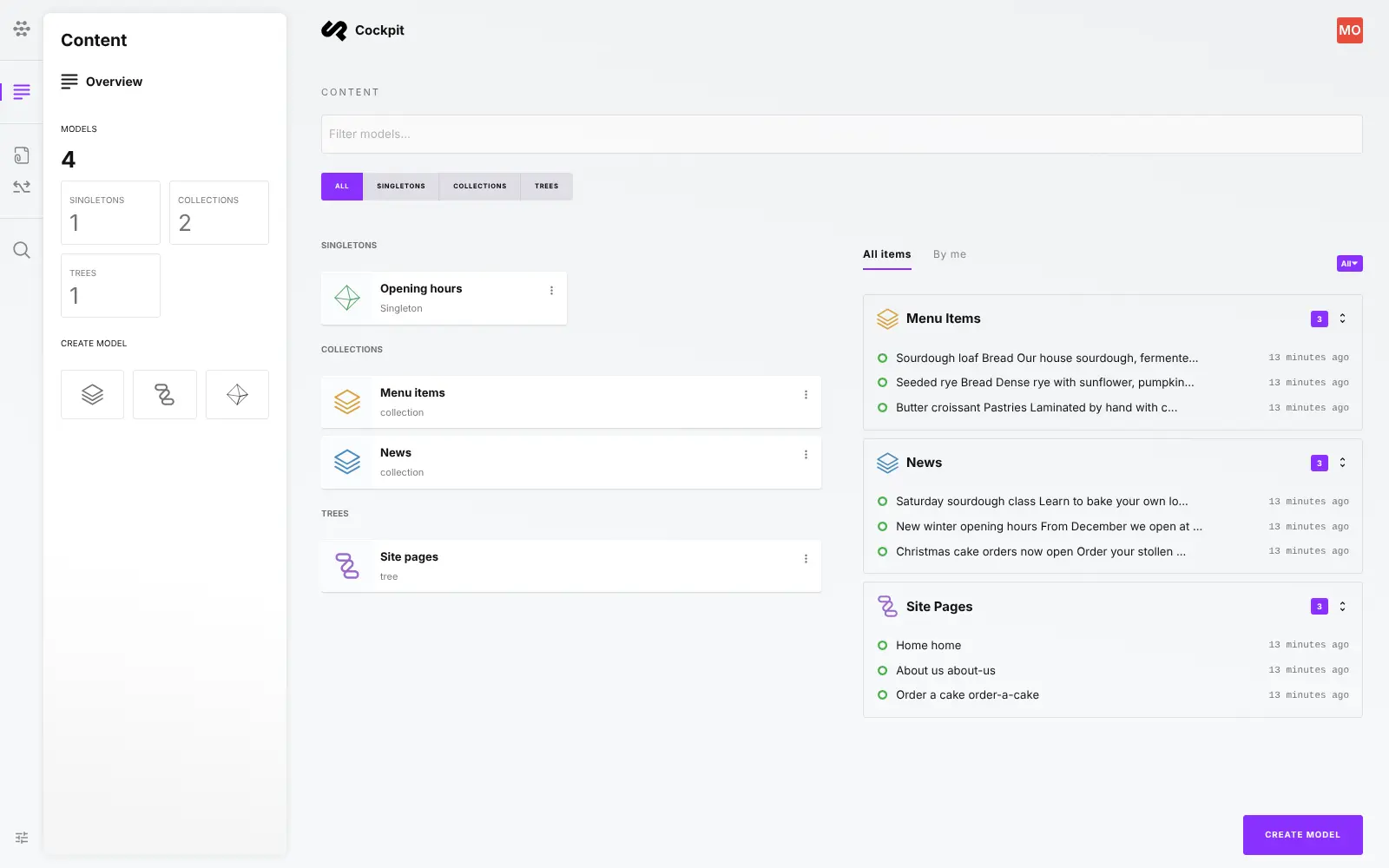
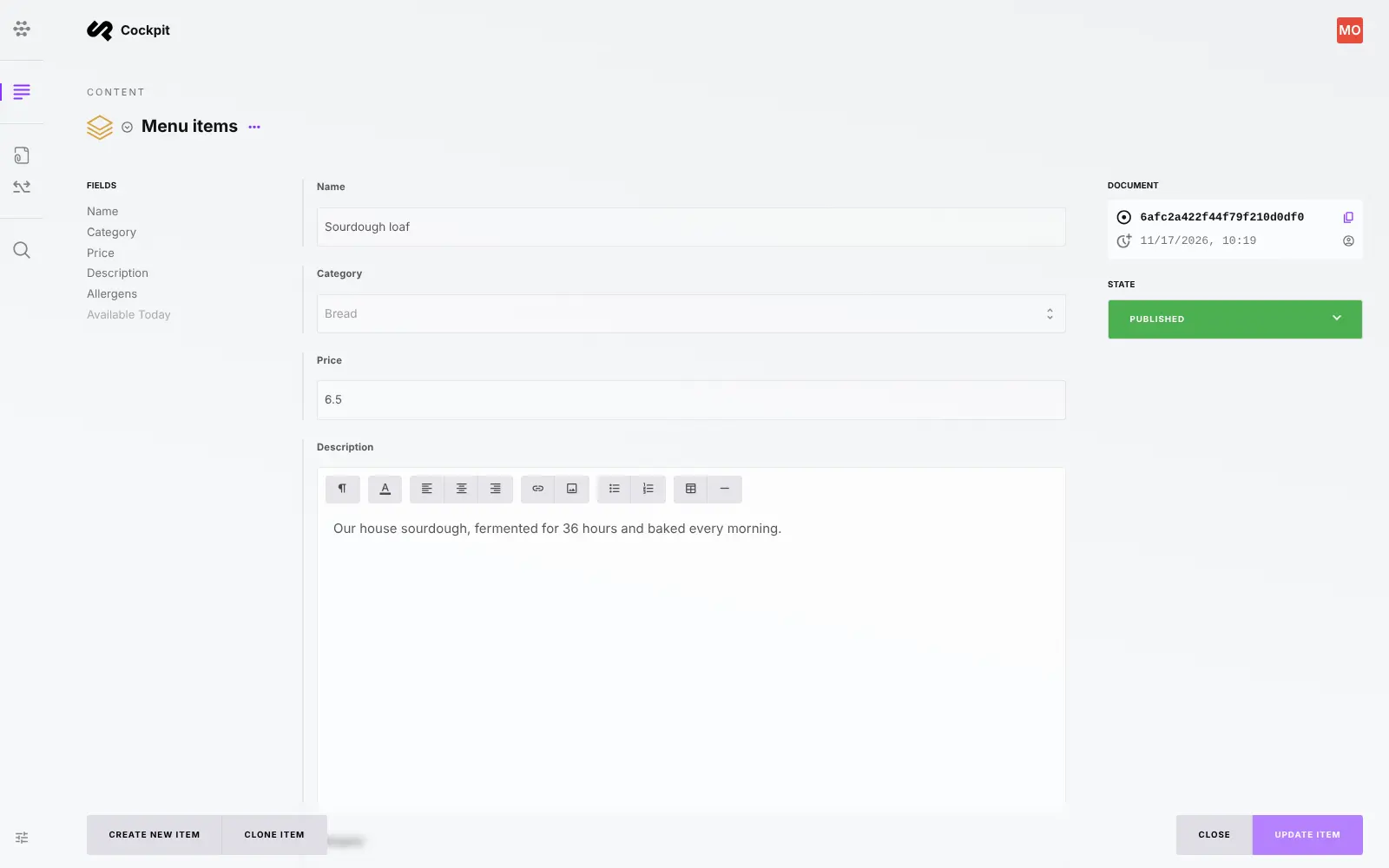
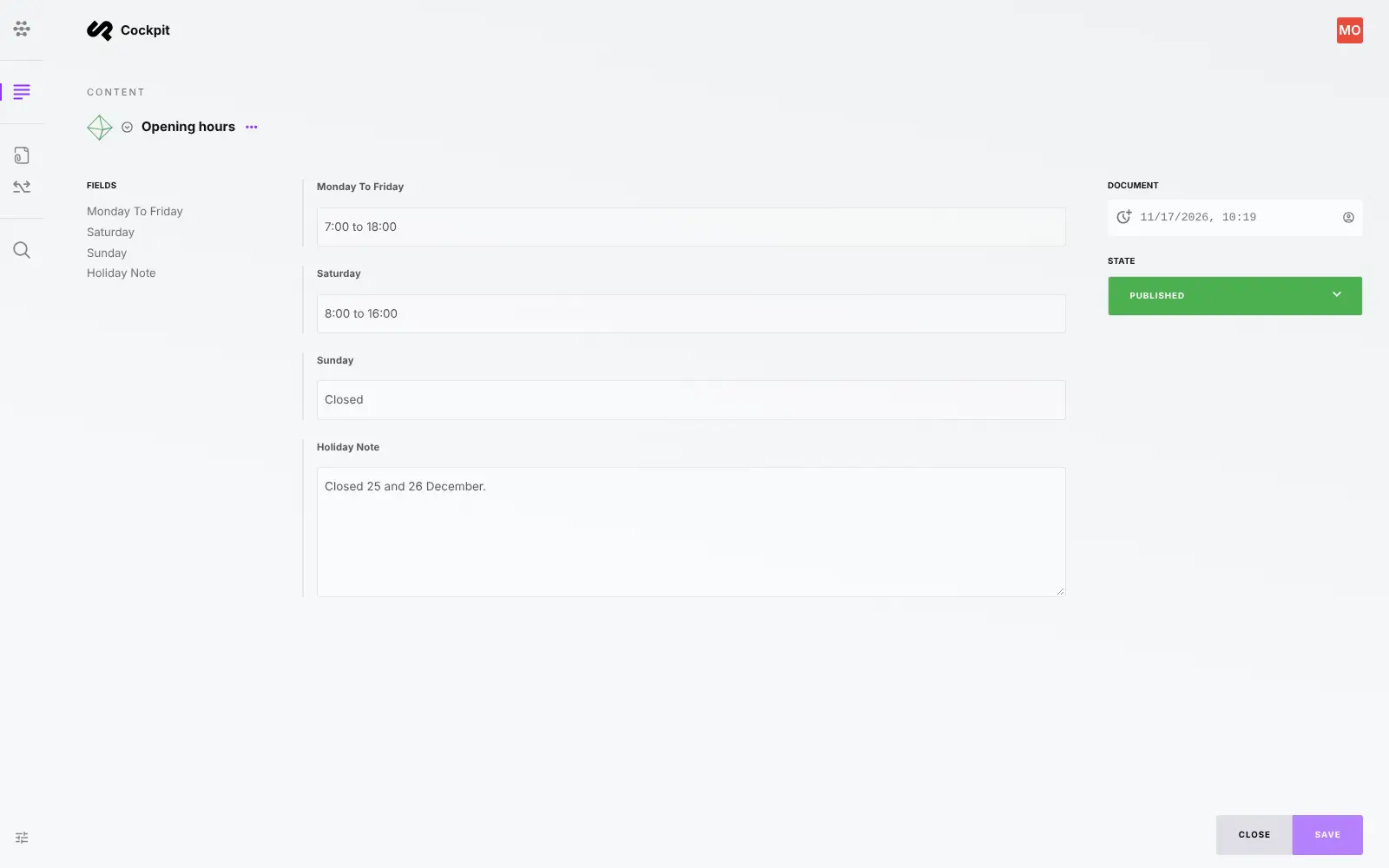
What is Cockpit?
Self-hosted Cockpit CMS is a lightweight, open-source headless CMS: manage content and images, then serve them to any website or app over REST and GraphQL.
Self-hosted Cockpit CMS is a lightweight, open-source headless CMS that keeps your website and app content on your own server, as a free alternative to hosted headless CMSs such as Contentful, Sanity and Storyblok. Your team sets up content types, writes entries, uploads images and publishes, and Cockpit hands that content to your website or app through REST and GraphQL APIs.
Because it is headless, Cockpit doesn't design pages or host a public website; a developer builds the site or app that shows the content. A bakery, for example, could keep its menu, opening hours and news in Cockpit, change a price or mark a cake as sold out in a simple form, and see the change on its website and its ordering app at once.
Cockpit works with any front end that can call an API, such as React, Vue or Flutter. It is free under the MIT licence; extras such as webhooks, page and SEO tools and visual layouts come with the paid Pro edition, which Cloudgate does not install.
Cloudgate installs Cockpit on a server Cloudgate provides or one you connect, and gives it a secure web address. Right after setup, open its /install page to create your admin account, then add your first content types.
What you can do with Cockpit
- Lists, single pages and menus Collections hold lists such as products or blog posts, singletons hold one-off content such as opening hours, and trees hold nested content such as menus.
- Build your own content types Add fields for text, rich text, numbers, dates, choices, tags, images, tables and links to other content, with required fields and rules.
- Deliver content to any site or app Every content type is available through a REST API and a GraphQL API, with API keys that have their own permissions.
- Keep images and files together Upload images, videos and documents into folders, and get resized or converted images straight from the API.
- Publish in several languages Add the languages you need and mark which fields are translatable, with a fallback language when a translation is missing.
- Go back to an earlier version Turn on revisions for a content type to see earlier versions of an entry and restore one.
- Control who can do what Give colleagues roles with fine-grained permissions, two-factor sign-in, or sign-in through your company's identity provider.
Replaces Contentful, Sanity and Storyblok
Cockpit does the same job as Contentful, Sanity and Storyblok. Here is what changes when you switch.
- No fee per seat, entry or API call in the free Core edition; you pay only for your server
- Your content and uploaded files stay on your own server
- A small app that runs happily on a small server
- Open-source Core under the MIT licence
- Webhooks, page and SEO tools, visual layouts, AI writing and full-text search are paid Pro add-ons
- No review workflow or scheduled publishing; entries are simply published or unpublished
- No importer from Contentful, Sanity or Storyblok, so moving content takes a developer
- No visual page editor; your website shows the content, built by a developer
What happens when you click Deploy?
You do not need a server or any technical knowledge. Four steps, and Cockpit is running at its own web address.
- Step 1 Click Deploy and create your account
Deploy takes you to Cloudgate. Create an account, or log in if you have one. Cockpit itself is free.
- Step 2 Choose a server
No server? Get one from Cloudgate: pick a size and a country, and Cloudgate gets it ready. Already have one? Connect it instead.
- Step 3 Cloudgate sets up Cockpit
It prepares the server, makes the passwords the app needs and starts it. There is nothing to install and nothing to write down.
- Step 4 Open your app and sign in
Your app gets a free web address to start, without https. Add your own domain, like app.yourshop.com, and Cloudgate secures it with https for you.
New to Cloudgate? See what Cloudgate is
Run Cloudgate yourself? Deploy from your own console
In your Cloudgate console, open Templates and choose Cockpit.
Questions
Is Cockpit CMS free?
Yes, Cockpit Core is free and open source under the MIT licence, and it is the edition Cloudgate installs. Its makers also sell Cockpit Pro, a paid licence of €299 per project that adds extra add-ons, but you don't need it to run Cockpit yourself.
What is the difference between Cockpit Core and Pro?
Cockpit Pro adds paid add-ons on top of the free Core edition, including webhooks, a page tree with routing, menus and SEO settings, drag-and-drop layouts, AI writing help, full-text search, form submissions and syncing content between servers. Content types, the REST and GraphQL APIs, assets, languages, roles and revisions are all in the free Core edition.
Is Cockpit a good alternative to Contentful?
Yes, for a small website or app that needs content types, entries, images and an API without per-seat or usage fees. Contentful has a much larger marketplace of integrations, review workflows and scheduled publishing, which Cockpit Core doesn't have.
Do I need a developer to use Cockpit?
Yes, for the website or app itself. Cockpit is a headless CMS, so it stores and manages your content but does not build pages; your team writes and publishes in Cockpit without code, and a developer builds the site or app that fetches the content.
How do I sign in to Cockpit the first time?
Straight after setup, open your Cockpit address with /install at the end and fill in the form with the admin's username, name, email and password. Do it right away, because until the form is filled in anyone who finds the address could create the admin account; after that, the address shows the normal sign-in page.
Can I move my content from Contentful to Cockpit?
Not directly. Cockpit has no importer for Contentful or other CMSs, so you rebuild your content types in Cockpit and a developer brings your entries and images in through its API.
What server size do I need for Cockpit?
A small server with about 1 GB of memory is enough to start, because Cockpit is a single lightweight app that keeps its content in files on the server, with no separate database to run. You can move to a bigger server as your content and traffic grow.
Do I need my own server for Cockpit?
No. When you deploy Cockpit, hosted Cloudgate can provide a server. If you already rent one, you can connect it instead.
Related apps

A self-hosted headless CMS that feeds your websites and apps.

A self-hosted headless CMS with a drag-and-drop page editor.

A headless CMS with visual, on-page editing, and content kept in Git.

Self-hosted .NET CMS for websites, blogs and headless content