
Whatomate
A self-hosted WhatsApp team inbox with campaigns and chatbots.
No server needed to start: Cloudgate can provide one. What happens when you click Deploy
What is Whatomate?
Whatomate is a self-hosted WhatsApp team inbox on Meta's official API, with bulk campaigns, message templates, chatbots and saved replies.
Whatomate is a free, self-hosted WhatsApp team inbox, an open-source alternative to WATI, respond.io and Interakt. Your team answers customers' WhatsApp messages together in the browser, sends campaigns and sets up chatbots, through Meta's official WhatsApp Business Platform.
Whatomate connects to the official WhatsApp Cloud API rather than to the WhatsApp app on a phone, so your number is not put at risk by an unofficial client. You pay Meta for the messages you send, at Meta's own prices, and nothing per team member. A driving school, for example, could let two staff answer lesson questions from one WhatsApp number, reply automatically to "prices" and "opening hours", and send a reminder campaign to every student booked for next week.
It also handles message templates, saved replies, roles for each person, sign-in with Google or Microsoft, and optional AI answers through your own OpenAI, Anthropic or Google key. It is beta software, works in the browser only and covers WhatsApp alone. Its voice calling feature needs extra network setup and is not ready to use on Cloudgate.
Cloudgate installs Whatomate on a server Cloudgate provides or one you connect, with its database, and gives it a secure web address. Sign in as the admin, then connect your WhatsApp Business number.
What you can do with Whatomate
- One WhatsApp inbox for the team Everyone answers customers' WhatsApp messages from one shared inbox in the browser, with new messages arriving live.
- Send campaigns Send an approved message to a list of customers, upload recipients from a spreadsheet, schedule it and see how many were delivered and read.
- Manage message templates Write WhatsApp message templates with images, buttons and personal details, and sync their approval status from Meta.
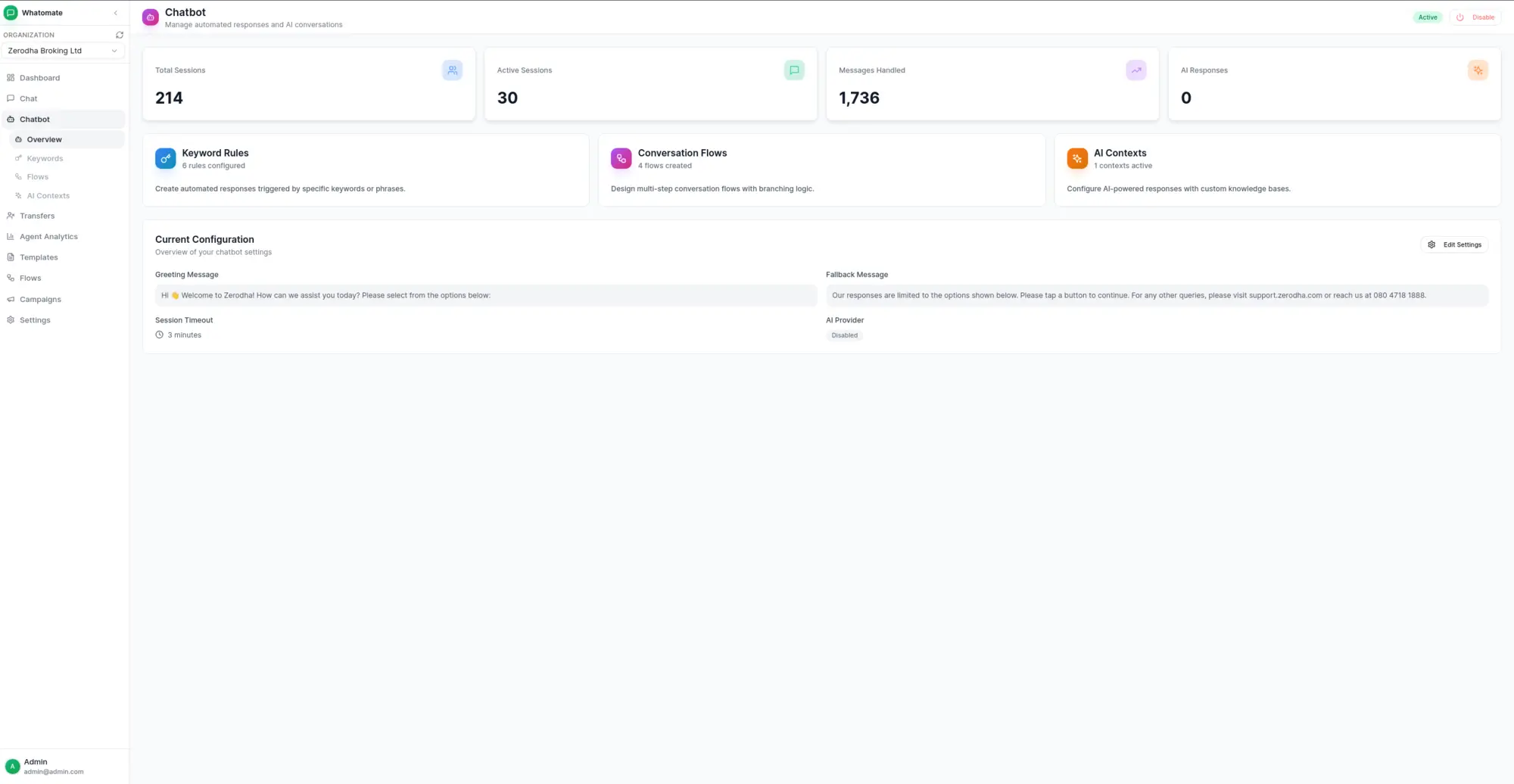
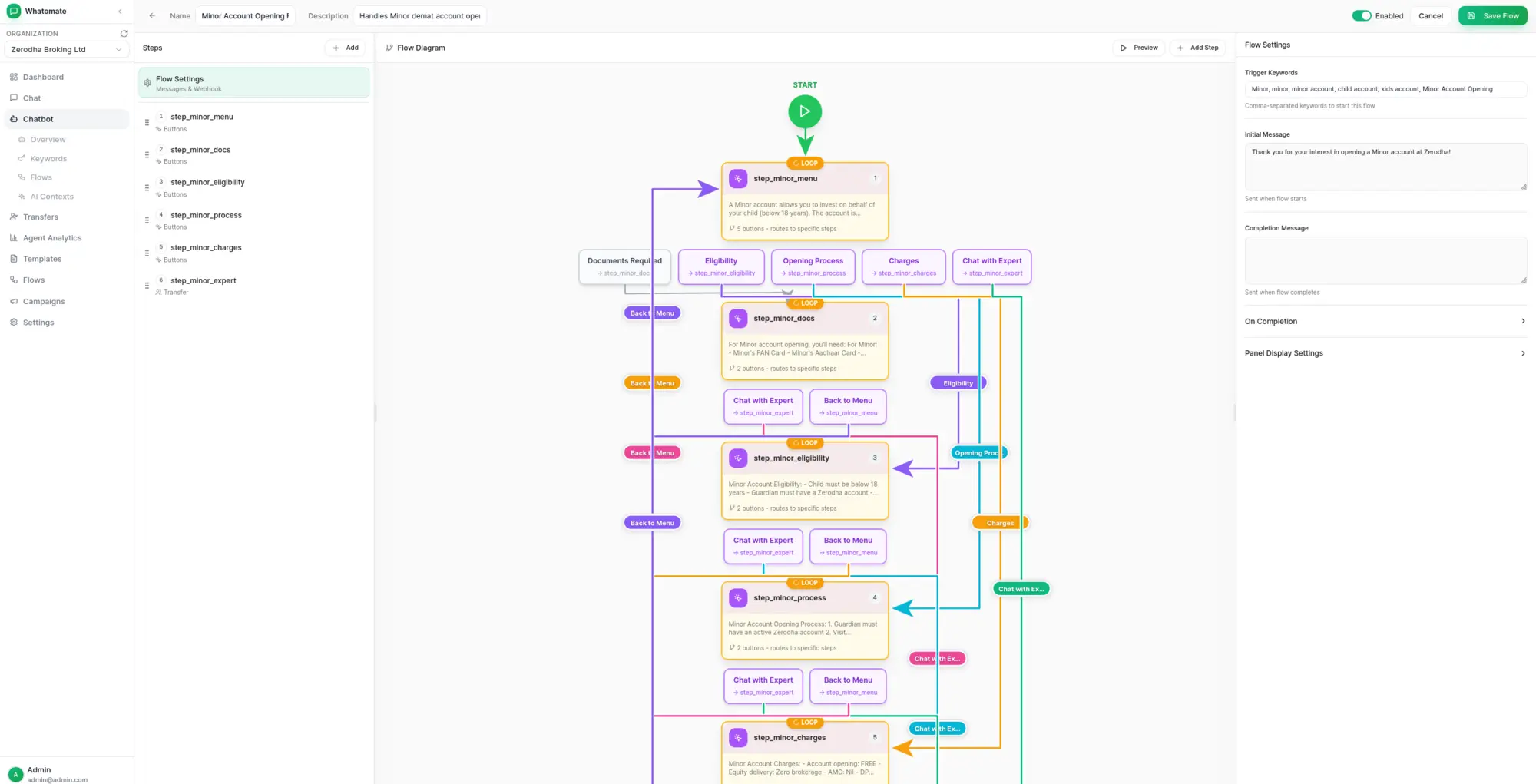
- Answer automatically Greet new customers, reply to keywords and guide people through menus you build in a visual flow editor, then hand them to a person.
- Optional AI replies Let OpenAI, Anthropic or Google AI answer common questions from your own notes, using your own API key.
- Reply faster Save answers to common questions and insert them by typing a slash and a short name.
- Roles for every person Give each person the Admin, Manager or Agent role, or a custom role, and sign in with Google, Microsoft or your own login provider.
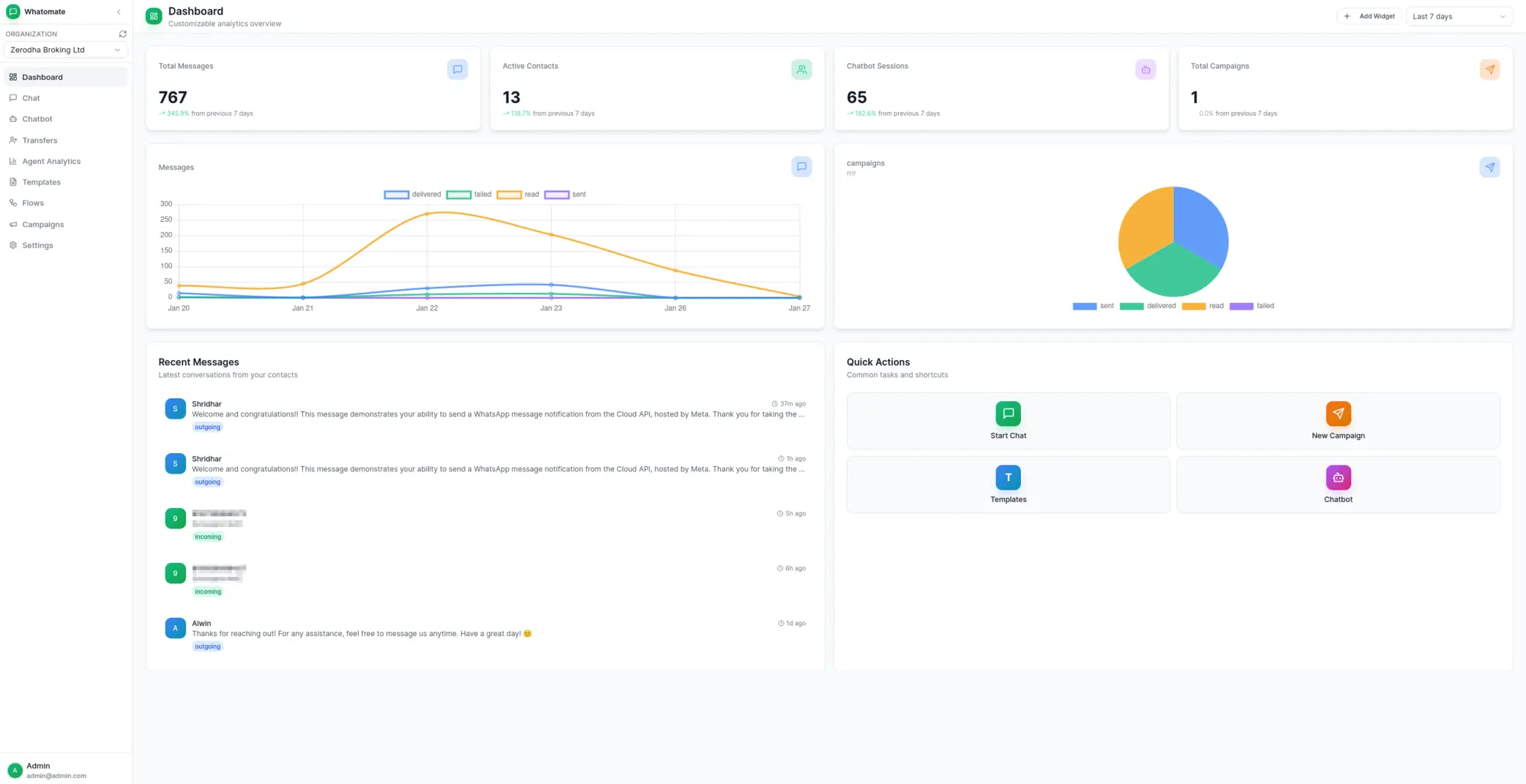
- See how you are doing A dashboard and agent reports show message volume, campaign results and how each team member is doing.
Replaces WATI, respond.io and Interakt
Whatomate does the same job as WATI, respond.io and Interakt. Here is what changes when you switch.
- No monthly subscription and no fee per team member
- You pay Meta directly for messages, with nothing added on top
- Customer chats and contacts stay on your own server
- Uses the official WhatsApp Business Platform, so your number is not at risk from an unofficial client
- It is beta software and changes often
- WhatsApp only, with no email, Instagram or website chat
- No phone app, and nothing to import your old chats with
- You set up your WhatsApp Business account with Meta yourself
What happens when you click Deploy?
You do not need a server or any technical knowledge. Four steps, and Whatomate is running at its own web address.
- Step 1 Click Deploy and create your account
Deploy takes you to Cloudgate. Create an account, or log in if you have one. Whatomate itself is free.
- Step 2 Choose a server
No server? Get one from Cloudgate: pick a size and a country, and Cloudgate gets it ready. Already have one? Connect it instead.
- Step 3 Cloudgate sets up Whatomate
It prepares the server, makes the passwords the app needs and starts it. There is nothing to install and nothing to write down.
- Step 4 Open your app and sign in
Your app gets a free web address to start, without https. Add your own domain, like app.yourshop.com, and Cloudgate secures it with https for you.
New to Cloudgate? See what Cloudgate is
Run Cloudgate yourself? Deploy from your own console
In your Cloudgate console, open Templates and choose Whatomate.
Questions
Is Whatomate free?
Yes, Whatomate is free and open source under the AGPL-3.0 licence, with no paid edition. You pay for your server, and Meta charges for most messages your business sends on WhatsApp; messages customers send you are free.
Does Whatomate use the official WhatsApp API?
Yes, Whatomate connects to Meta's official WhatsApp Cloud API, not to the WhatsApp Web app on a phone. Your number is not at risk from an unofficial client, but Meta's usual rules apply, such as getting message templates approved.
Is Whatomate a good alternative to WATI or respond.io?
Yes, Whatomate is a good WATI or respond.io alternative for a team that only needs WhatsApp and wants no monthly or per-user fee. It covers the shared inbox, campaigns, templates and chatbots, but it is beta software, has no phone app and, unlike respond.io, does not handle Instagram, Facebook or email.
What do I need before Whatomate can send messages?
You need a Meta Business account and a WhatsApp Business phone number on Meta's WhatsApp Business Platform. You then add its access token and phone number ID in Whatomate under Settings, Accounts, and point Meta's webhook at your Whatomate address.
How do I sign in to Whatomate the first time?
Sign in to Whatomate with the admin email you entered during setup and the strong password Cloudgate generated, shown on the app's variables page. You can then add your team and their roles.
Can Whatomate import my chats or contacts from WATI?
No, Whatomate has no importer for WATI or other platforms, so your old chats stay in WATI. You can upload customers from a CSV spreadsheet when you send a campaign.
What server size does Whatomate need?
A small server with 1 GB of memory is enough for a small team, because Whatomate is one light app with a PostgreSQL database and Redis. Cloudgate sets up all three.
Do I need technical skills to run Whatomate?
No. Click Deploy, create your Cloudgate account and choose a server, and Cloudgate sets up Whatomate and gives it a web address. You use it in your browser like any other online tool.
Do I need my own server for Whatomate?
No. When you deploy Whatomate, hosted Cloudgate can provide a server. If you already rent one, you can connect it instead.
Related apps

Website live chat where chatbots answer first and your team steps in.

Self-hosted help desk for email tickets, SLAs and a customer portal.

A self-hosted shared inbox for customer email, like Help Scout.

A self-hosted IT service desk with an inventory of every device.