
Wallos
A self-hosted subscription tracker, with no bank link needed.
No server needed to start: Cloudgate can provide one. What happens when you click Deploy




What is Wallos?
Wallos is a self-hosted subscription tracker: list every recurring payment, see what's due and what you spend, and get renewal reminders, with no bank link.
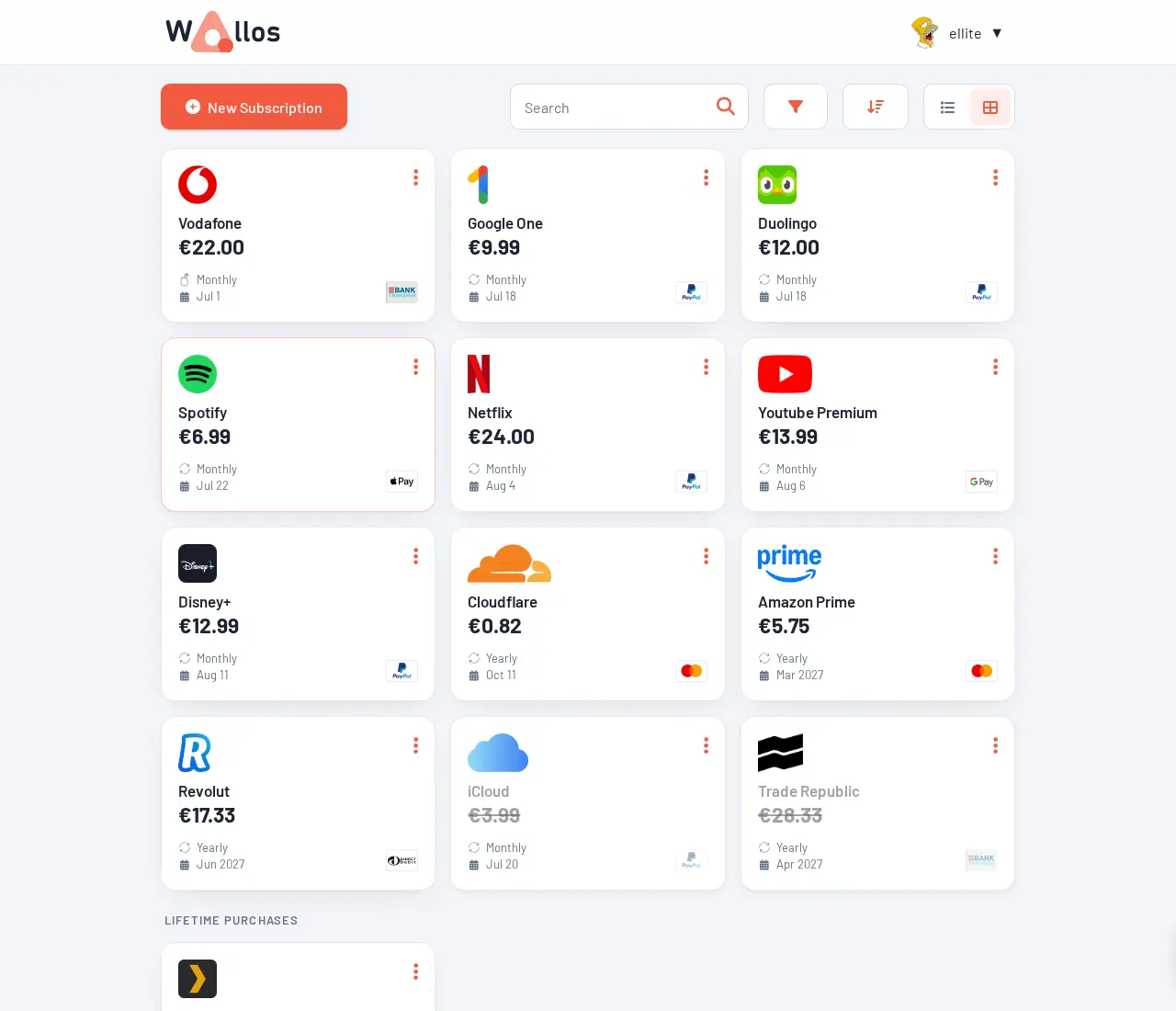
Wallos is a free, open-source subscription tracker you can self-host as a private alternative to Rocket Money. You list each recurring payment once, with its price, currency, billing cycle and next payment date, and Wallos shows what's due next, what you spend each month and year, and a calendar of renewals. It never connects to your bank: you type your subscriptions in, and the list stays on your own server.
A freelance designer, for example, could add the design software, cloud storage, web hosting and domain renewals she pays for in dollars and euros, see them all in her own currency, and get a Telegram message a few days before each one renews. A family could add the streaming services, phone contracts and gym memberships, note who pays for which, and spot the ones nobody uses any more.
Wallos sends reminders by email, Telegram, Discord, ntfy and other services, and exports your list as CSV or JSON and your renewals as a calendar file. There is no official phone app, but it works in a phone's browser.
Cloudgate installs Wallos on a server Cloudgate provides or one you connect, and gives it a secure web address. Open it right after setup: the first person to visit creates the admin account.
What you can do with Wallos
- Keep every subscription in one list Record the price, currency, billing cycle, next payment date, payment method and category of each one, with its logo.
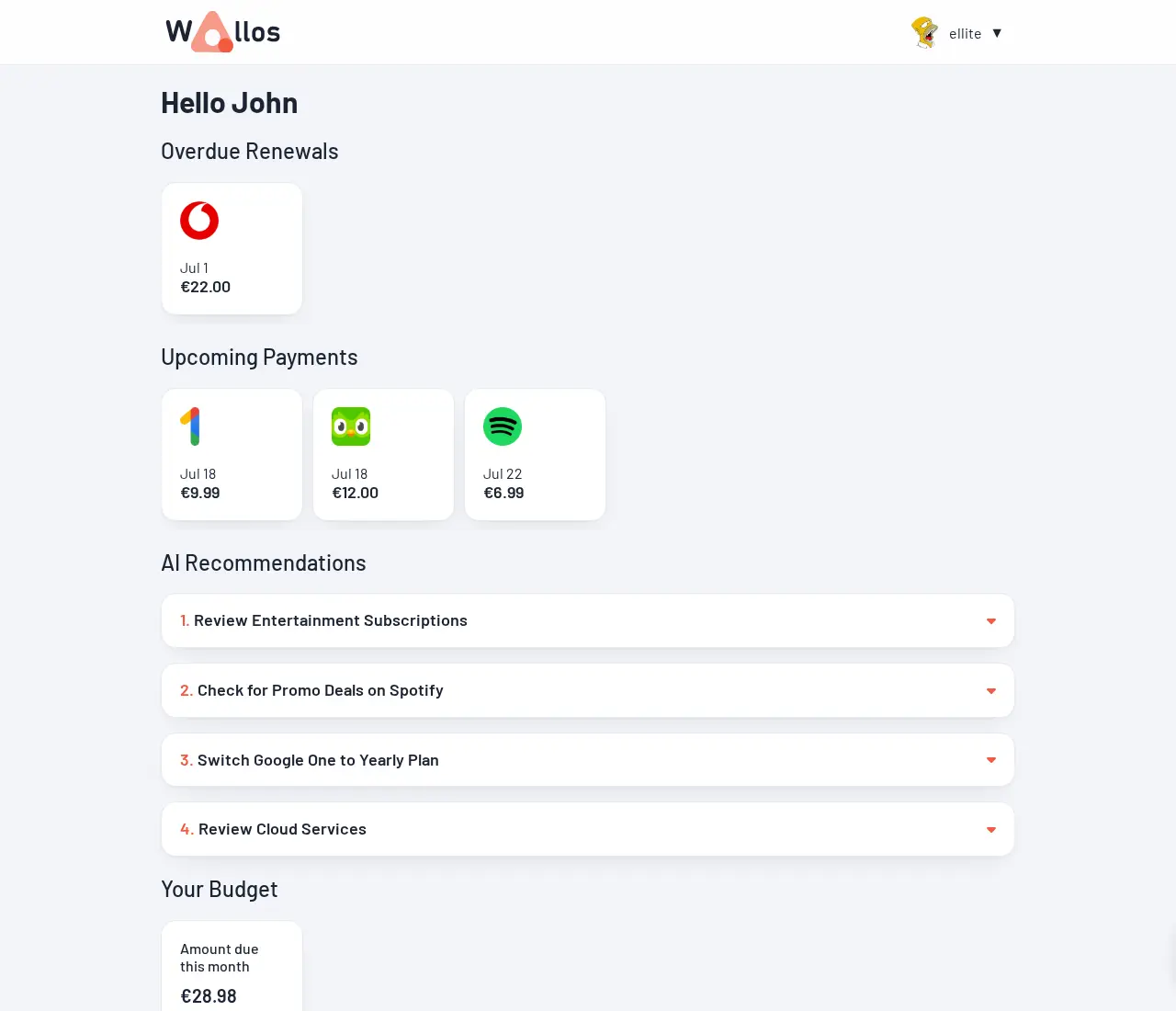
- See what's due next The dashboard shows overdue and upcoming payments and how much is due this month.
- Get reminded before you pay Renewal and cancellation reminders by email, Telegram, Discord, ntfy, Pushover, Gotify or a webhook.
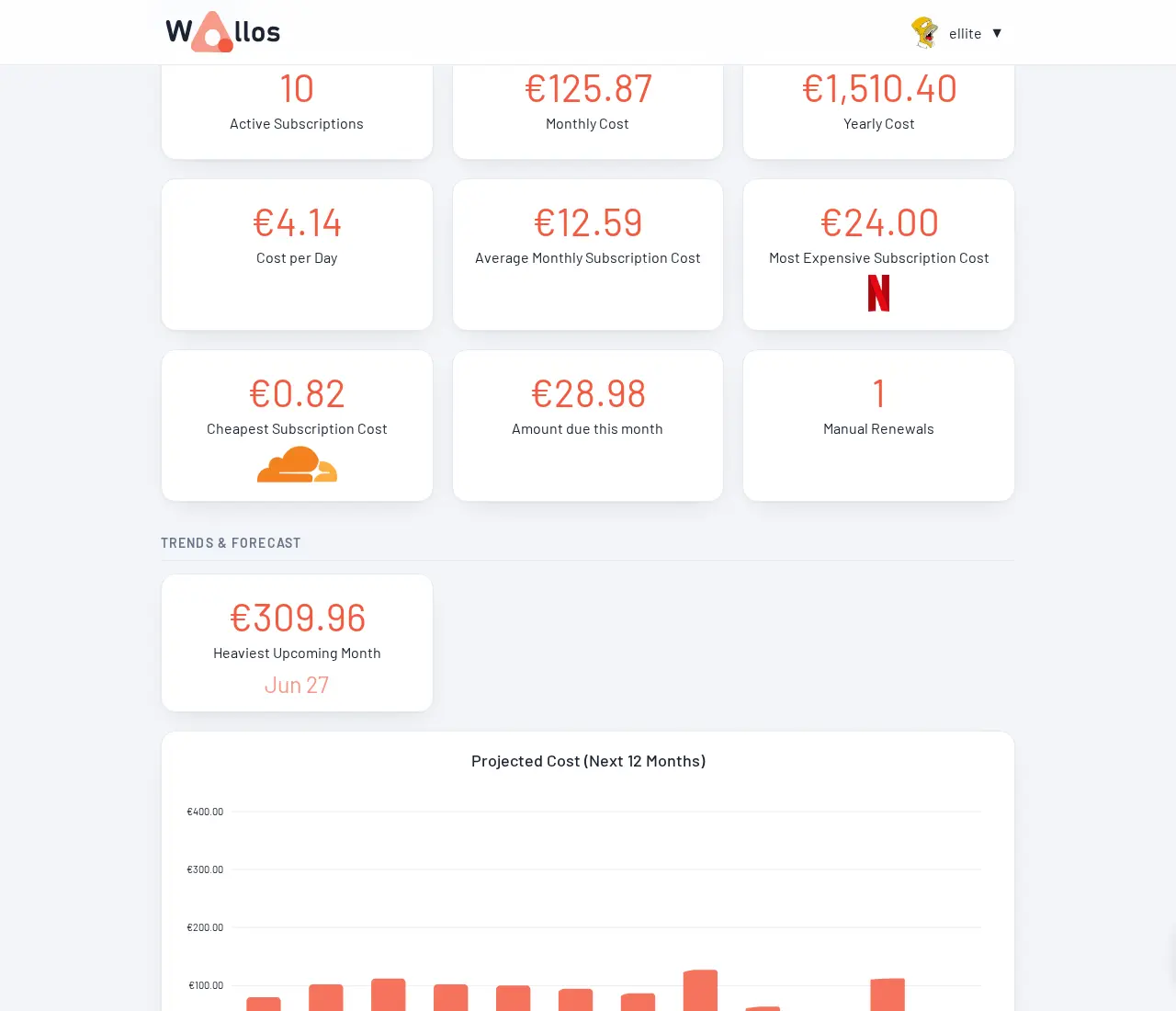
- Know what you really spend Statistics show your monthly, yearly and daily cost, the most expensive subscriptions and a 12-month forecast.
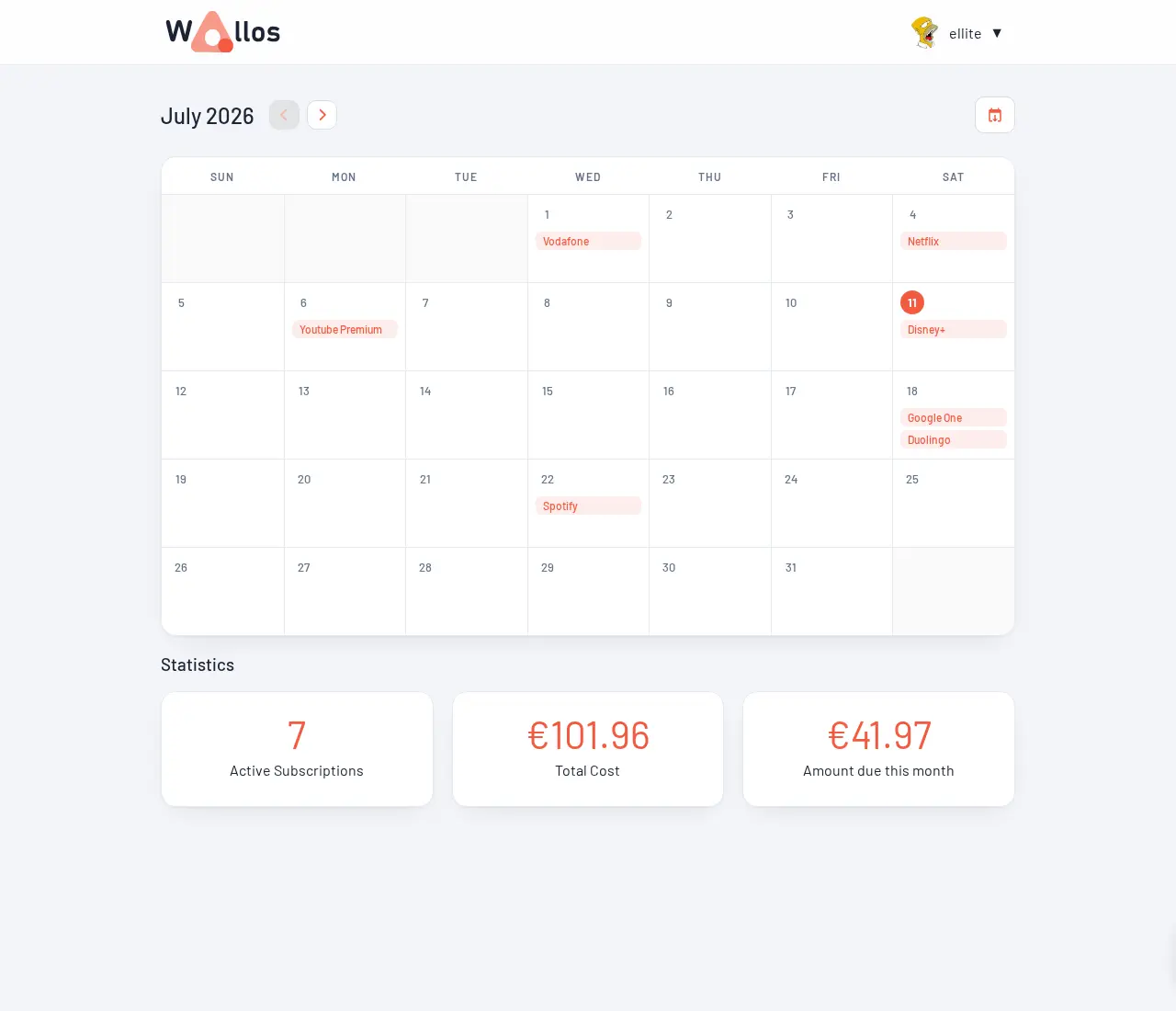
- Check the renewal calendar A month view marks every renewal on its day, and you can add it to your own calendar app.
- Share it with your household Add household members, say who pays for what and see the split, with totals in your main currency.
- Take your data with you Export your subscriptions as CSV or JSON, or back up everything and restore it later.
Replaces Rocket Money
Wallos does the same job as Rocket Money. Here is what changes when you switch.
- No bank or card connection; nothing reads your transactions
- Your list of subscriptions stays on your own server
- Reminders on the channel you already use, from email to Telegram
- Several currencies and a whole household in one place
- You type in each subscription yourself; nothing is found for you
- It can't cancel or negotiate a subscription for you
- It tracks recurring payments only, not your whole budget
- No official phone app; you use it in your phone's browser
What happens when you click Deploy?
You do not need a server or any technical knowledge. Four steps, and Wallos is running at its own web address.
- Step 1 Click Deploy and create your account
Deploy takes you to Cloudgate. Create an account, or log in if you have one. Wallos itself is free.
- Step 2 Choose a server
No server? Get one from Cloudgate: pick a size and a country, and Cloudgate gets it ready. Already have one? Connect it instead.
- Step 3 Cloudgate sets up Wallos
It prepares the server, makes the passwords the app needs and starts it. There is nothing to install and nothing to write down.
- Step 4 Open your app and sign in
Your app gets a free web address to start, without https. Add your own domain, like app.yourshop.com, and Cloudgate secures it with https for you.
New to Cloudgate? See what Cloudgate is
Run Cloudgate yourself? Deploy from your own console
In your Cloudgate console, open Templates and choose Wallos.
Questions
Is Wallos free?
Yes, Wallos is free, open-source software under the GPL-3.0 licence, with no paid edition or locked features. You pay only for your server.
Is Wallos a good alternative to Rocket Money?
Yes, if you mainly want to track subscriptions and renewals without linking your bank. Rocket Money finds subscriptions from your bank transactions and can cancel some for you; with Wallos you add each subscription by hand, and it keeps the list private on your server and reminds you before each payment.
Does Wallos connect to my bank?
No, Wallos never connects to a bank or card. You add each subscription yourself, once, and Wallos works out the next payment dates, totals and reminders from there.
Can I import my subscriptions into Wallos?
No, Wallos has no importer for Rocket Money, other trackers or spreadsheets, so you enter your subscriptions by hand. You can export them as CSV or JSON, and the calendar as an iCal file.
How do I sign in to Wallos the first time?
The first person to open Wallos's web address creates the admin account, so open it right after setup. After that, new sign-ups are closed by default, and the admin can add other users or open sign-ups from the admin page.
Does Wallos send reminders by email?
Yes, if you want it to. Email reminders are optional and set up inside the app with your email provider's details; Wallos can also remind you through Telegram, Discord, ntfy and other services.
Is there a Wallos phone app?
No, there is no official phone app. Wallos works in a phone's browser and can be added to the home screen like an app.
Do I need technical skills to run Wallos?
No. Click Deploy, create your Cloudgate account and choose a server, and Cloudgate sets up Wallos and gives it a web address. You use it in your browser like any other online tool.
Do I need my own server for Wallos?
No. When you deploy Wallos, hosted Cloudgate can provide a server. If you already rent one, you can connect it instead.
Related apps

Subscription billing, invoices and payments.

A free envelope budget app, like YNAB, on your own server.

ERP for sales, stock, accounting and HR in one place.

Accounting with invoices, inventory and reports.