
Kill Bill
Subscription billing, invoices and payments.
No server needed to start: Cloudgate can provide one. What happens when you click Deploy
What is Kill Bill?
Kill Bill is self-hosted, open-source subscription billing: plans, trials, invoices, card payments and dunning on your own server, in place of Chargebee.
Self-hosted Kill Bill is open-source subscription billing and payments software, an alternative to Chargebee and Recurly that runs on your own server. It keeps your plans and prices, turns each subscription into invoices on schedule, collects payments through your payment provider, and chases unpaid accounts, with no share of your revenue going to the billing tool.
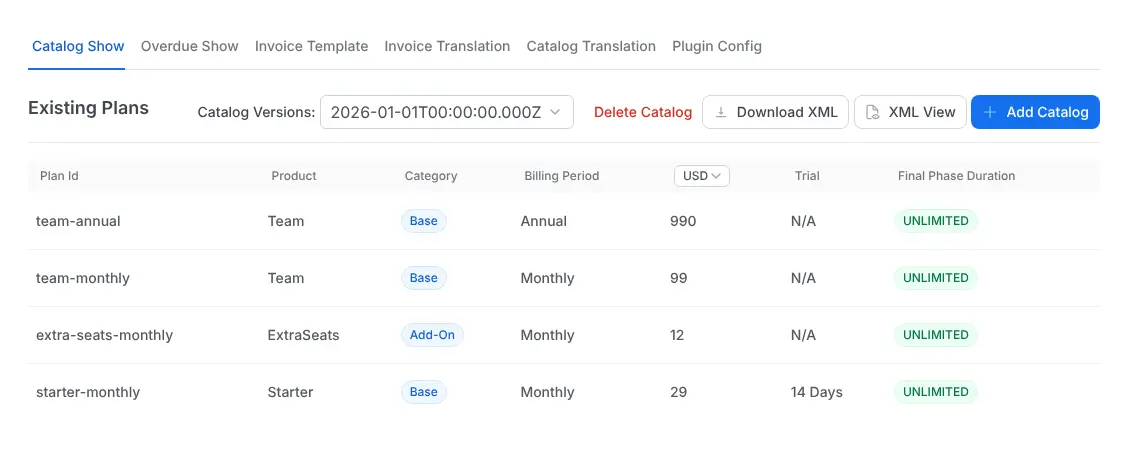
A small software company, for example, could sell a $29 Starter plan with a 14-day free trial, a $99 Team plan billed monthly or yearly, and extra seats as an add-on. When a customer upgrades mid-month, Kill Bill prorates the difference, charges the card through Stripe, and can retry a failed payment before marking the account overdue.
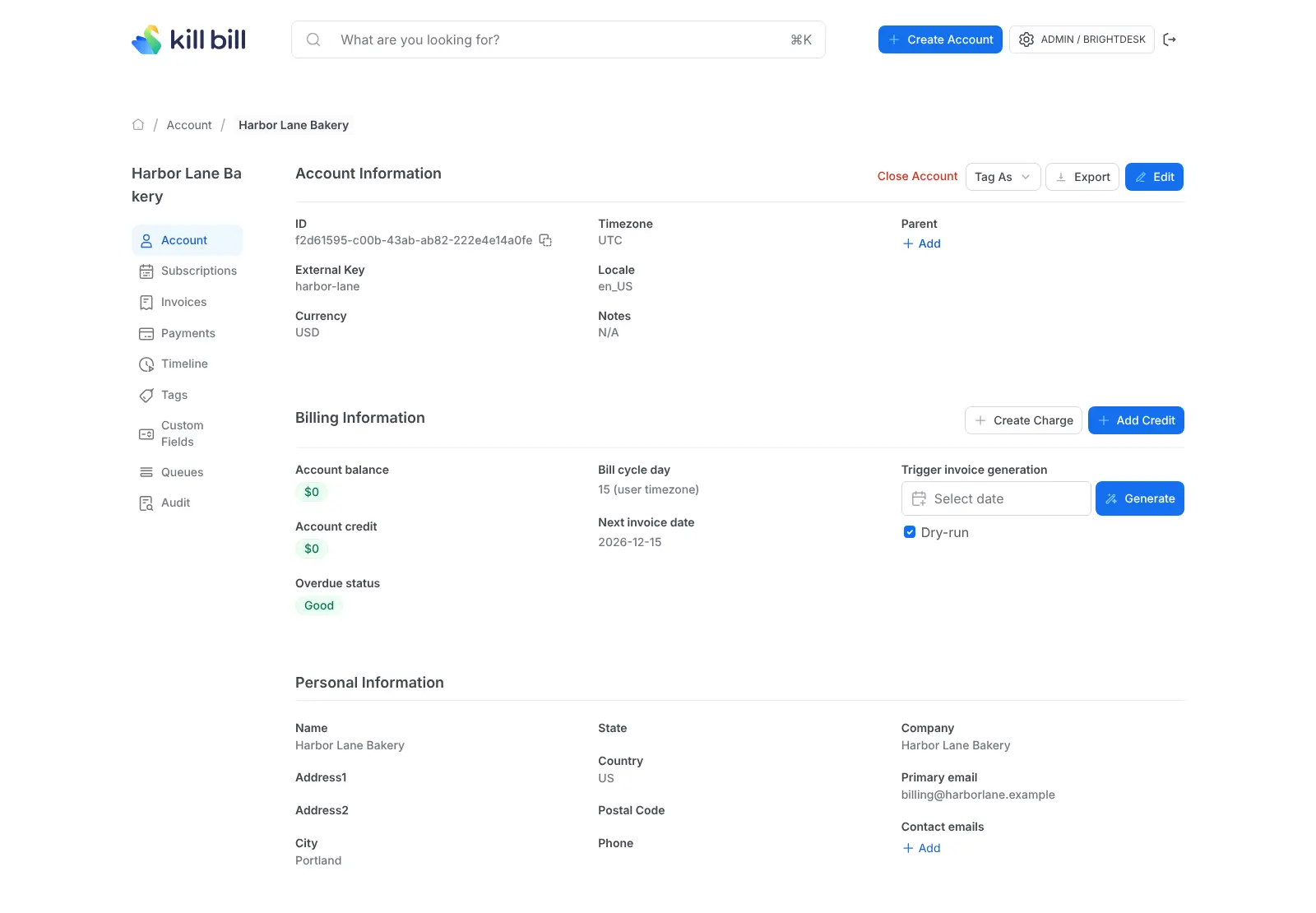
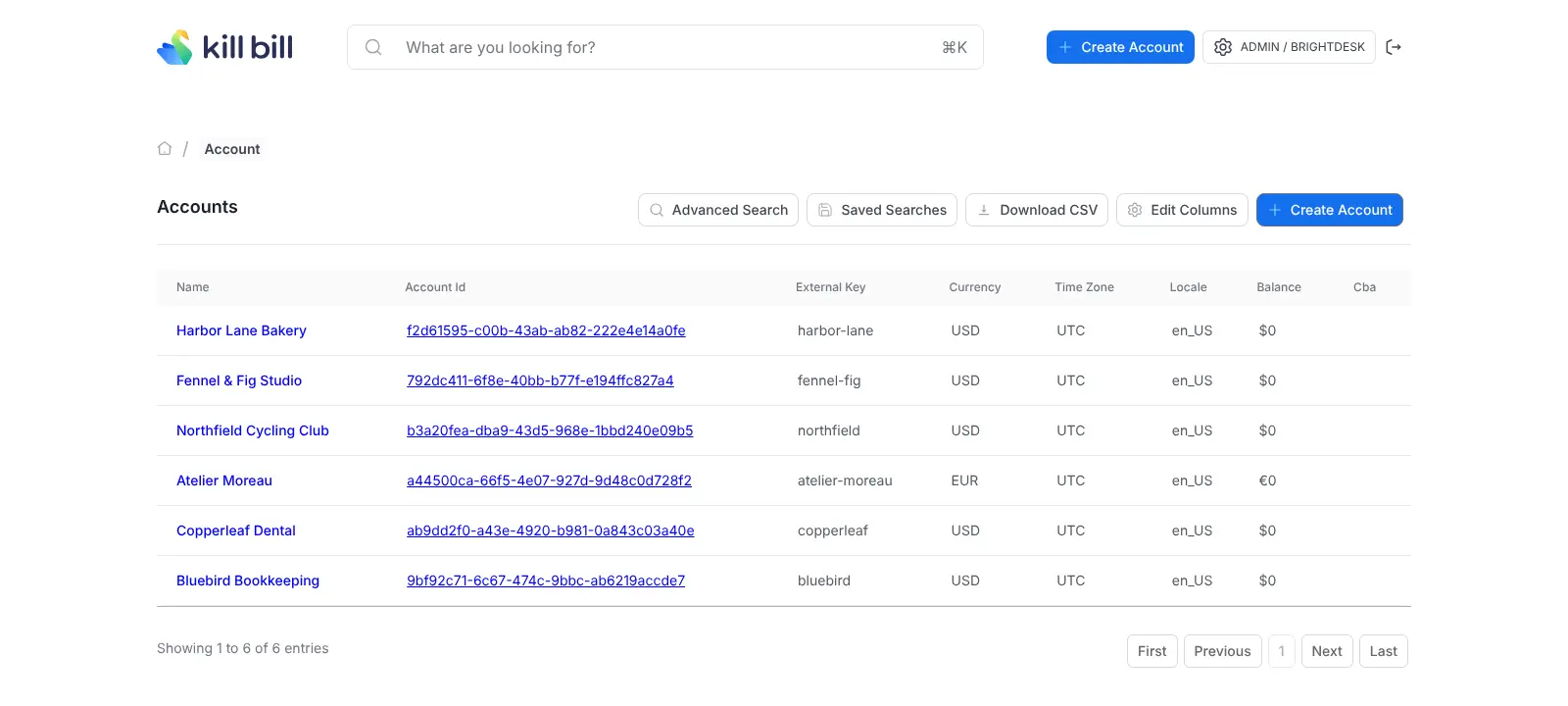
Kill Bill is a billing engine for developers: your website or app signs customers up through its API, and your team works in Kaui, the admin screen, to look up accounts, add credits, refund payments and check each customer's history. It connects to Stripe, Adyen, Braintree and other providers through plugins, and to Avalara for sales tax.
Cloudgate installs Kill Bill and Kaui on a server Cloudgate provides or one you connect, with a secure web address for the Kaui admin screen only. Kill Bill's API stays on the server's private network, so it has no web address of its own, and your billing data stays on your server.
What you can do with Kill Bill
- Set up plans and prices Define products, add-ons and plans with free trials, discount periods, monthly or yearly billing and prices in several currencies.
- Manage every subscription Start, upgrade, downgrade, pause, resume or cancel a subscription now or at the end of the term, with the amount prorated for you.
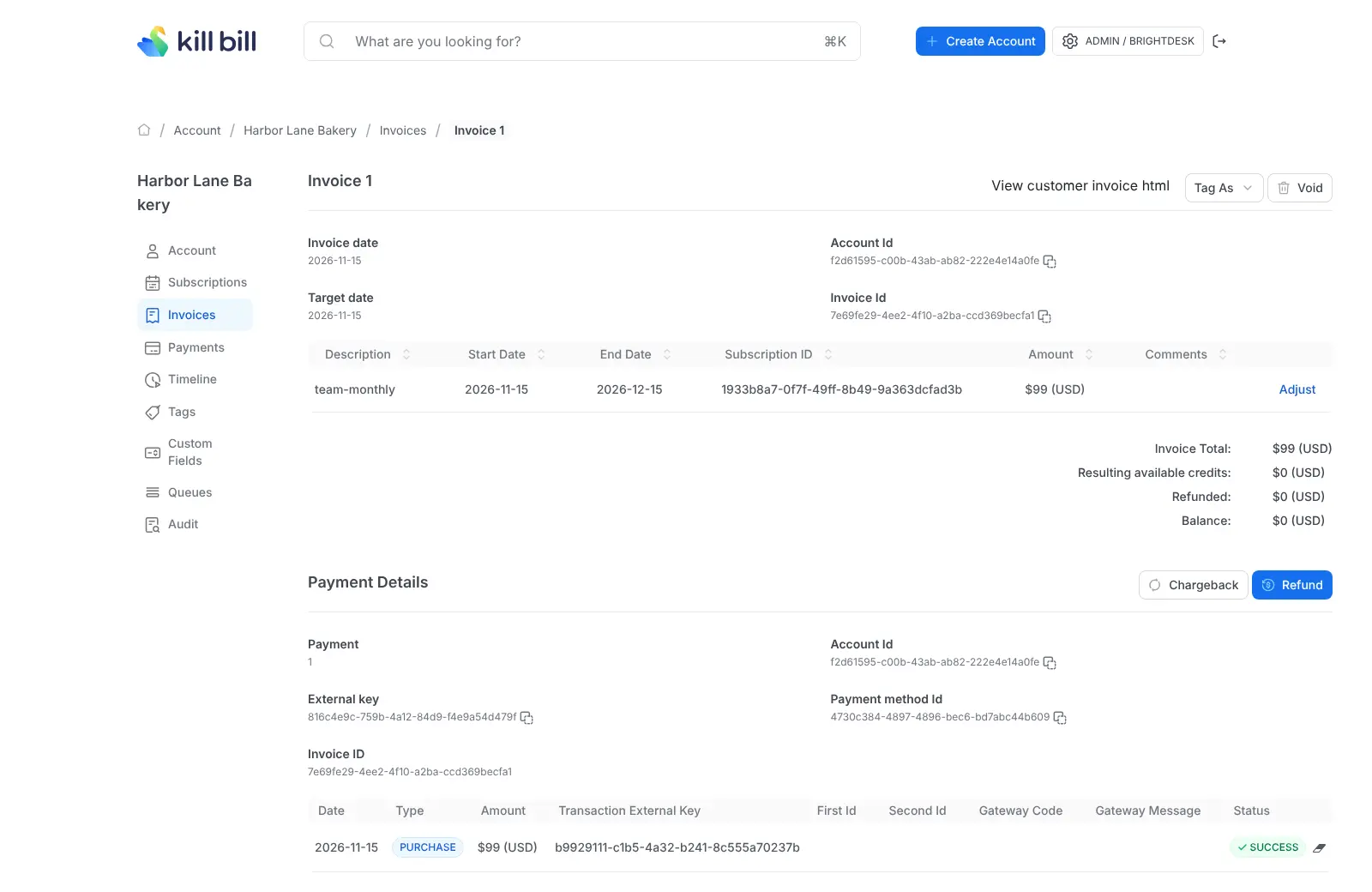
- Invoice automatically Kill Bill creates each invoice on the customer's billing day, and your team can add one-off charges, credits and adjustments.
- Take payments through your gateway Charge cards and refund them through Stripe, Adyen, Braintree and other payment providers, with failed payments retried on a schedule.
- Follow up unpaid accounts Move overdue customers through warning and blocked stages you define, and email them about new invoices, failed payments and cancellations.
- Look after customers in one back office Kaui, the admin screen, shows each customer's subscriptions, invoices, payments and history, with refunds, chargebacks and credits a click away.
- Run several businesses on one server Keep separate billing setups, each with its own plans and customers, side by side in one installation.
Replaces Chargebee and Recurly
Kill Bill does the same job as Chargebee and Recurly. Here is what changes when you switch.
- No percentage of your revenue or fee per transaction goes to the billing tool
- Payment reminders, retries and invoice emails are in the free edition
- Your customers, prices and payment history stay on your server
- Payment providers can be added or changed with plugins
- A developer has to build your sign-up and checkout pages and connect them to Kill Bill
- There is no customer self-service portal or ready-made checkout page
- Usage-event metering, a prepaid-credit wallet and coupons are in the paid Aviate edition
- There is no import from Chargebee or Recurly, so plans and subscriptions are moved across with the API
What happens when you click Deploy?
You do not need a server or any technical knowledge. Four steps, and Kill Bill is running at its own web address.
- Step 1 Click Deploy and create your account
Deploy takes you to Cloudgate. Create an account, or log in if you have one. Kill Bill itself is free.
- Step 2 Choose a server
No server? Get one from Cloudgate: pick a size and a country, and Cloudgate gets it ready. Already have one? Connect it instead.
- Step 3 Cloudgate sets up Kill Bill
It prepares the server, makes the passwords the app needs and starts it. There is nothing to install and nothing to write down.
- Step 4 Open your app and sign in
Your app gets a free web address to start, without https. Add your own domain, like app.yourshop.com, and Cloudgate secures it with https for you.
New to Cloudgate? See what Cloudgate is
Run Cloudgate yourself? Deploy from your own console
In your Cloudgate console, open Templates and choose Kill Bill.
Questions
Is Kill Bill free?
Yes, Kill Bill is free and open source under the Apache-2.0 licence, with no fee per invoice or share of revenue. Its makers sell a paid enterprise edition, Aviate, which adds usage-event metering, a prepaid-credit wallet, coupons, quotes and premium support.
Is Kill Bill a good alternative to Chargebee or Recurly?
Yes, Kill Bill can replace Chargebee or Recurly if you have a developer and want subscription billing on your own server. Kill Bill covers plans, trials, add-ons, invoices, payments, payment retries and reminders for unpaid accounts, but it has no hosted checkout or customer portal, so your developer builds the sign-up side.
How is Kill Bill different from Lago?
Kill Bill is built around subscriptions, while Lago is built around usage. Kill Bill's free edition includes payment reminders, retries and invoice emails, which are paid in Lago; Lago's free edition counts raw usage events, which is paid in Kill Bill.
Which payment providers does Kill Bill work with?
Kill Bill takes payments through plugins for Stripe, Adyen, Braintree, Qualpay and Hyperswitch, installed from its admin screen. Your payment provider still charges its own card fees.
Can Kill Bill import my customers from Chargebee or Recurly?
No, Kill Bill has no import tool for Chargebee or Recurly. A developer moves your plans, customers and subscriptions across with Kill Bill's API, which can keep each subscription's original start date and next billing date.
Do I need a developer to use Kill Bill?
Yes. Your team can manage customers, invoices and payments in the Kaui admin screen, but customers are signed up and subscribed from your own website or app through Kill Bill's API, and plans are written as a catalog file. In this setup the API has no web address of its own, so your developer also arranges how your app reaches it.
How do I sign in to Kill Bill the first time?
Sign in to Kaui, the Kill Bill admin screen, with the username admin and the password Cloudgate generates and shows you. Kaui then asks you to create a tenant, your billing account with its own API key, before you add your plans and customers.
Do I need my own server for Kill Bill?
No. When you deploy Kill Bill, hosted Cloudgate can provide a server. If you already rent one, you can connect it instead.
Related apps

Usage-based billing for SaaS, API and AI products.

Accounting with invoices, inventory and reports.

Invoicing with online payments and phone apps.

Simple self-hosted invoicing, with Factur-X and PEPPOL e-invoices.