
Vane
A self-hosted Perplexity alternative that answers with its sources.
No server needed to start: Cloudgate can provide one. What happens when you click Deploy
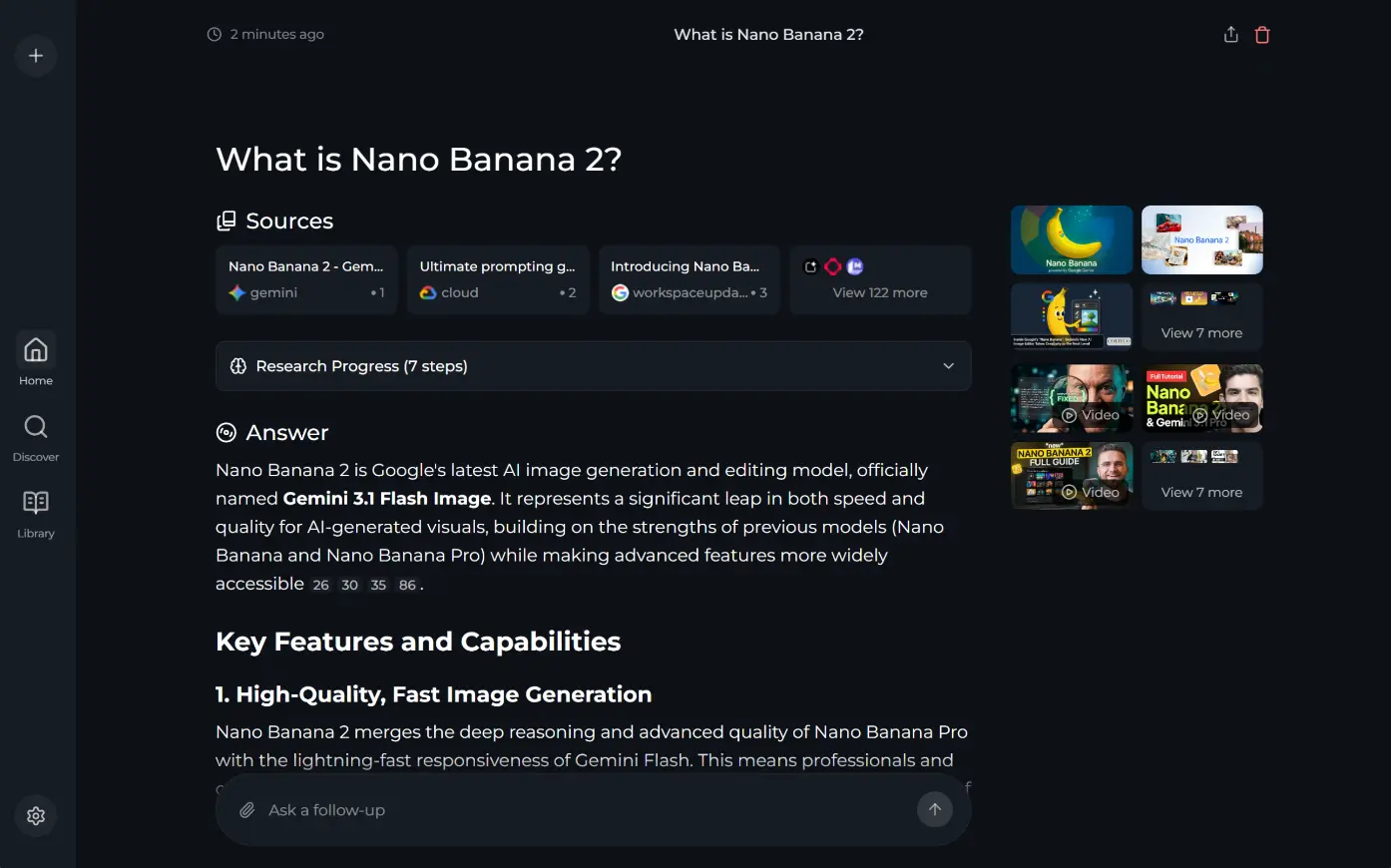

What is Vane?
Vane (formerly Perplexica) is a self-hosted AI answer engine that searches the web privately and answers with cited sources, using the AI you choose.
Vane is a free, open-source, self-hosted AI answer engine and an alternative to Perplexity: you ask a question, it searches the web, and an AI model writes an answer with numbered citations to the pages it used. It is the project formerly called Perplexica, renamed Vane in March 2026.
Searches run through Vane's own search engine on your server. Add an API key for OpenAI, Anthropic, Google Gemini, Groq or a compatible service, or point Vane at local models in Ollama or LM Studio so nothing leaves your machines. Every search uses your provider's credits. You can pick quick or deeper research and ask about PDFs you upload. A small marketing agency, for example, could ask how a client's competitors price their services and get a short summary with a link to every source.
Vane has no accounts of its own, so this template puts one shared sign-in in front of it: everyone you give the password to shares the same history and settings. It works in the web browser; there are no phone apps.
Cloudgate installs Vane on your server, gives it a secure web address and creates its password; the first install is a large download. Sign in as admin, connect an AI provider in the setup screen, and ask your first question.
What you can do with Vane
- Get answers with sources Ask a question and get a written answer with numbered citations and a list of the web pages it used.
- Search the web privately Vane runs its own search engine on your server, which gathers results from Google, Bing, DuckDuckGo and others without an account.
- Choose how deep to go Pick Speed for a quick answer, Balanced, or Quality for deeper research, and search the web, discussions or academic papers.
- Use the AI you prefer Connect OpenAI or an OpenAI-compatible service, Anthropic, Google Gemini or Groq, or run local models with Ollama or LM Studio.
- Ask about your own files Upload a PDF, a text file or an image and ask questions about it.
- Keep a library of past searches Your search history is saved on your server, so you can go back to any earlier answer.
- See images, videos and quick facts Related images and videos appear beside each answer, and small widgets show the weather, stock prices and calculations.
Replaces Perplexity
Vane does the same job as Perplexity. Here is what changes when you switch.
- Your searches and history stay on your own server
- Use any of several AI providers, or local models that keep everything in-house
- No subscription; you pay only your server and the AI provider you connect
- Answers depend on the AI model you connect and on the search results, and are often slower and less polished than Perplexity's
- One shared login for everyone, with no separate accounts, and no phone apps
- No Spaces, Pages, shopping or browser like Perplexity's
- Updates are slow; there has been no new release since April 2026
What happens when you click Deploy?
You do not need a server or any technical knowledge. Four steps, and Vane is running at its own web address.
- Step 1 Click Deploy and create your account
Deploy takes you to Cloudgate. Create an account, or log in if you have one. Vane itself is free.
- Step 2 Choose a server
No server? Get one from Cloudgate: pick a size and a country, and Cloudgate gets it ready. Already have one? Connect it instead.
- Step 3 Cloudgate sets up Vane
It prepares the server, makes the passwords the app needs and starts it. There is nothing to install and nothing to write down.
- Step 4 Open your app and sign in
Your app gets a free web address to start, without https. Add your own domain, like app.yourshop.com, and Cloudgate secures it with https for you.
New to Cloudgate? See what Cloudgate is
Run Cloudgate yourself? Deploy from your own console
In your Cloudgate console, open Templates and choose Vane.
Questions
Is Vane free?
Yes, Vane is free and open source under the MIT licence, with no paid edition. You pay only for your server and for the AI provider you connect, since every search uses that provider's credits, or nothing extra if you run local models.
Is Vane the same as Perplexica?
Yes, Vane is the open-source project formerly called Perplexica, by the same author. It was renamed Vane in March 2026, and its old GitHub address now leads to the Vane project.
Is Vane a good alternative to Perplexity?
Yes, if you want Perplexity's idea of cited answers from a live web search on your own server, with the AI model you choose. Perplexity is faster and more polished and has phone apps and Spaces; how good Vane's answers are depends on the model you connect.
Which AI providers does Vane work with?
Vane works with OpenAI and OpenAI-compatible services, Anthropic, Google Gemini and Groq, using your own API key, and with local models through Ollama or LM Studio. You add the key or the local model's address in Vane's setup screen.
How do I sign in to Vane the first time?
Open the app's web address and sign in with the username admin and the password Cloudgate generated, shown in Cloudgate. Vane has no accounts of its own, so this one login is shared by everyone you give it to, along with the same search history and settings.
Is my search data private with Vane?
Your searches, history, settings and uploaded files stay on your server, and web searches go through Vane's own search engine without an account. Your questions are still sent to the AI provider you connect, unless you use local models.
What server size do I need for Vane?
A medium server, with about 2 GB of memory, is enough for Vane itself. The first install downloads about 4 GB and needs well over 12 GB of free disk space to unpack, so it takes a while. Running local AI models needs a much bigger server, usually with a graphics card.
Do I need technical skills to run Vane?
No. Click Deploy, create your Cloudgate account and choose a server, and Cloudgate sets up Vane and gives it a web address. You use it in your browser like any other online tool.
Do I need my own server for Vane?
No. When you deploy Vane, hosted Cloudgate can provide a server. If you already rent one, you can connect it instead.
Can I move my data from Perplexity to Vane?
Most people export from Perplexity and import into Vane. The official guides at github.com walk through it.
Related apps

A self-hosted AI research agent that writes cited reports.

A self-hosted AI second brain that answers from your own notes.

A self-hosted AI agent with its own computer that does tasks for you.

Private AI chat over your own documents, for staff and your website.