
Usertour
Product tours, checklists and surveys inside your own web app.
No server needed to start: Cloudgate can provide one. What happens when you click Deploy

What is Usertour?
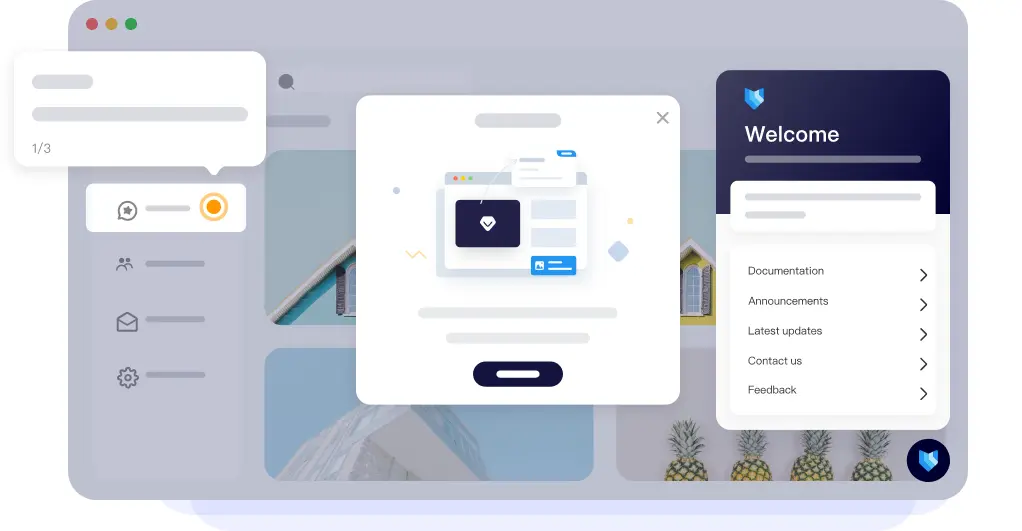
Usertour is self-hosted user onboarding software: build product tours, checklists, banners, surveys and a help center inside your web app, with no per-user fee.
Usertour is open-source user onboarding software that you host yourself, and an alternative to Appcues, Userpilot, Userflow and UserGuiding. It lets your team build product tours, onboarding checklists, banners, hotspots, surveys and an in-app help center, and show them to the right people inside your own web app.
You build everything in a visual editor: point at a button in your app, write the tip, and set who sees it and when. Checklists tick themselves off as users complete each task, and reports show how many people start and finish every tour. A small software company could, for example, greet each new customer with a three-step tour of its dashboard, a checklist of first tasks, and a short satisfaction survey after their first week.
The free Community Edition is MIT-licensed and has no limit on users or sessions. Removing Usertour's small branding mark, single sign-on, two-step sign-in and an audit log need a paid licence. Usertour works in web apps, not native phone apps, and a developer adds its code snippet to your app once. It connects to Segment, Mixpanel, Amplitude, Heap, PostHog, HubSpot and Zapier.
Cloudgate installs Usertour on a server Cloudgate provides or one you connect, with its database, and gives it a secure web address. The first person to open it creates the admin account.
What you can do with Usertour
- Build product tours without code Point at buttons and menus in your app and add step-by-step tooltips and pop-ups in a visual builder.
- Onboarding checklists Give new users a short list of first tasks that ticks itself off as they actually do each one.
- Banners, hotspots and announcements Announce new features with a banner, a hotspot on a button, or a post in an in-app help center.
- Surveys and NPS Ask a quick question or a Net Promoter Score survey inside your app and see the answers in charts.
- Show the right thing to the right people Target users and companies by their details, the pages they visit and the actions they take.
- See where people drop off Track how many users start and finish each tour, step by step.
- Match your brand Set colours, fonts and button styles in a theme editor, and translate content into your users' languages.
- Connect your other tools Send events to Segment, Mixpanel, Amplitude, Heap, PostHog, HubSpot or Zapier, or to your own system with webhooks.
Replaces Appcues, Userpilot, Userflow and UserGuiding
Usertour does the same job as Appcues, Userpilot, Userflow and UserGuiding. Here is what changes when you switch.
- No price per monthly active user and no session limits when you host it yourself
- Your users' data stays on your own server
- Integrations, custom styling and webhooks included in the free edition
- Separate staging and production environments, with a history of every change
- Tours show a small Usertour mark unless you buy a licence
- Single sign-on, two-step sign-in and the audit log need a paid licence
- Web apps only, with no native iPhone or Android apps
- No import from Appcues or Userpilot, so tours are rebuilt by hand
What happens when you click Deploy?
You do not need a server or any technical knowledge. Four steps, and Usertour is running at its own web address.
- Step 1 Click Deploy and create your account
Deploy takes you to Cloudgate. Create an account, or log in if you have one. Usertour itself is free.
- Step 2 Choose a server
No server? Get one from Cloudgate: pick a size and a country, and Cloudgate gets it ready. Already have one? Connect it instead.
- Step 3 Cloudgate sets up Usertour
It prepares the server, makes the passwords the app needs and starts it. There is nothing to install and nothing to write down.
- Step 4 Open your app and sign in
Your app gets a free web address to start, without https. Add your own domain, like app.yourshop.com, and Cloudgate secures it with https for you.
New to Cloudgate? See what Cloudgate is
Run Cloudgate yourself? Deploy from your own console
In your Cloudgate console, open Templates and choose Usertour.
Questions
Is Usertour free?
Yes. The self-hosted Community Edition is free under the MIT licence, for commercial use too, with no limit on users or sessions. A paid Business or Enterprise licence adds removing Usertour branding, single sign-on, two-step sign-in, an audit log and support.
Is Usertour a good alternative to Appcues?
Yes, for web apps. Usertour has product tours, checklists, hotspots, banners, surveys and a help center, like Appcues, without a monthly price per user. Appcues also covers native mobile apps and email, which Usertour does not.
Do I need a developer to use Usertour?
Only once. A developer adds the short Usertour code snippet to your web app and passes in who the signed-in user is; after that, anyone on your team builds tours and checklists in the visual builder.
Can Usertour import my tours from Appcues or Userpilot?
No. Usertour has no importer for other onboarding tools, so plan to rebuild your tours, which is often a good moment to shorten them.
Does Usertour work in mobile apps?
No, Usertour does not work in native iPhone or Android apps. It works in any web app, including in a phone's browser.
Who is the Usertour admin?
The first person to open Usertour's web address creates the System Admin account, so do this right after setup. No email settings are needed for this. Inviting teammates by email and password resets need the optional email settings you can fill in during setup.
Where does Usertour store my users' data?
On your own server. The users, events and survey answers Usertour collects from your app stay in its database, unless you choose to send events on to another tool.
Do I need my own server for Usertour?
No. When you deploy Usertour, hosted Cloudgate can provide a server. If you already rent one, you can connect it instead.
Related apps

Surveys and feedback forms with unlimited responses.

Let clients book time with you from a simple link.

A light, self-hosted booking link for consultants and small teams.

Answer website chat, email, WhatsApp and social in one inbox.