
Urlaubsverwaltung
Holiday requests, approvals and sick notes for your team.
No server needed to start: Cloudgate can provide one. What happens when you click Deploy
What is Urlaubsverwaltung?
Urlaubsverwaltung is a self-hosted, open-source leave management app: staff request holiday, managers approve it, and a team calendar shows who is away.
Urlaubsverwaltung is a free, open-source, self-hosted leave management app and an alternative to Timetastic and absence.io. Staff request holiday and other absences, managers approve them, and everyone can see who is away, with no fee per employee. Its name is German for "leave management"; the interface also works in English.
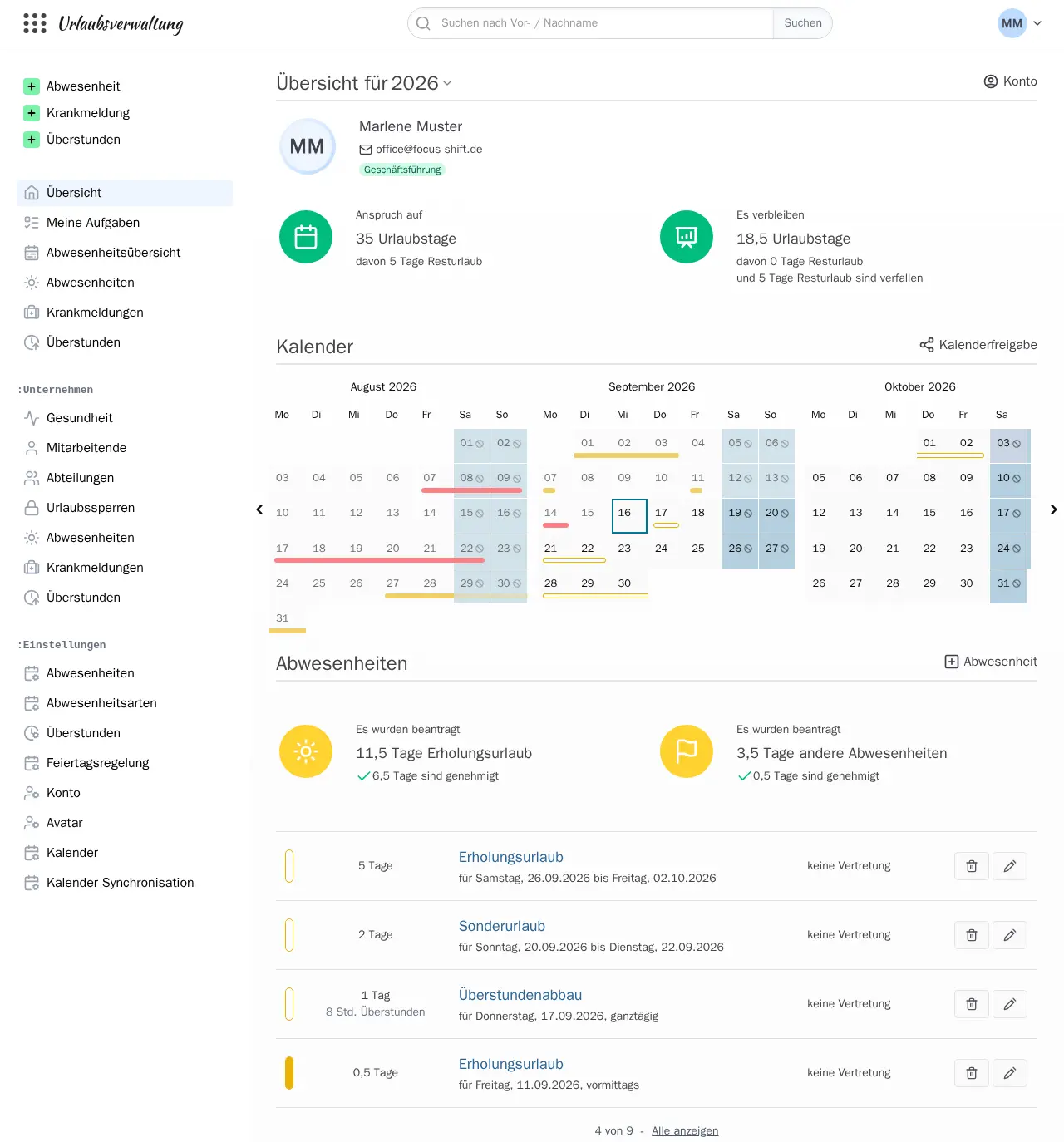
Each person sees their leave allowance, the days they have left and a calendar of their absences. Department heads and the boss approve or reject requests, in one or two stages, and the office records sick notes and overtime. A joinery with twenty staff, for example, could replace its holiday spreadsheet: a carpenter asks for a week off in August, names a stand-in, and the workshop manager gets an email and approves it, after checking the team calendar.
Public holidays are built in for Germany, Austria, Switzerland, the UK and many other countries and regions, and absences can be added to Google Calendar, Outlook or any calendar app. Staff sign in through the included Keycloak sign-in page, which can also be connected to Microsoft or Google accounts.
Cloudgate installs Urlaubsverwaltung on a server Cloudgate provides or one you connect, with the database and the Keycloak sign-in service it needs, each with a secure web address. Your staff's leave and sick-note records stay on your server.
What you can do with Urlaubsverwaltung
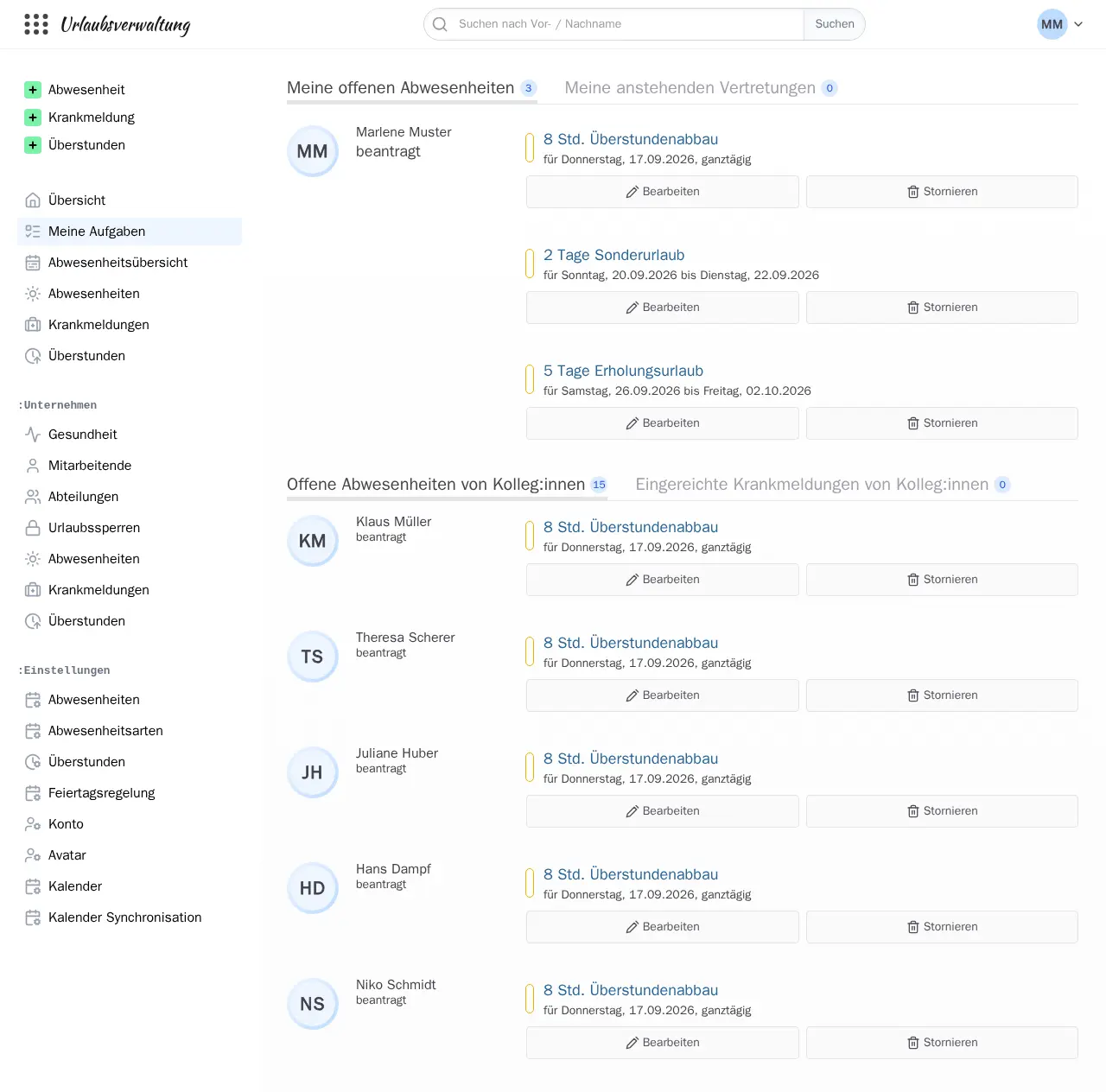
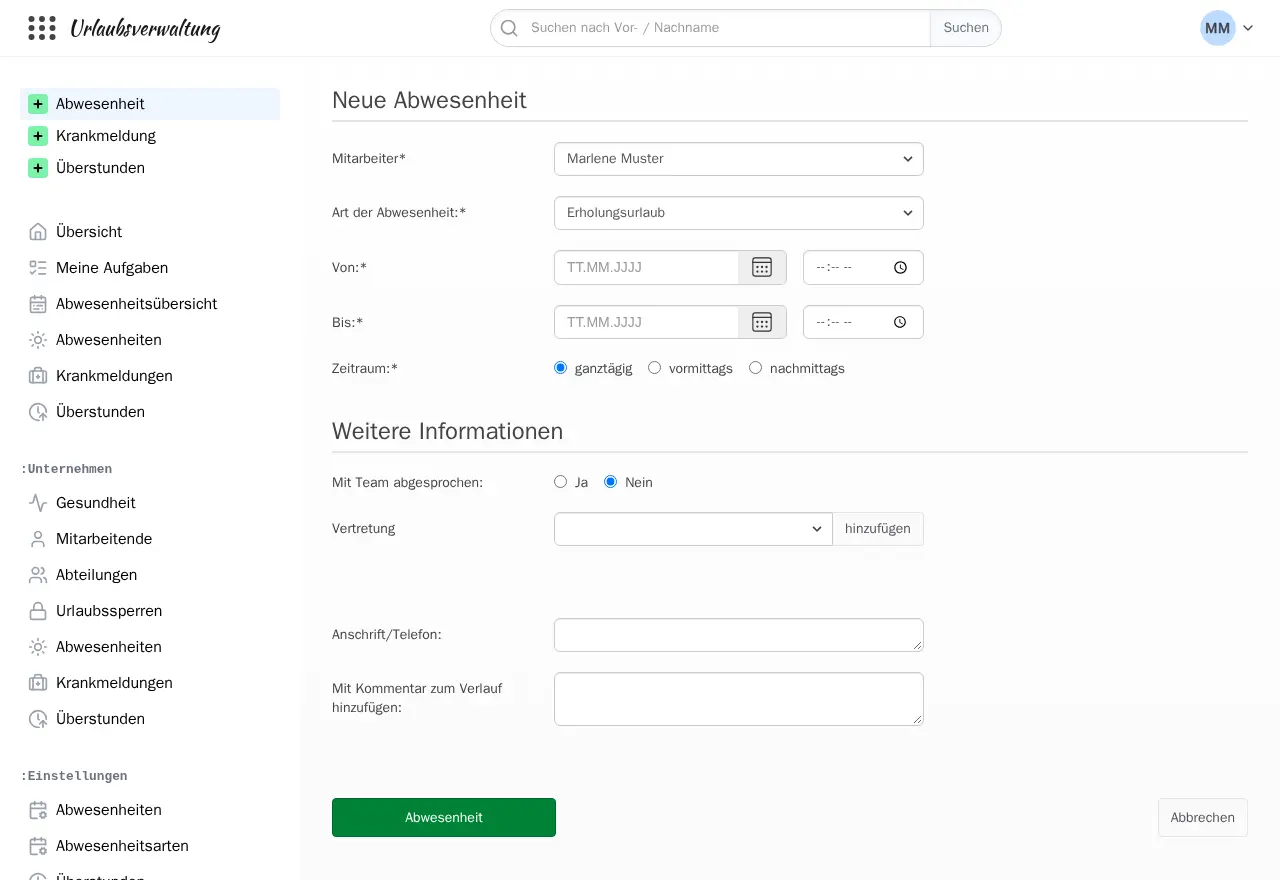
- Request and approve leave Staff request holiday, special or unpaid leave, and their department head or boss approves or rejects it, in one or two stages.
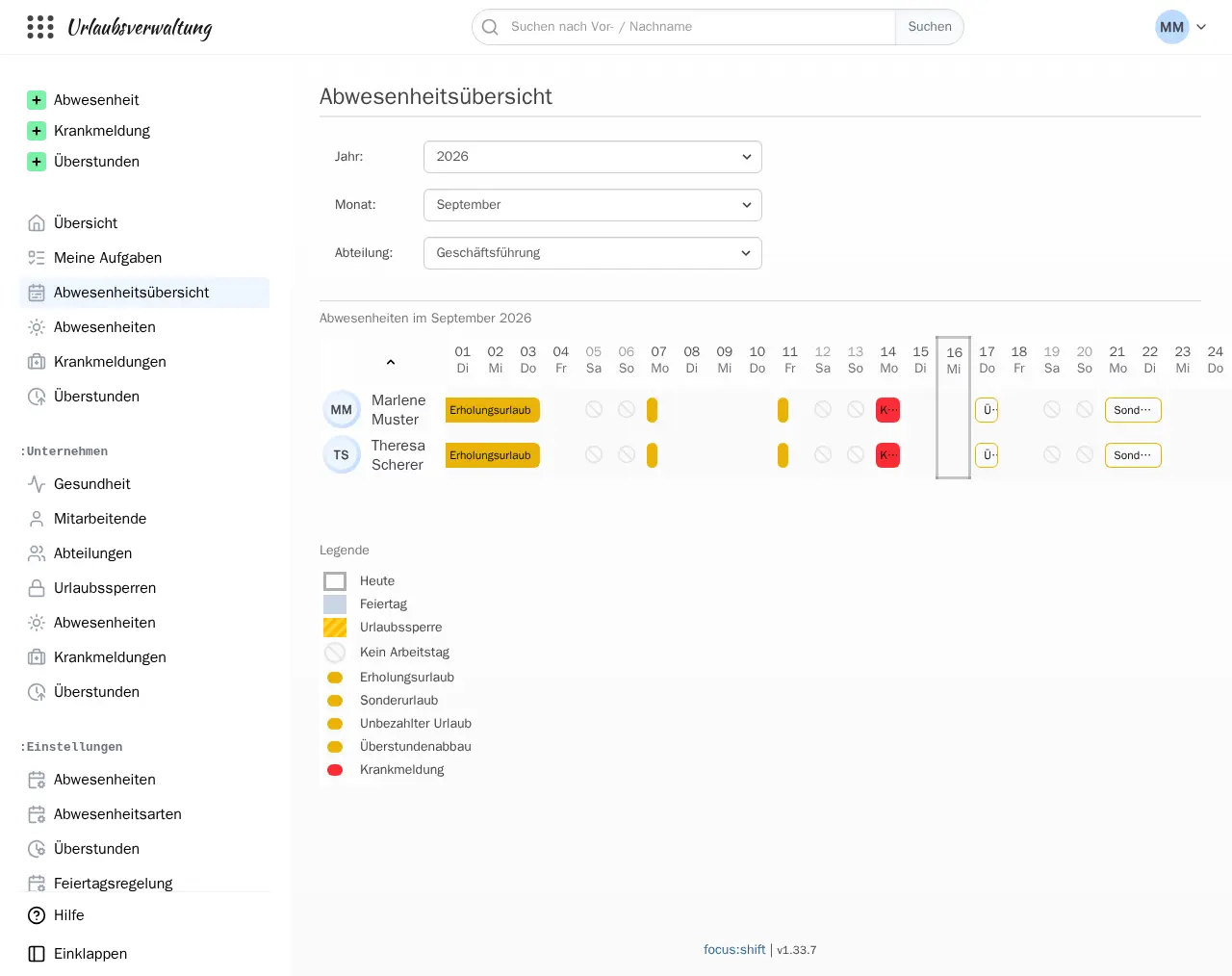
- See who is away A monthly absence overview per department shows holidays, sick days and public holidays for the whole team at a glance.
- Track leave balances Each person sees their yearly allowance, the days left and carried-over days, next to a calendar of their own absences.
- Record sick notes and overtime The office records sick notes, including child sick days and whether a doctor's note was given, and staff log overtime they can later take as time off.
- Set your own rules Choose your absence types, working days per person, public holidays by country or region, stand-ins and blackout periods when no leave is allowed.
- Add absences to your calendar Subscribe to your own, your department's or the whole company's absences in Google Calendar, Outlook or any calendar app.
- Get email reminders Approvers are reminded of open requests, and staff and their stand-ins are told before a holiday starts, once you give an email server at setup.
Replaces Timetastic and absence.io
Urlaubsverwaltung does the same job as Timetastic and absence.io. Here is what changes when you switch.
- No fee per employee, however many people you add
- Leave requests, sick notes and absence data stay on your own server
- Public holidays for Germany, Austria, Switzerland, the UK and many other countries and regions
- Sign-in comes included, and can be linked to Microsoft or Google accounts later
- Staff accounts are managed in a separate sign-in console (Keycloak), installed alongside it; people cannot sign up themselves
- It covers leave, sick notes and overtime only, with no employee records, hiring, payroll or time tracking
- There is no phone app for your own server; staff use it in their phone's browser
- The help pages are mostly in German, and help comes from the community on GitHub unless you pay its makers for support
What happens when you click Deploy?
You do not need a server or any technical knowledge. Four steps, and Urlaubsverwaltung is running at its own web address.
- Step 1 Click Deploy and create your account
Deploy takes you to Cloudgate. Create an account, or log in if you have one. Urlaubsverwaltung itself is free.
- Step 2 Choose a server
No server? Get one from Cloudgate: pick a size and a country, and Cloudgate gets it ready. Already have one? Connect it instead.
- Step 3 Cloudgate sets up Urlaubsverwaltung
It prepares the server, makes the passwords the app needs and starts it. There is nothing to install and nothing to write down.
- Step 4 Open your app and sign in
Your app gets a free web address to start, without https. Add your own domain, like app.yourshop.com, and Cloudgate secures it with https for you.
New to Cloudgate? See what Cloudgate is
Run Cloudgate yourself? Deploy from your own console
In your Cloudgate console, open Templates and choose Urlaubsverwaltung.
Questions
Is Urlaubsverwaltung free?
Yes. Urlaubsverwaltung is free, open-source software under the Apache 2.0 licence, with every feature included, so you pay only for your server. Its makers, Focus Shift, sell a hosted version and paid support, but nothing is held back from the self-hosted version.
Is Urlaubsverwaltung a good alternative to Timetastic?
Yes, for leave tracking. Like Timetastic, Urlaubsverwaltung handles leave requests, approvals, a team absence calendar and calendar feeds, but with no fee per user and your data on your own server. Timetastic is more polished and has phone apps, and you add people inside the app; here you add staff in a separate sign-in console that Cloudgate installs alongside it.
How do I sign in to Urlaubsverwaltung the first time?
Open your Urlaubsverwaltung address and sign in with the email you typed at setup and the password Cloudgate created, shown on the app's variables page as ADMIN_PASSWORD. As the first person to sign in you become the Office admin, who manages staff, permissions and settings. Sign-in runs through Keycloak, a sign-in service Cloudgate installs alongside the app with its own web address; its sign-in page is in German by default, with English to choose.
How do I add staff to Urlaubsverwaltung?
Add each person in the Keycloak admin console at your sign-in address, under /admin/urlaubsverwaltung/console/, signing in with your own email and password. Create the user with their email and name, set a password under Credentials, and give them the app's address. Their Urlaubsverwaltung account is created the first time they sign in, and you then set their department and leave allowance as Office. People cannot sign up on their own.
What server size do I need for Urlaubsverwaltung?
Urlaubsverwaltung needs a large server with 4 GB of memory, because the app and its Keycloak sign-in service are both Java programs that run next to a PostgreSQL database. Together they use about 1.6 GB once people are signing in.
Is Urlaubsverwaltung available in English?
Yes. The Urlaubsverwaltung interface is available in English as well as German, so English-speaking staff can use it. Its name and most of its help pages and setup guide are in German.
Can Urlaubsverwaltung import my data from Timetastic, absence.io or Personio?
No, Urlaubsverwaltung has no importer for other leave tools. Each person's account is created the first time they sign in, and you then enter each person's leave allowance and any remaining days by hand.
Does Urlaubsverwaltung include time tracking or payroll?
No. Urlaubsverwaltung covers leave, sick notes and overtime. Its makers' time-tracking app is a separate product, and for employee records or payroll you need a full HR system alongside it.
Does Urlaubsverwaltung work with Google Calendar and Outlook?
Yes. In Urlaubsverwaltung each person can subscribe to a calendar link of their own absences, their department's or, if allowed, the whole company's, in Google Calendar, Outlook or any calendar app that reads iCal links.
Do I need technical skills to run Urlaubsverwaltung?
No. Click Deploy, create your Cloudgate account and choose a server, and Cloudgate sets up Urlaubsverwaltung and gives it a web address. You use it in your browser like any other online tool.
Do I need my own server for Urlaubsverwaltung?
No. When you deploy Urlaubsverwaltung, hosted Cloudgate can provide a server. If you already rent one, you can connect it instead.
Related apps

HR and payroll, from hiring to salary slips.
Free HR software with hiring, attendance, leave and payroll in one.

Free HR software for employee records, leave, timesheets and hiring.

A self-hosted shift planner your whole team can share.