BetterShift
A self-hosted shift planner your whole team can share.
No server needed to start: Cloudgate can provide one. What happens when you click Deploy
What is BetterShift?
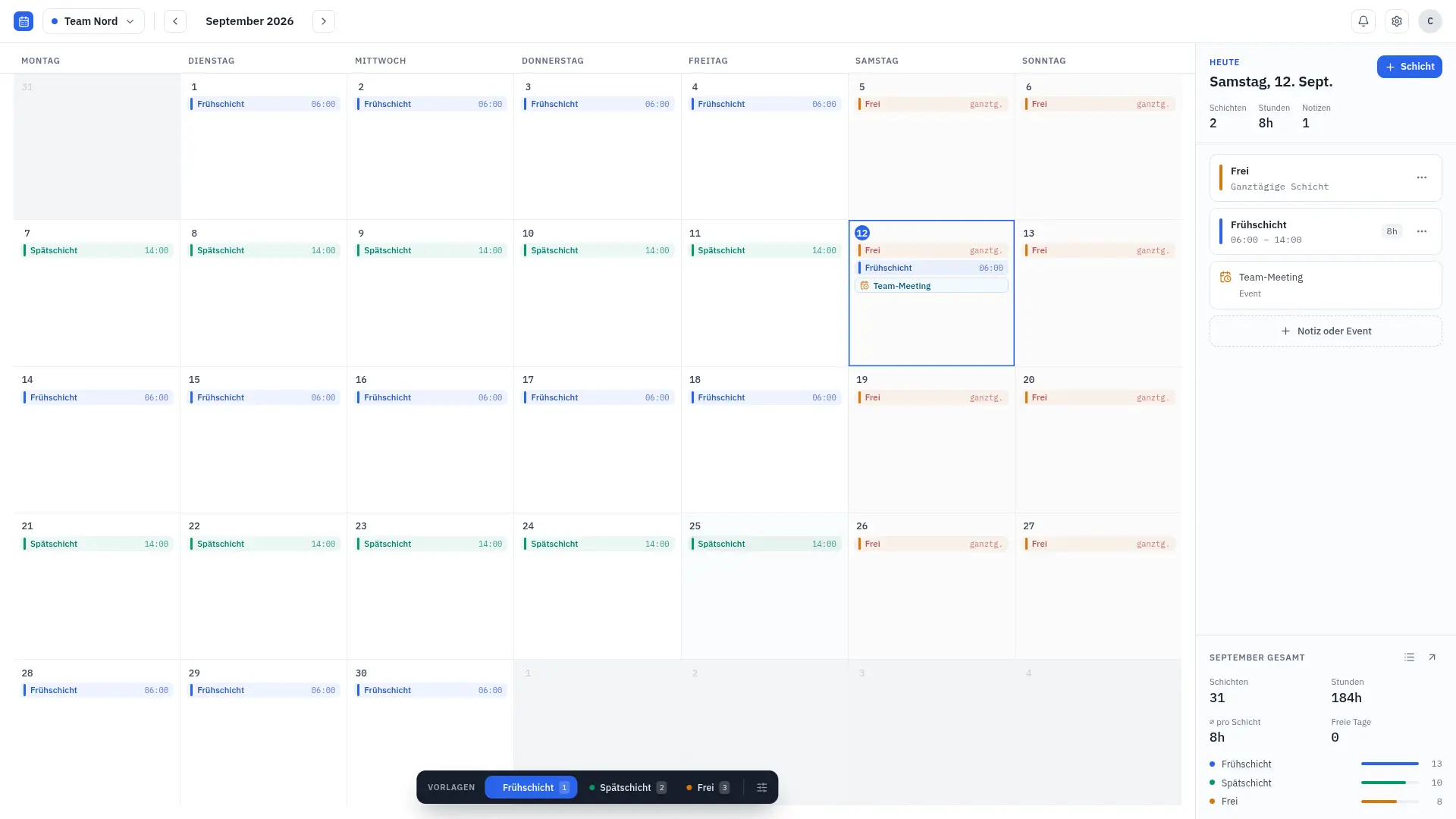
BetterShift is a self-hosted shift planner: plan shifts in one click, share the schedule with your team and sync it to their calendar apps.
BetterShift is a free, open-source, self-hosted shift planner: a shared shift calendar that covers the scheduling part of When I Work or Deputy without a fee per employee. You save your shift types once, click them onto days, and share the calendar with your team, who can see it in the browser or in their own calendar app.
It is a shift calendar, not full workforce management. There is no time clock, timesheets, payroll, time-off requests or team chat, so it suits teams that mainly need everyone to know who works when. A café owner, for example, could keep one calendar for the counter staff with early, late and day-off shifts, leave two weekend shifts open for part-timers to claim, and let each person subscribe to the schedule on their phone.
BetterShift works with Google Calendar, Apple Calendar and Outlook through live calendar links and ICS files, exports to PDF, and lets people sign in with email, Google, GitHub, Discord or your own single sign-on. The interface is in English, French, German, Italian, Spanish and Czech, and it can be added to a phone's home screen.
Cloudgate installs BetterShift on a server Cloudgate provides or one you connect, and gives it a secure web address. The first person to sign up becomes the admin.
What you can do with BetterShift
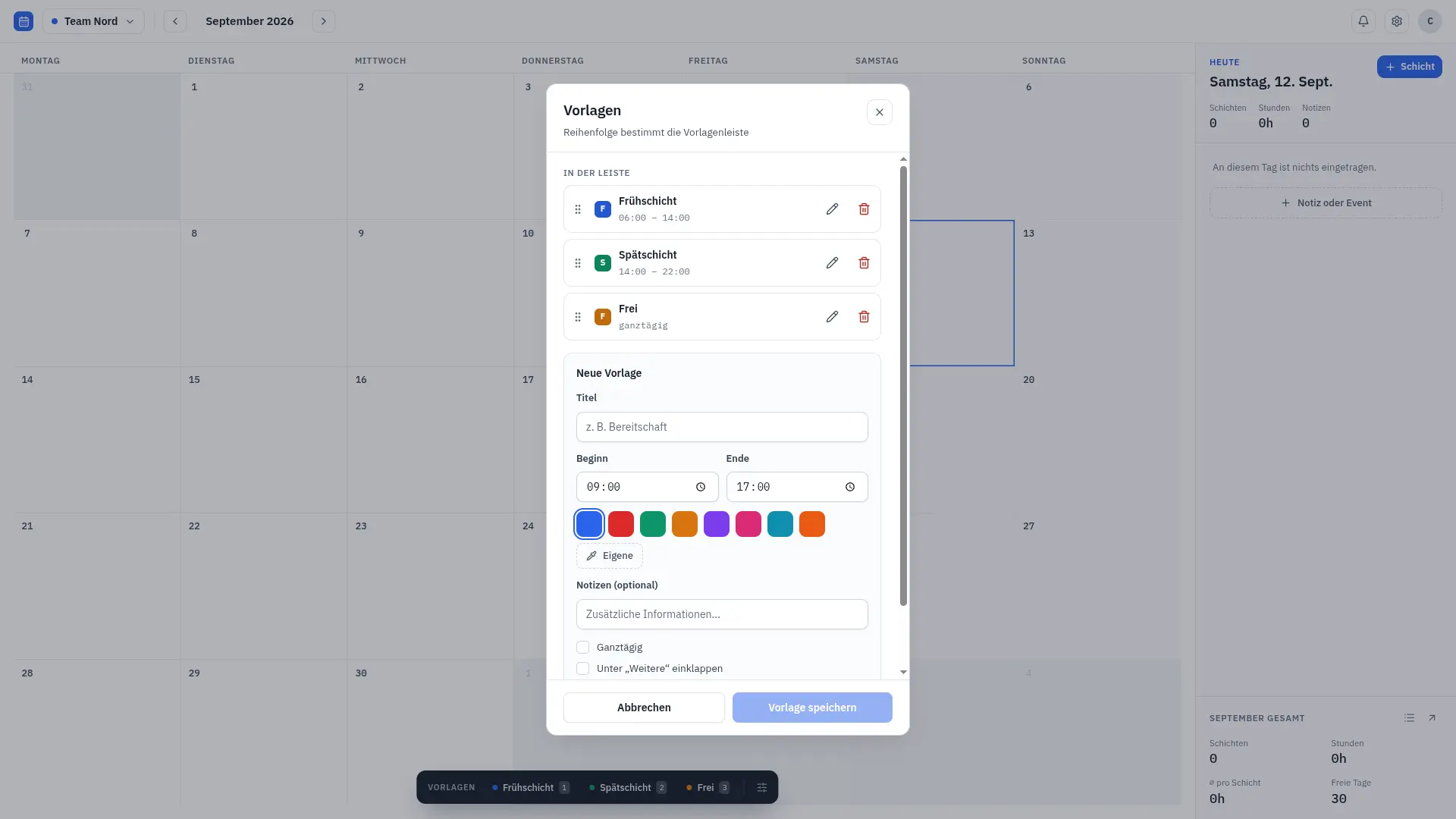
- Plan shifts in one click Save your shift types once, such as early, late or day off, and stamp them onto days from a bar under the calendar.
- Keep a calendar per team or person Make as many calendars as you need, each with its own name, colour and shift types.
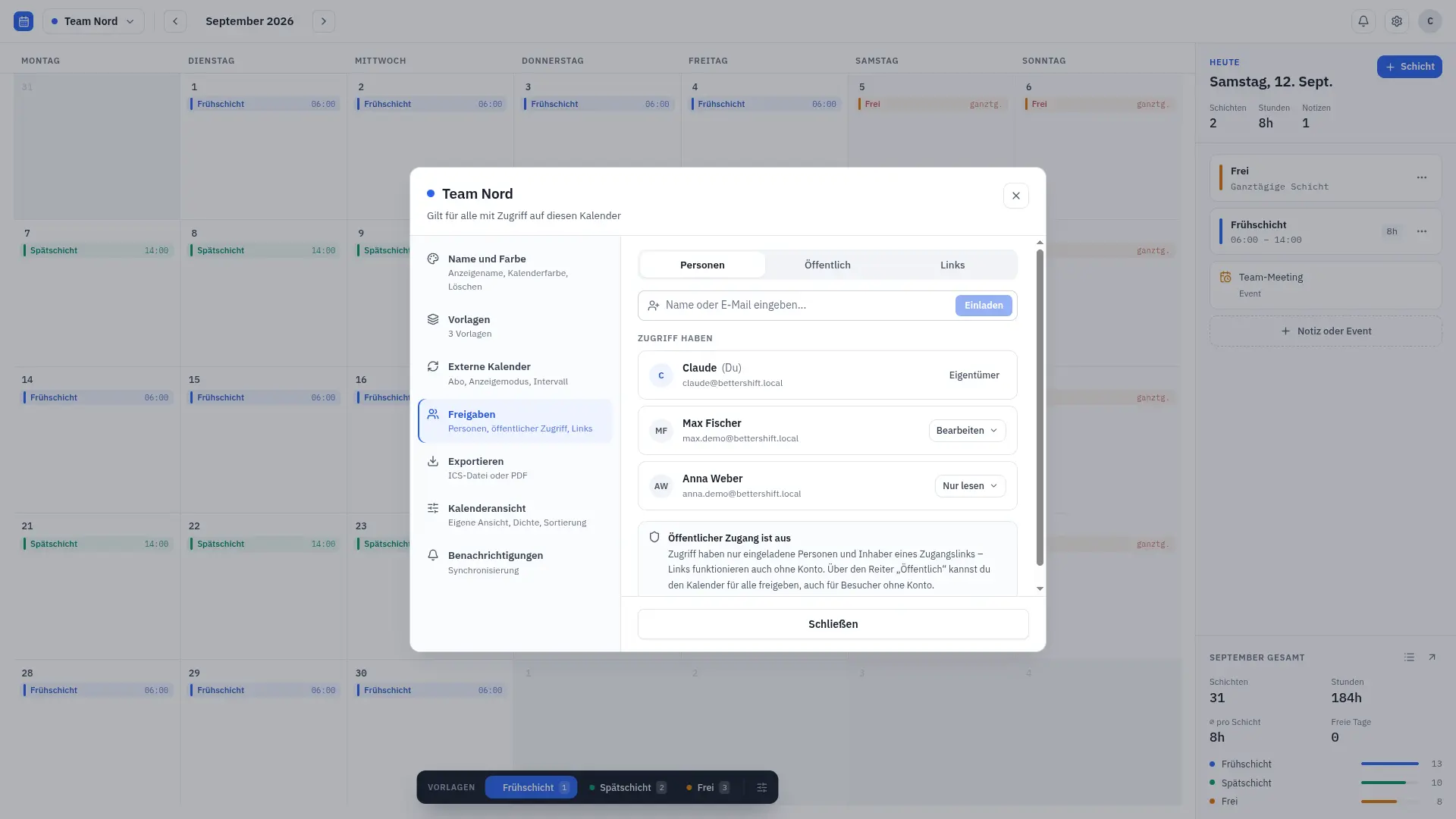
- Share the schedule Invite colleagues by name or email, send a share link, or make a calendar public, and choose what each person may change.
- Fill open shifts Give a shift open slots and let staff sign themselves up for it.
- See it in any calendar app Staff can subscribe to a live calendar link in Google Calendar, Apple Calendar or Outlook, or download the schedule as an ICS or PDF file.
- Bring in other calendars Show public holidays or a work calendar next to your shifts by subscribing to Google, Outlook or iCal calendar links.
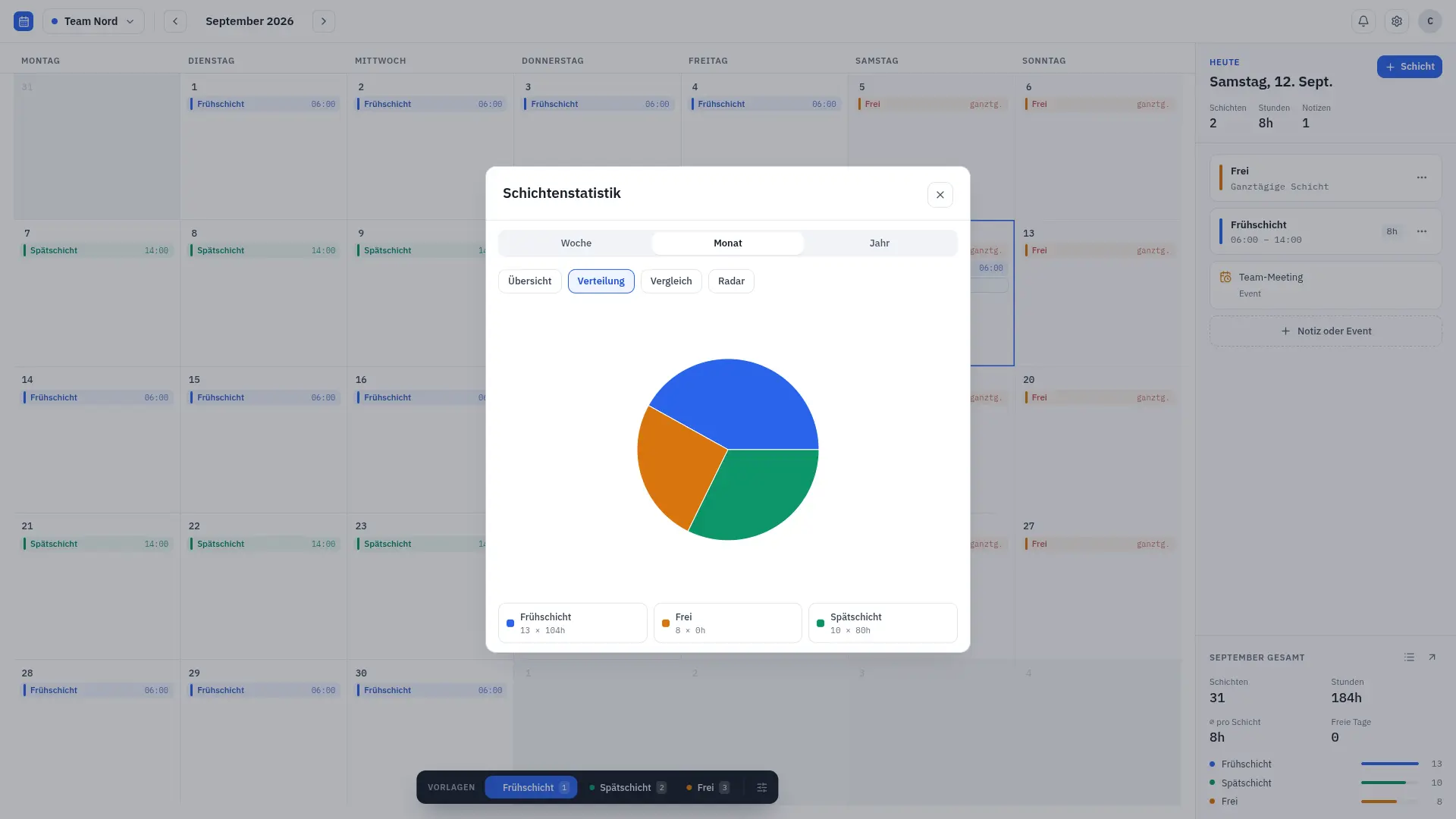
- Count shifts and hours Statistics show how many shifts and hours each shift type adds up to by week, month and year.
- Manage people in one place An admin area lists every user and calendar, with roles, password resets and a log of who did what.
Replaces When I Work and Deputy
BetterShift does the same job as When I Work and Deputy. Here is what changes when you switch.
- No fee per employee; you pay only for the server
- Your staff's schedules stay on your own server
- As many calendars and shift types as you like
- Sign-in with Google, GitHub, Discord or your own single sign-on
- It plans and shares shifts only; there is no time clock, timesheets or payroll
- No time-off requests, shift-swap approvals or team chat
- No app-store phone app; staff add the web app to their home screen instead
- Your When I Work or Deputy schedules do not move across automatically
What happens when you click Deploy?
You do not need a server or any technical knowledge. Four steps, and BetterShift is running at its own web address.
- Step 1 Click Deploy and create your account
Deploy takes you to Cloudgate. Create an account, or log in if you have one. BetterShift itself is free.
- Step 2 Choose a server
No server? Get one from Cloudgate: pick a size and a country, and Cloudgate gets it ready. Already have one? Connect it instead.
- Step 3 Cloudgate sets up BetterShift
It prepares the server, makes the passwords the app needs and starts it. There is nothing to install and nothing to write down.
- Step 4 Open your app and sign in
Your app gets a free web address to start, without https. Add your own domain, like app.yourshop.com, and Cloudgate secures it with https for you.
New to Cloudgate? See what Cloudgate is
Run Cloudgate yourself? Deploy from your own console
In your Cloudgate console, open Templates and choose BetterShift.
Questions
Is BetterShift free?
Yes, BetterShift is free and open source under the MIT licence, with no paid edition and no fee per user. You pay only for the server it runs on.
Is BetterShift a good alternative to When I Work or Deputy?
Yes, if what you need is a shared shift calendar. BetterShift lets you plan shifts, share them with staff and offer open shifts people sign up for, but it has no time clock, timesheets, payroll, time-off requests or team chat, which When I Work and Deputy include.
How do I sign in to BetterShift the first time?
The first person to create an account on the BetterShift sign-in page becomes the admin. There is no default password. After that, colleagues can sign up themselves, or the admin can add them from the admin area.
Can my staff see their BetterShift shifts on their phone?
Yes, staff can open BetterShift in a phone's browser and add it to the home screen like an app, or subscribe to a calendar's live link so shifts appear in Google Calendar, Apple Calendar or Outlook. There is no app-store app.
Can staff pick up open shifts in BetterShift?
Yes. A BetterShift shift can have open slots, and people the calendar is shared with can sign themselves up by default. Managers can also sign other people up.
Can I import my schedule from When I Work or Deputy into BetterShift?
No, BetterShift has no importer for When I Work or Deputy. It can import ICS calendar files and subscribe to calendar links, but you will usually set up your shift types and schedule fresh.
What server size do I need for BetterShift?
A small server is enough, because BetterShift is one light app with its own built-in database and no separate database server. Cloudgate starts it on a small size, and you can move to a bigger server later.
Do I need technical skills to run BetterShift?
No. Click Deploy, create your Cloudgate account and choose a server, and Cloudgate sets up BetterShift and gives it a web address. You use it in your browser like any other online tool.
Do I need my own server for BetterShift?
No. When you deploy BetterShift, hosted Cloudgate can provide a server. If you already rent one, you can connect it instead.
Related apps

Employee onboarding, from preboarding to Slack reminders.

HR and payroll, from hiring to salary slips.

Free HR software with hiring, attendance, leave and payroll in one.

Free HR software for employee records, leave, timesheets and hiring.