
OrangeHRM
Free HR software for employee records, leave, timesheets and hiring.
No server needed to start: Cloudgate can provide one. What happens when you click Deploy
What is OrangeHRM?
OrangeHRM is free, self-hosted HR software: keep employee records, approve leave, track time and run hiring and performance reviews.
OrangeHRM is free, open-source HR software that you can self-host to keep employee records, handle leave, track time and run hiring, much like BambooHR, Zoho People or Personio but with no fee per employee. Cloudgate installs OrangeHRM Starter, the free edition, on your own server.
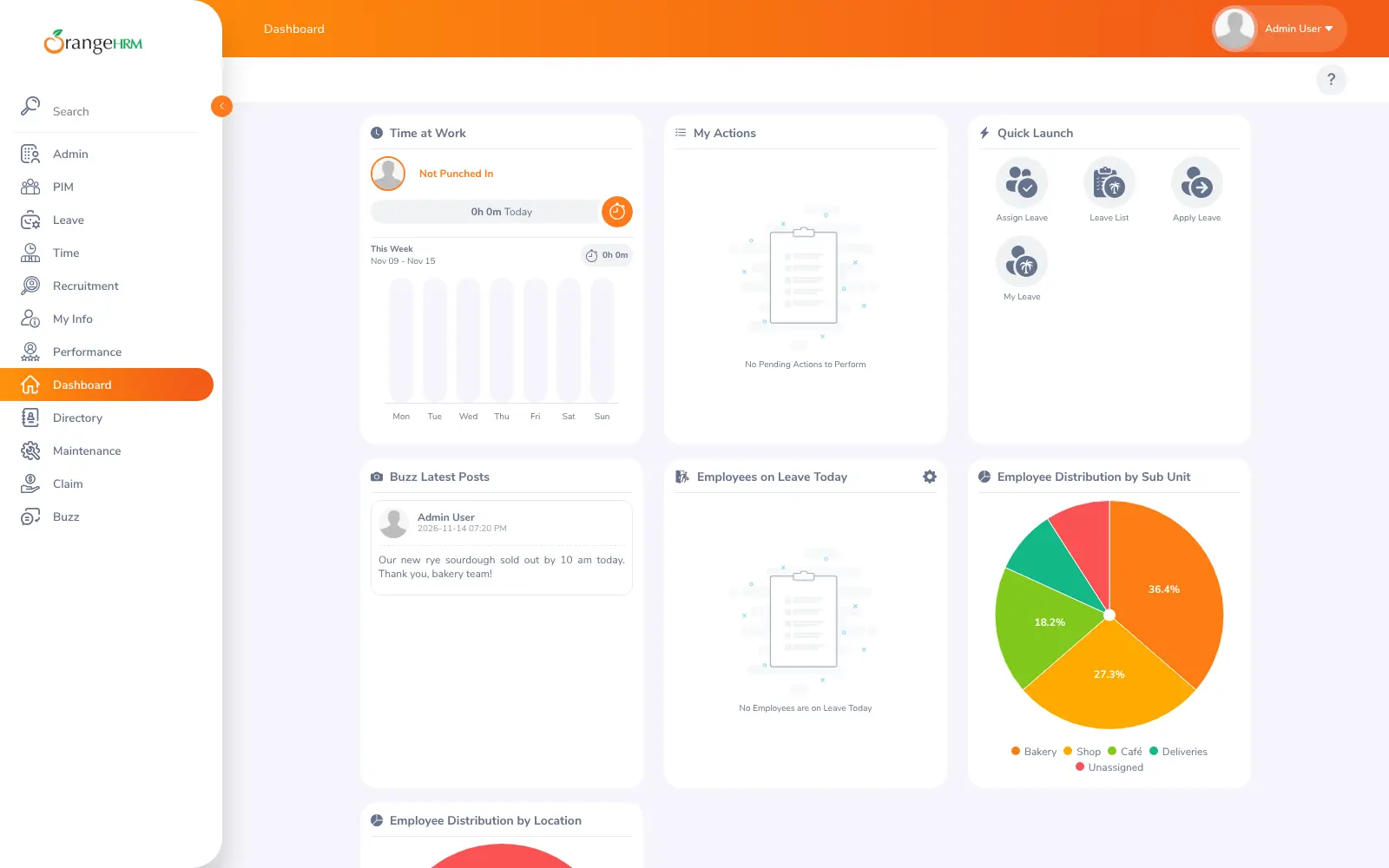
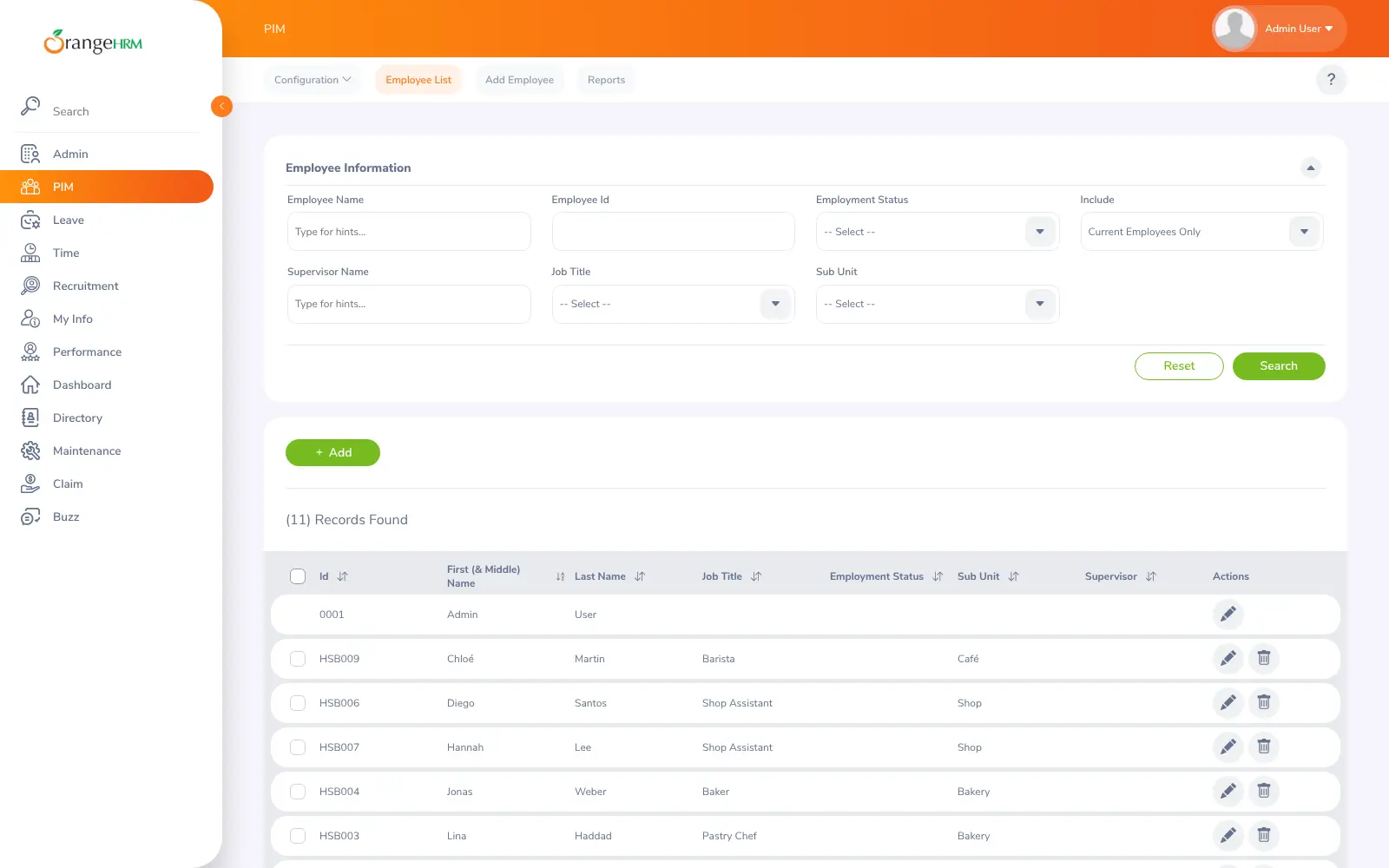
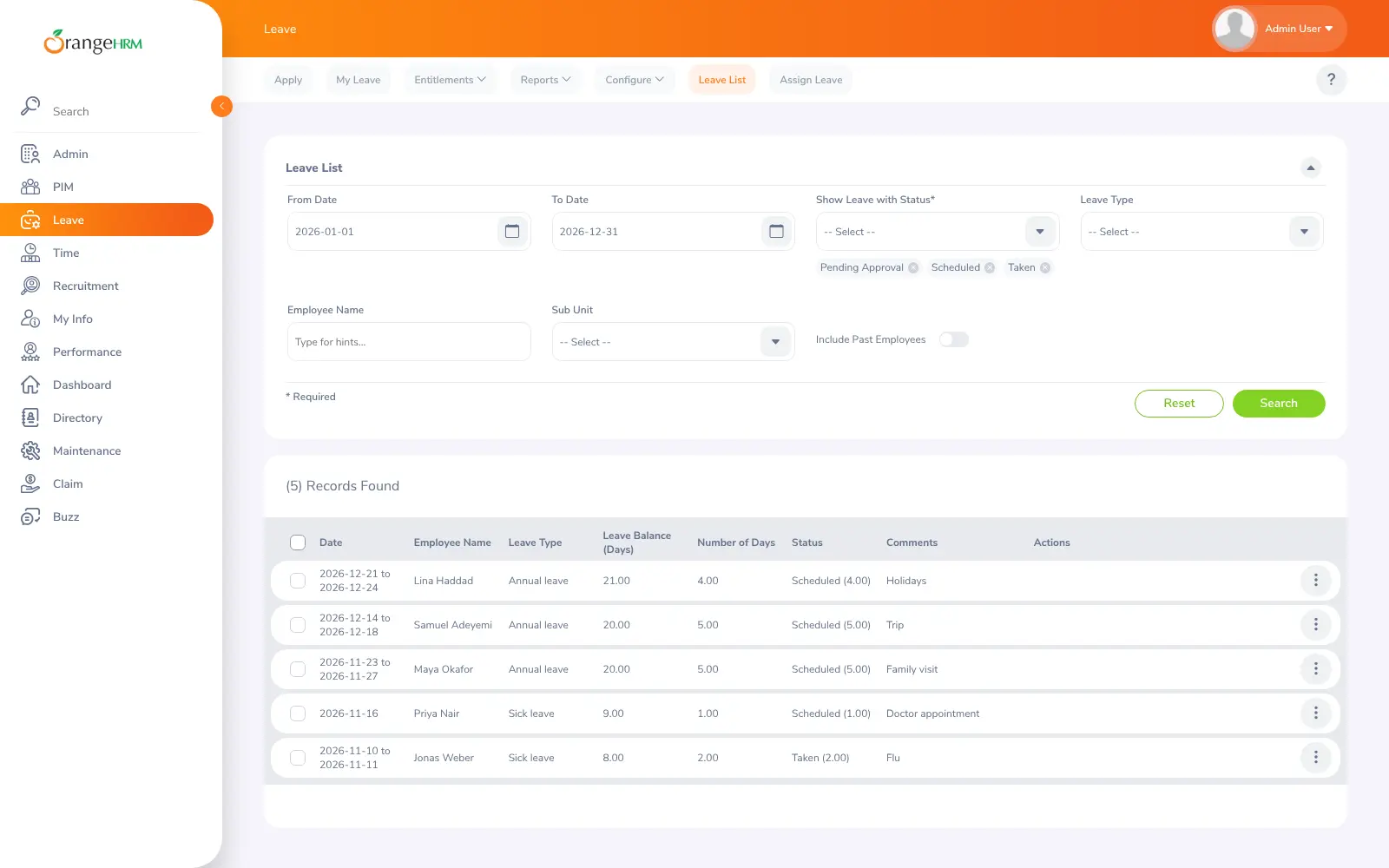
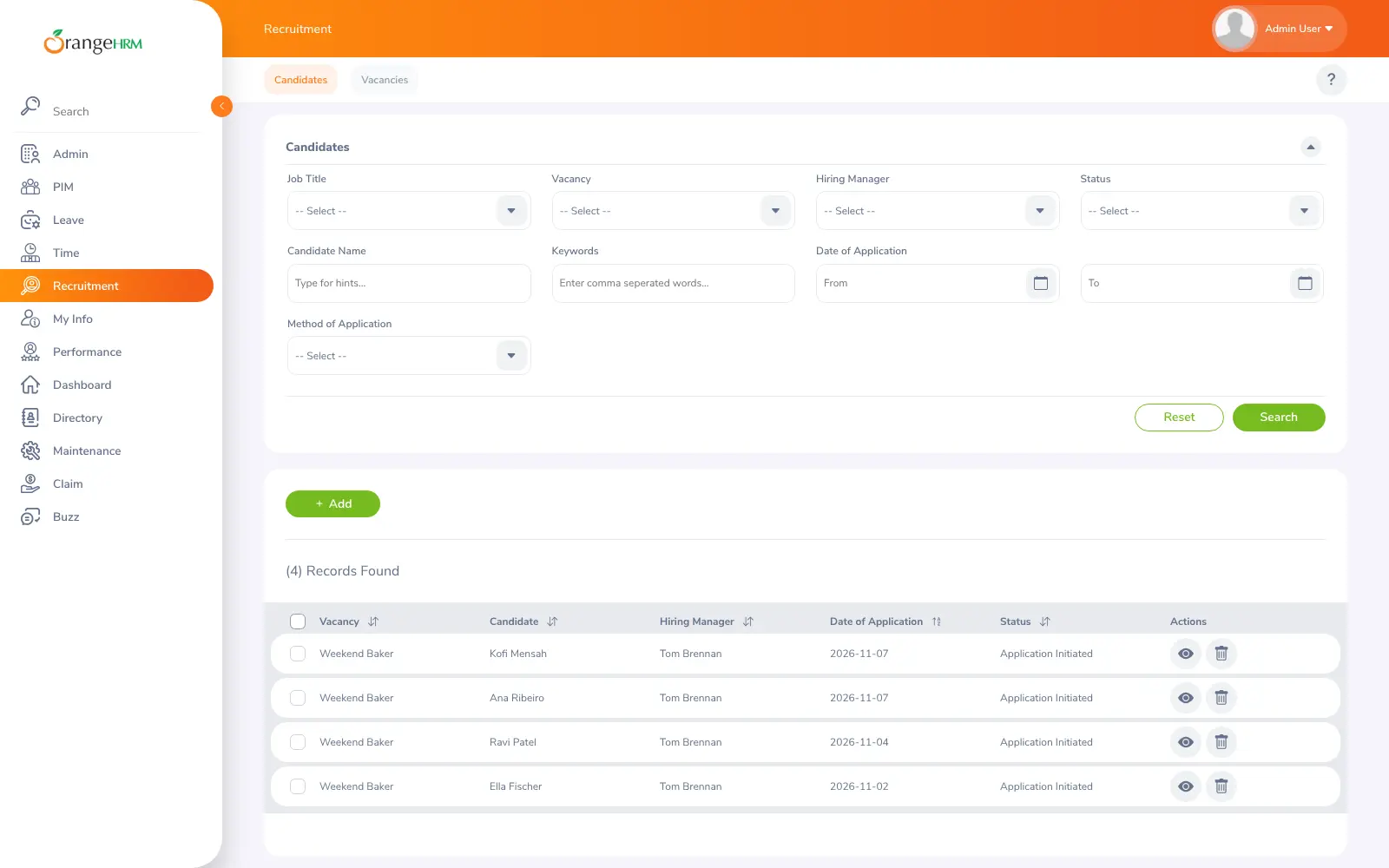
Every employee gets one record with their job, salary, documents and supervisor. Staff apply for leave and managers approve it, timesheets and punch-in times are kept per project, and recruitment follows each candidate for an open job. Performance reviews, expense claims, a staff directory and an internal news feed are included too. A group of three veterinary clinics, for example, could keep every vet's and nurse's contract in one place, see who is off next week across all three sites, and manage applicants for a new receptionist.
OrangeHRM has a free app for Android and iPhone, and can sign people in through your company directory (LDAP) or an OpenID provider. It can also post notifications to Slack and Google Chat. Payroll, onboarding and training are not part of the free edition; they come with the paid Advanced edition.
Cloudgate sets up OrangeHRM and its database together and gives it a secure web address. You sign in as admin with the password Cloudgate creates, then add your staff.
What you can do with OrangeHRM
- Keep every employee record in one place Personal and job details, salary, qualifications, documents and supervisors, with your own extra fields and reports.
- Handle leave requests Staff apply for leave and managers approve it, with entitlements, holidays and work weeks set the way your company works.
- Track time and attendance Staff punch in and out and fill in timesheets per project or customer.
- Run your hiring Post vacancies, follow each candidate through interviews and keep their details with the job.
- Review performance Set key performance indicators for each job, then run reviews and keep track of progress.
- Expense claims and a staff directory Staff submit expense claims, look up colleagues in the directory and share news on an internal feed.
- Use it on the go The free OrangeHRM app for Android and iPhone connects to your own server.
Replaces BambooHR, Zoho People and Personio
OrangeHRM does the same job as BambooHR, Zoho People and Personio. Here is what changes when you switch.
- No fee per employee, however many people you hire
- Staff records, documents and salaries stay on your own server
- Sign-in through your company directory (LDAP) or an OpenID provider is included
- The free Starter edition has no payroll, onboarding, training or surveys; those are in the paid Advanced edition
- The screens are busier and less polished than BambooHR's or Personio's
- Help comes from the community forum, unless you pay OrangeHRM for support
- Email notifications need an email sending service, entered in OrangeHRM's admin settings
What happens when you click Deploy?
You do not need a server or any technical knowledge. Four steps, and OrangeHRM is running at its own web address.
- Step 1 Click Deploy and create your account
Deploy takes you to Cloudgate. Create an account, or log in if you have one. OrangeHRM itself is free.
- Step 2 Choose a server
No server? Get one from Cloudgate: pick a size and a country, and Cloudgate gets it ready. Already have one? Connect it instead.
- Step 3 Cloudgate sets up OrangeHRM
It prepares the server, makes the passwords the app needs and starts it. There is nothing to install and nothing to write down.
- Step 4 Open your app and sign in
Your app gets a free web address to start, without https. Add your own domain, like app.yourshop.com, and Cloudgate secures it with https for you.
New to Cloudgate? See what Cloudgate is
Run Cloudgate yourself? Deploy from your own console
In your Cloudgate console, open Templates and choose OrangeHRM.
Questions
Is OrangeHRM free?
Yes. OrangeHRM Starter, the edition Cloudgate installs, is free, open-source software under the GPL, so you pay only for your server. Its makers also sell a paid Advanced edition, priced per employee per month on request, with extra modules such as onboarding and training.
Does OrangeHRM include payroll?
No. OrangeHRM Starter has no payroll module, and onboarding, training, surveys and rosters are only in the paid Advanced edition. Starter keeps salary details on each employee record, so you can pass them to your payroll provider or accountant.
Is OrangeHRM a good alternative to BambooHR?
Yes, for core HR. OrangeHRM Starter covers employee records, time off, timesheets, hiring and performance reviews with no fee per employee. BambooHR is more polished and adds payroll in the US, onboarding and e-signatures, which Starter does not have.
How do I sign in the first time?
Sign in with the username admin and the password Cloudgate generated, shown on the app's variables page in Cloudgate. OrangeHRM then asks you to choose a new password with at least 8 characters, including an uppercase letter, a lowercase letter, a number and a symbol. Your own employee record is called "Admin User" at first; rename it under My Info.
Can I import my employees from a spreadsheet?
Yes. OrangeHRM imports employees from a CSV file under PIM, Configuration, Data Import. There is no direct importer for BambooHR or other HR tools, so export your staff list to CSV first.
Does OrangeHRM have a mobile app?
Yes. OrangeHRM has a free app for Android and iPhone that connects to your own OrangeHRM server. Staff can also use OrangeHRM in any web browser.
How do I update OrangeHRM to a new version?
OrangeHRM is updated with its own upgrader, which moves your data to the new version's format; switching to a newer version alone does not do this. Make a backup of your server before you upgrade.
Do I need technical skills to run OrangeHRM?
No. Click Deploy, create your Cloudgate account and choose a server, and Cloudgate sets up OrangeHRM and gives it a web address. You use it in your browser like any other online tool.
Do I need my own server for OrangeHRM?
No. When you deploy OrangeHRM, hosted Cloudgate can provide a server. If you already rent one, you can connect it instead.
Related apps

HR and payroll, from hiring to salary slips.

Free HR software with hiring, attendance, leave and payroll in one.

Employee onboarding, from preboarding to Slack reminders.

Holiday requests, approvals and sick notes for your team.