
TryPost
Social media queues that you or your AI assistant fill.
No server needed to start: Cloudgate can provide one. What happens when you click Deploy
What is TryPost?
Self-hosted TryPost queues and schedules social media posts to Instagram, LinkedIn, X, TikTok and more, and lets an AI assistant plan them.
TryPost is an open-source social media scheduler you can self-host, a free alternative to Buffer and Hootsuite built around posting queues and AI assistants. You set the times each channel should post, write a post once, and it takes the next free slot on Instagram, Facebook, LinkedIn, X, TikTok, YouTube, Threads, Pinterest, Bluesky, Mastodon, Google Business Profile, Telegram or Discord.
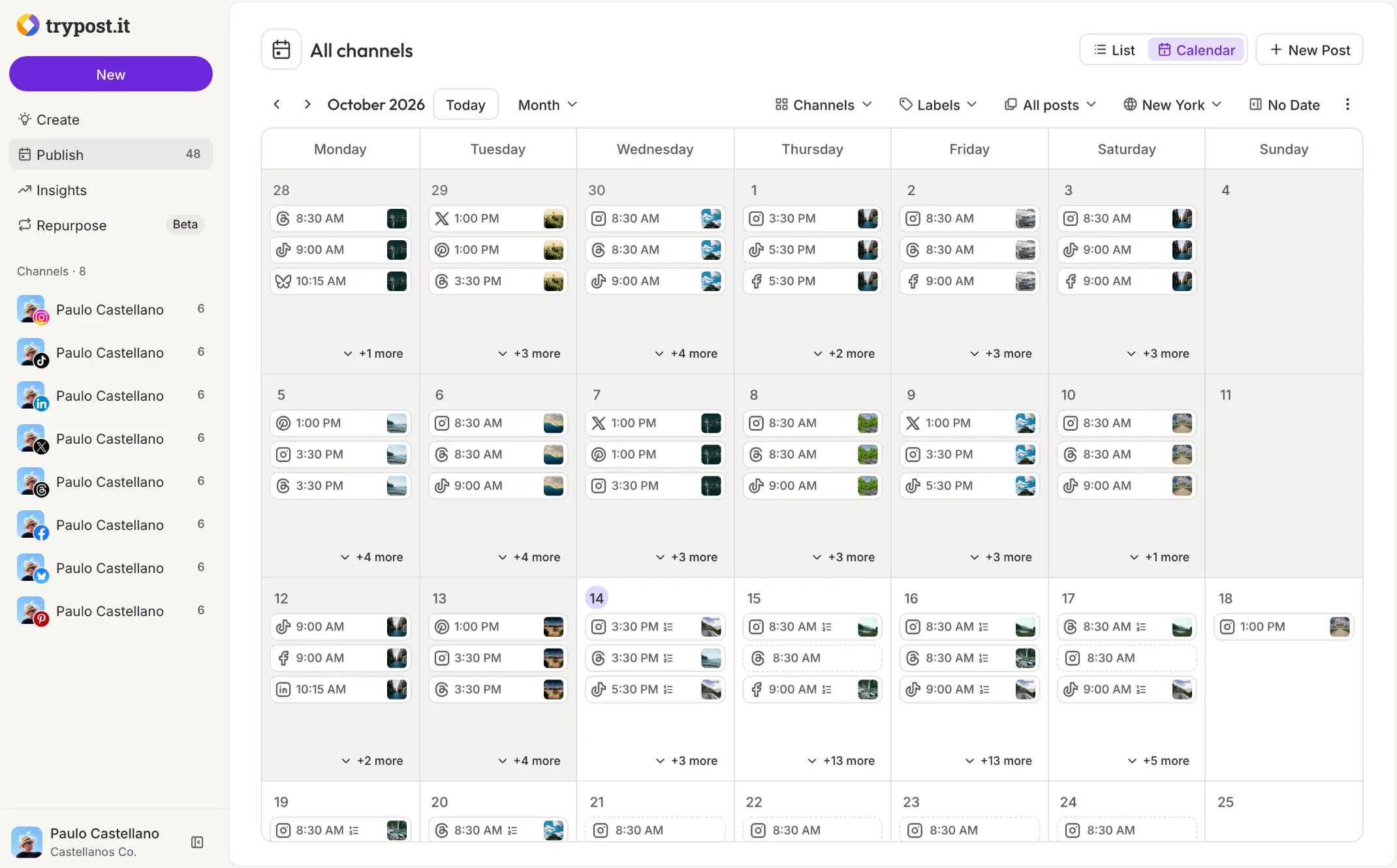
It suits small teams and agencies that plan content ahead. A small tour company, for example, could set Instagram to post at 8:30 am and 3:30 pm, drop a week of trip photos into the queue on Monday, and have the owner approve each one before it goes out. Each client or brand gets its own workspace, ideas board and insights.
You can also hand the routine to an AI assistant: connect Claude or ChatGPT and ask it to write and queue next week's posts. On your own server, Bluesky and Mastodon connect straight away; for the other networks you register a developer app once and add its keys. There is no phone app, but TryPost works in a phone's browser.
Cloudgate installs TryPost and everything it needs on a server Cloudgate provides or one you connect, and gives it a secure web address. You sign in with the admin email you entered at setup and the password Cloudgate created.
What you can do with TryPost
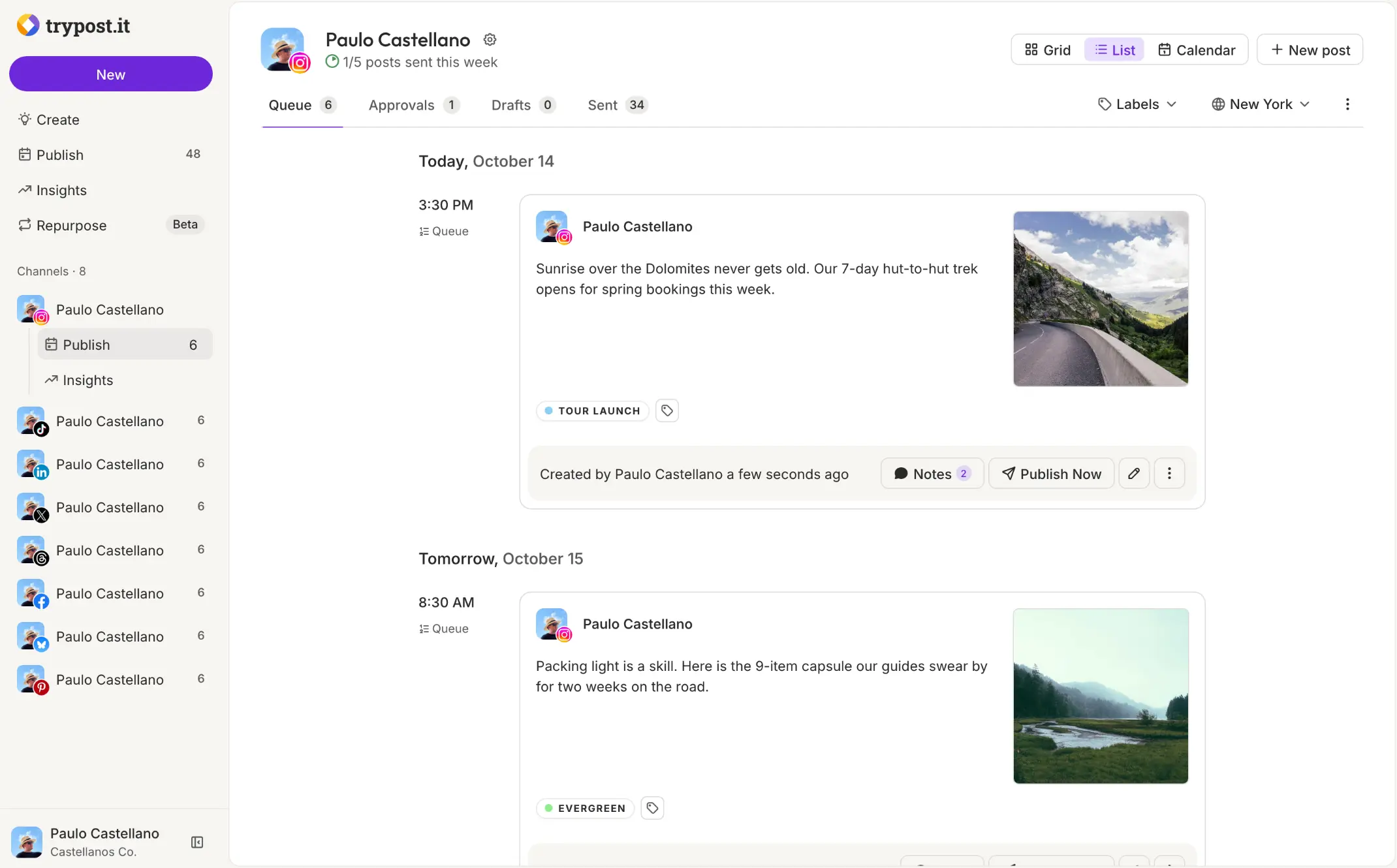
- Fill each channel's queue Set each channel's posting times once, and every new post takes the next free slot; reorder the queue whenever plans change.
- One draft, adjusted per network Write a post once, then customize the text, images and settings for each network, with a live preview of every version.
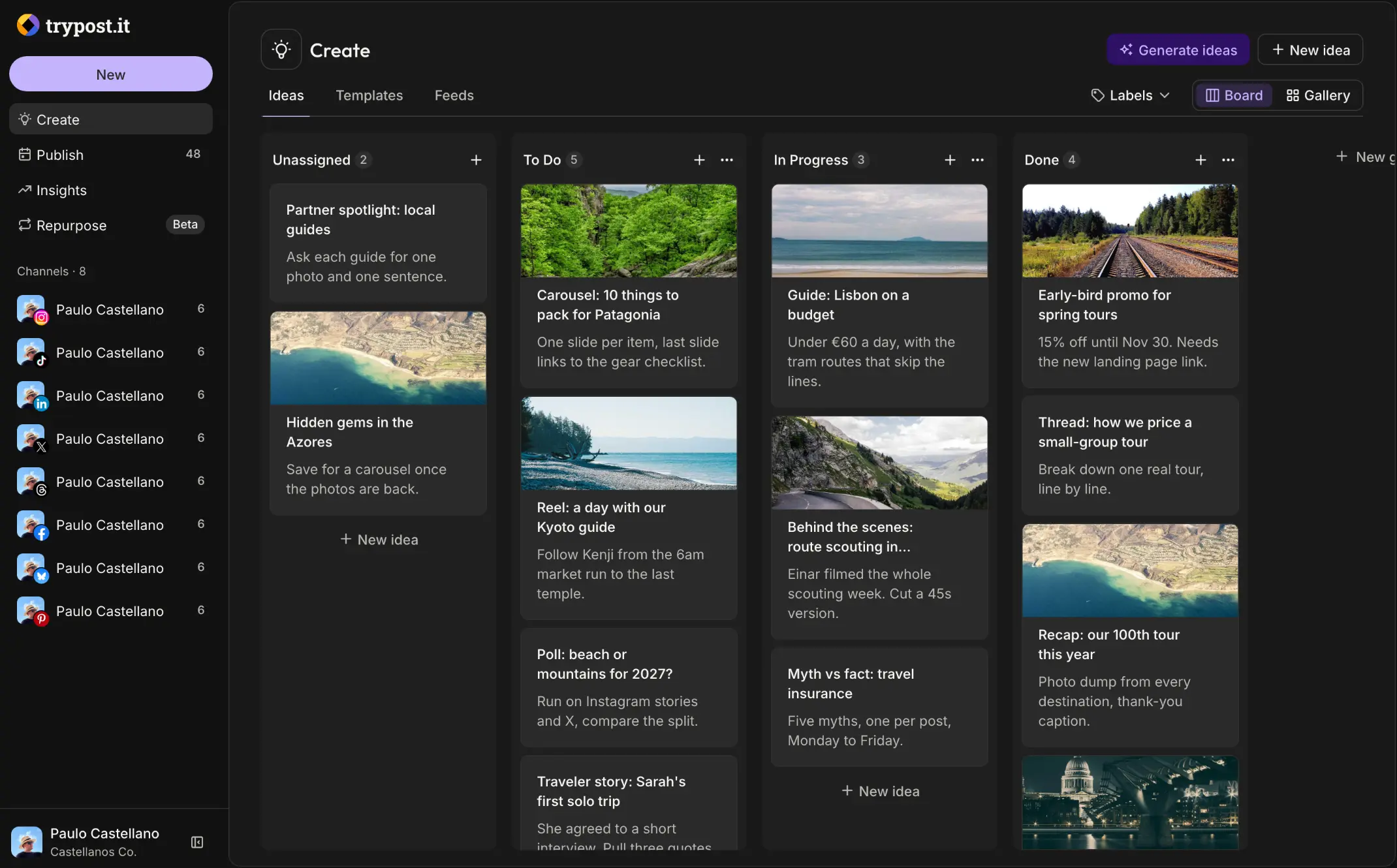
- From idea to post Collect ideas on a board, move them from To Do to Done, save articles from your RSS feeds, and turn any idea into a post.
- Approvals before anything goes live Members who need a review send posts for approval, and an admin approves or rejects them; notes on a post email the team.
- A workspace per brand Keep each client or brand apart, with its own channels, members, posting times and settings.
- Let an AI assistant do the scheduling Connect Claude, ChatGPT or another assistant and ask in plain words for a week of posts, or use the API and webhooks from your own tools.
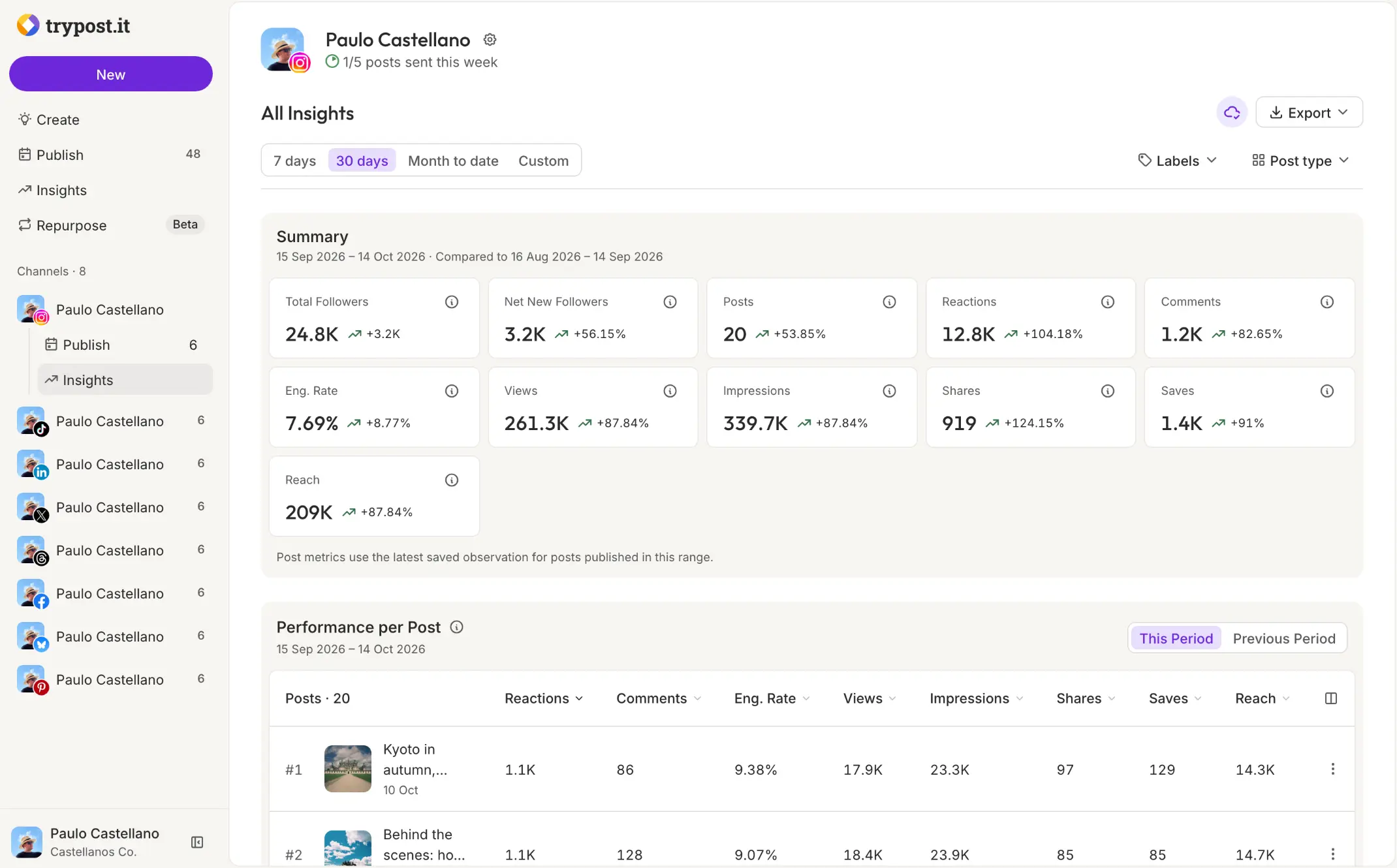
- Follower and post insights Followers, reactions, comments and engagement rate for each channel, compared with the previous period, with your top posts.
Replaces Buffer and Hootsuite
TryPost does the same job as Buffer and Hootsuite. Here is what changes when you switch.
- No fee per channel or per user, and every feature of TryPost Cloud is included
- Posting-time queues like Buffer's, for as many channels and brands as you need
- Your drafts, ideas and statistics stay on your own server
- AI assistants can plan and schedule posts for you through TryPost's own connection
- You register your own developer app with each network except Bluesky and Mastodon
- 13 networks, fewer than some schedulers; Reddit, Slack and WordPress are not among them
- No statistics for LinkedIn, Telegram, Discord or Google Business, and no shared inbox for replies
- Nothing imports from Buffer or Hootsuite, so you reconnect accounts and recreate your queue
What happens when you click Deploy?
You do not need a server or any technical knowledge. Four steps, and TryPost is running at its own web address.
- Step 1 Click Deploy and create your account
Deploy takes you to Cloudgate. Create an account, or log in if you have one. TryPost itself is free.
- Step 2 Choose a server
No server? Get one from Cloudgate: pick a size and a country, and Cloudgate gets it ready. Already have one? Connect it instead.
- Step 3 Cloudgate sets up TryPost
It prepares the server, makes the passwords the app needs and starts it. There is nothing to install and nothing to write down.
- Step 4 Open your app and sign in
Your app gets a free web address to start, without https. Add your own domain, like app.yourshop.com, and Cloudgate secures it with https for you.
New to Cloudgate? See what Cloudgate is
Run Cloudgate yourself? Deploy from your own console
In your Cloudgate console, open Templates and choose TryPost.
Questions
Is TryPost free?
Yes, self-hosted TryPost is free and open source under the AGPL-3.0 licence, and it has every feature of the paid TryPost Cloud, with no limit on channels or team members. You pay for your server, plus an AI service if you want the writing help.
How is TryPost different from Postiz?
TryPost is built around queues and AI assistants. You set posting times for each channel and new posts fill the next free slot, and an assistant such as Claude or ChatGPT can create and schedule posts for you. Postiz covers more networks; TryPost publishes to 13.
Is TryPost a good alternative to Buffer?
Yes, especially if you liked Buffer's queue. TryPost works the same way, posting times per channel with posts filling the next slot, and adds approvals, an ideas board and separate workspaces per brand, without a fee per channel. You do register a developer app with most networks yourself.
Which social networks does TryPost post to?
TryPost posts to Instagram, Facebook, LinkedIn, X, TikTok, YouTube, Threads, Pinterest, Bluesky, Mastodon, Google Business Profile, Telegram and Discord, through each network's official connection. On your own server, Bluesky and Mastodon need no setup; the others need a developer app or bot that you create once.
Can an AI assistant schedule my posts in TryPost?
Yes, TryPost lets you connect Claude, ChatGPT, Cursor or another assistant that supports MCP and ask it in plain words to write, queue and schedule posts or read your statistics. It follows the same rules as people, including approvals.
How do I sign in to TryPost the first time?
Sign in with the admin email you entered when you installed TryPost and the password Cloudgate created for it, shown on the app's variables page in Cloudgate. Public sign-up is closed, so nobody else can create an account; you add teammates with an email invite from the Members settings, which needs email sending set up first.
What server size do I need for TryPost?
TryPost needs about 2 GB of memory even when idle, because it keeps many background workers ready to publish, so Cloudgate asks for a large server with 4 GB. Plan for 20 GB of disk or more if you store many images and videos.
Do I need technical skills to run TryPost?
No. Click Deploy, create your Cloudgate account and choose a server, and Cloudgate sets up TryPost and gives it a web address. You use it in your browser like any other online tool.
Do I need my own server for TryPost?
No. When you deploy TryPost, hosted Cloudgate can provide a server. If you already rent one, you can connect it instead.
Can I move my data from Buffer to TryPost?
Most people export from Buffer and import into TryPost. The official guides at docs.trypost.it walk through it.
Related apps

Schedule posts to 30+ social networks from one self-hosted calendar.

Write a post once and schedule it to every social account you run.

Let clients book time with you from a simple link.

A light, self-hosted booking link for consultants and small teams.