
Swing Music
A self-hosted music server and web player for the songs you own.
No server needed to start: Cloudgate can provide one. What happens when you click Deploy
What is Swing Music?
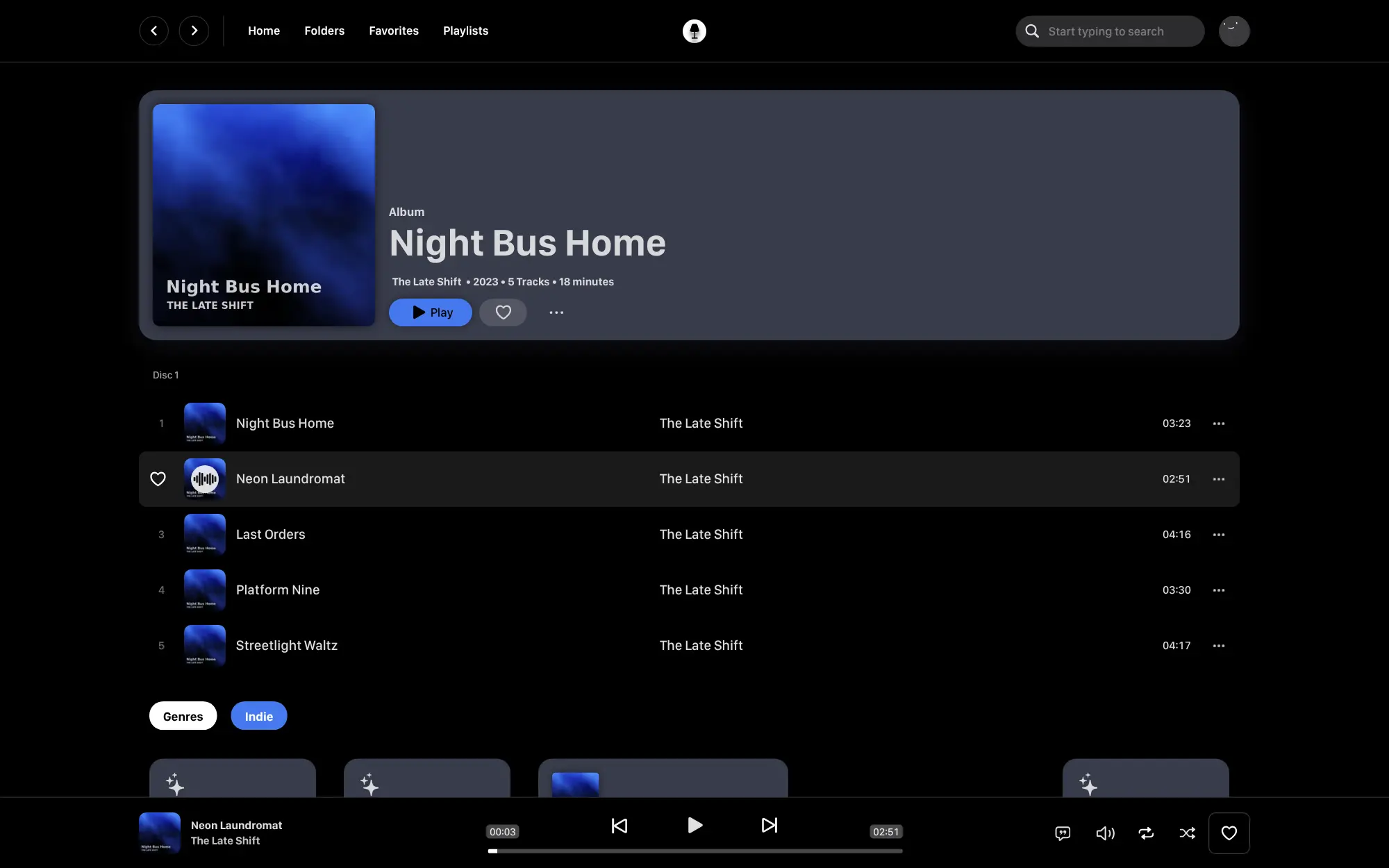
Swing Music is a self-hosted music streaming server: play the music you own in a polished web player or the Android app, with no subscription.
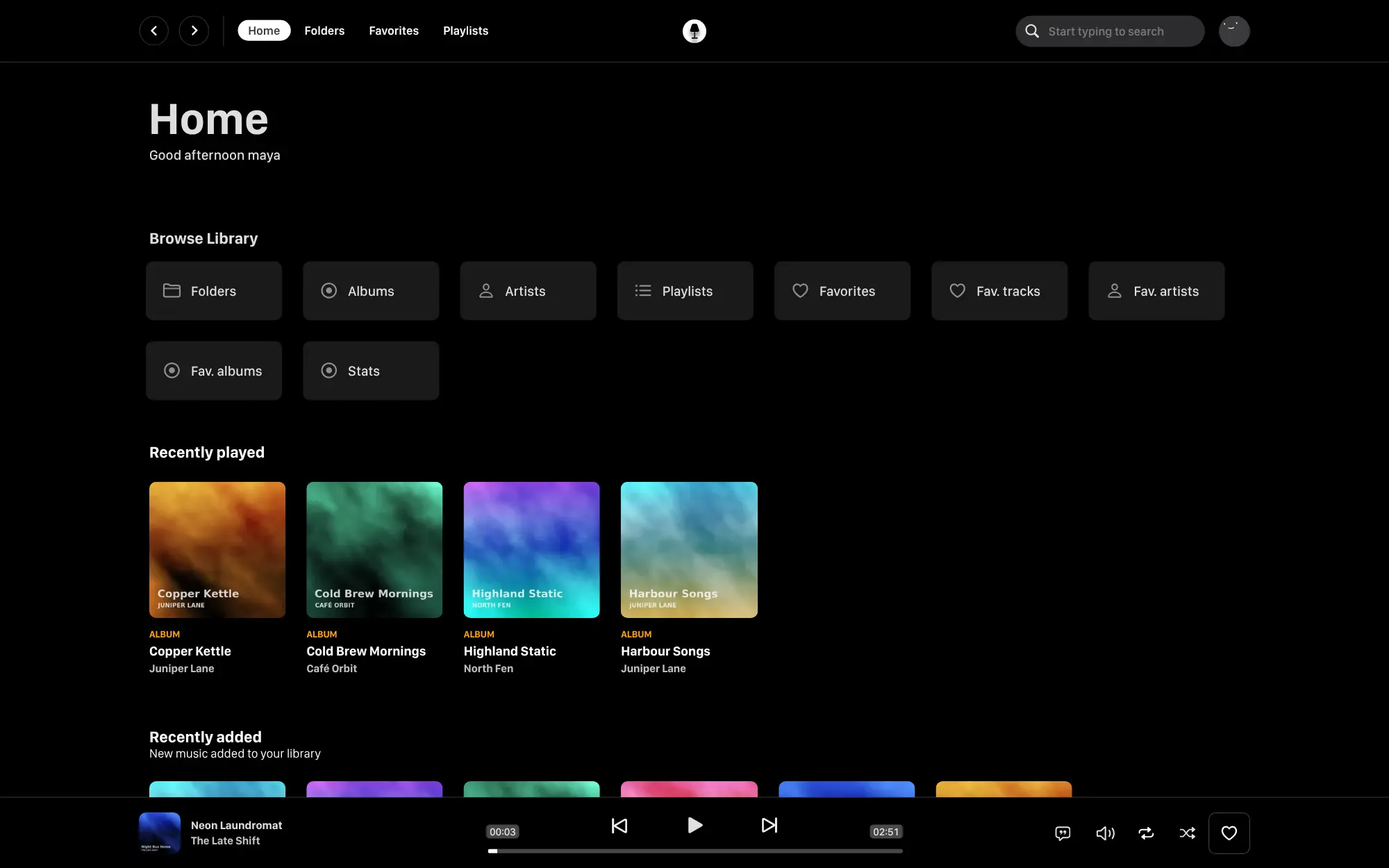
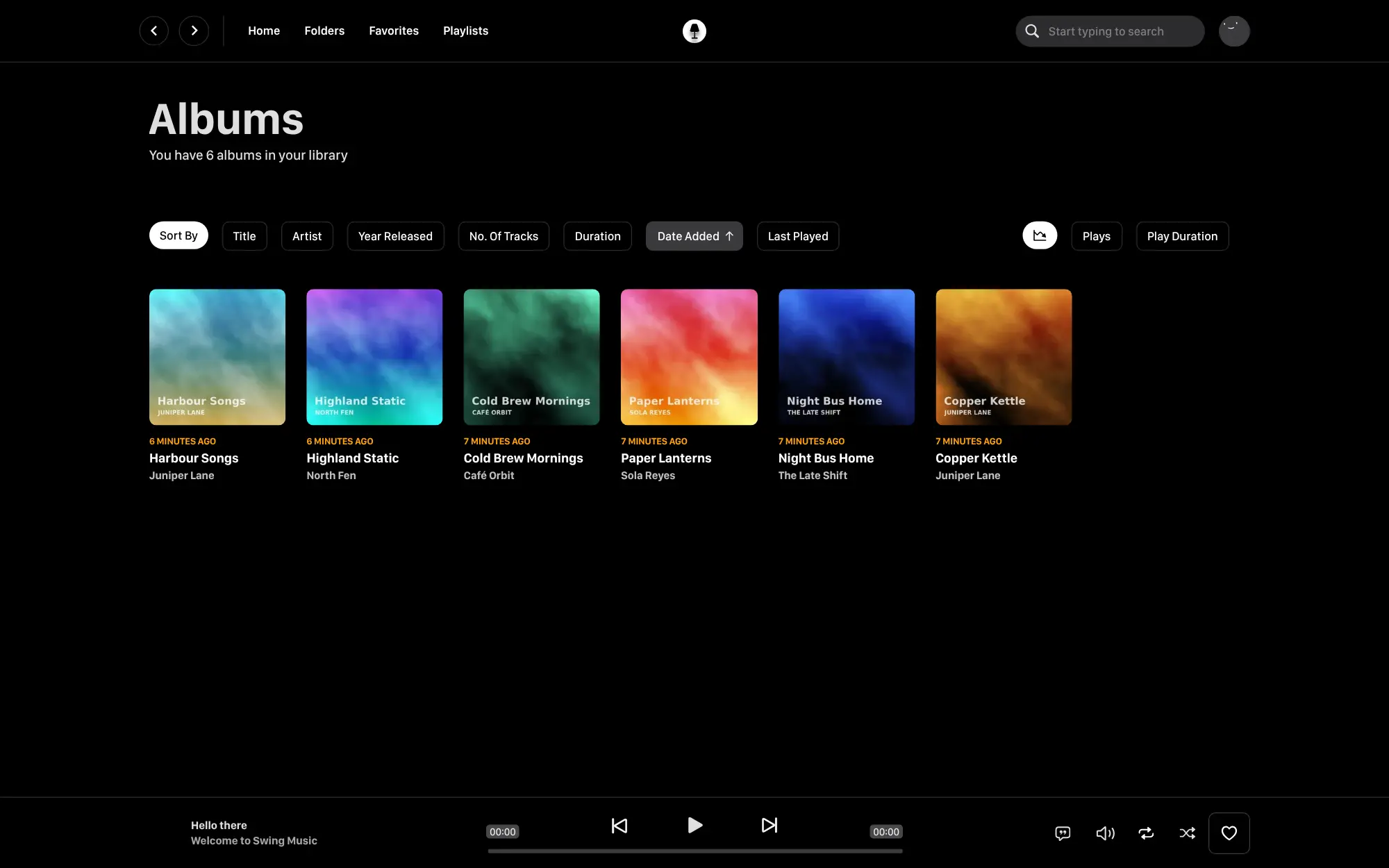
Swing Music is a free, open-source, self-hosted music server that plays the music you own in a web player, much like Spotify but for your own files. It reads your songs, tidies their tags, and sorts them into albums, artists and folders, with playlists, collections, typo-tolerant search and listening stats.
A café, for example, could upload its own collection of albums once and play them from any laptop or phone browser behind the counter, while each staff member keeps their own favourites and playlists in a separate account.
The free Android app connects by scanning a QR code; there is no iPhone app, but the web player works in a phone's browser. Swing Music can log what you play to Last.fm. Some extras, such as mixes and recommendations, share links and transcoding, need a paid Swing Music licence. It has no music catalogue: you bring your own music.
Cloudgate installs Swing Music on a server Cloudgate provides or one you connect, with FileBrowser at a second address for uploading your songs, and gives both a secure web address. Open the app's address first to create your admin account.
What you can do with Swing Music
- Play your music in the browser Browse your songs by album, artist or folder, search the whole library and play it in a clean, modern web player.
- A tidy library on its own Swing Music cleans up messy song tags, groups editions such as Deluxe or Remaster, and hides duplicate songs, keeping the best-quality copy.
- Browse by folder Walk through your music the way it sits on disk, which suits collections sorted into folders by hand.
- Search that forgives typos Find a song, album or artist even when you don't get the spelling right.
- Collections and playlists Make playlists of songs, and collections that group whole albums and artists on one page.
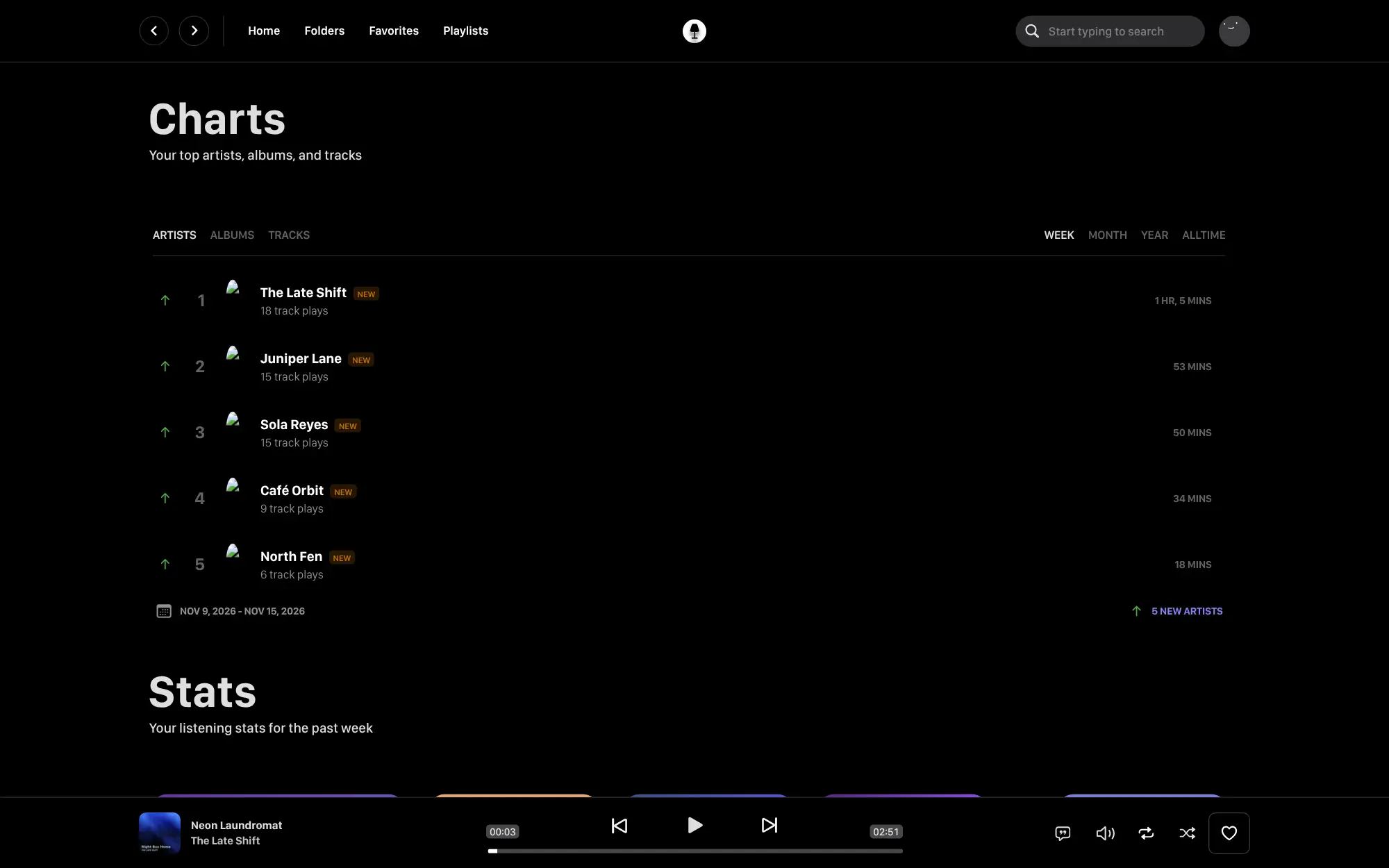
- Listening stats and Last.fm See your top artists, albums and songs over the last week, month or year, and log what you play to Last.fm.
- Accounts for the household The admin adds an account for each person, with their own favourites, playlists and listening history.
- Android app The free Swing Music app for Android connects to your server by scanning a QR code from the web player.
Replaces Spotify
Swing Music does the same job as Spotify. Here is what changes when you switch.
- No monthly subscription and no ads
- You hear your own files in the quality you chose, and nothing disappears when a licence ends
- A clean library sorted by album, artist and folder, with stats on what you play
- You bring the music; there is no catalogue, and mixes and recommendations need Swing Music's paid licence
- There is an Android app but no iPhone app, and third-party music apps can't connect to it
- New songs appear after a scan from the settings, not the moment you upload them
- Playlists can't be imported from Spotify or Apple Music, so you rebuild them in Swing Music
What happens when you click Deploy?
You do not need a server or any technical knowledge. Four steps, and Swing Music is running at its own web address.
- Step 1 Click Deploy and create your account
Deploy takes you to Cloudgate. Create an account, or log in if you have one. Swing Music itself is free.
- Step 2 Choose a server
No server? Get one from Cloudgate: pick a size and a country, and Cloudgate gets it ready. Already have one? Connect it instead.
- Step 3 Cloudgate sets up Swing Music
It prepares the server, makes the passwords the app needs and starts it. There is nothing to install and nothing to write down.
- Step 4 Open your app and sign in
Your app gets a free web address to start, without https. Add your own domain, like app.yourshop.com, and Cloudgate secures it with https for you.
New to Cloudgate? See what Cloudgate is
Run Cloudgate yourself? Deploy from your own console
In your Cloudgate console, open Templates and choose Swing Music.
Questions
Is Swing Music free?
Yes, the music server and web player are free, open-source software under the AGPL-3.0 licence, and you pay only for your server. Some extras need a paid Swing Music licence, by subscription or one payment, including mixes and recommendations, share links for friends, a swingmx.com web address and transcoding; none of those are in the free edition.
Is Swing Music a good alternative to Spotify?
Yes, if you already own your music as files. Swing Music streams your own songs in a polished, Spotify-like web player with no subscription or ads, but it has no music catalogue, so it plays only what you upload, and its mixes and recommendations need the paid licence.
How do I sign in to Swing Music the first time?
There is no default password. The first person to open Swing Music's web address creates the admin account by choosing a username and password, so open it right after setup. Then choose the /music folder as your music folder; the admin adds everyone else later.
How do I add my music to Swing Music?
Open the second web address Cloudgate gives this app, which is FileBrowser, and sign in as admin with the password Cloudgate shows. Drag in your music files or folders, then start a scan in Swing Music's settings, or turn on its automatic scans so new songs appear on their own.
Is there a Swing Music app for iPhone or Android?
Android yes, iPhone no. Swing Music has a free official Android app, which you install from the project's GitHub page and connect by scanning a QR code in the web player's settings. There is no iPhone app, and the server doesn't support Subsonic, so other music apps can't connect; on an iPhone, use the web player in the browser.
Should I choose Swing Music or Navidrome?
Choose Swing Music for its polished web player, folder view, collections and listening stats; choose Navidrome if you want to use third-party music apps, because Navidrome supports Subsonic apps on iPhone and Android and Swing Music doesn't. Both are free, self-hosted servers for music you already own.
Can I import my playlists from Spotify?
No, Swing Music has no playlist import from Spotify. Upload the music files you own, then rebuild your playlists or group albums into collections in Swing Music.
Do I need technical skills to run Swing Music?
No. Click Deploy, create your Cloudgate account and choose a server, and Cloudgate sets up Swing Music and gives it a web address. You use it in your browser like any other online tool.
Do I need my own server for Swing Music?
No. When you deploy Swing Music, hosted Cloudgate can provide a server. If you already rent one, you can connect it instead.
Related apps

A self-hosted music server that works with almost any music app.

A self-hosted music server with its own free iPhone and Android apps.

A self-hosted music server with a rich web player for your own songs.

A light, self-hosted music server with its own phone apps.