
Spree Commerce
Your own online store engine for retail, wholesale and marketplaces.
No server needed to start: Cloudgate can provide one. What happens when you click Deploy




What is Spree Commerce?
Spree Commerce is a self-hosted e-commerce platform to run an online store, wholesale shop or marketplace, with products, orders and payments in one dashboard.
Spree Commerce is a free, open-source, self-hosted e-commerce platform for retail, wholesale and multi-vendor marketplaces, and an alternative to Shopify and BigCommerce with no monthly plan and no fee on each sale. It gives you a store engine and an admin dashboard for running the business behind your shop.
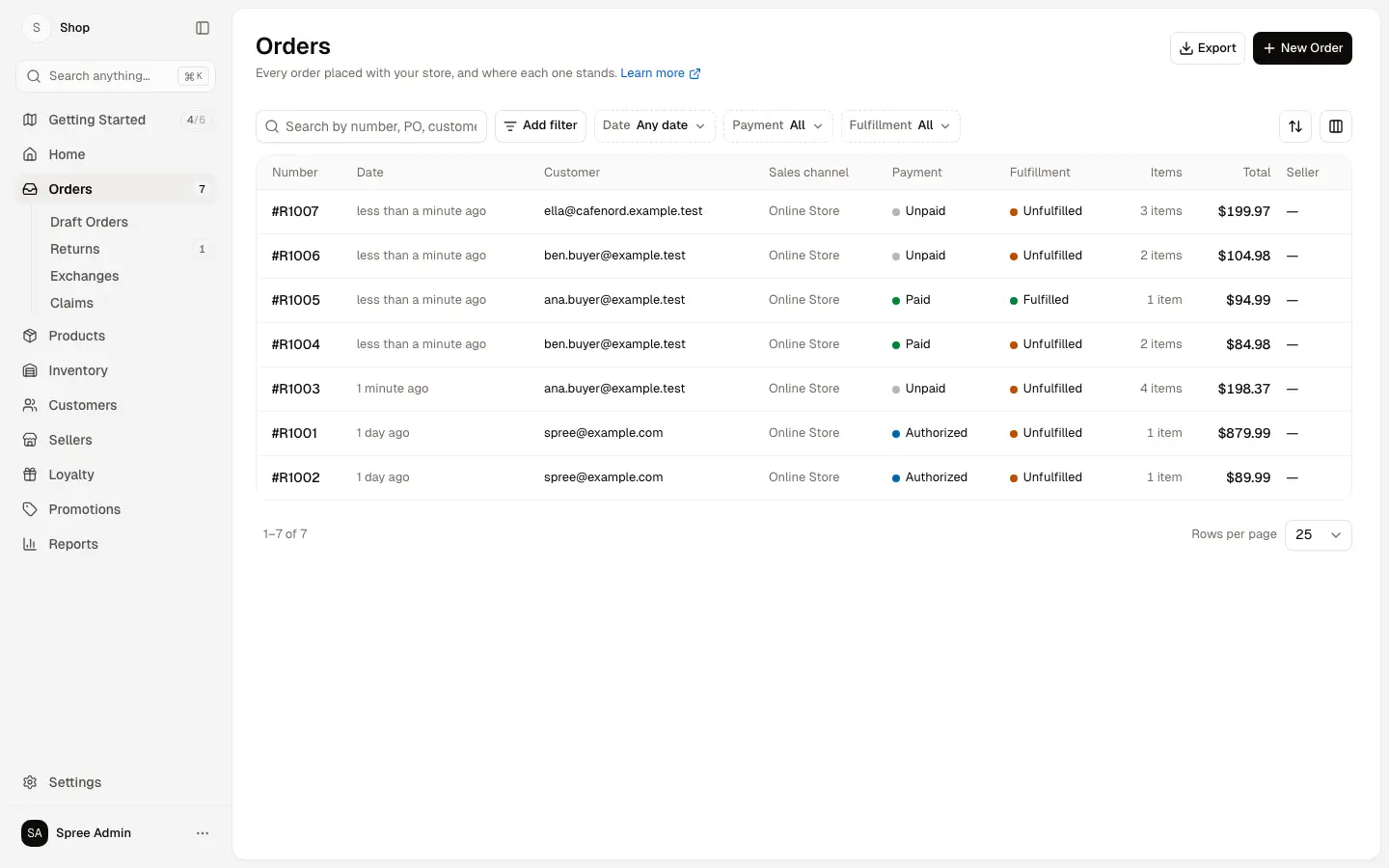
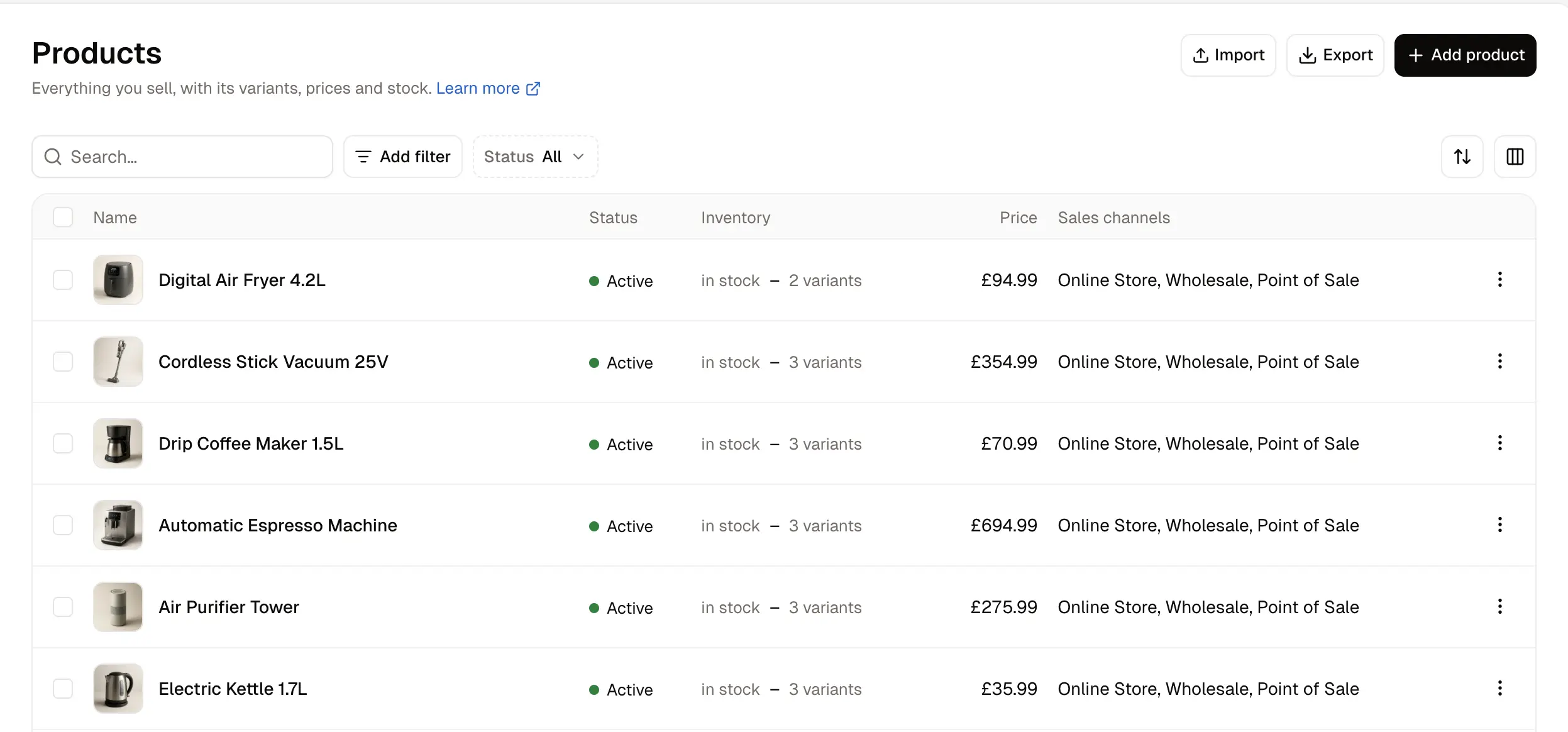
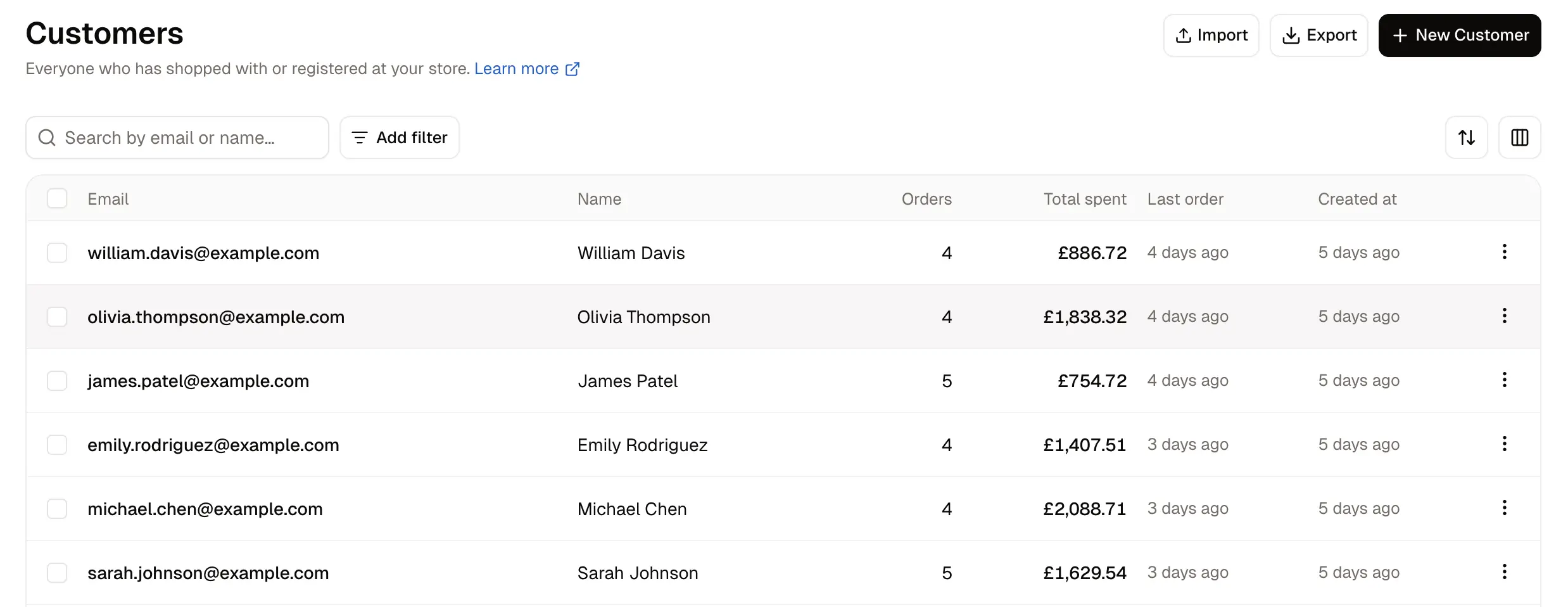
From the dashboard you manage products, stock, orders, customers, promotions and reports, take card payments through your own Stripe account, and set up markets so each country sees its own currency, language and tax. Wholesale price lists, company accounts and a marketplace for other sellers are part of the free edition. A kitchenware wholesaler, for example, could sell to the public at retail prices, show volume prices only to approved cafés and restaurants, and run separate markets for the UK and the EU.
Spree is headless: the shop your customers browse is a separate storefront that talks to Spree, such as Spree's own open-source Next.js storefront or a mobile app, so plan on a developer for that part. Products and customers can come in from Shopify as CSV files.
Cloudgate installs Spree on a server Cloudgate provides or one you connect, together with its PostgreSQL database, gives it a secure web address and creates your admin account.
What you can do with Spree Commerce
- Manage products and stock Add products with variants, photos, prices and stock across several locations, and import or export your whole catalogue as a CSV file.
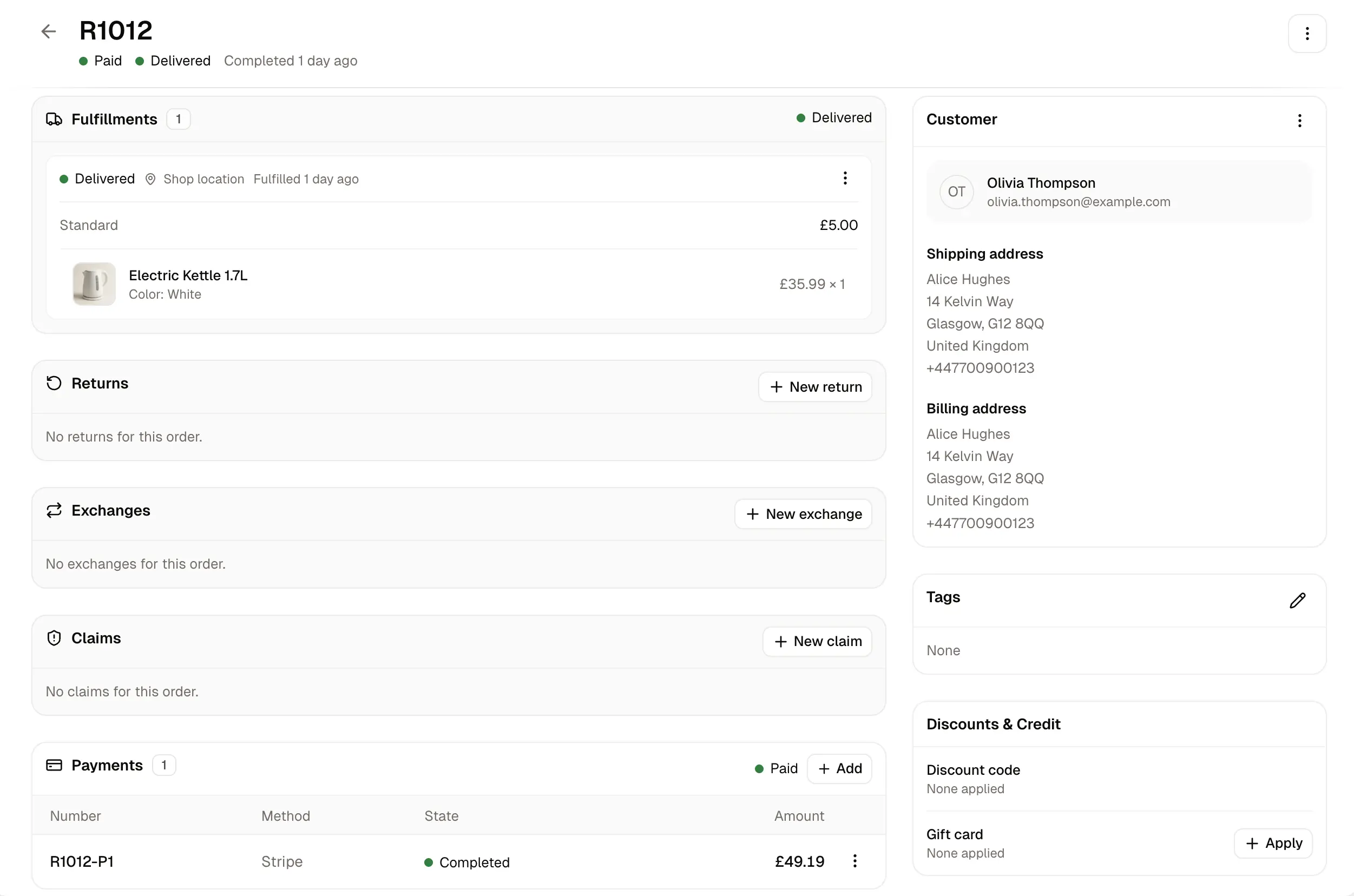
- Handle every order Follow each order's payment and delivery status, create draft orders for phone or invoice sales, and process returns, exchanges and claims.
- Take payments Connect your Stripe account in the settings to take cards, or use PayPal, Adyen, store credit or pay by invoice.
- Sell in several countries Group the countries you sell to into markets, each with its own currency, languages and tax shown in or added to the price.
- Sell to businesses Give trade customers their own price lists and volume discounts, company accounts with tax exemptions, and hide prices until a buyer is approved.
- Run a marketplace Let other sellers trade on your site, with an onboarding checklist, commission rates, payouts through Stripe Connect and a seller panel where each seller manages its own products and orders.
- Run promotions and gift cards Create discount codes, free shipping and buy-one-get-one offers, and sell gift cards or give store credit.
- See your numbers Built-in reports show sales over time, top products and customers, payments by method and stock movement, ready to filter and export.
Replaces Shopify and BigCommerce
Spree Commerce does the same job as Shopify and BigCommerce. Here is what changes when you switch.
- No monthly plan and no platform fee on each sale; you pay your server and your payment provider's card fees
- Wholesale price lists, selling in several countries and a multi-vendor marketplace are in the free edition
- Your products, orders and customer data stay on your server
- Open code under the BSD licence, with a full API for your shop, apps and other systems
- The setup gives you the admin dashboard and your store's API; the shop customers see is a separate storefront a developer sets up and connects
- There is no theme store or app store like Shopify's; changes beyond the settings are developer work
- Shopify products and customers move across as CSV files, but orders do not
- Some features, such as approval workflows, running many separate stores for clients and Shopify seller sync, are in the paid Enterprise Edition
What happens when you click Deploy?
You do not need a server or any technical knowledge. Four steps, and Spree Commerce is running at its own web address.
- Step 1 Click Deploy and create your account
Deploy takes you to Cloudgate. Create an account, or log in if you have one. Spree Commerce itself is free.
- Step 2 Choose a server
No server? Get one from Cloudgate: pick a size and a country, and Cloudgate gets it ready. Already have one? Connect it instead.
- Step 3 Cloudgate sets up Spree Commerce
It prepares the server, makes the passwords the app needs and starts it. There is nothing to install and nothing to write down.
- Step 4 Open your app and sign in
Your app gets a free web address to start, without https. Add your own domain, like app.yourshop.com, and Cloudgate secures it with https for you.
New to Cloudgate? See what Cloudgate is
Run Cloudgate yourself? Deploy from your own console
In your Cloudgate console, open Templates and choose Spree Commerce.
Questions
Is Spree Commerce free?
Yes, Spree Commerce is free and open source under the BSD-3-Clause licence, with no fee on your sales. Its maker also sells a paid Enterprise Edition with extras such as approval workflows, many separate stores for clients and support contracts, but the products, orders, payments, wholesale, markets and marketplace features on this page are in the free edition.
Is Spree Commerce a good alternative to Shopify?
Yes, for a business with developer help that wants to own its store, sell wholesale or run a marketplace. Spree Commerce has no plan or sales fees and puts B2B and marketplace features in the free core, but Shopify is easier for a small shop on its own, because Spree's customer-facing shop is a separate storefront and there is no app store; WooCommerce is the simpler self-hosted choice for most small shops.
Does Spree Commerce include the shop my customers see?
No, this template installs the Spree Commerce admin dashboard and the API your shop talks to, not the shop front itself. Spree offers a free, open-source Next.js storefront, or a developer can build one or a mobile app; you connect it under Settings, Storefront & checkout.
How do I sign in to Spree Commerce the first time?
Go to your Spree Commerce address followed by /dashboard and sign in with the email you gave Cloudgate and the password Cloudgate created for it, which is shown on the app's variables page. Your store starts set up for the country you chose, with no products yet.
Can I move my store from Shopify to Spree Commerce?
Partly. The Spree Commerce guide shows how to import the product and customer CSV files Shopify exports, including variants, images, categories and addresses, by matching Shopify's columns to Spree's. Orders do not move across this way.
Can Spree Commerce run a B2B shop or a multi-vendor marketplace?
Yes, both are in the free edition of Spree Commerce. For B2B it has price lists with volume tiers, customer groups, company accounts and hidden prices for unapproved buyers; for marketplaces it has seller onboarding, commission rates and payouts through Stripe Connect.
What server size do I need for Spree Commerce?
Spree Commerce says a store starts comfortably on 1 GB of memory. It runs as one app with a PostgreSQL database, which Cloudgate sets up for you.
Do I need technical skills to run Spree Commerce?
No. Click Deploy, create your Cloudgate account and choose a server, and Cloudgate sets up Spree Commerce and gives it a web address. You use it in your browser like any other online tool.
Do I need my own server for Spree Commerce?
No. When you deploy Spree Commerce, hosted Cloudgate can provide a server. If you already rent one, you can connect it instead.
Related apps

A modern online store you own, with no monthly fee or cut of sales.

A self-hosted .NET shop for several stores, sellers and B2B buyers.

Run your own online shop on open-source Laravel, with no sales fee.

A self-hosted shop engine for large catalogues and several languages.