
SplitPro
Split bills with housemates, couples and friends, like Splitwise.
No server needed to start: Cloudgate can provide one. What happens when you click Deploy
What is SplitPro?
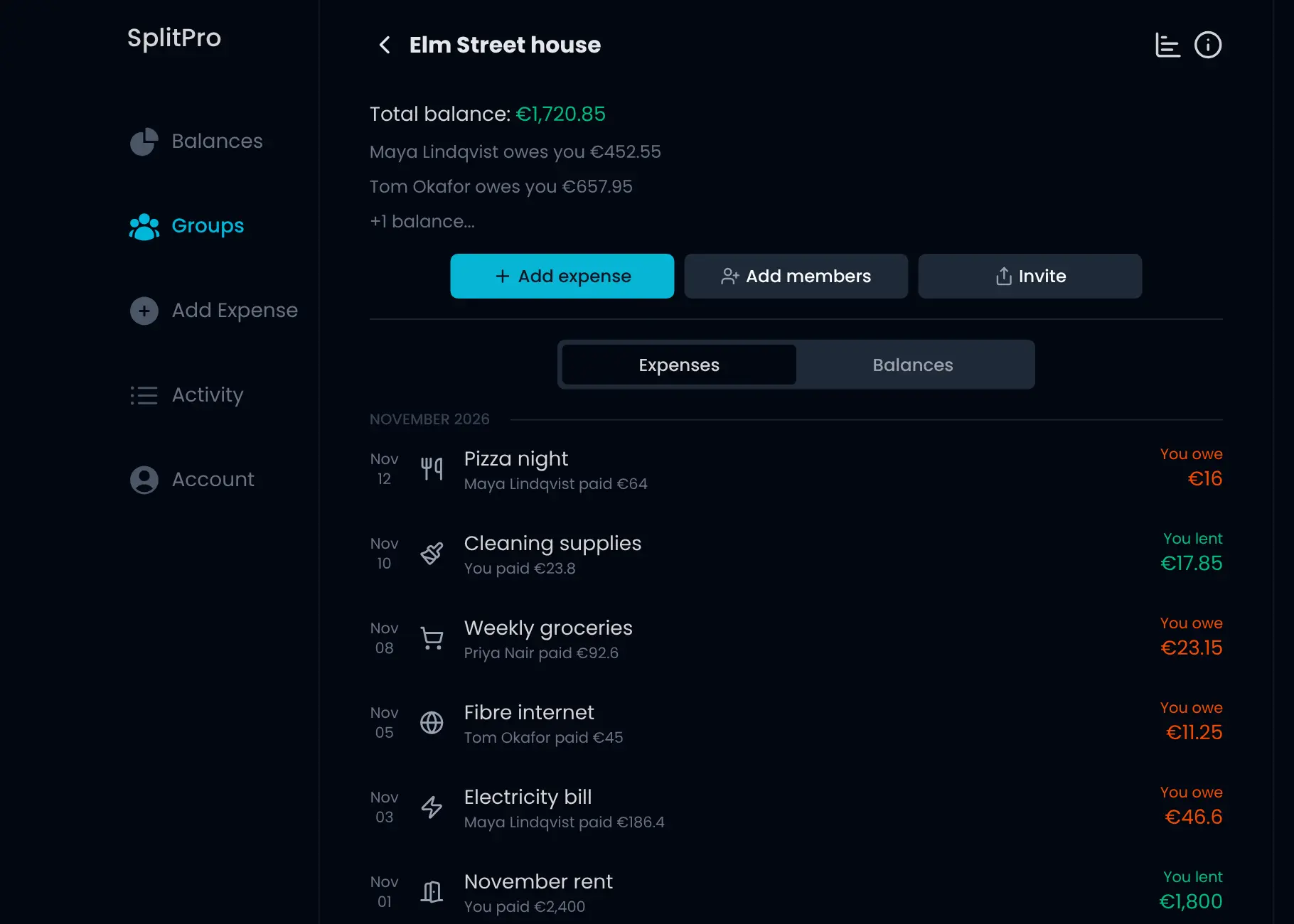
SplitPro is a self-hosted app for sharing expenses with friends, housemates and trips: split bills, track balances and settle up, with no daily limit.
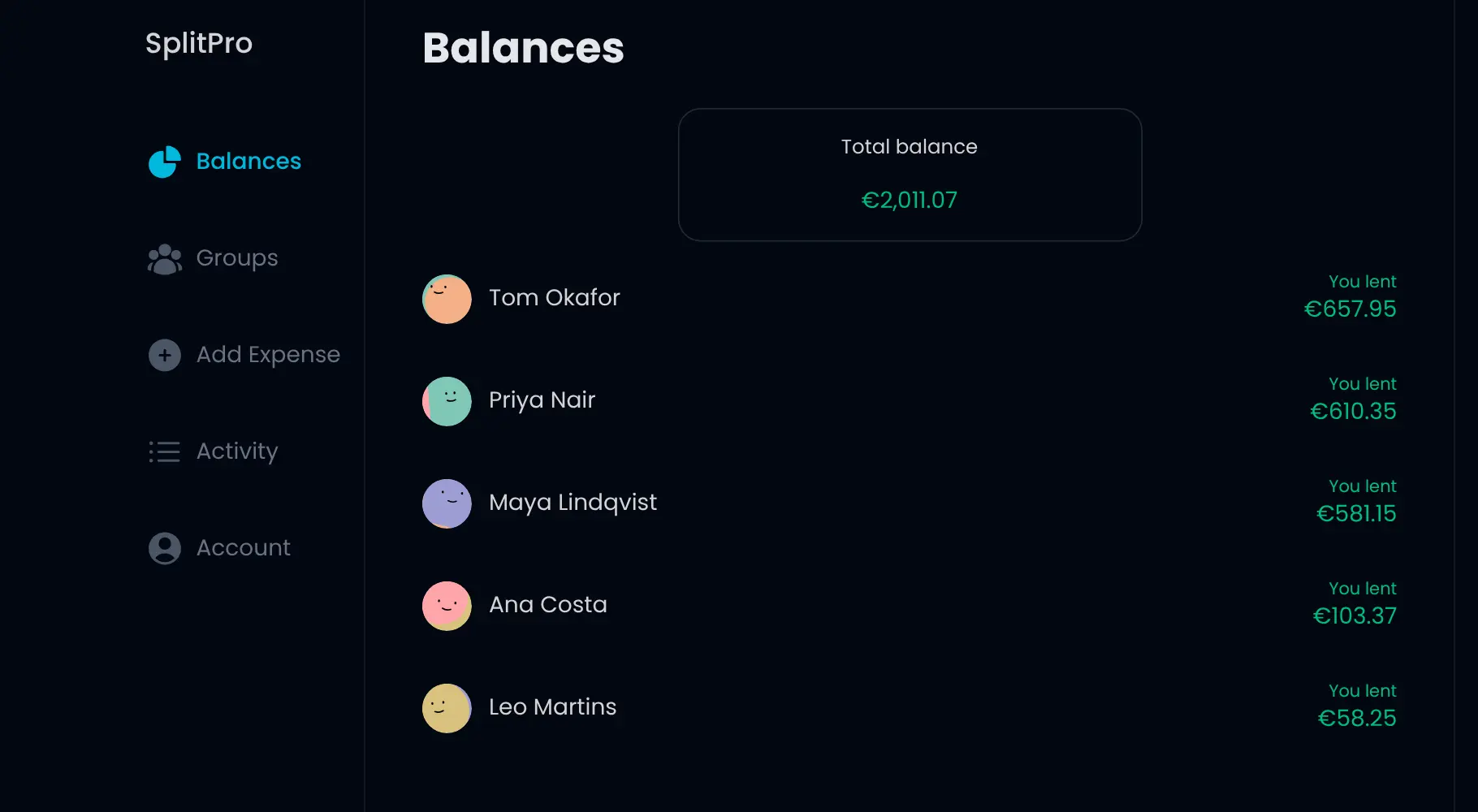
SplitPro is a free, open-source, self-hosted alternative to Splitwise for sharing expenses with friends, housemates, partners and travel groups. You add what you paid, split it the way you agreed, and SplitPro keeps a running balance of who owes whom, with no daily limit on how many expenses you add.
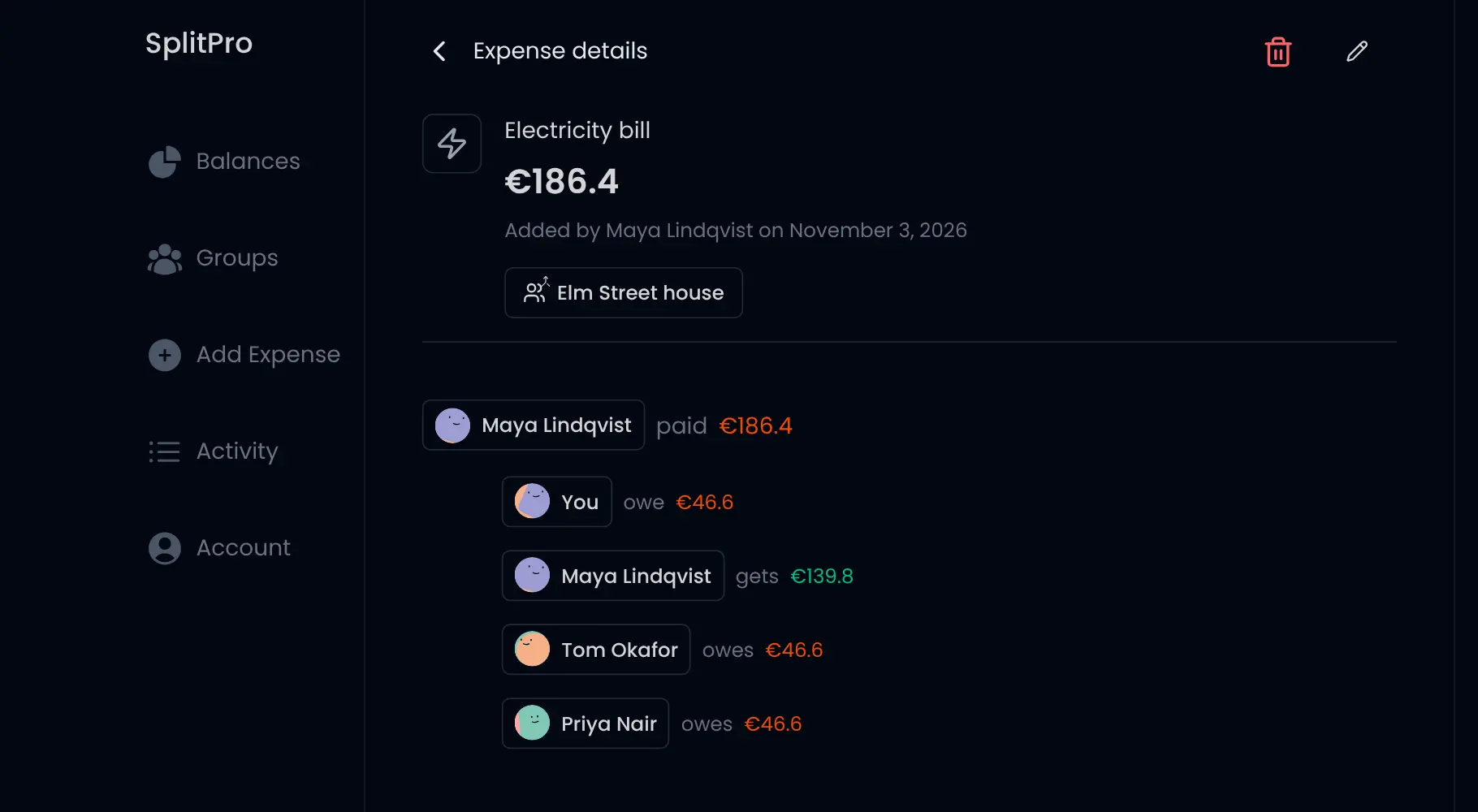
Each person has their own account, so balances follow friends across every group, just like Splitwise. Expenses can carry a receipt photo, a category and their own currency, and rent or bills can repeat on their own. Four housemates could keep one group for the house: whoever pays the electricity bill adds it from their phone, everyone sees their share straight away, and at the end of the month each person settles up with one payment.
SplitPro runs in any browser and can be added to a phone's home screen. You can bring over your friends and groups, with their balances, from Splitwise. Everyone signs in with a link sent by email, so you connect an email sending service when you install it.
Cloudgate installs SplitPro on a server Cloudgate provides or one you connect, sets up its database, and gives it a secure web address. Your shared expenses stay on your server.
What you can do with SplitPro
- Share costs with friends or groups Add an expense with one friend or in a group for your house, a trip or a couple, and see who owes whom.
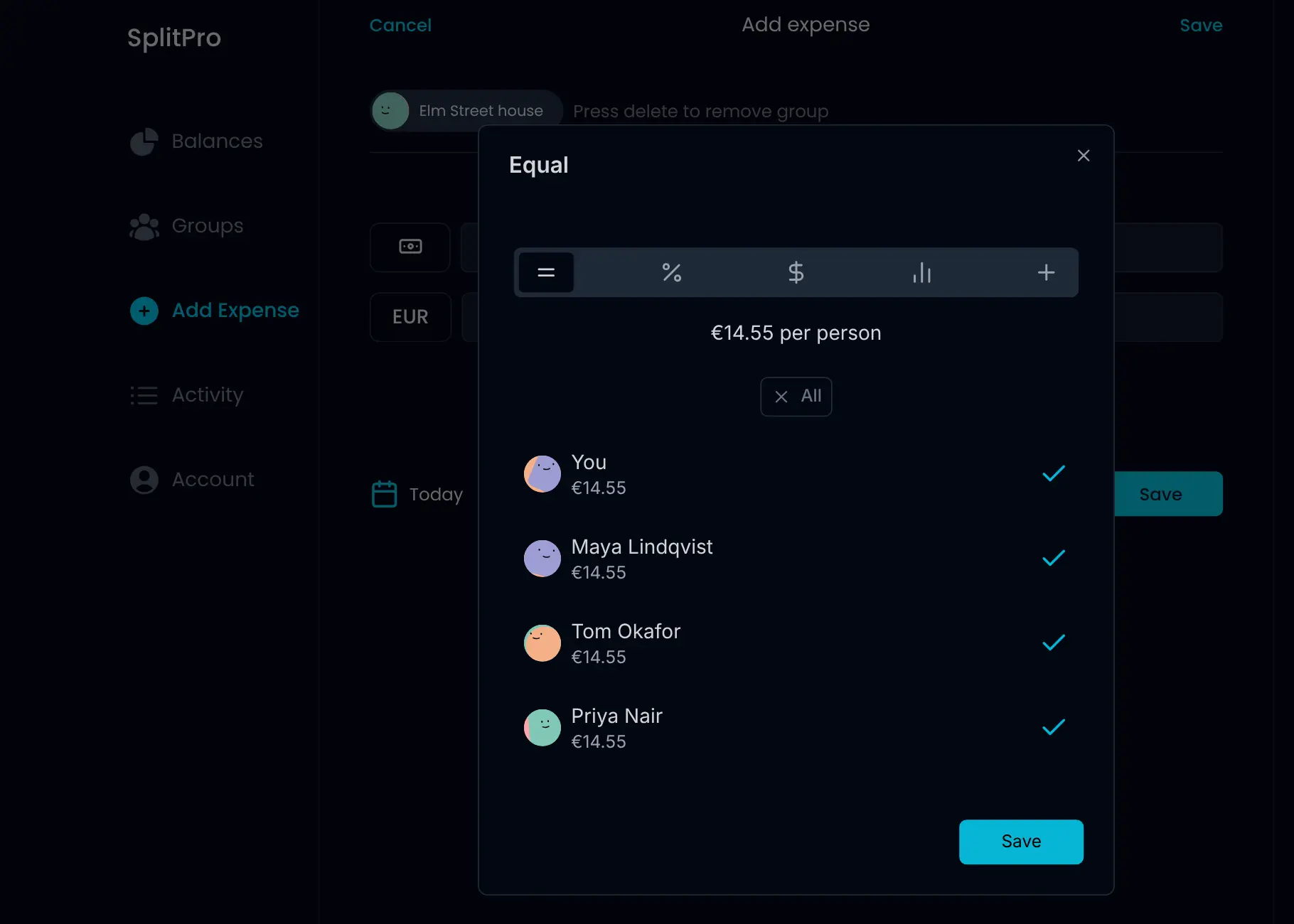
- Split it any way Split equally, by percentage, by shares, by exact amounts or with adjustments, down to the cent.
- Settle up Balances show what each person owes you or you owe them, per friend and per group, and you record payments to clear them.
- Keep the receipt Attach a photo of the receipt to an expense, and give it a category and date.
- Repeat rent and bills Set rent, bills or subscriptions to add themselves every day, week, month or year.
- Pay in any currency Give each expense the currency you paid in, keep balances per currency, or convert them to one.
- Bring your Splitwise friends and groups Import your friends and groups with their current balances from Splitwise.
- Use it like a phone app Add SplitPro to your phone's home screen and see every change in the activity feed.
Replaces Splitwise and Tricount
SplitPro does the same job as Splitwise and Tricount. Here is what changes when you switch.
- No daily limit on how many expenses you add
- Every feature at no cost, with no ads
- Your group's expenses stay on your own server
- Each person has their own account and sees all their balances in one place
- Everyone signs in with a link sent by email, with no passwords, so you need an email sending service
- Splitwise import brings friends, groups and balances, but not your past expenses
- A web app you add to your home screen rather than an app-store app
- Bank import and push notifications need extra accounts and are not switched on in this template
What happens when you click Deploy?
You do not need a server or any technical knowledge. Four steps, and SplitPro is running at its own web address.
- Step 1 Click Deploy and create your account
Deploy takes you to Cloudgate. Create an account, or log in if you have one. SplitPro itself is free.
- Step 2 Choose a server
No server? Get one from Cloudgate: pick a size and a country, and Cloudgate gets it ready. Already have one? Connect it instead.
- Step 3 Cloudgate sets up SplitPro
It prepares the server, makes the passwords the app needs and starts it. There is nothing to install and nothing to write down.
- Step 4 Open your app and sign in
Your app gets a free web address to start, without https. Add your own domain, like app.yourshop.com, and Cloudgate secures it with https for you.
New to Cloudgate? See what Cloudgate is
Run Cloudgate yourself? Deploy from your own console
In your Cloudgate console, open Templates and choose SplitPro.
Questions
Is SplitPro free?
Yes, SplitPro is free and open source under the MIT licence, with no paid edition, no ads and no limit on how many expenses you add. You pay only for your server and your email sending service.
Is SplitPro a good alternative to Splitwise?
Yes, SplitPro was built as a Splitwise replacement and works the same way, with friends, groups, balances and settling up. It has no daily expense limit, but it is a web app rather than a store app, and everyone signs in with an email link.
Can I import my Splitwise data into SplitPro?
Partly. SplitPro imports your friends and groups from Splitwise with their current balances, but not your past individual expenses, so keep your Splitwise export if you need that history.
How do I sign in to SplitPro the first time?
Open your SplitPro address, enter your email address and click the sign-in link SplitPro emails you. There is no password and no admin account; anyone who can reach the address can sign up the same way.
What is the difference between SplitPro and Spliit?
SplitPro gives each person an account and keeps balances between friends across all your groups, like Splitwise. Spliit has no accounts; you share a group's link and anyone with it can add expenses, which is quicker for a one-off trip.
Does SplitPro have a phone app?
SplitPro is a web app that works in any phone browser, and you can add it to your home screen so it opens like an app.
Can SplitPro handle different currencies?
Yes, each expense has its own currency and balances are kept per currency, so a trip abroad doesn't mix with your rent. SplitPro can also show your balances converted to one currency.
Do I need technical skills to run SplitPro?
No. Click Deploy, create your Cloudgate account and choose a server, and Cloudgate sets up SplitPro and gives it a web address. You use it in your browser like any other online tool.
Do I need my own server for SplitPro?
No. When you deploy SplitPro, hosted Cloudgate can provide a server. If you already rent one, you can connect it instead.
Related apps

Split shared expenses for a trip or flat, with no accounts to create.

Split shared costs with a group link, no accounts and no limits.

A free envelope budget app, like YNAB, on your own server.

ERP for sales, stock, accounting and HR in one place.