
ShopNex
A Shopify-style online store you own, with no fee on your sales.
No server needed to start: Cloudgate can provide one. What happens when you click Deploy
What is ShopNex?
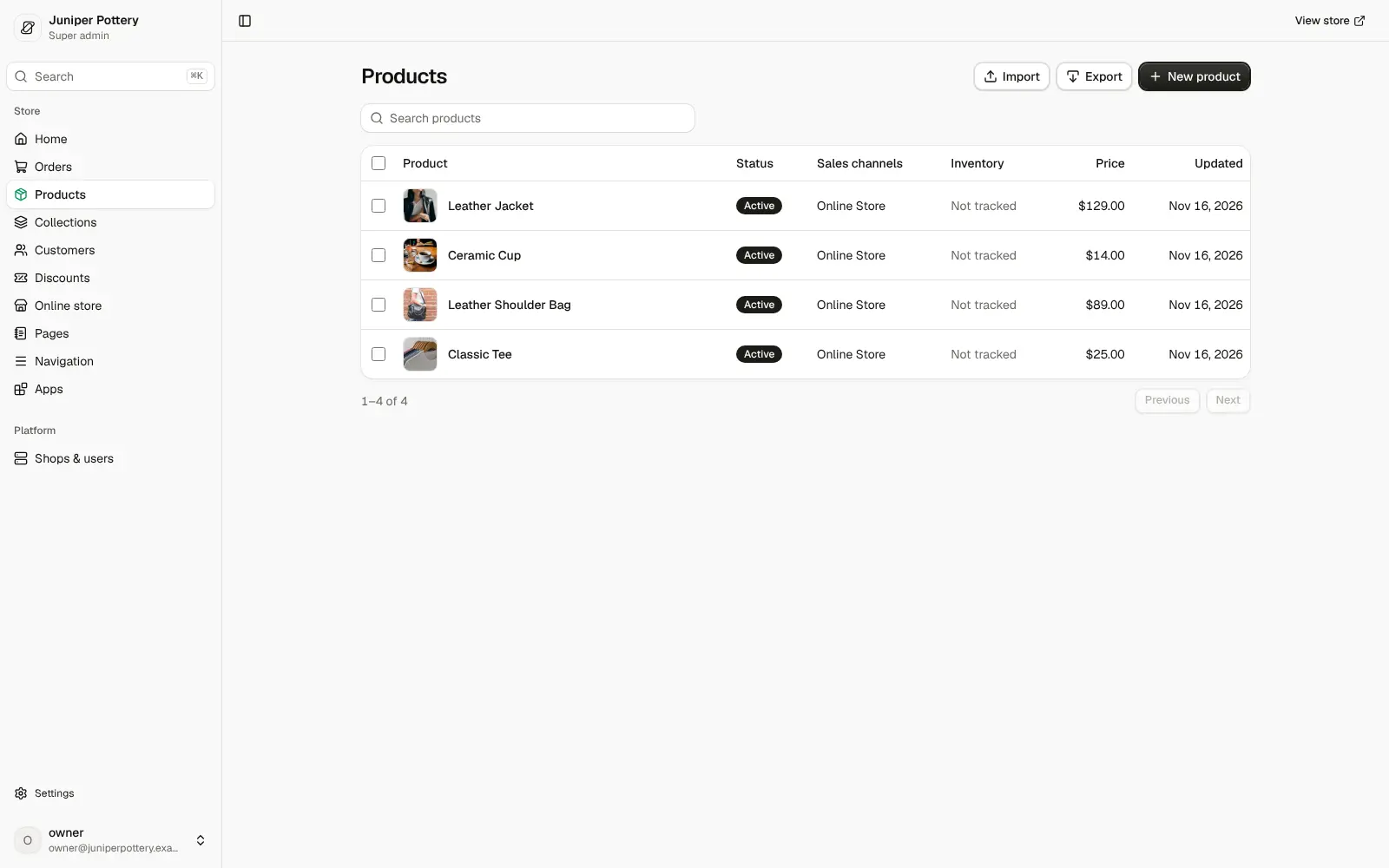
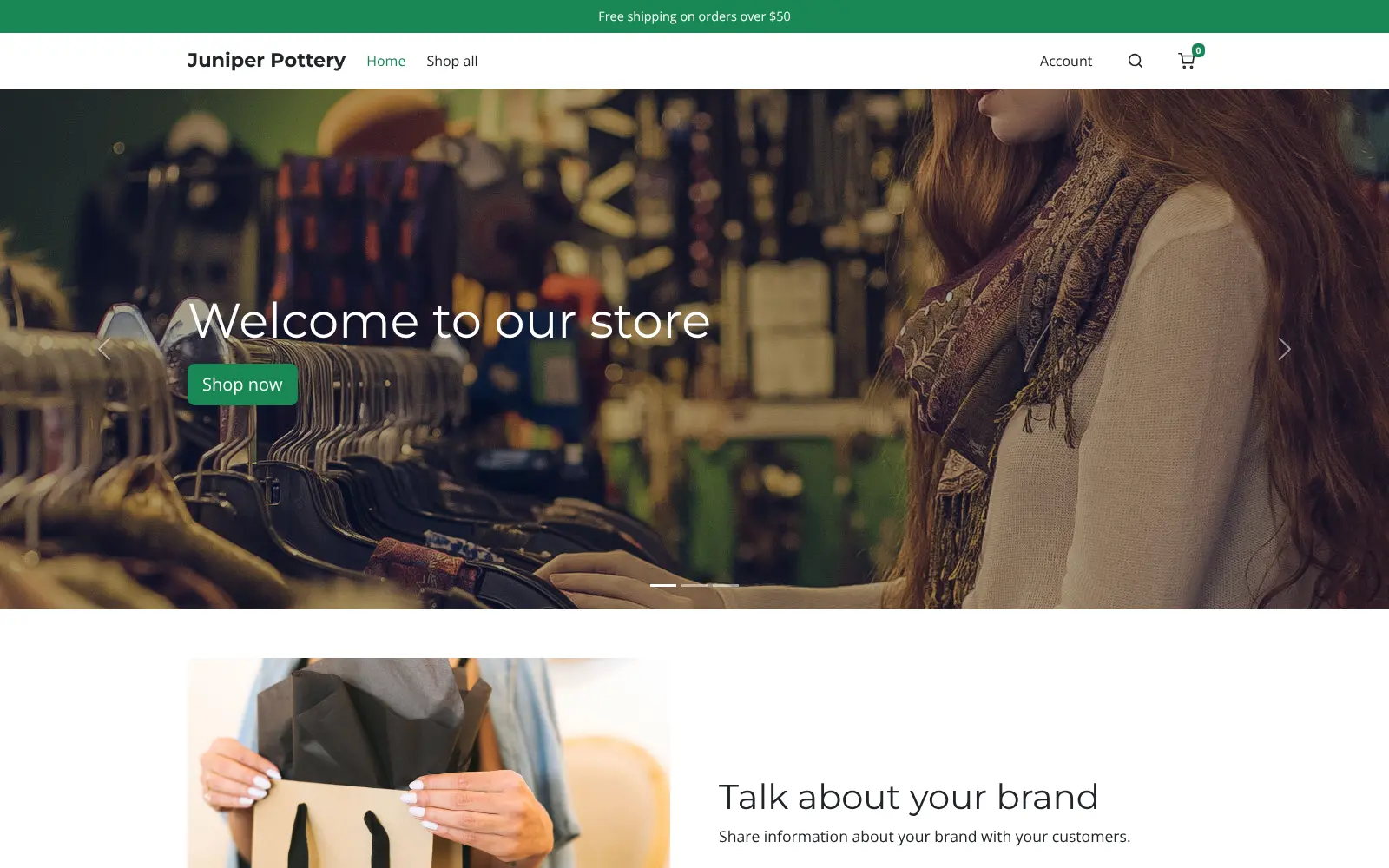
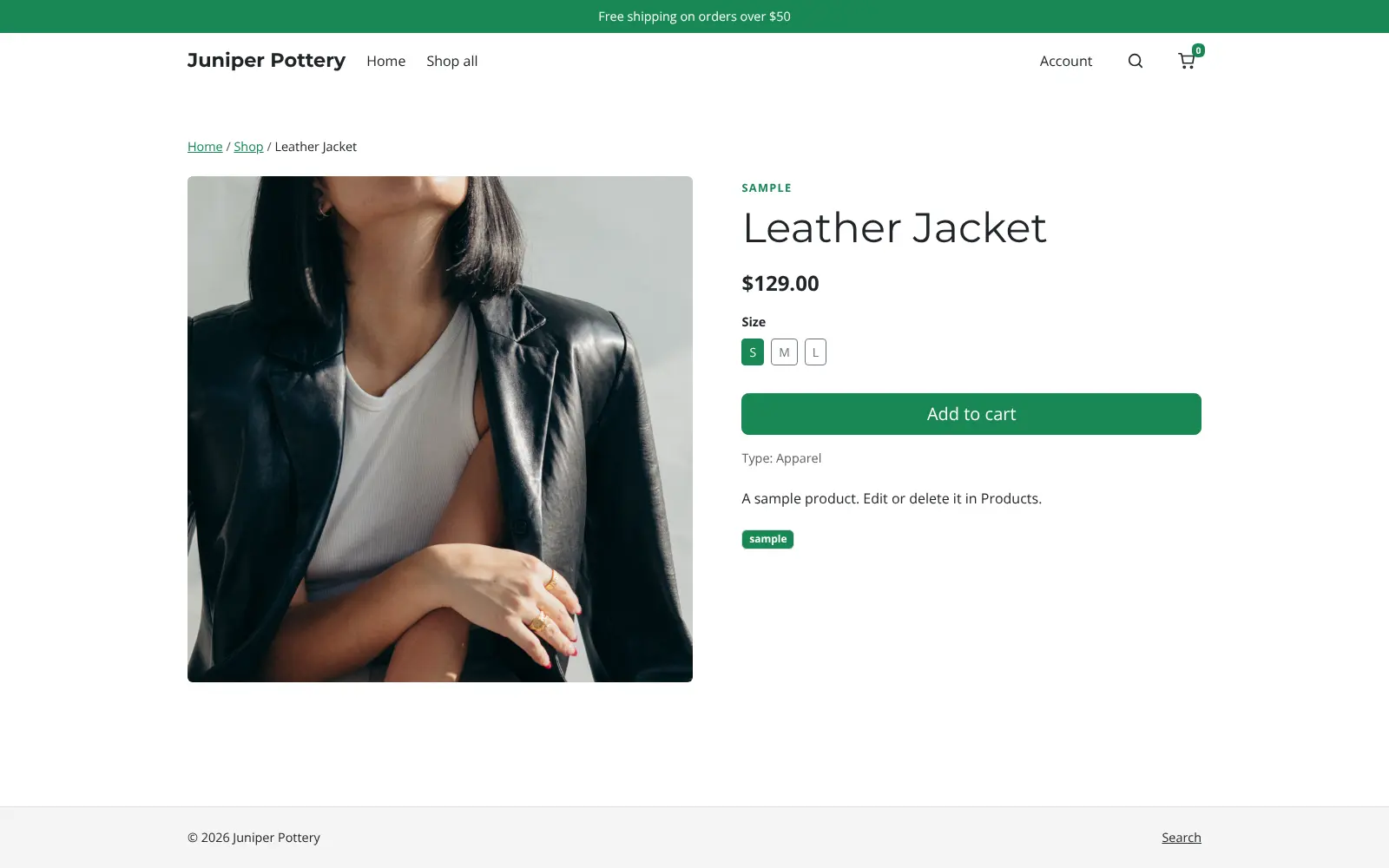
Self-hosted ShopNex: a Shopify-style online store with products, orders, discounts, Stripe checkout and a themed storefront, and no fee on your sales.
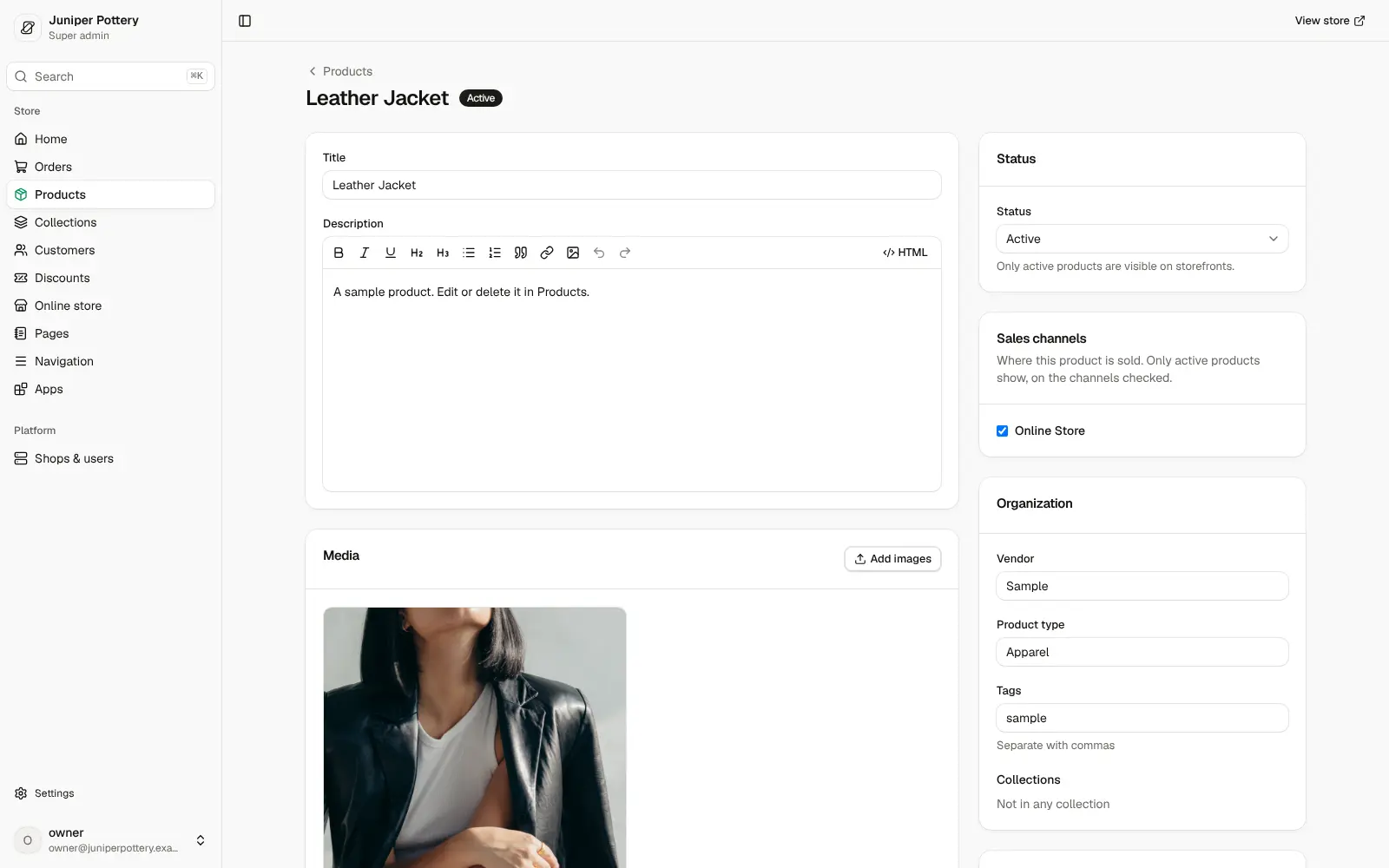
ShopNex is a free, self-hosted online store and an open-source alternative to Shopify: you get an admin for products, orders, customers and discounts, a themed storefront and a hosted checkout, on your own server with no monthly plan and no cut of your sales. Its admin is laid out much like Shopify's, so it feels familiar if you've sold there before.
A small clothing shop could import its products and customers from Shopify's CSV exports, choose a theme, connect its Stripe account for card payments, set shipping rates and a free-shipping offer, and start taking orders on its own web address. Staff can be invited with their own roles, and customers sign in with an emailed code to see their past orders.
ShopNex is young software under the MIT licence: it releases often and is still before version 1.0, so check it with a few test orders before you open. It works with Stripe for payments, any email service that offers SMTP for order emails, and optionally Claude or OpenAI, with your own API key, to draft product descriptions. Cloudgate installs it on your server with a secure web address.
What you can do with ShopNex
- List your products Add products with photos, options such as size or colour, a price and stock for each variant, and group them into collections.
- Sell from your own storefront Pick one of the built-in themes, add pages and menus, and let customers search, filter and check out on your own web address.
- Take card payments Connect your own Stripe account for cards, Apple Pay and Google Pay, or offer manual methods such as bank transfer.
- Manage orders and customers Follow each order's payment and shipping status, and let customers sign in with an emailed code to see their order history.
- Set discounts, shipping and tax Create discount codes, set your shipping rates and tax rates, and send abandoned-cart emails through your own email service.
- Import from Shopify Bring in products, customers, orders and discounts from Shopify's CSV exports, and products from WooCommerce or Magento too.
- Work as a team Invite staff with owner, admin or staff roles, and watch sales, orders and returning customers on the home dashboard.
Replaces Shopify
ShopNex does the same job as Shopify. Here is what changes when you switch.
- No monthly plan and no platform fee on each sale; you pay your server and Stripe's card fees
- An admin laid out much like Shopify's, with orders, products, customers, discounts and apps
- Your products, orders and customer data stay in your own database
- MIT-licensed open code with no paid edition or locked features
- ShopNex is young (version 0.15) and changes several times a week, so expect rough edges
- Its app catalogue is much smaller than Shopify's app store
- Shopify themes don't carry over; you choose one of ShopNex's themes or have one ported
- You keep the software up to date and set up email sending yourself
What happens when you click Deploy?
You do not need a server or any technical knowledge. Four steps, and ShopNex is running at its own web address.
- Step 1 Click Deploy and create your account
Deploy takes you to Cloudgate. Create an account, or log in if you have one. ShopNex itself is free.
- Step 2 Choose a server
No server? Get one from Cloudgate: pick a size and a country, and Cloudgate gets it ready. Already have one? Connect it instead.
- Step 3 Cloudgate sets up ShopNex
It prepares the server, makes the passwords the app needs and starts it. There is nothing to install and nothing to write down.
- Step 4 Open your app and sign in
Your app gets a free web address to start, without https. Add your own domain, like app.yourshop.com, and Cloudgate secures it with https for you.
New to Cloudgate? See what Cloudgate is
Run Cloudgate yourself? Deploy from your own console
In your Cloudgate console, open Templates and choose ShopNex.
Questions
Is ShopNex free?
Yes, ShopNex is free and open source under the MIT licence, with no paid edition, no monthly plan and no fee on your sales. You pay only for your server and your payment provider's card fees, such as Stripe's.
Is ShopNex a good alternative to Shopify?
Yes, for a small shop that likes Shopify's way of working and accepts young software. ShopNex covers products with variants, a themed storefront, checkout, Stripe payments, orders, discounts, shipping and tax, but it is still before version 1.0 and has far fewer apps and themes than Shopify; WooCommerce is the more established choice.
Can I move my Shopify store to ShopNex?
Partly. The ShopNex admin imports Shopify's CSV exports of products, customers, orders and discounts, and pulls product images from the links in the file. Your Shopify theme doesn't convert, so you pick a ShopNex theme or have yours ported.
How do I take card payments in ShopNex?
ShopNex takes card payments through its Stripe app, which Cloudgate installs alongside the shop. In the admin, open Settings, then Payments, and connect your own Stripe account with an API key; customers can then pay by card, Apple Pay or Google Pay, and Stripe charges its usual fees.
How do I sign in to ShopNex the first time?
Open your ShopNex shop's web address followed by /admin, and the setup wizard asks you to create the owner account with your email and a password, then to name the shop and pick its currency. Do this right after install, because until you do, anyone who finds the address could claim the shop.
Is ShopNex ready for a live shop?
Not for every shop yet. ShopNex describes itself as pre-1.0 and releases often, with several new versions in November 2026 alone. It suits a small shop willing to test carefully before opening; a shop that can't afford surprises may prefer a mature store such as WooCommerce or PrestaShop.
What server size do I need for ShopNex?
ShopNex asks for a server with at least 2 GB of memory. It runs as one app with a PostgreSQL database and a small Stripe app, which Cloudgate sets up for you.
Do I need technical skills to run ShopNex?
No. Click Deploy, create your Cloudgate account and choose a server, and Cloudgate sets up ShopNex and gives it a web address. You use it in your browser like any other online tool.
Do I need my own server for ShopNex?
No. When you deploy ShopNex, hosted Cloudgate can provide a server. If you already rent one, you can connect it instead.
Related apps

Run your own online shop on open-source Laravel, with no sales fee.

A modern online store you own, with no monthly fee or cut of sales.

A self-hosted .NET shop for several stores, sellers and B2B buyers.

A self-hosted shop engine for large catalogues and several languages.