
Seatsurfing
Desk booking on your own floor plan, with no per-user fee.
No server needed to start: Cloudgate can provide one. What happens when you click Deploy
What is Seatsurfing?
Seatsurfing is self-hosted desk booking: staff reserve desks, meeting rooms and parking on your floor plan, with unlimited users and no per-user fee.
Seatsurfing is self-hosted desk booking software for hybrid offices: people reserve a desk, meeting room or parking spot on your floor plan, in place of paid tools such as Robin or deskbird. It is open source, has no limit on users and charges no fee per person or per desk.
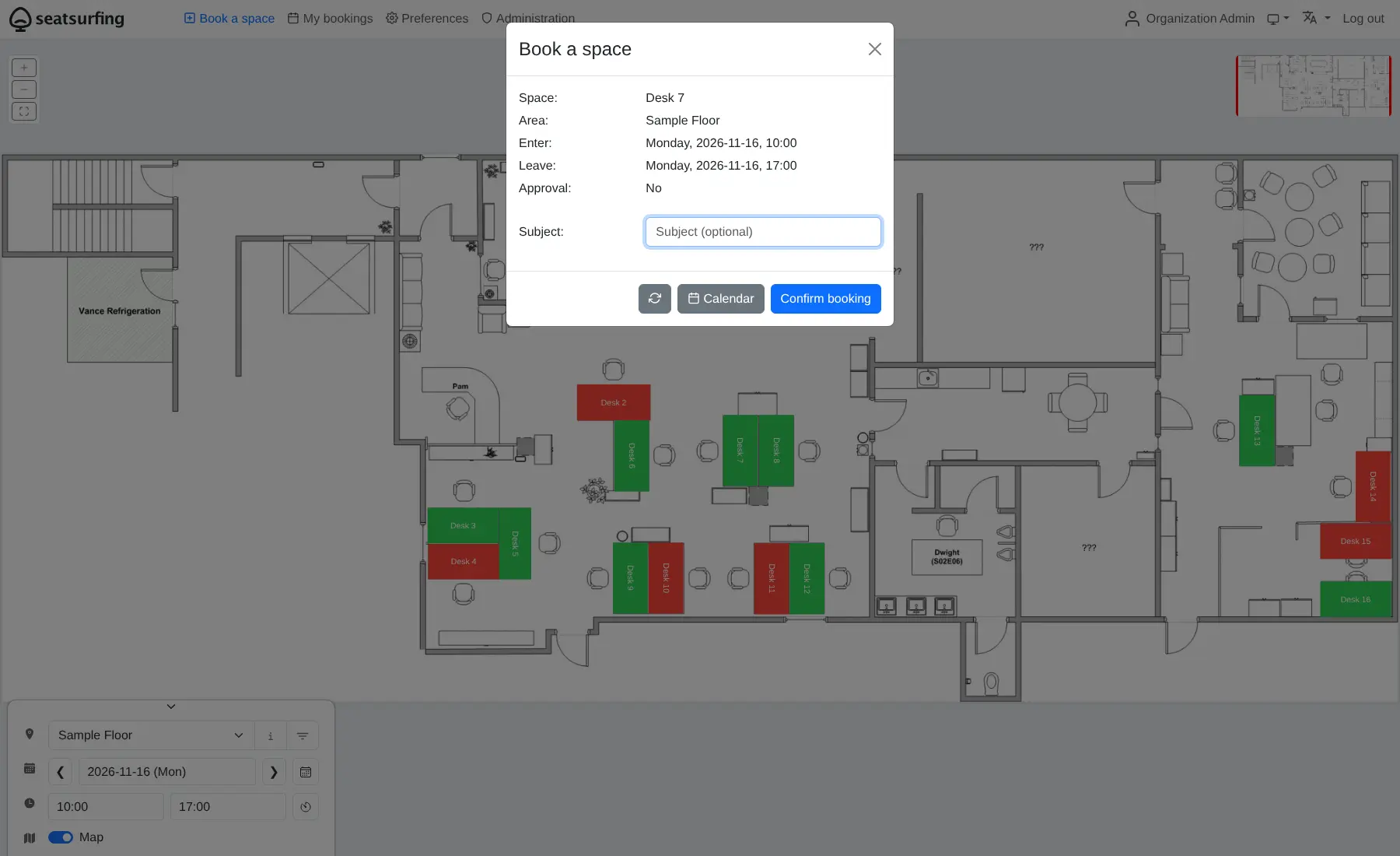
You upload a picture of each floor, place your desks and rooms on it, and set the rules: how far ahead people can book, which days are open, and which spaces need approval or are kept for one team. Staff open the booking site, choose a day and tap a free desk. A design agency with twenty people and twelve desks, for example, can let everyone book their seat for the week and check on Monday morning who is coming in.
Bookings sync to personal calendars, a kiosk page can show a room's status on a wall tablet, and people can sign in with your company login. There is no native phone app, but the booking site installs on a phone like one. Microsoft Teams, Exchange and SCIM need a paid plugin.
Cloudgate installs Seatsurfing on a server Cloudgate provides or one you connect, together with its database, and gives it a secure web address. Your floor plans, staff names and bookings stay on your server.
What you can do with Seatsurfing
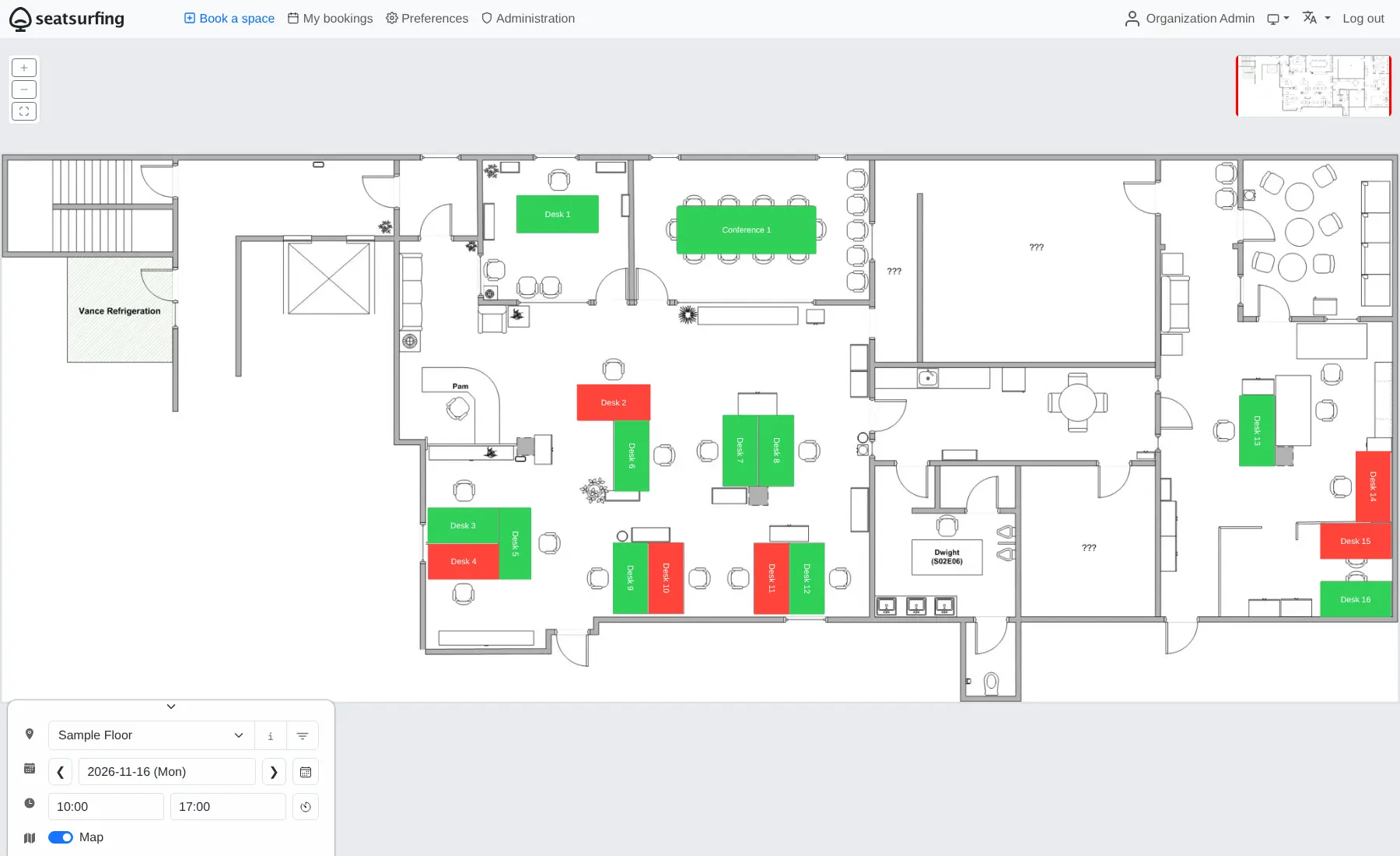
- Book a desk on the floor plan Free spaces show green and booked ones red, so people pick a day, tap a desk and confirm.
- Use your own office map Upload a picture of each floor and drag desks, meeting rooms and parking spots onto it.
- Set booking rules Limit bookings per person or how far ahead they go, block dates, keep spaces for certain groups or ask for approval.
- Repeat bookings Book the same desk every Tuesday in one go instead of one week at a time.
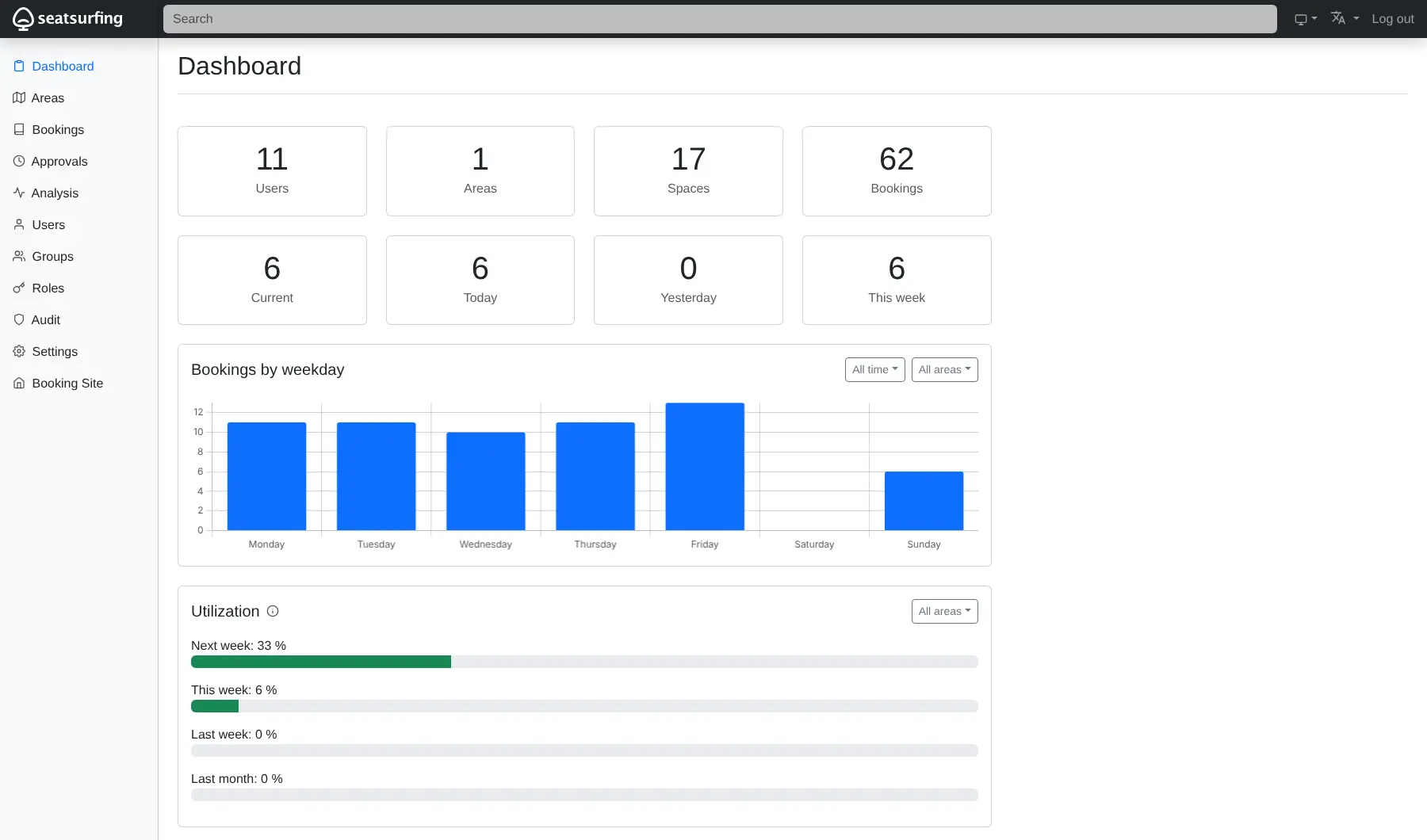
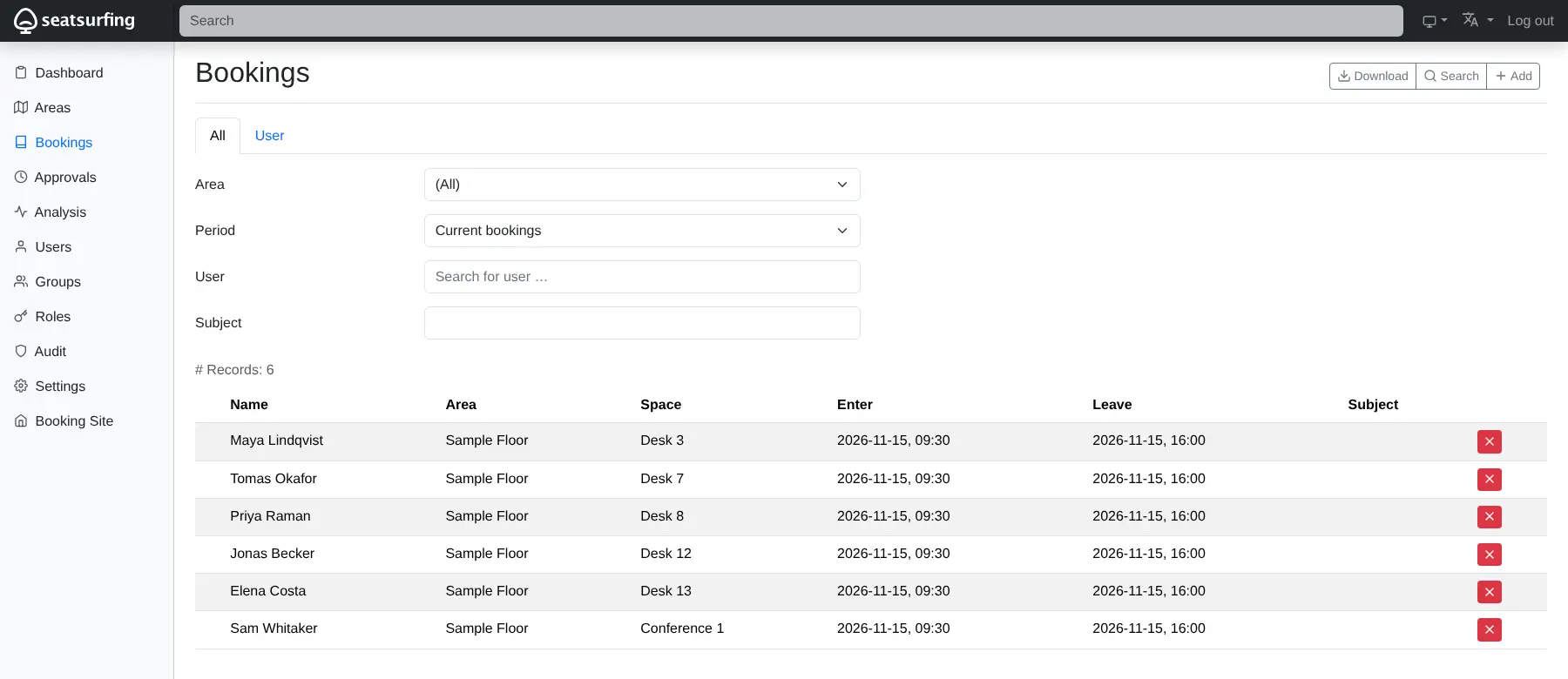
- See who is in the office A dashboard, utilization figures and a presence report show which days are busy, with CSV downloads.
- Find your colleagues Add colleagues as buddies and see where they sit on the days they come in.
- Sync to your calendar Bookings go to your personal calendar, and a kiosk page can show a room's status on a wall tablet.
- Sign in your way Use passwords with two-step sign-in, passkeys, or your company login such as Microsoft Entra.
Replaces Robin and deskbird
Seatsurfing does the same job as Robin and deskbird. Here is what changes when you switch.
- Unlimited users with no monthly fee per person or per desk
- Approvals, recurring bookings, groups and company login included
- Your office plan, staff names and bookings stay on your server
- Microsoft Teams, Exchange room calendars and SCIM need a paid plugin
- No visitor sign-in or check-in hardware, unlike Robin or Envoy
- No native phone app; people use an installable web app
- Your existing bookings and floor plans do not move across
What happens when you click Deploy?
You do not need a server or any technical knowledge. Four steps, and Seatsurfing is running at its own web address.
- Step 1 Click Deploy and create your account
Deploy takes you to Cloudgate. Create an account, or log in if you have one. Seatsurfing itself is free.
- Step 2 Choose a server
No server? Get one from Cloudgate: pick a size and a country, and Cloudgate gets it ready. Already have one? Connect it instead.
- Step 3 Cloudgate sets up Seatsurfing
It prepares the server, makes the passwords the app needs and starts it. There is nothing to install and nothing to write down.
- Step 4 Open your app and sign in
Your app gets a free web address to start, without https. Add your own domain, like app.yourshop.com, and Cloudgate secures it with https for you.
New to Cloudgate? See what Cloudgate is
Run Cloudgate yourself? Deploy from your own console
In your Cloudgate console, open Templates and choose Seatsurfing.
Questions
Is Seatsurfing free?
Yes, self-hosted Seatsurfing is free and open source under the GPL-3.0 licence, with unlimited users and most features, including approvals, recurring bookings and company login. Microsoft Teams, Exchange sync and SCIM need a paid Plus Plugin, and the Confluence integration and AI assistant are only in Seatsurfing's cloud plans.
Is Seatsurfing a good alternative to deskbird or Robin?
Yes, if what you need is desk, room and parking booking on a floor plan without a per-user fee. Seatsurfing has no visitor management or check-in hardware like Robin and Envoy, and no native phone apps like deskbird.
How do I sign in to Seatsurfing the first time?
Open your app's address followed by /admin/ and sign in as admin@ followed by your app's address, with the generated password shown on the app's variables page in Cloudgate. Seatsurfing offers to set up two-step sign-in, which you can skip, and starts with a sample floor with desks you can try or delete.
Does Seatsurfing work with Microsoft Teams and Outlook?
Only with the paid Plus Plugin, which adds Microsoft Teams, Exchange room-calendar sync and SCIM user provisioning to a self-hosted Seatsurfing. Without it, bookings still sync one way to a personal CalDAV calendar and can be saved as calendar files.
Is there a Seatsurfing phone app?
No. A native Seatsurfing app is not documented, but the booking site works in a phone's browser and can be installed on the home screen like an app.
Can I import my bookings from deskbird or Robin into Seatsurfing?
No, Seatsurfing has no importer for other booking tools. You upload your floor plans, place your spaces again and start bookings fresh; staff can sign in through your company login instead of being added by hand.
What server size do I need for Seatsurfing?
A small server is enough for most offices, because Seatsurfing is one light app plus a PostgreSQL database. Cloudgate sets up both, and you can move to a bigger server later.
Do I need technical skills to run Seatsurfing?
No. Click Deploy, create your Cloudgate account and choose a server, and Cloudgate sets up Seatsurfing and gives it a web address. You use it in your browser like any other online tool.
Do I need my own server for Seatsurfing?
No. When you deploy Seatsurfing, hosted Cloudgate can provide a server. If you already rent one, you can connect it instead.
Related apps

A self-hosted shift planner your whole team can share.

Employee onboarding, from preboarding to Slack reminders.

HR and payroll, from hiring to salary slips.

Free HR software with hiring, attendance, leave and payroll in one.