
ChiefOnboarding
Employee onboarding, from preboarding to Slack reminders.
No server needed to start: Cloudgate can provide one. What happens when you click Deploy




What is ChiefOnboarding?
ChiefOnboarding is self-hosted employee onboarding software: plan each new hire's first weeks with preboarding, to-dos and Slack reminders.
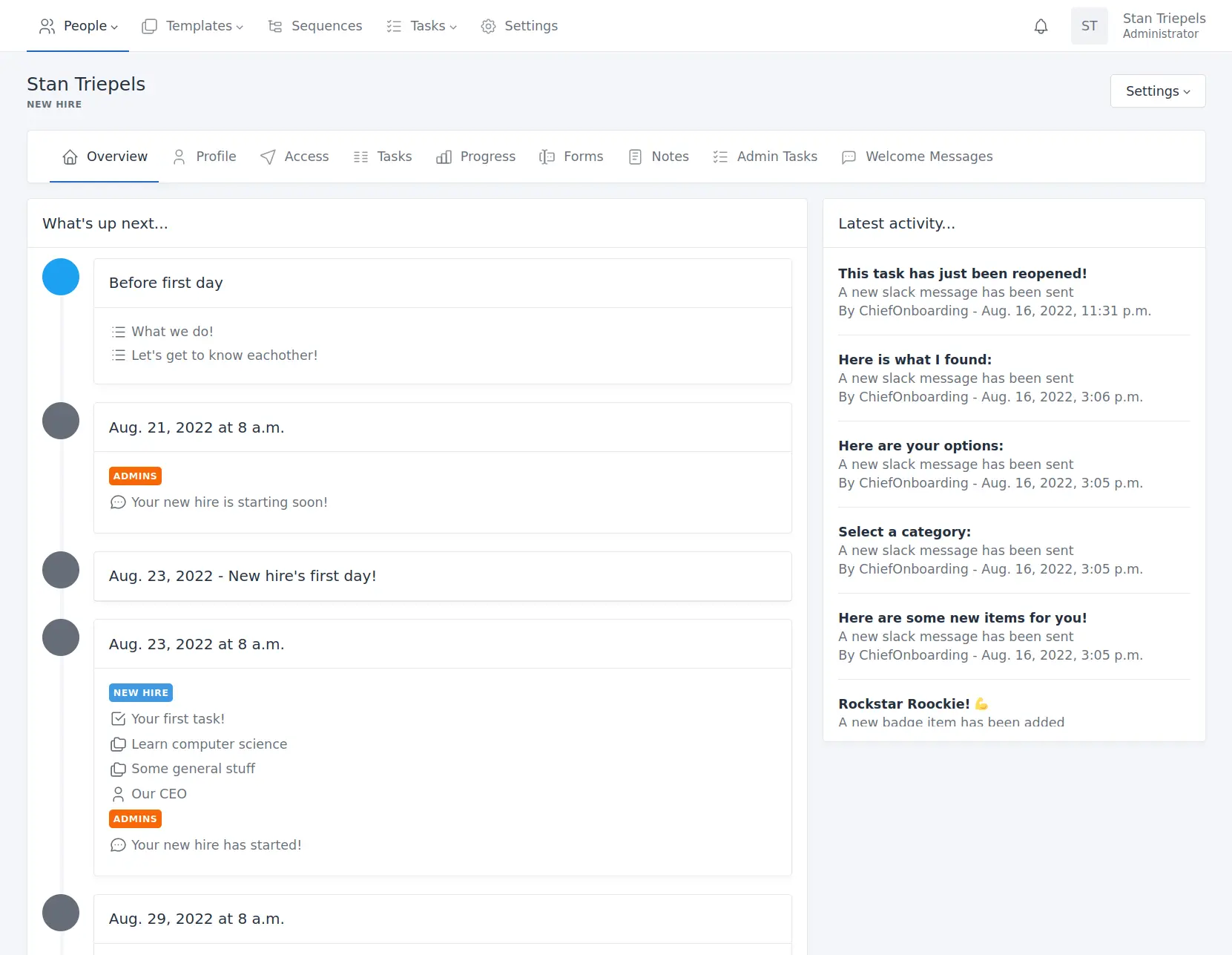
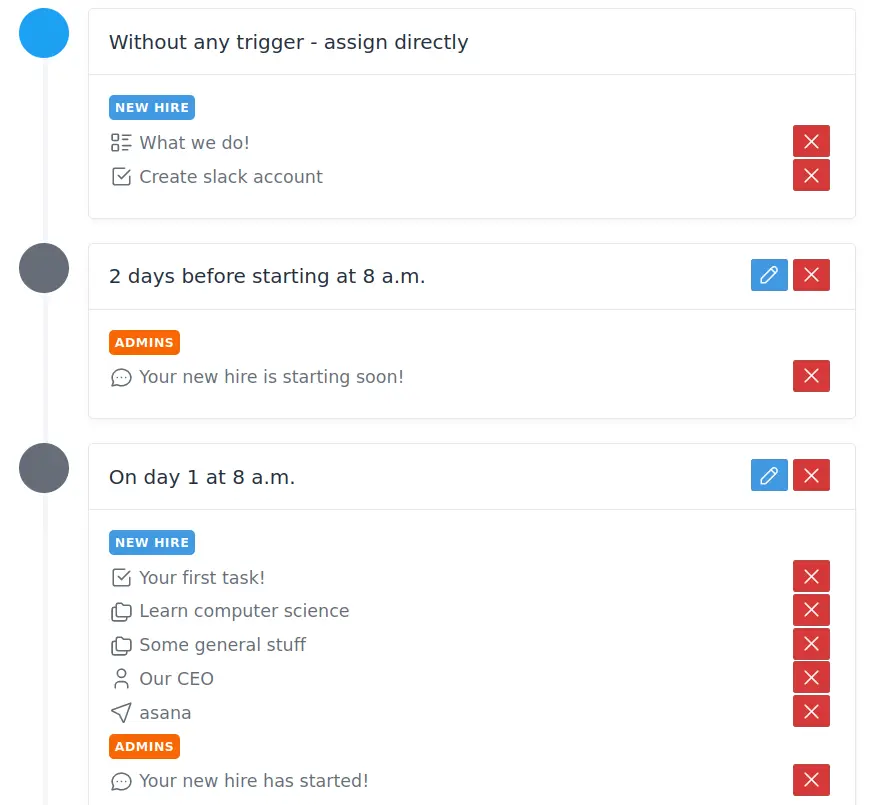
ChiefOnboarding is free, open-source employee onboarding software that you can self-host instead of paying for Enboarder or Sapling. You build an onboarding plan once, with to-dos, company information, introductions and reminders, and it guides each new hire through their first weeks in a web portal or in Slack.
Onboarding starts before day one, with welcome pages for the new hire and tasks for colleagues. A design agency hiring a remote designer, for example, could send the welcome page a week ahead, have the Slack bot share the brand guide on day one, and remind the buddy to set up a call on day three.
It works with Slack through a Slack app you create, with your email service and with Twilio for text messages. Integrations can create Google Workspace, Microsoft Azure AD or Asana accounts and import your staff list from BambooHR. It handles onboarding and offboarding, not employee records or payroll, so it sits next to your HR system.
Cloudgate installs ChiefOnboarding on a server Cloudgate provides or one you connect, with the database it needs, and gives it a secure web address. On the first visit you create your company and admin account. To add files and pictures to pages and to-dos, connect file storage such as Amazon S3 or Backblaze B2 when you set it up.
What you can do with ChiefOnboarding
- Plan the first weeks once, reuse them Build an onboarding plan per role that sends each item on the right day, or after the new hire finishes an earlier one.
- Welcome people before day one Preboarding pages with first-day details, files and forms, plus welcome messages from colleagues.
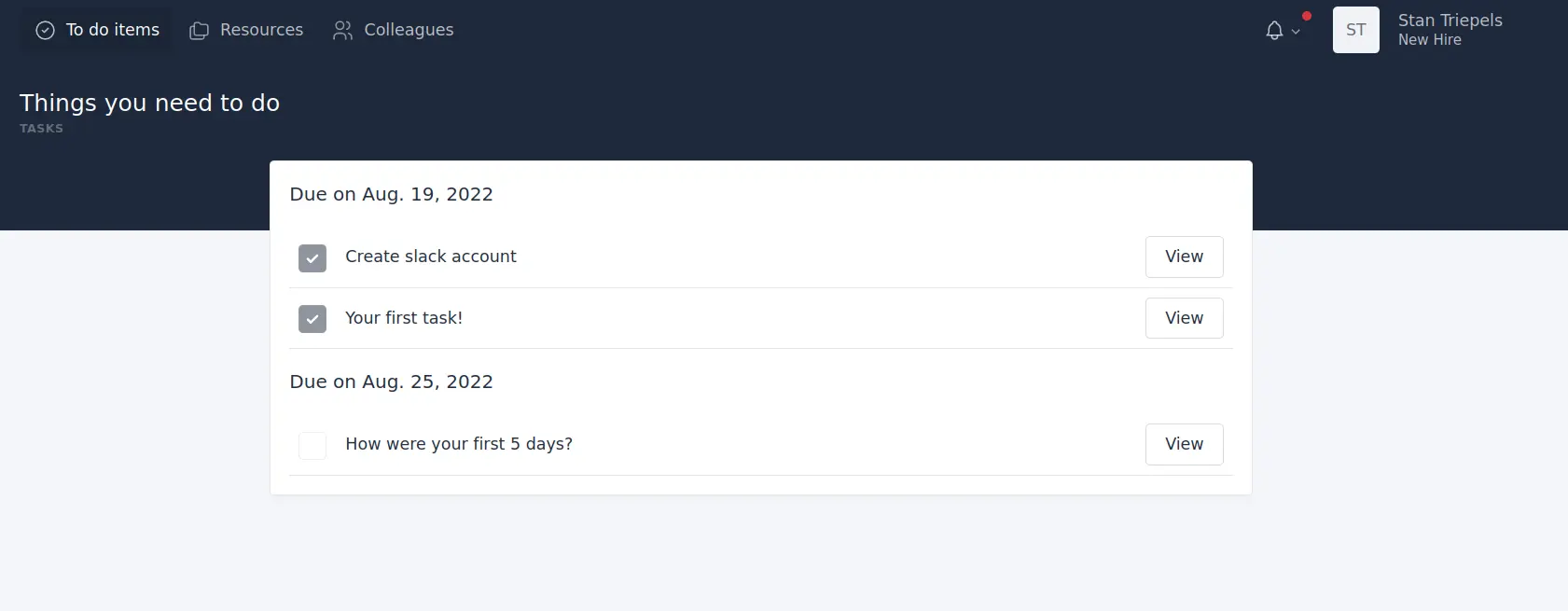
- Give new hires a clear to-do list Tasks with forms and due dates, with reminders when something is late.
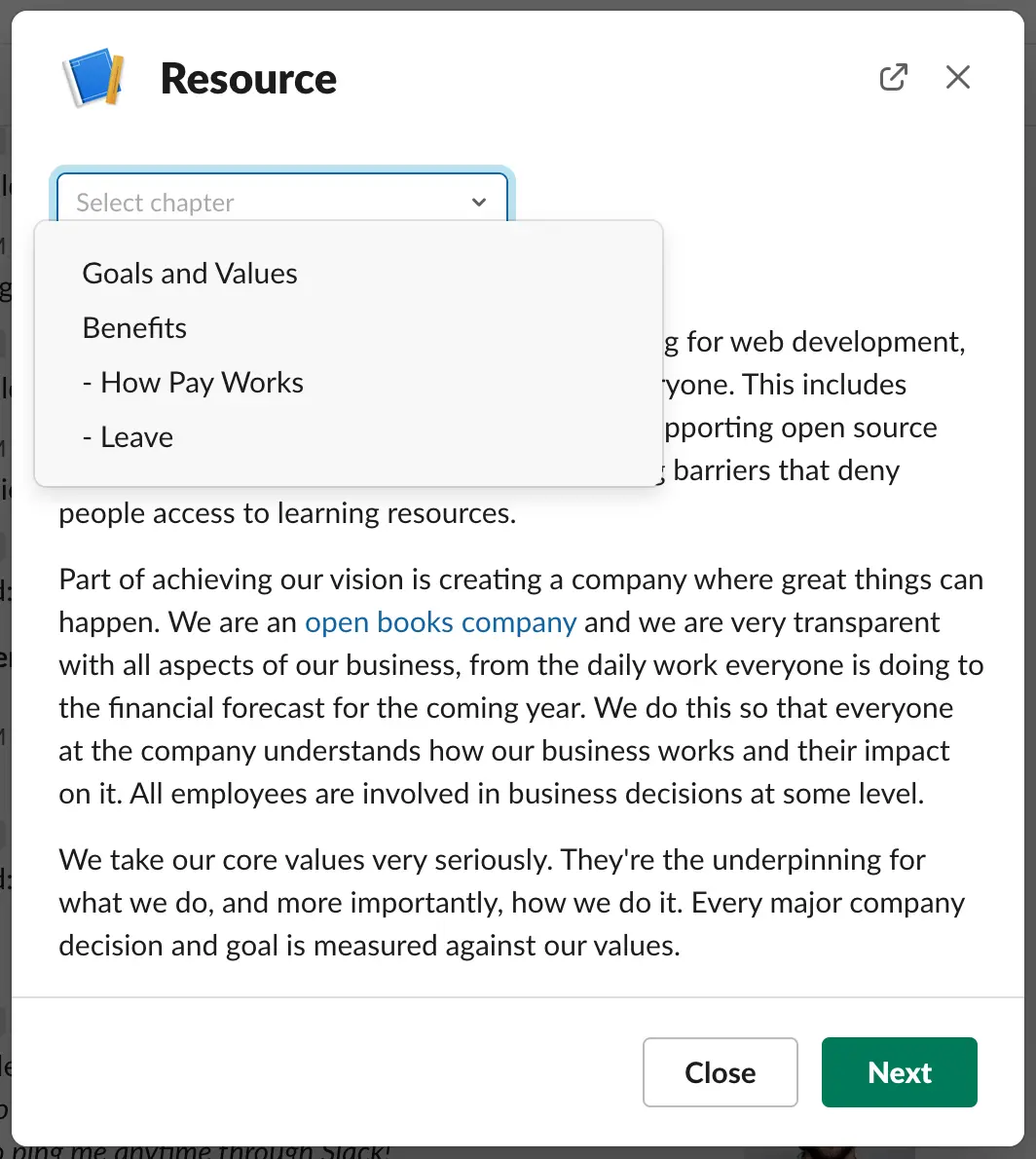
- Share what they need to know A searchable library of company information, which you can turn into short courses with questions.
- Hand out tasks to the team Remind IT, the manager or the buddy to prepare a laptop, book a lunch or make an introduction.
- Onboard in Slack or the browser New hires can do everything in a Slack bot or in their own web portal, whichever suits them.
- Set up accounts automatically Integrations can create the new hire's Google Workspace, Microsoft Azure AD or Asana account on the day you choose.
- Offboard leavers too Run a checklist when someone leaves and remove their access to connected tools.
Replaces Enboarder, Sapling HR and BambooHR
ChiefOnboarding does the same job as Enboarder, Sapling HR and BambooHR. Here is what changes when you switch.
- No subscription and no fee per new hire
- Your new hires' details and forms stay on your own server
- Your own logo, colours and Slack bot name, so it feels like your company's tool
- Every feature is in the free version; there is no paid edition
- It covers onboarding and offboarding only, not employee records, leave or payroll
- Slack works through a Slack app you create yourself, and Microsoft Teams is not supported
- Emails need an email service, and text messages need a paid Twilio account
- Help comes from the community on GitHub, unless you pay ChiefOnboarding for support
What happens when you click Deploy?
You do not need a server or any technical knowledge. Four steps, and ChiefOnboarding is running at its own web address.
- Step 1 Click Deploy and create your account
Deploy takes you to Cloudgate. Create an account, or log in if you have one. ChiefOnboarding itself is free.
- Step 2 Choose a server
No server? Get one from Cloudgate: pick a size and a country, and Cloudgate gets it ready. Already have one? Connect it instead.
- Step 3 Cloudgate sets up ChiefOnboarding
It prepares the server, makes the passwords the app needs and starts it. There is nothing to install and nothing to write down.
- Step 4 Open your app and sign in
Your app gets a free web address to start, without https. Add your own domain, like app.yourshop.com, and Cloudgate secures it with https for you.
New to Cloudgate? See what Cloudgate is
Run Cloudgate yourself? Deploy from your own console
In your Cloudgate console, open Templates and choose ChiefOnboarding.
Questions
Is ChiefOnboarding free?
Yes. ChiefOnboarding is free, open-source employee onboarding software under the AGPL-3.0 licence, and the self-hosted version has every feature with no limit on new hires. Its makers sell paid support and hosting, not extra features.
Is ChiefOnboarding a good alternative to Enboarder or Sapling?
Yes, ChiefOnboarding is a good Enboarder or Sapling alternative for small and growing companies that want structured onboarding without a subscription. It covers preboarding, timed to-dos, company information, introductions, tasks for colleagues and Slack, email or text reminders; Enboarder and Sapling offer more polish, reporting and Microsoft Teams support.
Do I need Slack to use ChiefOnboarding?
No. New hires can use their own web portal instead, with the same features. If your team uses Slack, you create a Slack app for your workspace from the ready-made settings in ChiefOnboarding's documentation, which takes a few minutes and lets you pick the bot's name and picture.
How do I sign in to ChiefOnboarding the first time?
The first visit opens a setup page where you enter your company name, time zone and language and create the admin account with your own email and password. There is no default password. ChiefOnboarding then adds sample content, such as a demo new hire, which you can delete.
Does ChiefOnboarding replace BambooHR?
No, only BambooHR's onboarding part. ChiefOnboarding has no employee records, leave or payroll, so it works next to an HR system; a BambooHR integration can bring your staff list across.
Can ChiefOnboarding send emails and text messages?
Yes, ChiefOnboarding sends emails and text messages once you connect the services that send them. Emails go through an email service you already use, and text messages need a Twilio account and phone number, which Twilio charges for.
Does ChiefOnboarding have a phone app?
No, there is no ChiefOnboarding phone app. New hires can use the web portal in a phone's browser, or the Slack bot in Slack's own phone app.
Do I need technical skills to run ChiefOnboarding?
No. Click Deploy, create your Cloudgate account and choose a server, and Cloudgate sets up ChiefOnboarding and gives it a web address. You use it in your browser like any other online tool.
Do I need my own server for ChiefOnboarding?
No. When you deploy ChiefOnboarding, hosted Cloudgate can provide a server. If you already rent one, you can connect it instead.
Can I move my data from Enboarder to ChiefOnboarding?
Most people export from Enboarder and import into ChiefOnboarding. The official guides at docs.chiefonboarding.com walk through it.
Related apps

HR and payroll, from hiring to salary slips.

Free HR software with hiring, attendance, leave and payroll in one.

Free HR software for employee records, leave, timesheets and hiring.

A self-hosted shift planner your whole team can share.