
Scoold
A self-hosted questions and answers site, like Stack Overflow.
No server needed to start: Cloudgate can provide one. What happens when you click Deploy

What is Scoold?
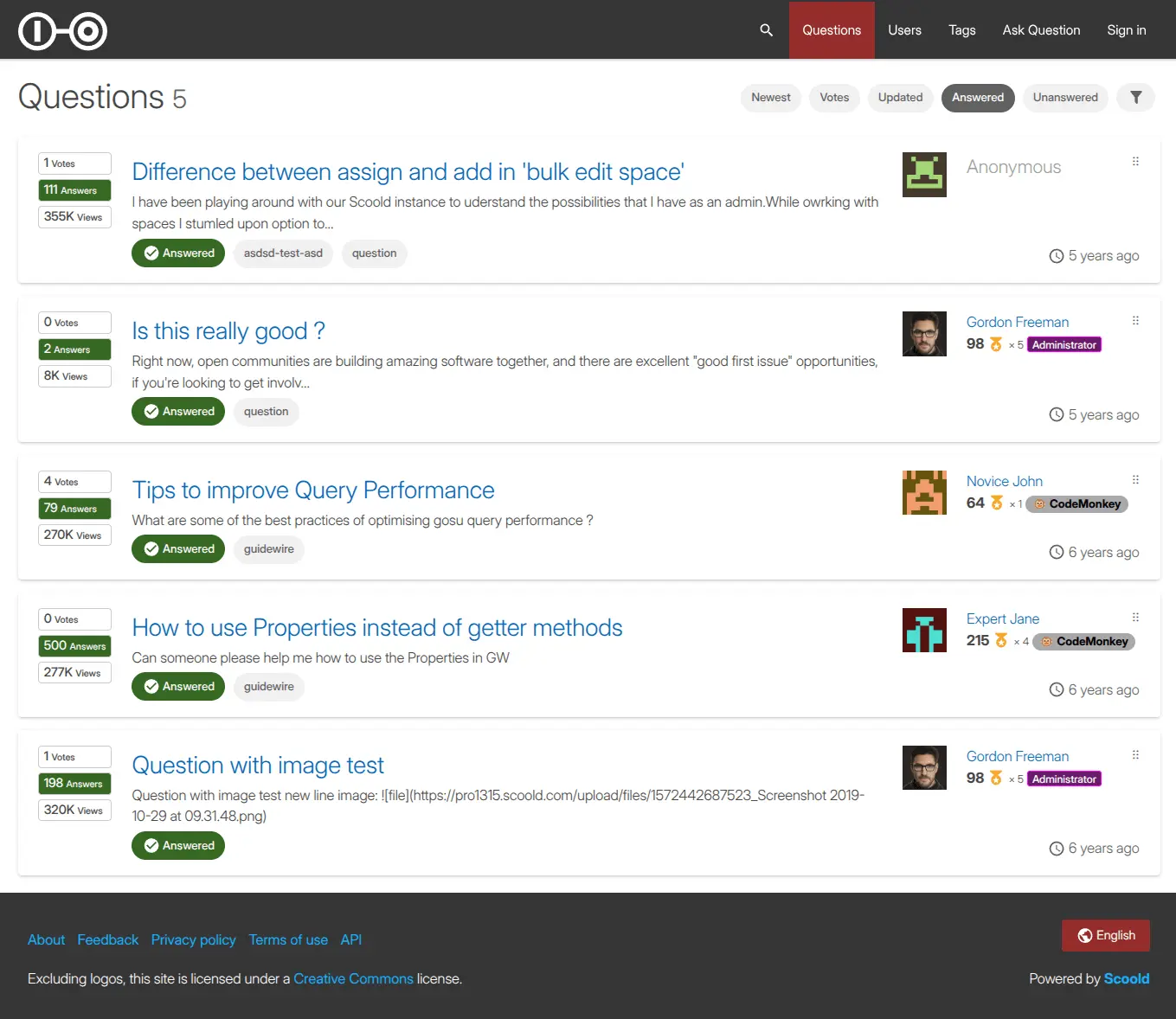
Scoold is a self-hosted Q&A site for teams and communities, like a private Stack Overflow, with votes, accepted answers, tags, reputation and search.
Scoold is a free, open-source, self-hosted questions and answers site, like a private Stack Overflow: your team or community asks questions, answers them, votes the best answers to the top and builds a searchable store of knowledge, instead of paying per user for Stack Overflow for Teams.
Members earn reputation and badges for helpful answers, and tags, search and similar-question suggestions help people find answers before they ask again. A software company, for example, could run one space for its support team and another for customers, so the same question about invoices only gets answered once.
People sign in with email and password, a Google, GitHub or Microsoft account, or LDAP. Scoold can import your questions from Stack Overflow for Teams, works in many languages and has an API and webhooks. The free edition has one admin and up to 10 spaces; Slack and Teams integration, file uploads and @mentions need the paid Scoold Pro.
Cloudgate installs Scoold and its Para backend on a server Cloudgate provides or one you connect and gives it a secure web address. Open /signin/register on that address and sign up with the admin email you entered at setup, then add your email settings so people get reply notifications.
What you can do with Scoold
- Ask and answer People post questions, answers and comments, and the asker accepts the answer that solved it.
- Votes, reputation and badges Votes lift the most useful posts, and helpful members earn reputation points and badges, including badges you design.
- Find answers before asking Full-text search, tags and suggestions of similar questions help people find what is already answered.
- Separate spaces Keep up to 10 spaces, such as one per team or product, each with its own questions and members.
- Sign in your way People sign in with email and password, a Google, GitHub or Microsoft account, or your company's LDAP directory.
- Write clearly Posts use Markdown with tables, task lists and highlighted code, in many languages, including right-to-left ones.
- Bring your questions over Import your questions and answers from Stack Overflow for Teams.
Replaces Stack Overflow for Teams
Scoold does the same job as Stack Overflow for Teams. Here is what changes when you switch.
- No price per user, however many people join
- Your team's questions and answers stay on your server
- Works as a private team knowledge base or a public help community
- The free edition allows one admin and up to 10 spaces
- Slack and Microsoft Teams integration, file uploads and @mentions are only in the paid Scoold Pro
- Email notifications need your own email settings
- Fewer analytics and enterprise controls than Stack Overflow for Teams
What happens when you click Deploy?
You do not need a server or any technical knowledge. Four steps, and Scoold is running at its own web address.
- Step 1 Click Deploy and create your account
Deploy takes you to Cloudgate. Create an account, or log in if you have one. Scoold itself is free.
- Step 2 Choose a server
No server? Get one from Cloudgate: pick a size and a country, and Cloudgate gets it ready. Already have one? Connect it instead.
- Step 3 Cloudgate sets up Scoold
It prepares the server, makes the passwords the app needs and starts it. There is nothing to install and nothing to write down.
- Step 4 Open your app and sign in
Your app gets a free web address to start, without https. Add your own domain, like app.yourshop.com, and Cloudgate secures it with https for you.
New to Cloudgate? See what Cloudgate is
Run Cloudgate yourself? Deploy from your own console
In your Cloudgate console, open Templates and choose Scoold.
Questions
Is Scoold free?
Yes. Scoold is free, open-source software under the Apache 2.0 licence, and you pay only for your server. A paid edition, Scoold Pro, adds extras such as Slack and Microsoft Teams integration, file uploads, @mentions, more admins and unlimited spaces.
Is Scoold a good alternative to Stack Overflow for Teams?
Yes. Scoold suits a team or community Q&A site with votes, accepted answers, tags, reputation and search, with no price per user. Scoold can import from Stack Overflow for Teams, but the free edition has one admin, up to 10 spaces and no chat-app integrations.
How do I sign in to Scoold the first time?
There is no default password. Open /signin/register on your Scoold address and sign up with the admin email address you entered at setup and a password; that account becomes the admin. Everyone else signs up the same way.
Can I import my questions from Stack Overflow for Teams into Scoold?
Yes. Scoold can import data from Stack Overflow for Teams, so your existing questions and answers can come with you.
What is the difference between Scoold and Scoold Pro?
Scoold is the free, open-source edition with one admin and up to 10 spaces. Scoold Pro is a paid, one-time licence that adds unlimited spaces and admins, SAML sign-in, Slack, Mattermost and Microsoft Teams integration, file uploads, @mentions and anonymous posts.
Does Scoold send email notifications?
Yes, Scoold emails people about replies and comments once you add your email server settings. Without them, Scoold still works, but sends no emails.
What server size do I need for Scoold?
A medium server with 2 GB of memory suits most teams, because Scoold runs together with its Para backend. Cloudgate sets up both.
Do I need technical skills to run Scoold?
No. Click Deploy, create your Cloudgate account and choose a server, and Cloudgate sets up Scoold and gives it a web address. You use it in your browser like any other online tool.
Do I need my own server for Scoold?
No. When you deploy Scoold, hosted Cloudgate can provide a server. If you already rent one, you can connect it instead.
Related apps

Your own self-hosted Q&A site, like Stack Overflow, for any team.

A self-hosted fediverse server.

A self-hosted social intranet with spaces, news feeds and profiles.

Reddit-style communities with voting and threaded comments.