
Open-source alternatives to Stack Overflow for Teams

Apache Answer is a free, open-source Stack Overflow for Teams alternative: a private or public Q&A site where people ask, answer, comment and vote, accept the best answer and earn reputation. Stack Overflow for Teams is free for up to 3 people and sells larger plans by quote; self-hosted Apache Answer has no per-user price, though it has fewer enterprise integrations and analytics.

2 alternatives Free apps Our pick: Apache Answer

At a glance

App Good for Code Import from Stack Overflow for Teams Ease of use
Apache Answer Teams and product communities that want a Stack Overflow-style Q&A site Code Open source Import from Stack Overflow for Teams No Easy
Scoold Teams and schools that want a Stack Overflow-style Q&A site and may bring questions over from Stack Overflow for Teams Code Open source Import from Stack Overflow for Teams Yes Easy

Why look for an alternative to Stack Overflow for Teams?

Stack Overflow for Teams, now called Stack Internal, is the private version of Stack Overflow for companies: a Q&A site where staff ask and answer technical and internal questions, with integrations into chat and work tools.

Teams look for an alternative because of the price and because of where their knowledge lives. When we checked its pricing page in November 2026, the free Starter plan covered up to 3 collaborators, and the Organization plan was priced by quote, based on usage credits. Some teams also want internal answers on their own server. Apache Answer, from the Apache Software Foundation, gives you the same ask, answer and vote model with no per-user price. Scoold does too, and can import your Stack Overflow for Teams data, with some features kept for its paid Pro edition.

The alternatives, compared

Apache Answer

Our pick

Your own self-hosted Q&A site, like Stack Overflow, for any team.

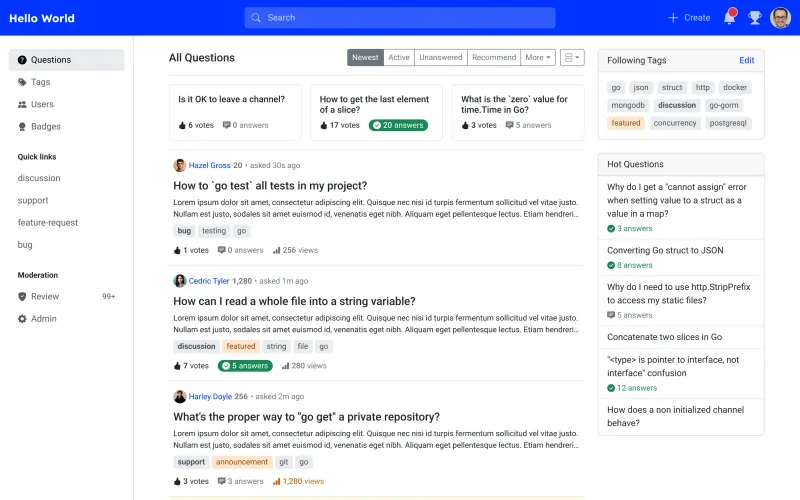
The same Q&A model on your own server: questions and answers with votes, comments, accepted answers, tags, reputation and badges, a review queue for moderators, and an option to make the site private. Stack Overflow for Teams has built-in Slack, Microsoft Teams and Jira integrations and analytics; in Answer, single sign-on, Slack and stronger search are plugins that need a custom build.

What you gain
  • No per-user price, however many people join
  • Your team's questions and answers stay on your server
  • Works as a private team knowledge base or a public customer community
What is different
  • Plugins such as single sign-on, outside file storage and extra search engines are not included in this template
  • Fewer integrations and reports than Stack Overflow for Teams
  • Your existing questions do not move across
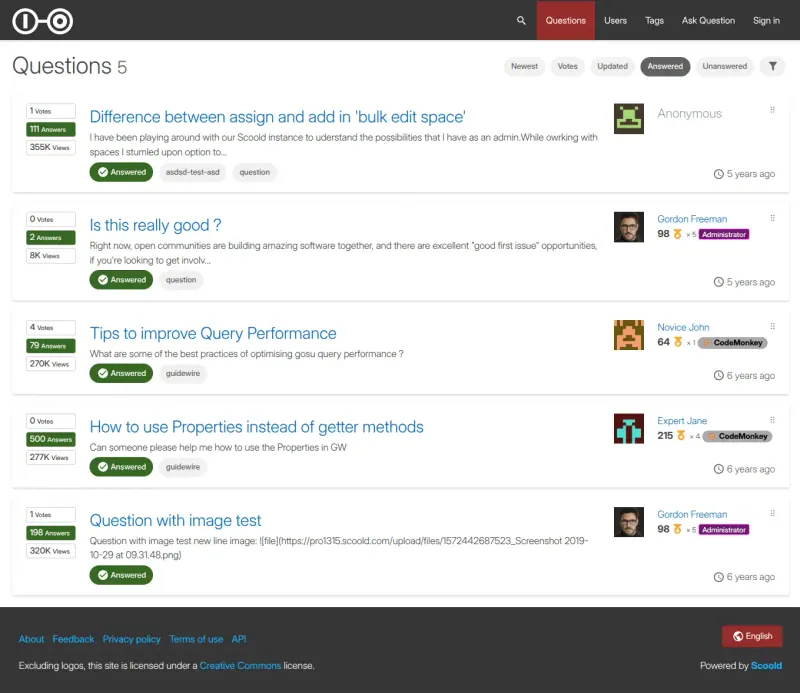
Easy Open source

A self-hosted questions and answers site, like Stack Overflow.

A Stack Overflow-style Q&A site with questions, answers, comments, votes, accepted answers, tags, reputation and badges, full-text search with duplicate hints, and spaces for separate groups. It can import data from Stack Overflow for Teams, and signs people in with email, social logins or LDAP. The free edition has one admin and up to 10 spaces; Slack and Microsoft Teams integrations, SAML, file uploads and @mentions are in the paid Scoold Pro.

What you gain
  • No price per user, however many people join
  • Your team's questions and answers stay on your server
  • Works as a private team knowledge base or a public help community
What is different
  • The free edition allows one admin and up to 10 spaces
  • Slack and Microsoft Teams integration, file uploads and @mentions are only in the paid Scoold Pro
  • Email notifications need your own email settings
Easy Open source

Moving from Stack Overflow for Teams

Apache Answer has no importer from Stack Overflow for Teams, so choose the knowledge worth keeping. Recreate your main tags in Apache Answer first, then copy across your most-viewed questions and their accepted answers, by hand or through Answer's API with an API key. Turn on the login-required option if the site is only for your team, limit sign-ups to your company's email domain, and add email settings in the admin panel so people get notifications. Decide which plugins you need, such as single sign-on, before you invite everyone.

Scoold can import data from Stack Overflow for Teams, so your questions and answers can come across rather than being copied; follow Scoold's import guide for the export it needs. Open /signin/register on your Scoold address and sign up with the admin email you entered at setup to become the admin, add email settings so people get reply notifications, then invite your team.

Questions

What is the best open-source alternative to Stack Overflow for Teams?

Start with Apache Answer. Both are free and open source.

Can Apache Answer be private for my team?

Yes. Turn on the login-required option so only signed-in people can read questions, and allow sign-ups only from your company's email domain.

Does Apache Answer support single sign-on?

Through plugins. Sign-in with OAuth2, Google and similar providers is a plugin that has to be built into a custom Answer image; the standard image in this template signs people in with email and password.

Can I move my questions from Stack Overflow for Teams?

Into Scoold, yes: it imports data from Stack Overflow for Teams. Apache Answer has no importer, so you copy the questions and answers you want to keep, by hand or through its API.

Should I choose Apache Answer or Scoold?

Apache Answer for most teams: every feature is free, with no paid edition. Choose Scoold if you want to import your Stack Overflow for Teams content, sign in with LDAP or social logins out of the box, or split questions into spaces; its free edition allows one admin and up to 10 spaces, and chat integrations are paid.

Are these Stack Overflow for Teams alternatives really free?

Yes, Apache Answer and Scoold are free. To run them you need Cloudgate and a server. Use hosted Cloudgate, which can also provide the server, or install Cloudgate on a server of your own for free. Cloudgate's plans and prices are at cloudgate.octabyte.io/pricing. One server can run several apps.

Do I need a developer to replace Stack Overflow for Teams?

No. Cloudgate installs the app you choose on your server and gives it a secure web address, and you use it in your browser instead of Stack Overflow for Teams.