
HumHub
A self-hosted social intranet with spaces, news feeds and profiles.
No server needed to start: Cloudgate can provide one. What happens when you click Deploy
What is HumHub?
Self-hosted HumHub: an open-source social intranet with spaces, news feeds, profiles and phone apps for your company, school or club.
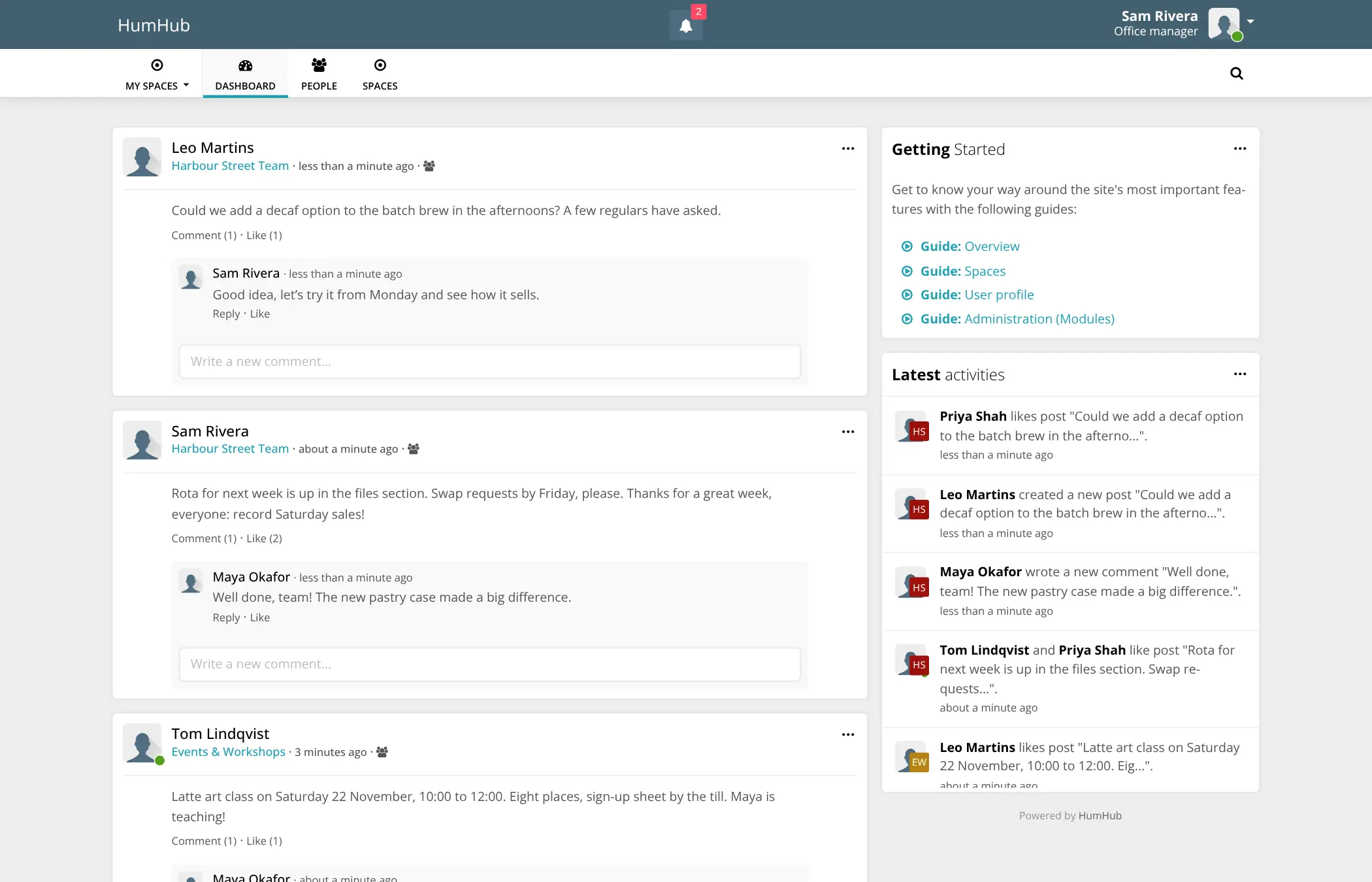
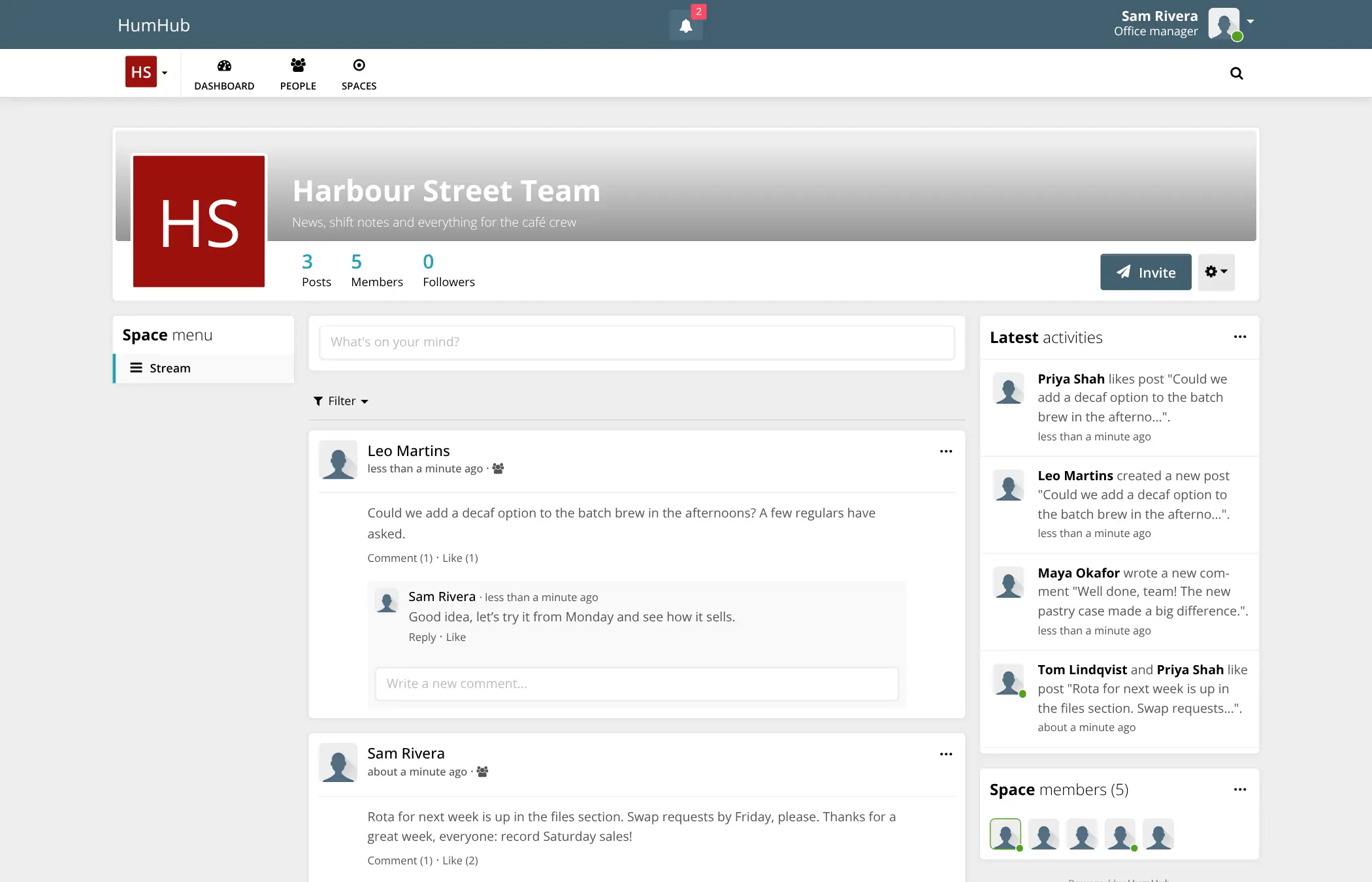
HumHub is an open-source social intranet and community platform you can self-host, and an alternative to Workplace from Meta, Viva Engage (formerly Yammer) and Circle. Members get profiles and a shared news feed, and work happens in spaces for teams, departments, projects or groups, with posts, comments, likes, mentions and files.
A regional chain of garden centres, for example, could give each shop its own space for shift notes and stock news, add a company-wide space for announcements from head office, and let staff check everything in the HumHub app on their phones.
Around 80 modules from HumHub's marketplace add a wiki, calendar, tasks, polls, photo galleries, direct messages and more; some of them are paid. The free Community Edition is open source under the AGPL licence. LDAP and SAML single sign-on and some premium modules come with the paid Professional Edition. HumHub is a place for news and discussion, not a real-time chat app.
Cloudgate installs HumHub and its database on a server Cloudgate provides or one you connect, gives it a secure web address and creates the admin account. Open sign-up is off, so only people you invite can join. Add your email server so that invitations and notifications reach people.
What you can do with HumHub
- Give every team a space Create spaces for teams, departments, projects or groups, each with its own posts, members and permissions.
- Share news in one feed Post updates with files, comment, like and @-mention colleagues, and see what is new across your spaces on one dashboard.
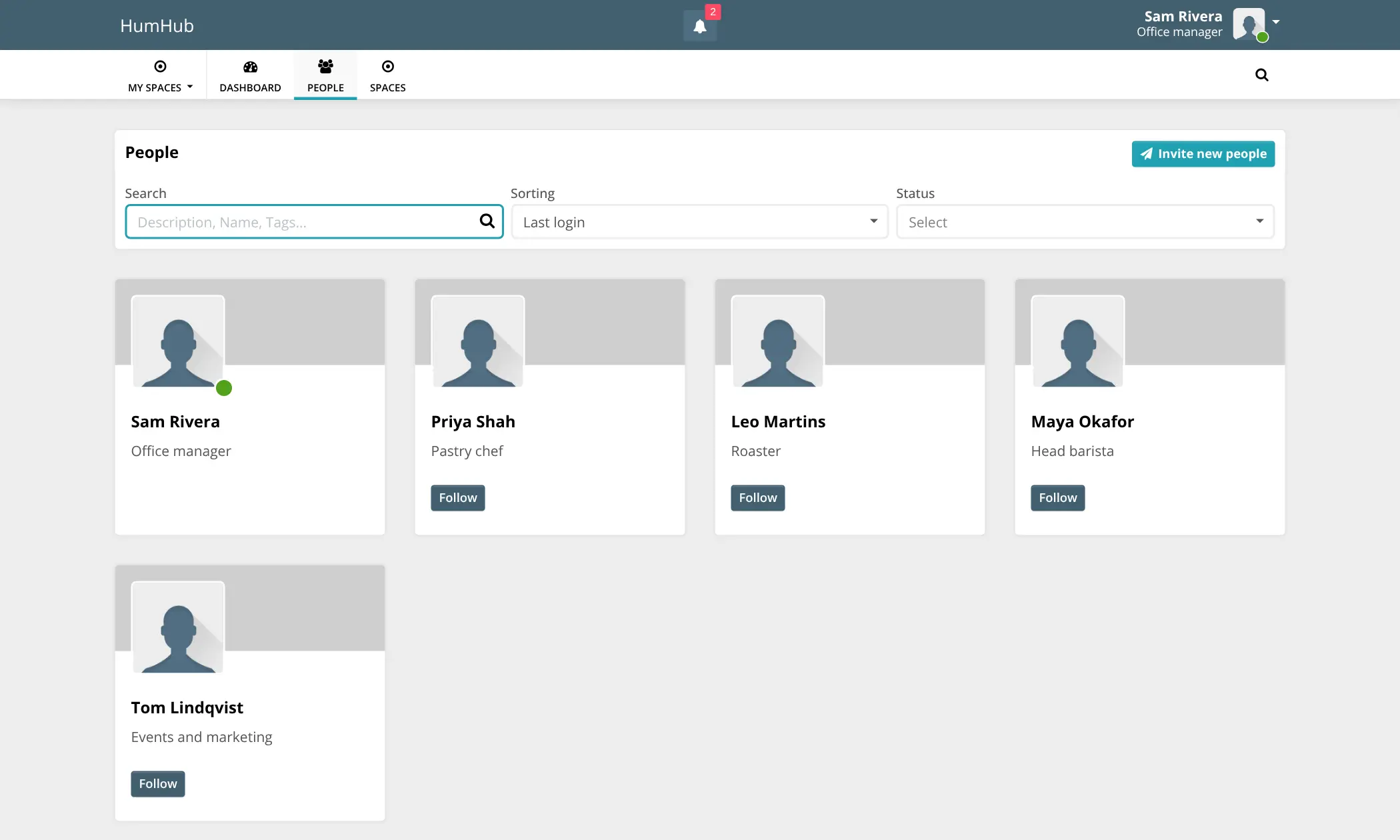
- Get to know each other Member profiles with your own profile fields, a people directory and the option to follow colleagues.
- Stay in the loop Notifications in the app and as email summaries, so nobody misses an important post.
- Find anything Full-text search with filters finds posts, people and spaces.
- Add what you need Around 80 modules add a wiki, calendar, tasks, polls, photo galleries, direct messages and more.
- Use it on your phone Free HumHub apps for iPhone and Android connect to your own HumHub, and the website works on any screen.
- Decide who sees what Groups and roles such as administrator, moderator, editor and read-only control who can do what, in over 30 languages.
Replaces Workplace from Meta, Viva Engage and Circle
HumHub does the same job as Workplace from Meta, Viva Engage and Circle. Here is what changes when you switch.
- Your posts, files and member data stay on your own server
- The free Community Edition is open source, with no fee per member
- Spaces, feeds and profiles in one place, with free phone apps
- Modules let you add only the tools your organization uses
- No tool to import posts or members' content from Workplace, Viva Engage or Circle
- LDAP and SAML single sign-on and some premium modules come with the paid Professional Edition
- No courses, paid memberships or payments as Circle has, and no Microsoft 365 link as Viva Engage has
- It is a social network, not a real-time chat app; the Mail module adds direct messages
What happens when you click Deploy?
You do not need a server or any technical knowledge. Four steps, and HumHub is running at its own web address.
- Step 1 Click Deploy and create your account
Deploy takes you to Cloudgate. Create an account, or log in if you have one. HumHub itself is free.
- Step 2 Choose a server
No server? Get one from Cloudgate: pick a size and a country, and Cloudgate gets it ready. Already have one? Connect it instead.
- Step 3 Cloudgate sets up HumHub
It prepares the server, makes the passwords the app needs and starts it. There is nothing to install and nothing to write down.
- Step 4 Open your app and sign in
Your app gets a free web address to start, without https. Add your own domain, like app.yourshop.com, and Cloudgate secures it with https for you.
New to Cloudgate? See what Cloudgate is
Run Cloudgate yourself? Deploy from your own console
In your Cloudgate console, open Templates and choose HumHub.
Questions
Is HumHub free?
Yes, the HumHub Community Edition is free and open source under the AGPL-3.0 licence, so you pay only for your server. HumHub GmbH also sells a Professional Edition, from €144 a month as of November 2026, which adds LDAP and SAML single sign-on, some premium modules and support, and some marketplace modules are paid.
Is HumHub a good alternative to Workplace from Meta?
Yes, for organizations that need somewhere to go now that Meta has closed Workplace. HumHub gives you the same core idea, a private social network with a news feed, groups called spaces, profiles and phone apps, on a server you control. There is no tool to bring your Workplace posts across.
Is HumHub a good alternative to Viva Engage or Yammer?
Yes, if you want an internal social network outside Microsoft 365. HumHub has spaces, news feeds, profiles, notifications and phone apps, but it does not connect to Microsoft 365 and cannot import your Viva Engage or Yammer communities.
How do I sign in to HumHub the first time?
Sign in with the username admin, or the admin email you entered in Cloudgate, and the password Cloudgate generated, which is shown on the app's page in Cloudgate. HumHub asks for the username first and then the password. Change the password in your account settings afterwards.
Can anyone sign up to my HumHub?
No, open sign-up to HumHub is turned off, so only people you invite can join. Invite them by email or with an invite link, or turn registration on under Administration > Users > Settings if you want people to sign up themselves.
Do I need to set up email for HumHub?
Yes. HumHub needs an email server to send invitations, notifications and password resets. Add your email provider's SMTP details under Administration > Settings > Advanced > E-Mail before you invite people.
Does HumHub have a phone app?
Yes, the free HumHub app for iPhone and Android connects to your own HumHub, and the website also works in any phone browser.
Do I need technical skills to run HumHub?
No. Click Deploy, create your Cloudgate account and choose a server, and Cloudgate sets up HumHub and gives it a web address. You use it in your browser like any other online tool.
Do I need my own server for HumHub?
No. When you deploy HumHub, hosted Cloudgate can provide a server. If you already rent one, you can connect it instead.
Can I move my data from Workplace from Meta to HumHub?
Most people export from Workplace from Meta and import into HumHub. The official guides at docs.humhub.org walk through it.
Related apps

Reddit-style communities with voting and threaded comments.

A self-hosted forum and community knowledge base in one place.

Forum software for your community, with live chat.

Classic self-hosted forum software for clubs and communities.