
Rembg
Remove image backgrounds on your own server, with no fee per image.
No server needed to start: Cloudgate can provide one. What happens when you click Deploy
What is Rembg?
Rembg is a self-hosted alternative to remove.bg that removes the background from photos on your own server, through a simple web page or an API.
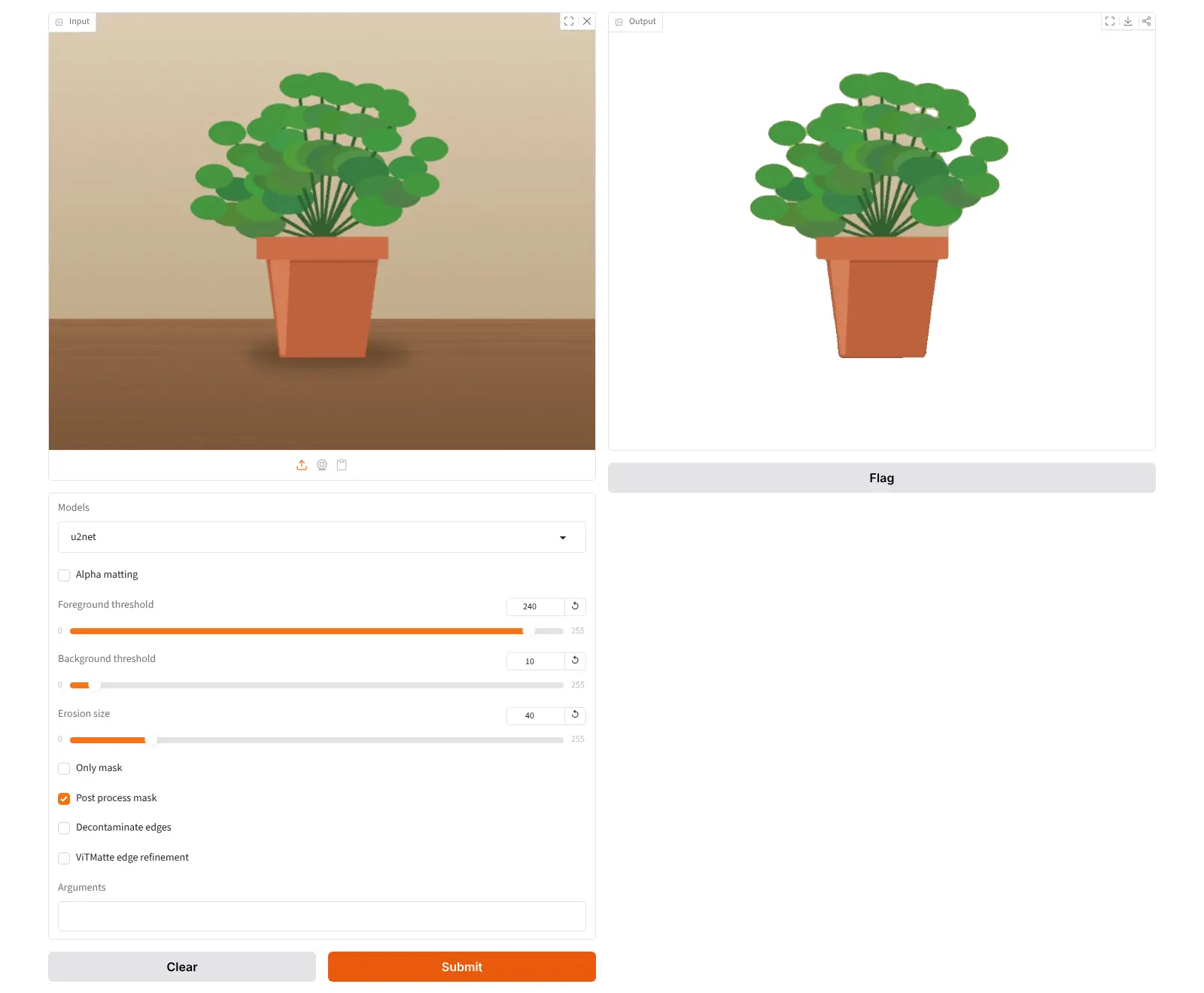
Rembg is a free, open-source tool that removes the background from photos on your own server, a self-hosted alternative to remove.bg. Upload a picture on its simple web page, or send it from another app through its API, and you get back a PNG cut-out with a transparent background, or just the mask.
It suits anyone who cuts out a lot of images. A small online shop selling plant pots, for example, could photograph each new product on the kitchen table and turn every shot into a clean cut-out for its product pages, with no fee per image and without sending its photos to an outside service.
Rembg comes with several AI models: general ones for products and objects, others for people, clothing and anime. The default model gives detailed edges but is licensed for non-commercial use only, so a business picks one of the openly licensed models from the same list. The work runs on your server's processor, so each photo takes a while and needs plenty of memory.
Cloudgate installs Rembg on a server Cloudgate provides or one you connect and gives it a secure web address. Rembg has no sign-in, so keep that address to yourself and your team.
What you can do with Rembg
- Cut out a photo in the browser Upload a picture on the simple web page and download it as a PNG with a transparent background.
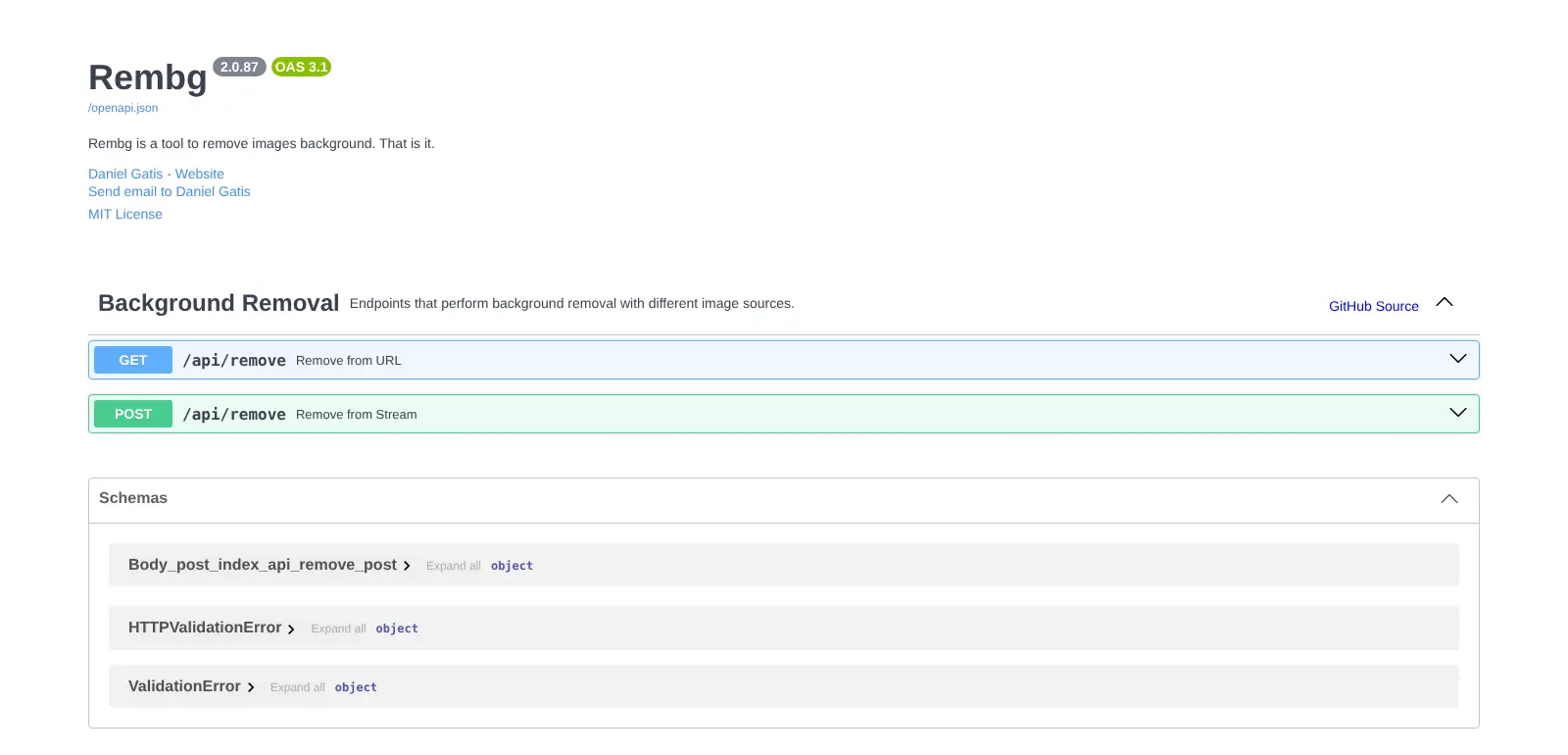
- Connect your own apps Send an image, or an image's web address, to Rembg's API and get the cut-out back, with the API's documentation built in.
- Pick the right model Choose models made for general photos, people and portraits, clothing or anime, and add more when you need them.
- Clean up hair and fur edges Turn on edge refinement, or remove the coloured fringe a bright background leaves around fine detail.
- Get just the mask Ask for the black-and-white mask instead of the cut-out, to use in your own photo editor.
- Fill in a plain colour Through the API, put a solid background colour behind the subject instead of transparency.
Replaces remove.bg
Rembg does the same job as remove.bg. Here is what changes when you switch.
- No fee per image and no lower resolution for free use
- Your photos are processed on your own server and never sent to a third party
- Send as many images through the API as your server can handle
- Open-source code under the MIT licence
- The default model is free for non-commercial use only; businesses choose another model in the list
- It works on the server's processor, so photos take a while and the default model needs a lot of memory
- The web page is a simple one-photo-at-a-time demo, with no editor, touch-up brush or saved history
- There is no sign-in, so anyone who has the address can use it
What happens when you click Deploy?
You do not need a server or any technical knowledge. Four steps, and Rembg is running at its own web address.
- Step 1 Click Deploy and create your account
Deploy takes you to Cloudgate. Create an account, or log in if you have one. Rembg itself is free.
- Step 2 Choose a server
No server? Get one from Cloudgate: pick a size and a country, and Cloudgate gets it ready. Already have one? Connect it instead.
- Step 3 Cloudgate sets up Rembg
It prepares the server, makes the passwords the app needs and starts it. There is nothing to install and nothing to write down.
- Step 4 Open your app and sign in
Your app gets a free web address to start, without https. Add your own domain, like app.yourshop.com, and Cloudgate secures it with https for you.
New to Cloudgate? See what Cloudgate is
Run Cloudgate yourself? Deploy from your own console
In your Cloudgate console, open Templates and choose Rembg.
Questions
Is Rembg free?
Yes, Rembg is free and open source under the MIT licence, with no fee per image and no paid edition. You pay only for your server. The AI models it uses have their own licences, and the default one is free for non-commercial use only.
Can I use Rembg for my business?
Yes, but pick a Rembg model whose licence allows it. The default model, BRIA RMBG-2.0, is licensed for non-commercial use only, and BRIA sells a separate licence for commercial use. The birefnet, isnet-general-use and u2net models in the model list have open licences (MIT or Apache-2.0) that allow business use.
Is Rembg a good alternative to remove.bg?
Yes, if you want to cut out many images without paying per image and keep your photos on your own server. remove.bg needs no server and has a polished editor and apps, but its free use gives only low-resolution results, full-size images cost credits, and its standalone website and self-service API close on 1 December 2026, moving to Canva and Leonardo.Ai. With Rembg, the quality depends on the model you pick, and fine hair may need its edge refinement.
How do I sign in to Rembg the first time?
You don't, because Rembg has no accounts or sign-in. Open its web address and upload a photo. Anyone who has the address can use the page and the API, so share it only with people you trust.
Can Rembg remove the background from many photos at once?
Yes, through its API. A script, a workflow tool or your shop's own software can send each photo to Rembg and save the result. The web page itself handles one photo at a time.
Do my photos leave my server with Rembg?
No, Rembg processes every image on your own server with models stored there. It can also use two paid cloud services, but they are turned off in this setup.
What server size does Rembg need?
Rembg needs an extra-large server, because its default model is about 1 GB and, in Cloudgate's testing, used more than 6 GB of memory for a single photo while working on the processor. Cloudgate gives it an extra-large server. Smaller, faster models such as u2net are in the same list, with blockier edges.
Do I need technical skills to run Rembg?
No. Click Deploy, create your Cloudgate account and choose a server, and Cloudgate sets up Rembg and gives it a web address. You use it in your browser like any other online tool.
Do I need my own server for Rembg?
No. When you deploy Rembg, hosted Cloudgate can provide a server. If you already rent one, you can connect it instead.
Related apps

A self-hosted AI agent with its own computer that does tasks for you.

Private AI chat over your own documents, for staff and your website.

One private AI chat for many models, using your own API keys.

Build Coze-style AI agents, chatbots and workflows on your server.