
Quackback
Collect feature requests, share a roadmap, announce what shipped.
No server needed to start: Cloudgate can provide one. What happens when you click Deploy
What is Quackback?
Quackback is a self-hosted alternative to Canny that collects feature requests and votes, shares a roadmap and announces what shipped.
Self-hosted Quackback is an open-source customer feedback tool where customers post and vote on feature requests, you plan them on a public roadmap, and a changelog tells everyone who asked when their idea ships. It is a free alternative to Canny and UserVoice.
Each request carries its votes, comments and status, so the team sees what is most wanted and customers see what is coming. A three-person company selling invoicing software to plumbers, for example, could gather every "can it send payment reminders?" request on one board, link it to the Linear issue the developer works on, and publish a changelog entry the day it ships, which notifies every customer who voted.
Quackback connects to Linear, GitHub, Jira and other issue trackers, to Slack, Microsoft Teams and Discord, and to Intercom, Zendesk and HubSpot. A small widget puts the board inside your own website or app. When you need it, the same app can also run a support inbox, a help center and a status page.
Cloudgate installs Quackback on a server Cloudgate provides or one you connect, with its database and file storage, and gives it a secure web address. Open that address right after setup to create the owner account; adding your email service's details lets Quackback send invitations and updates.
What you can do with Quackback
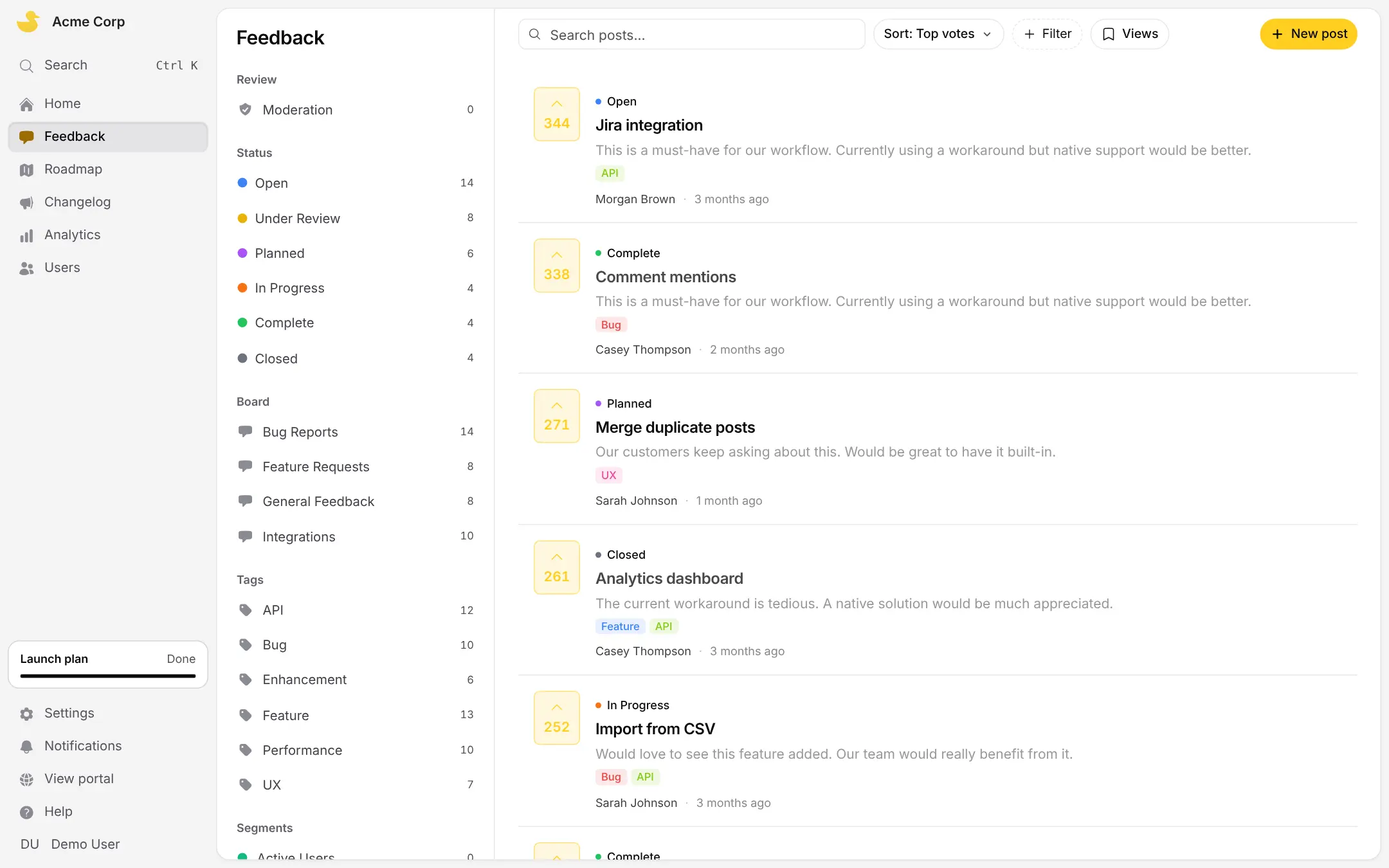
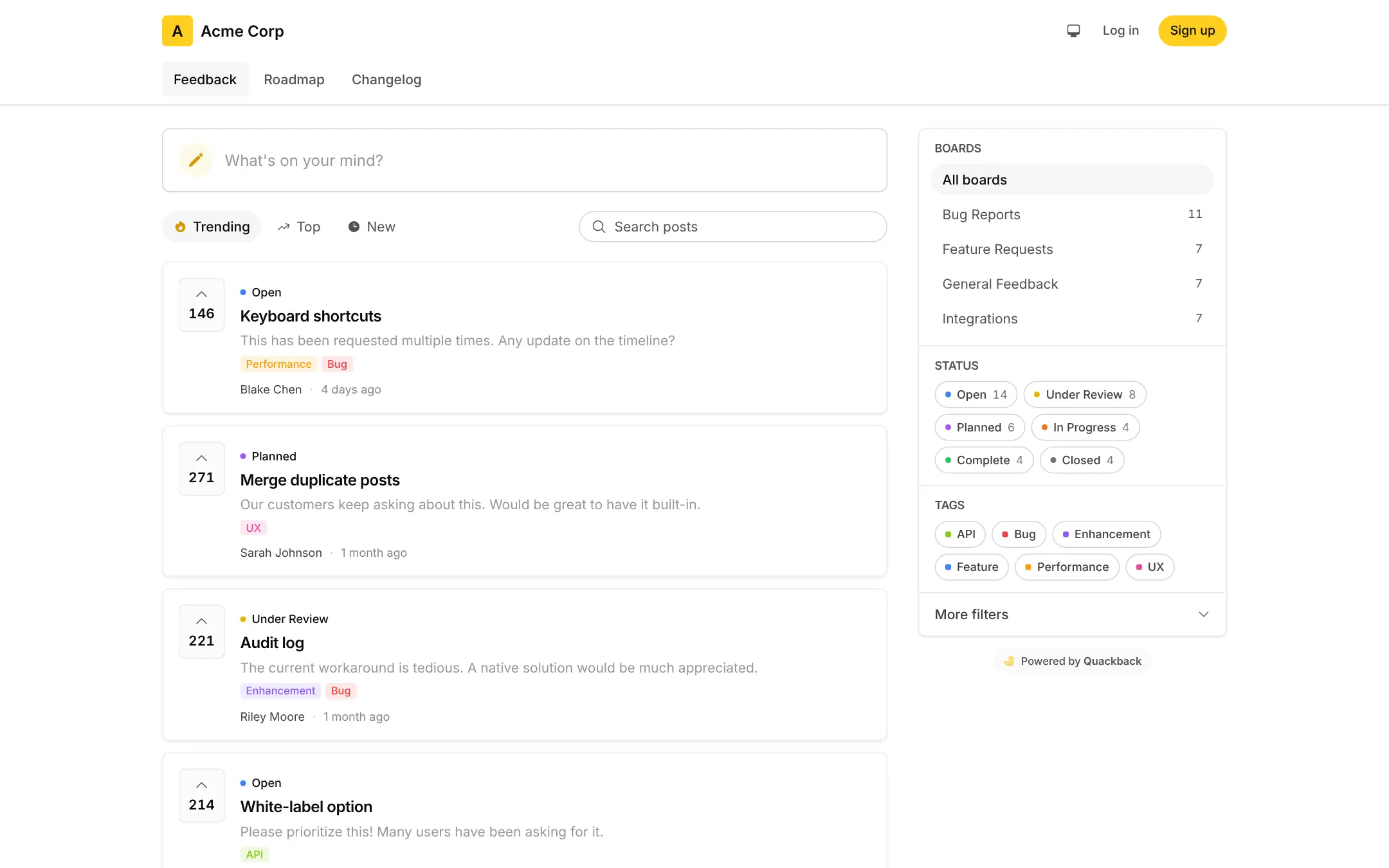
- Collect ideas on feedback boards Customers post ideas and feature requests, vote and comment, on as many boards as you need, public or private.
- Keep requests tidy Sort ideas by status and tag, approve posts before they appear, and merge duplicates so their votes add up.
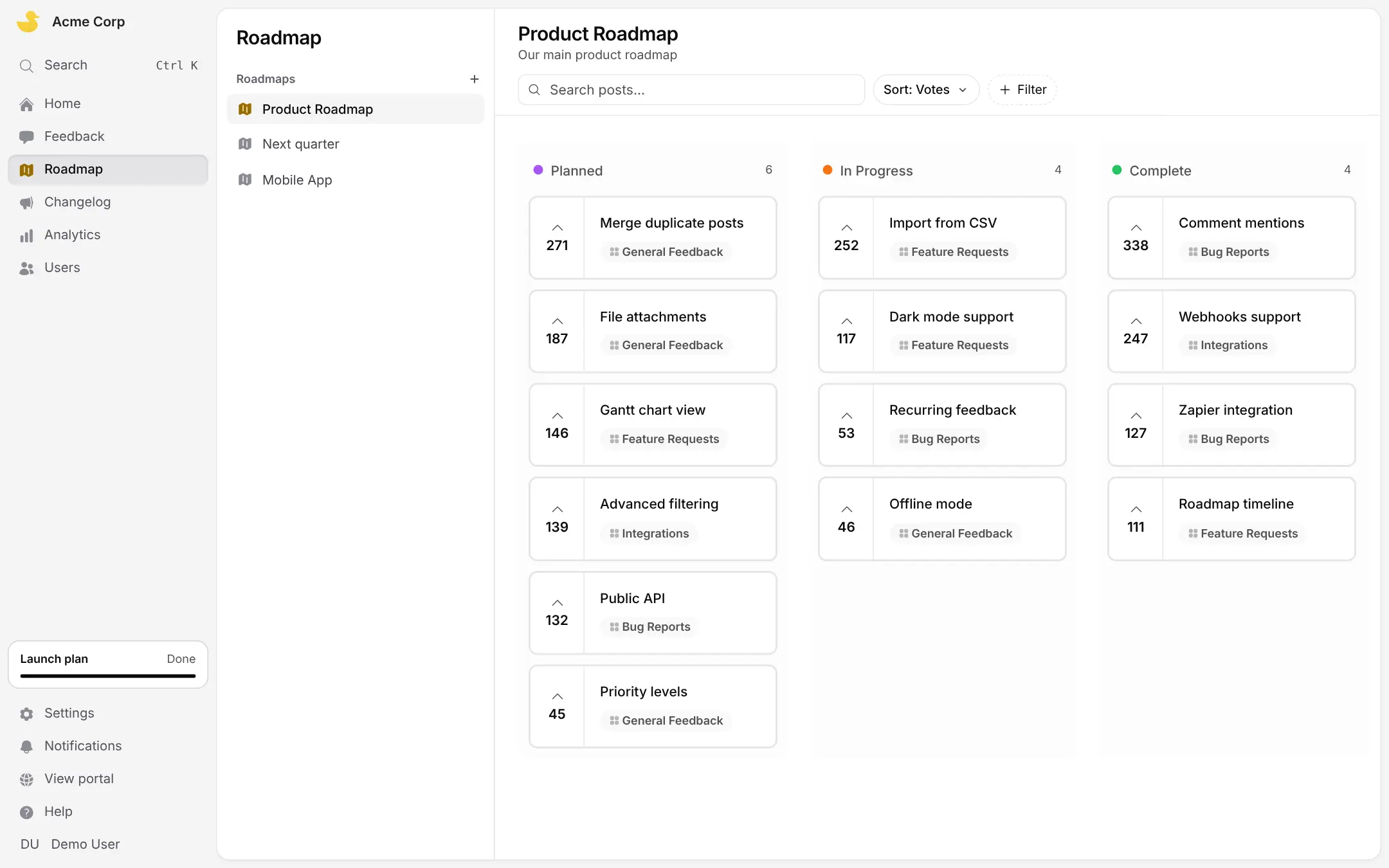
- Share a public roadmap Show what is planned, in progress and complete, with separate roadmaps for different products or time frames.
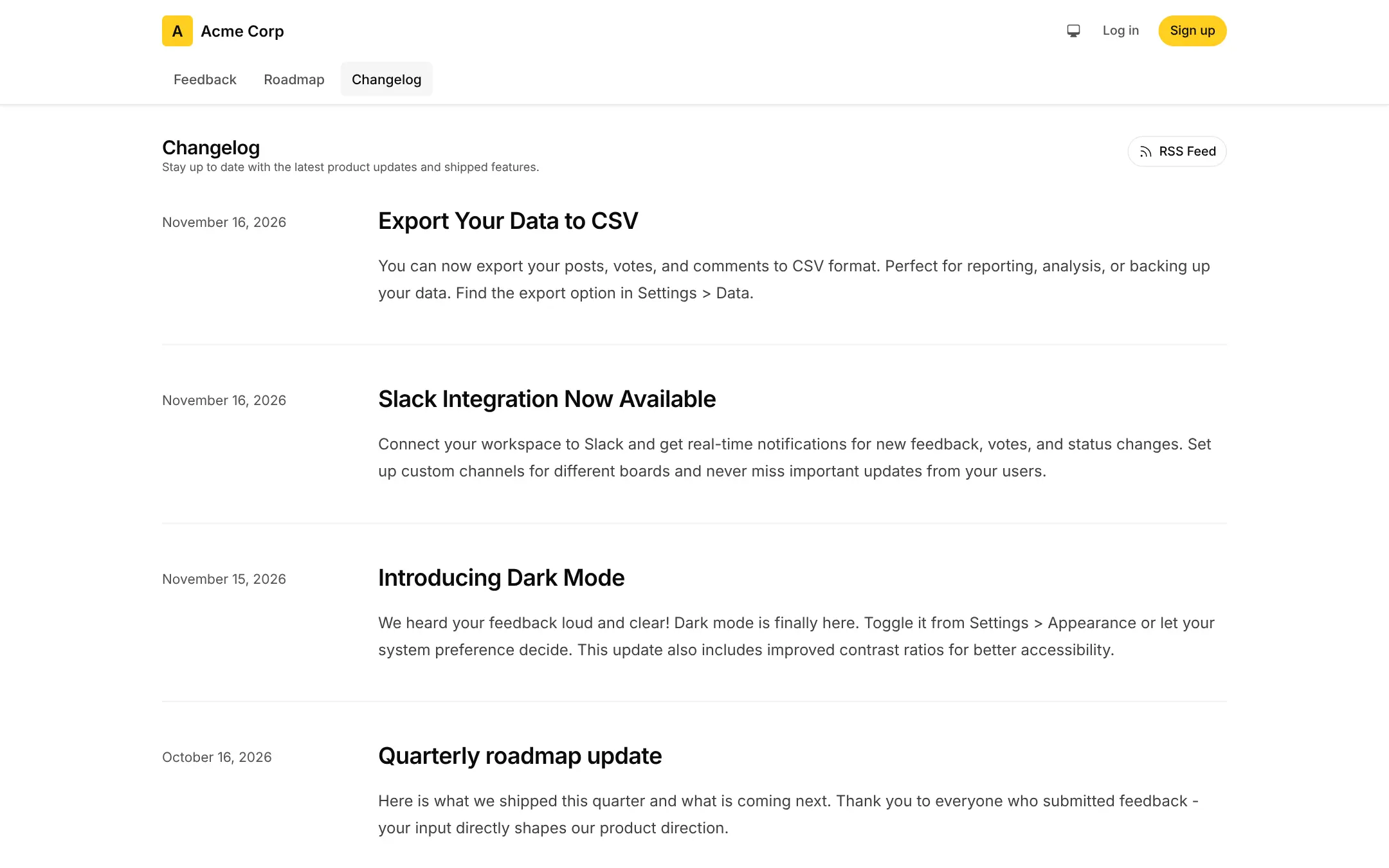
- Announce what shipped Write a changelog entry, link it to the requests it delivers, and everyone who voted is told; others subscribe by email or RSS.
- Stay in step with your issue tracker When a linked Linear or GitHub issue changes, the request moves with it, and Jira, Asana, Trello and others connect too.
- Put feedback inside your product Add a small widget to your website or app so customers can post ideas, read help articles and see the changelog without leaving.
- Answer customers in the same place Switch on a support inbox for chat, email and tickets, a help center and a status page when you need them.
- Use AI if you want it Add your own OpenAI key and Quackback summarises feedback and spots duplicate requests.
Replaces Canny and UserVoice
Quackback does the same job as Canny and UserVoice. Here is what changes when you switch.
- Every feature is included, with no seat limit, no tracked-user fee and no licence key
- Roadmap, changelog and Linear, GitHub and Jira links come with no paid plan to unlock
- Your customers' ideas, votes and email addresses stay on your server
- You can export your feedback as CSV files or a full workspace download at any time
- Moving from Canny is a CSV import that brings posts, statuses, tags and vote counts, but not who voted
- Quackback is a young project that changes often, so back it up before each upgrade
- It connects to fewer tools than Canny and has nothing like Canny's Autopilot
- It needs a bigger server than a simple voting board, and an email service for invites and password resets
What happens when you click Deploy?
You do not need a server or any technical knowledge. Four steps, and Quackback is running at its own web address.
- Step 1 Click Deploy and create your account
Deploy takes you to Cloudgate. Create an account, or log in if you have one. Quackback itself is free.
- Step 2 Choose a server
No server? Get one from Cloudgate: pick a size and a country, and Cloudgate gets it ready. Already have one? Connect it instead.
- Step 3 Cloudgate sets up Quackback
It prepares the server, makes the passwords the app needs and starts it. There is nothing to install and nothing to write down.
- Step 4 Open your app and sign in
Your app gets a free web address to start, without https. Add your own domain, like app.yourshop.com, and Cloudgate secures it with https for you.
New to Cloudgate? See what Cloudgate is
Run Cloudgate yourself? Deploy from your own console
In your Cloudgate console, open Templates and choose Quackback.
Questions
Is Quackback free?
Yes, Quackback is free and open source under the AGPL-3.0 licence. A self-hosted Quackback has every feature, with unlimited seats and no licence key; you pay only for your server, plus your email service and AI provider if you use them.
Is Quackback a good alternative to Canny or UserVoice?
Yes, if you want customers to post and vote on ideas, a public roadmap and a changelog that tells voters when their request ships. Quackback also links requests to Linear, GitHub and Jira. Canny connects to more tools and UserVoice is a larger enterprise suite, while Quackback is younger and runs on your own server.
Can I import my feedback from Canny into Quackback?
Partly. You export a CSV file from Canny and import it in Quackback's settings, which brings over posts, boards, statuses, tags and vote counts, but not who voted. Comments and individual voters need Quackback's import script, which a developer can run. The same CSV route works for UserVoice exports.
How do I sign in to Quackback the first time?
There is no default login. The first person to open your Quackback address creates the owner account with an email address and a password of at least 8 characters, then names the workspace and picks the parts to switch on. Nobody else can sign up until that is done, so do it right after setup.
Does Quackback need an email service or an OpenAI key?
No, both are optional. Without email settings, Quackback only writes its emails to its log, so invitations, password resets and changelog emails are not sent; sign-up and sign-in with a password still work. An OpenAI key turns on AI summaries and duplicate detection.
What server size does Quackback need?
Quackback recommends 2 GB of memory and 2 CPU cores, so Cloudgate asks for a medium server. Plan extra disk if customers will attach images and videos to their feedback.
Does Quackback have a phone app?
No, Quackback has no phone app. The feedback portal works in any phone browser, and developers can add its widget to your own iPhone or Android app.
Do I need technical skills to run Quackback?
No. Click Deploy, create your Cloudgate account and choose a server, and Cloudgate sets up Quackback and gives it a web address. You use it in your browser like any other online tool.
Do I need my own server for Quackback?
No. When you deploy Quackback, hosted Cloudgate can provide a server. If you already rent one, you can connect it instead.
Related apps

A self-hosted board where customers suggest and vote on features.
Surveys and feedback forms with unlimited responses.

Let clients book time with you from a simple link.

A light, self-hosted booking link for consultants and small teams.