
Presenton
AI presentations from a prompt or your own documents.
No server needed to start: Cloudgate can provide one. What happens when you click Deploy
What is Presenton?
Presenton is a self-hosted AI presentation generator: turn a prompt or your documents into editable slides and export them as PowerPoint or PDF.
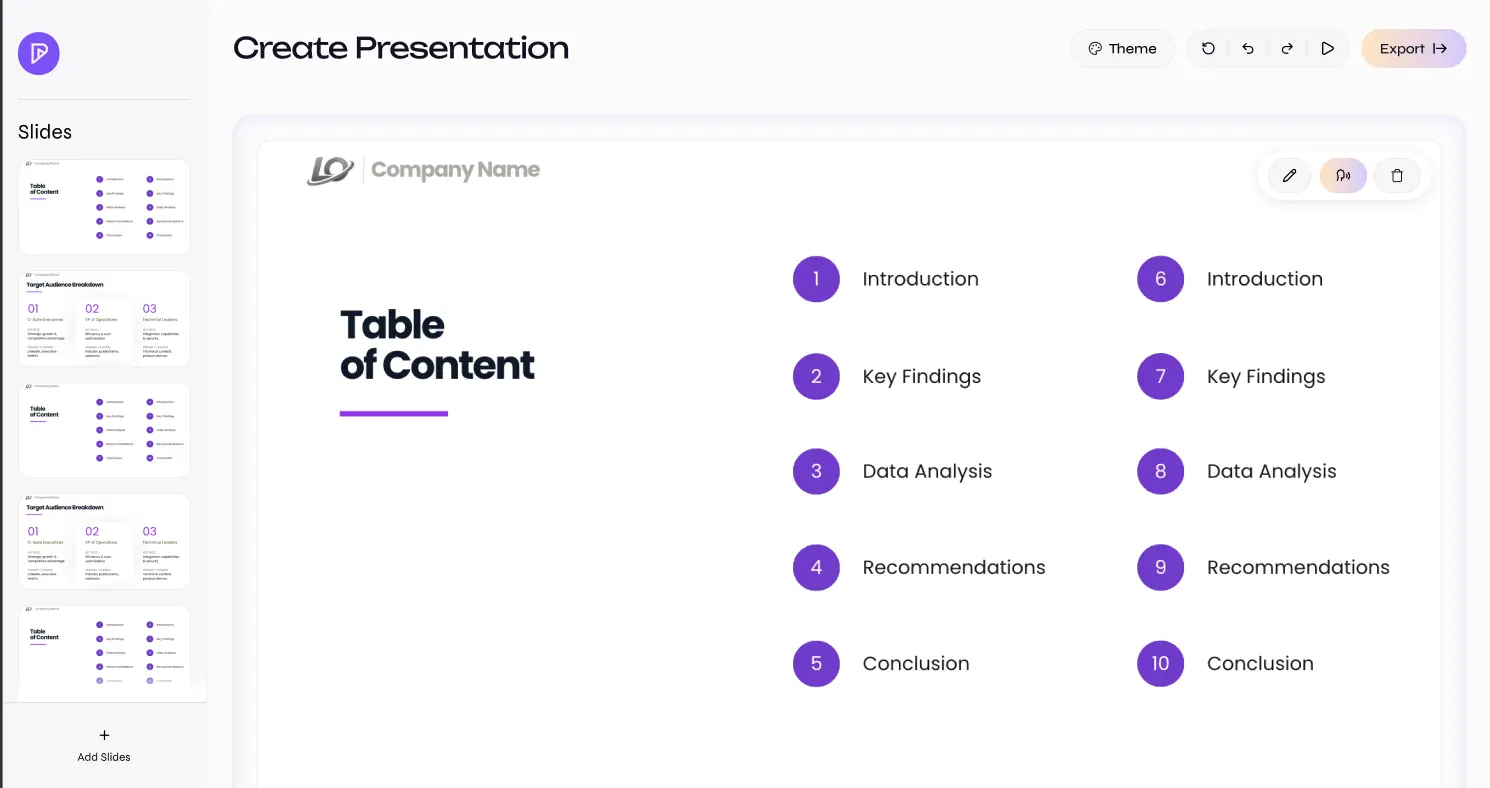
Presenton is a self-hosted, open-source AI presentation generator that turns a prompt or your own documents into an editable slide deck, much like Gamma or Beautiful.ai. You describe what you need or upload files such as a PDF report or a spreadsheet, correct the outline it drafts, and it builds the slides from a built-in design or your company's own PowerPoint template.
You then polish each slide in a drag-and-drop editor or ask the AI assistant to change it, and download an editable PowerPoint file or a PDF. A consultant could upload last quarter's figures and a client brief, and have a first draft of a branded 12-slide review ready to fine-tune before lunch.
Presenton brings no AI of its own: you connect a provider such as OpenAI, Google Gemini or Anthropic and pay it for what you use, or run a model on your own hardware. Anything you send goes to the provider you choose. Every release is still marked beta, so features can change between versions.
Cloudgate installs Presenton on a server Cloudgate provides or one you connect, creates the admin account and gives it a secure web address. Each person you add gets a private workspace, and there are no phone apps.
What you can do with Presenton
- Turn a prompt or a file into a deck Describe the talk or upload up to eight files, such as PDFs, Word documents, spreadsheets or images, and get a full set of slides.
- Check the outline first Presenton drafts an outline you can correct before it builds a single slide.
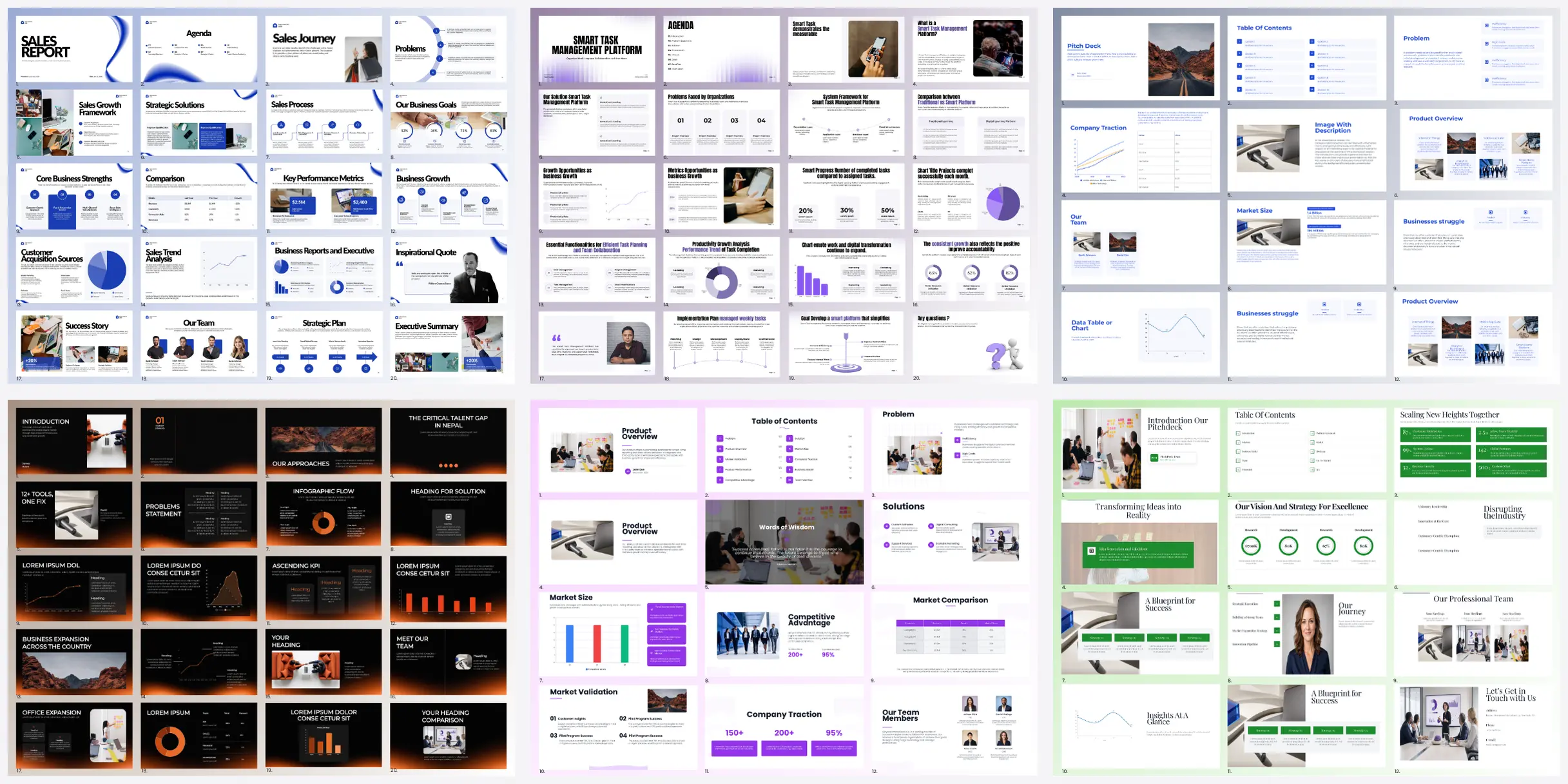
- Use your own branded template Turn your company's PowerPoint into a reusable template, or start from built-in designs such as Executive, Modern and Momentum.
- Edit every slide by hand or with AI Move text, images, icons, charts and tables around, add or reorder slides, or ask the AI assistant to change one slide.
- Export to PowerPoint or PDF Download an editable PowerPoint file you can keep working on in PowerPoint, or a PDF to send.
- Choose your AI Connect OpenAI, Google Gemini, Anthropic, Azure, Amazon Bedrock, OpenRouter or a model you run yourself with Ollama or LM Studio.
- Give everyone a private workspace Each person gets their own account and decks, and the admin adds people from the Users page.
- Make decks from other apps A built-in API and connection for AI assistants let other tools create presentations for you.
Replaces Gamma and Beautiful.ai
Presenton does the same job as Gamma and Beautiful.ai. Here is what changes when you switch.
- No per-seat subscription; you pay only your server and the AI you use
- Your documents and decks are stored on your own server
- Output is a normal, editable PowerPoint file, not a deck locked in a website
- You choose the AI provider, including a model running on your own hardware
- You need your own AI provider key, and each deck costs a little at that provider
- Slides only, with no web-page style decks, public share links or viewer analytics like Gamma
- No automatic "smart slide" layouts like Beautiful.ai; you arrange slides yourself in the editor
- Every release is still marked beta, so expect changes between versions
What happens when you click Deploy?
You do not need a server or any technical knowledge. Four steps, and Presenton is running at its own web address.
- Step 1 Click Deploy and create your account
Deploy takes you to Cloudgate. Create an account, or log in if you have one. Presenton itself is free.
- Step 2 Choose a server
No server? Get one from Cloudgate: pick a size and a country, and Cloudgate gets it ready. Already have one? Connect it instead.
- Step 3 Cloudgate sets up Presenton
It prepares the server, makes the passwords the app needs and starts it. There is nothing to install and nothing to write down.
- Step 4 Open your app and sign in
Your app gets a free web address to start, without https. Add your own domain, like app.yourshop.com, and Cloudgate secures it with https for you.
New to Cloudgate? See what Cloudgate is
Run Cloudgate yourself? Deploy from your own console
In your Cloudgate console, open Templates and choose Presenton.
Questions
Is Presenton free?
Yes, the self-hosted Presenton is free and open source under the Apache-2.0 licence. You pay for your server and for the AI provider you connect; Presenton Cloud and the Enterprise extras, such as single sign-on and audit logs, are paid.
Is Presenton a good alternative to Gamma?
Yes, if you want slide decks you can open in PowerPoint. Like Gamma, Presenton turns a prompt or a document into a deck you then edit, but it uses your own AI key and has no web-page style decks, public share links or viewer analytics.
Can I edit Presenton's slides in PowerPoint?
Yes. Presenton exports an editable PowerPoint file, so you can change text, images and charts in PowerPoint afterwards. It can also export a PDF.
Can I use my own PowerPoint template in Presenton?
Yes, you can turn a branded PowerPoint file into a reusable Presenton template, and new decks then follow its design. Importing an existing deck to edit it slide by slide is a Presenton Cloud feature and is not in the self-hosted app.
How do I sign in to Presenton the first time?
Cloudgate creates the Presenton admin account for you, with the username admin and a generated password that Cloudgate lists among the app's variables. Sign in, then open Settings and connect an AI provider before you make your first deck.
Does Presenton keep my documents private?
Presenton stores your files and decks on your own server, but the text you send is processed by whichever AI provider you connect. For full privacy, connect a model you run yourself; anonymous usage statistics are on by default and can be turned off.
What server size do I need for Presenton?
Cloudgate asks for at least a large server (4 GB of memory), the minimum Presenton's own guide gives for production use. It recommends 8 GB for a small team, and the app is a large download, so the first install takes a while.
Do I need technical skills to run Presenton?
No. Click Deploy, create your Cloudgate account and choose a server, and Cloudgate sets up Presenton and gives it a web address. You use it in your browser like any other online tool.
Do I need my own server for Presenton?
No. When you deploy Presenton, hosted Cloudgate can provide a server. If you already rent one, you can connect it instead.
Can I move my data from Gamma to Presenton?
Most people export from Gamma and import into Presenton. The official guides at docs.presenton.ai walk through it.
Related apps

A self-hosted AI agent with its own computer that does tasks for you.

Private AI chat over your own documents, for staff and your website.

One private AI chat for many models, using your own API keys.

Build Coze-style AI agents, chatbots and workflows on your server.