
Mifos X
Core banking for microfinance, credit unions and SACCOs.
No server needed to start: Cloudgate can provide one. What happens when you click Deploy
What is Mifos X?
Self-hosted Mifos X on Apache Fineract runs clients, loans, savings and accounting for microfinance institutions and credit unions.
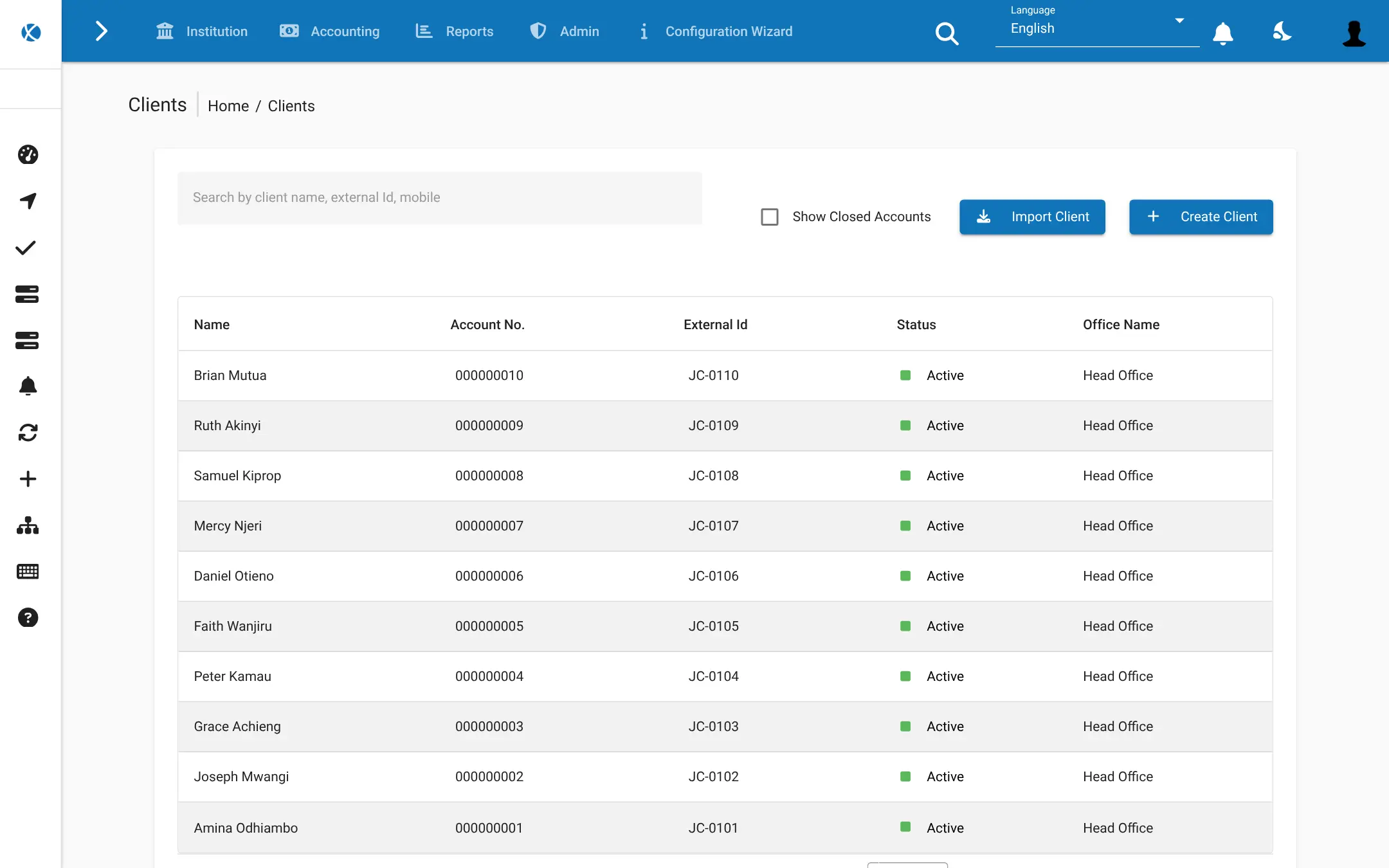
Mifos X is free, open-source core banking software for microfinance institutions, credit unions and savings groups, and a self-hosted alternative to Mambu: your staff register clients, run loan and savings products, take repayments and keep the books in one web app. It is the Mifos X web app on top of Apache Fineract, the banking engine that stores the accounts.
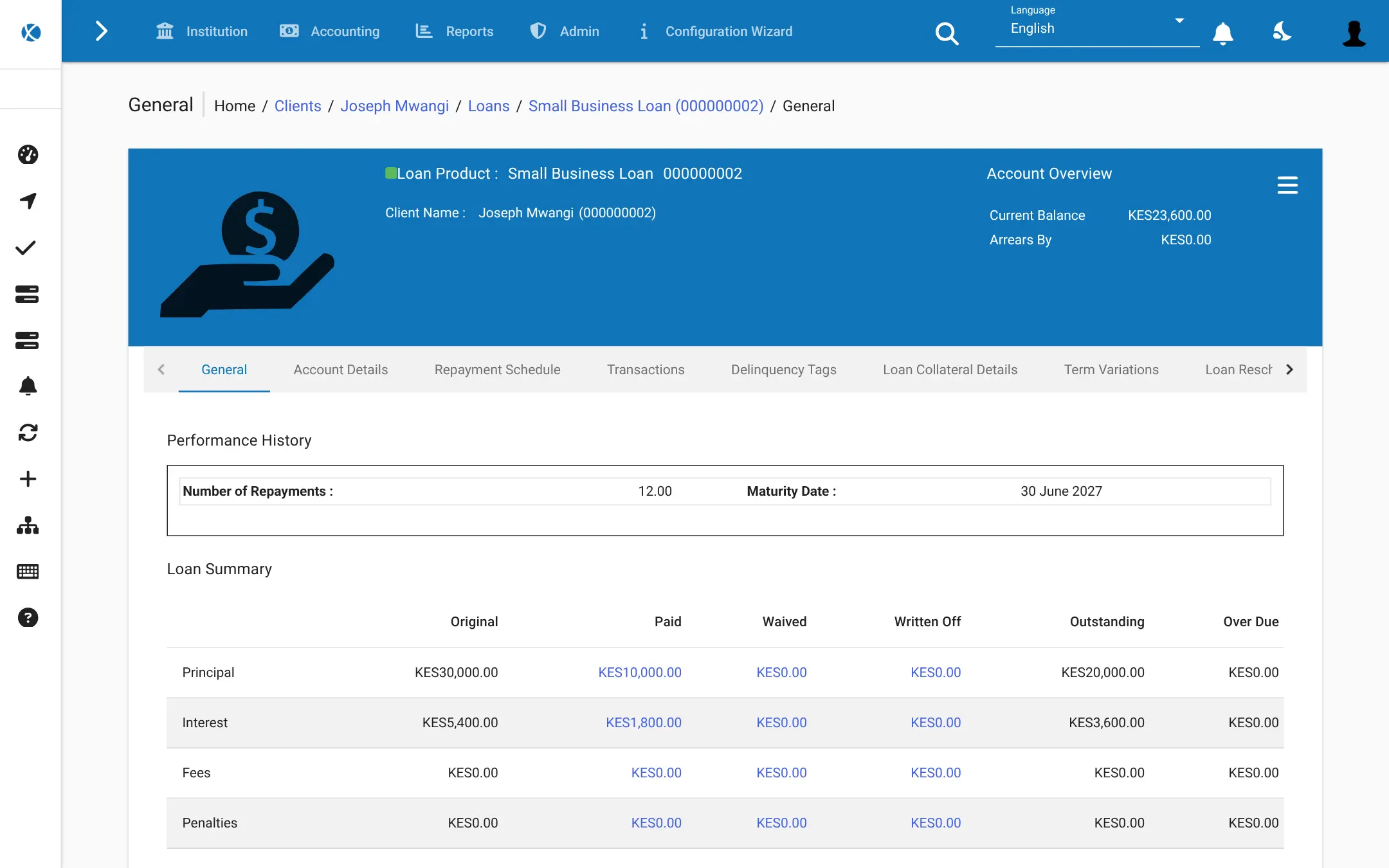
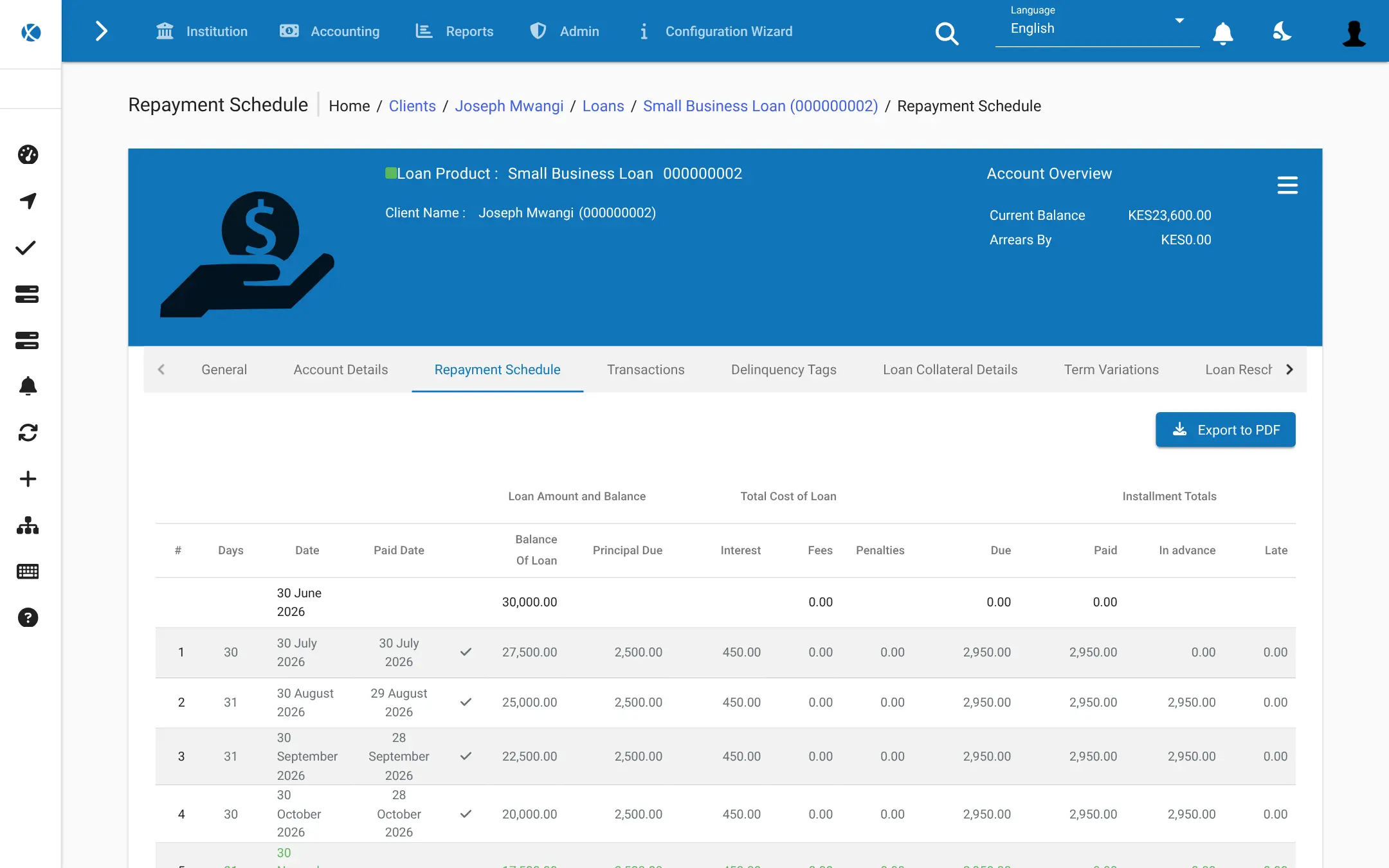
Loan officers see each client's record, accounts and history in one place, and managers set up the products, offices and accounting rules the institution uses. A savings and credit group, for example, could register its 200 members, give each a savings account, offer a 12-month small business loan with monthly repayments, and see every morning which loans are in arrears.
Mifos X is a staff back-office system that works in a browser, with built-in reports, spreadsheet import and an open API for other apps. It takes setup before real use, and many institutions work with a Mifos partner for that.
Cloudgate installs Mifos X on a server Cloudgate provides or one you connect, with the database it needs, and gives it a secure web address. The first start takes several minutes; then sign in with the default mifos account and change its password straight away. Your members' data stays on your server.
What you can do with Mifos X
- Keep every client's record Store each member's details, ID documents, family members, notes, photo and signature, by office and loan officer.
- Lend to people and groups Serve individual borrowers as well as groups and centres for group lending.
- Design your own loan products Set amounts, terms, repayment frequency, interest rates and fees for each product you offer.
- Follow each loan from start to finish Approve, disburse, take repayments, see the repayment schedule and arrears, reschedule or write off.
- Run savings accounts Open savings accounts with interest, and take deposits and withdrawals for each member.
- Keep the books as you go Every transaction posts to the general ledger, so accounting stays up to date.
- Check before money moves A second person can approve new clients, loans and disbursements before they take effect.
- Report and import Run built-in reports for clients, loans, savings and accounting, and import clients from a spreadsheet.
Replaces Mambu
Mifos X does the same job as Mambu. Here is what changes when you switch.
- No licence fee per client, loan or branch
- Your members' and loans' data stays on a server you control
- Loan and savings products and accounting rules you configure yourself
- An open API for building your own apps and links to other systems
- You set up and maintain the system yourself, or work with a Mifos partner
- No automated credit scoring or borrower self-service portal in this setup
- No importer for Mambu or other systems; existing clients come in by spreadsheet
- It needs a larger server than most apps, about 4 GB of memory
What happens when you click Deploy?
You do not need a server or any technical knowledge. Four steps, and Mifos X is running at its own web address.
- Step 1 Click Deploy and create your account
Deploy takes you to Cloudgate. Create an account, or log in if you have one. Mifos X itself is free.
- Step 2 Choose a server
No server? Get one from Cloudgate: pick a size and a country, and Cloudgate gets it ready. Already have one? Connect it instead.
- Step 3 Cloudgate sets up Mifos X
It prepares the server, makes the passwords the app needs and starts it. There is nothing to install and nothing to write down.
- Step 4 Open your app and sign in
Your app gets a free web address to start, without https. Add your own domain, like app.yourshop.com, and Cloudgate secures it with https for you.
New to Cloudgate? See what Cloudgate is
Run Cloudgate yourself? Deploy from your own console
In your Cloudgate console, open Templates and choose Mifos X.
Questions
Is Mifos X free?
Yes, Mifos X is free and open source; Apache Fineract is under the Apache-2.0 licence and the Mifos X web app under MPL-2.0. You pay only for your server, or for a Mifos partner if you want paid support.
What is the difference between Mifos X and Apache Fineract?
Apache Fineract is the core-banking engine that stores clients, loans, savings and accounts; the Mifos X web app is the screen your staff use to work with it. This template installs both together as one app.
Is Mifos X a good alternative to Mambu?
Yes. Mifos X is a good alternative to Mambu for microfinance institutions and credit unions that want to run their own core-banking system. Mifos X covers clients, loans, savings and accounting, but you configure and maintain it yourself instead of buying a managed service.
How do I sign in to Mifos X the first time?
Sign in to Mifos X with the username mifos and the password password, which the system creates on its first start. Change that password straight away, or create your own admin user and turn off the mifos account, because anyone who knows the address could try it.
Can I import my existing clients and loans into Mifos X?
Partly, through the Mifos X import screens that read spreadsheet templates for clients and accounts. There is no direct importer from Mambu or other systems, so you export your data and fill in the templates.
Does Mifos X have a mobile app?
No, not in this template; staff use the web app in a browser. Mifos has separate Android apps for field officers and members, which are other projects and not installed here.
What server size do I need for Mifos X?
Mifos X needs a large server with about 4 GB of memory, because its banking engine is a Java application with its own database. The first start takes several minutes while it creates its tables.
Do I need technical skills to run Mifos X?
No. Click Deploy, create your Cloudgate account and choose a server, and Cloudgate sets up Mifos X and gives it a web address. You use it in your browser like any other online tool.
Do I need my own server for Mifos X?
No. When you deploy Mifos X, hosted Cloudgate can provide a server. If you already rent one, you can connect it instead.
Related apps

A free envelope budget app, like YNAB, on your own server.

ERP for sales, stock, accounting and HR in one place.

Accounting with invoices, inventory and reports.

Accept Bitcoin straight into your own wallet, with no processing fee.