
BTCPay Server
Accept Bitcoin straight into your own wallet, with no processing fee.
No server needed to start: Cloudgate can provide one. What happens when you click Deploy



What is BTCPay Server?
Self-hosted BTCPay Server takes Bitcoin payments in your shop, on invoices and at the counter, paid straight to your own wallet with no processing fee.
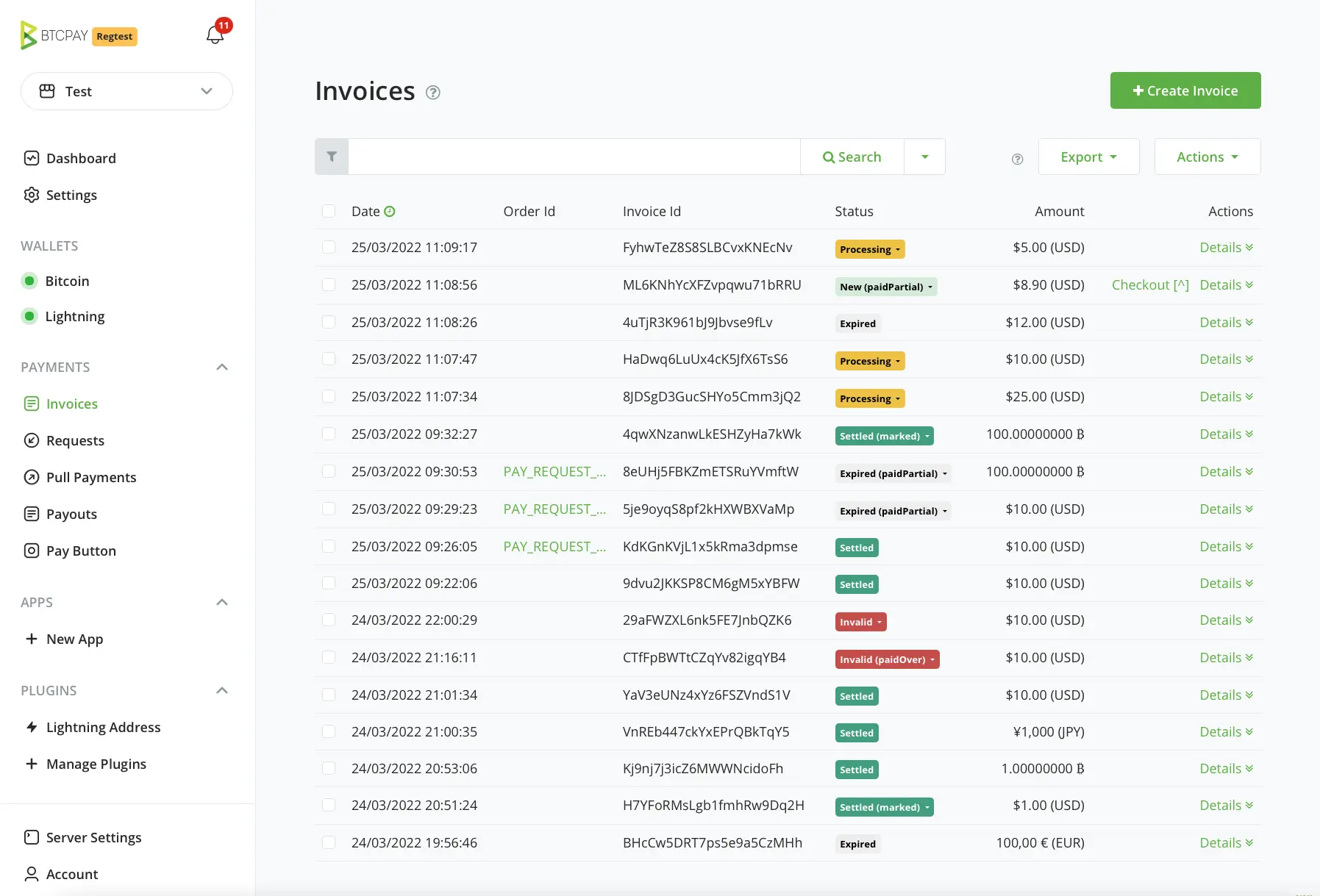
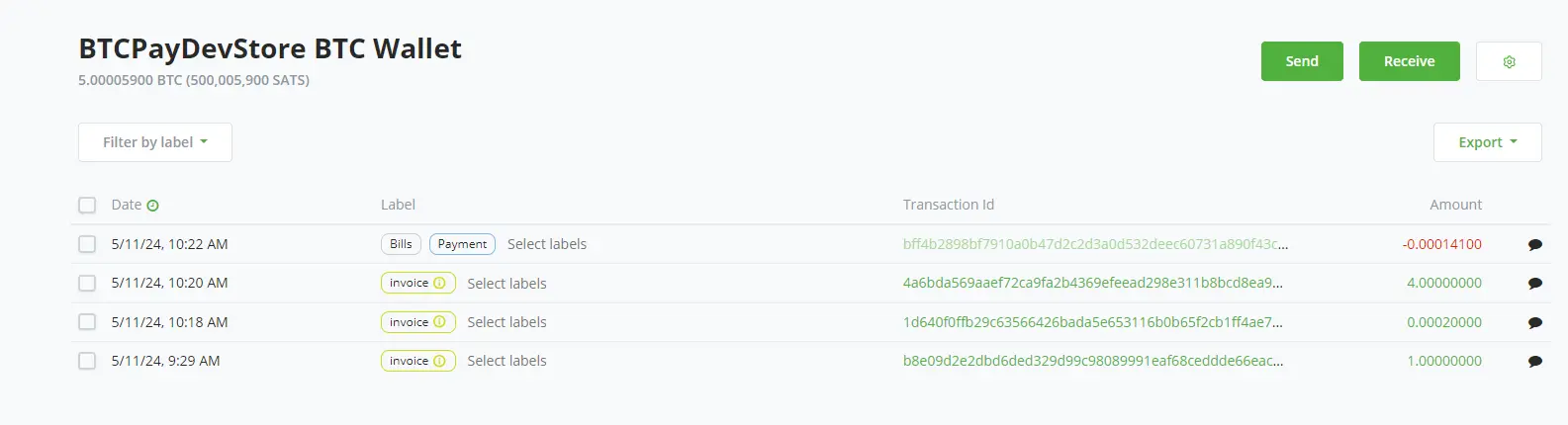
BTCPay Server is a free, open-source, self-hosted Bitcoin payment processor and an alternative to BitPay: it lets your business accept Bitcoin straight into your own wallet, with no processing fee and no company in between holding the money. You create invoices, a checkout for your online shop or a point of sale for the counter, and customers pay from their own Bitcoin wallet.
A café could put the point of sale on a tablet by the till, while its online shop offers Bitcoin at checkout through the WooCommerce plugin, and both sets of payments land in the same wallet.
BTCPay Server takes Bitcoin only. It does not take cards or bank transfers, and it does not turn Bitcoin into dollars or euros for you. It runs its own copy of the Bitcoin network, kept small to save disk, and the first sync takes one to five days, so plan for that before you need it.
Cloudgate installs BTCPay Server on a server Cloudgate provides or one you connect, and gives it a secure web address. Register the first account, which becomes the admin, create your store and connect your wallet. Your invoices and customer details stay on your server.
What you can do with BTCPay Server
- Send Bitcoin invoices Price an invoice in your own currency, such as dollars or euros, and your customer pays the matching amount in Bitcoin.
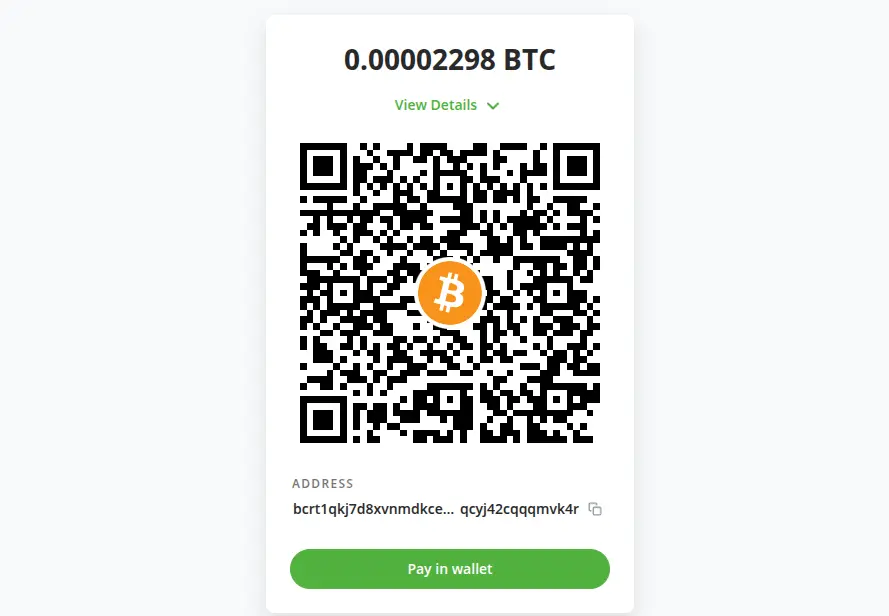
- Give customers a simple checkout Each invoice opens a payment page with a QR code and a button that opens the customer's Bitcoin wallet.
- Take payments at the counter The built-in point of sale shows your products, a cart or just a keypad on a tablet or phone, with tips and discounts.
- Add Bitcoin to your online shop Plugins connect it to WooCommerce, Shopify, Magento, PrestaShop, Wix, Odoo and other shop systems.
- Collect donations and crowdfunding Put a pay or donate button on your website, or run a crowdfunding page whose money goes straight to your wallet.
- Share payment links Send a client a long-lived payment request they can pay in one go or in parts.
- Keep your books tidy See every invoice and its status in one list, and export your invoices for your bookkeeping.
- Run several stores Create a store for each business or project, each with its own wallet, currency and team members.
Replaces BitPay
BTCPay Server does the same job as BitPay. Here is what changes when you switch.
- No processing fee or subscription on your payments
- Payments land in your own wallet, not with a company that holds them for you
- No identity checks or account approval before you can take payments
- Works with existing BitPay invoice integrations through its BitPay-compatible invoice API
- Payments stay in Bitcoin; turning them into dollars or euros needs an exchange or a third-party plugin
- You look after your own wallet and its recovery words
- The first sync of the Bitcoin network takes days before you can take payments
- No support desk; help comes from the docs and the community chat
What happens when you click Deploy?
You do not need a server or any technical knowledge. Four steps, and BTCPay Server is running at its own web address.
- Step 1 Click Deploy and create your account
Deploy takes you to Cloudgate. Create an account, or log in if you have one. BTCPay Server itself is free.
- Step 2 Choose a server
No server? Get one from Cloudgate: pick a size and a country, and Cloudgate gets it ready. Already have one? Connect it instead.
- Step 3 Cloudgate sets up BTCPay Server
It prepares the server, makes the passwords the app needs and starts it. There is nothing to install and nothing to write down.
- Step 4 Open your app and sign in
Your app gets a free web address to start, without https. Add your own domain, like app.yourshop.com, and Cloudgate secures it with https for you.
New to Cloudgate? See what Cloudgate is
Run Cloudgate yourself? Deploy from your own console
In your Cloudgate console, open Templates and choose BTCPay Server.
Questions
Is BTCPay Server free?
Yes, BTCPay Server is free and open source under the MIT licence, with no processing fee and no subscription. You pay only for your server and the normal Bitcoin network fee on each payment.
Is BTCPay Server a good alternative to BitPay?
Yes, BTCPay Server is a good BitPay alternative if you want Bitcoin paid straight into your own wallet with no processing fee and no identity checks. Unlike BitPay, BTCPay Server does not convert payments into dollars or euros for you, and you run and secure the server yourself.
Can BTCPay Server take card payments?
No, BTCPay Server takes Bitcoin only, not cards, bank transfers or Apple Pay. Keep your card processor for card payments and offer BTCPay Server as an extra way to pay.
How long does BTCPay Server take to set up?
BTCPay Server's first sync of the Bitcoin network takes one to five days, depending on the server and its connection. BTCPay's docs ask for at least 2 GB of memory and 80 GB of disk, even with the space-saving setting this template uses.
How do I sign in to BTCPay Server the first time?
The first person to register a BTCPay Server account becomes the admin, and there is no default password. Register straight after setup, even while the sync is running, so no one else can claim the admin account.
Can I use BTCPay Server with my online shop?
Yes, BTCPay Server has plugins for WooCommerce, Shopify, Magento, PrestaShop, OpenCart, Wix, Odoo and other shop systems. Customers choose Bitcoin at checkout and pay a BTCPay invoice.
Who holds the money with BTCPay Server?
You do, because payments go straight to your own Bitcoin wallet and BTCPay Server never holds them. Connect a wallet you already use so its keys stay off the server, and keep its recovery words safe.
Do I need technical skills to run BTCPay Server?
No. Click Deploy, create your Cloudgate account and choose a server, and Cloudgate sets up BTCPay Server and gives it a web address. You use it in your browser like any other online tool.
Do I need my own server for BTCPay Server?
No. When you deploy BTCPay Server, hosted Cloudgate can provide a server. If you already rent one, you can connect it instead.
Can I move my data from BitPay to BTCPay Server?
Most people export from BitPay and import into BTCPay Server. The official guides at docs.btcpayserver.org walk through it.
Related apps

A free envelope budget app, like YNAB, on your own server.

ERP for sales, stock, accounting and HR in one place.

Accounting with invoices, inventory and reports.

A self-hosted Mint alternative for budgets, spending and goals.