
Kuno
A self-hosted multilingual blog, with each post in many languages.
No server needed to start: Cloudgate can provide one. What happens when you click Deploy
What is Kuno?
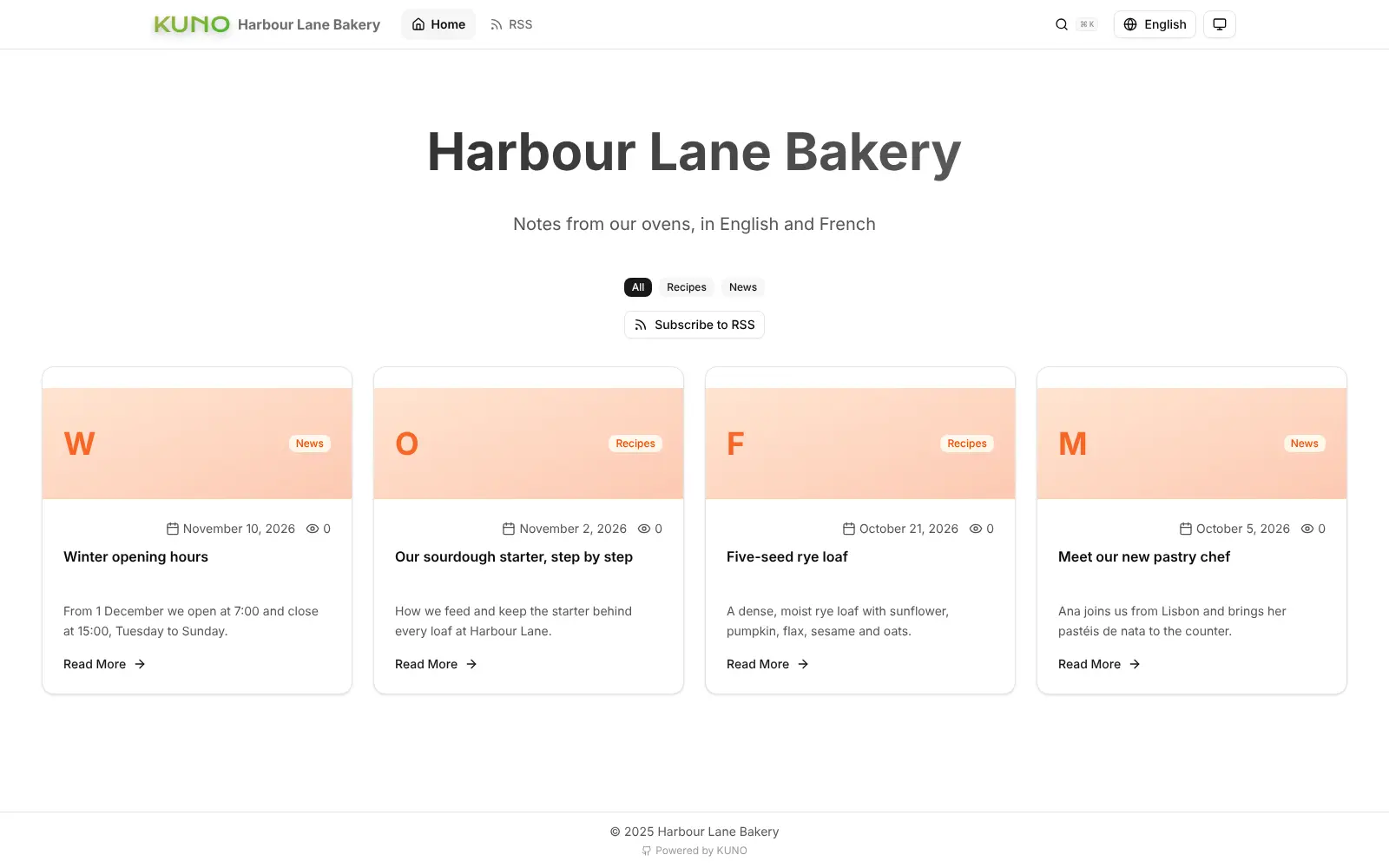
Kuno is a self-hosted multilingual blog: write posts in Markdown and publish each one in many languages, with built-in translation, SEO and visitor stats.
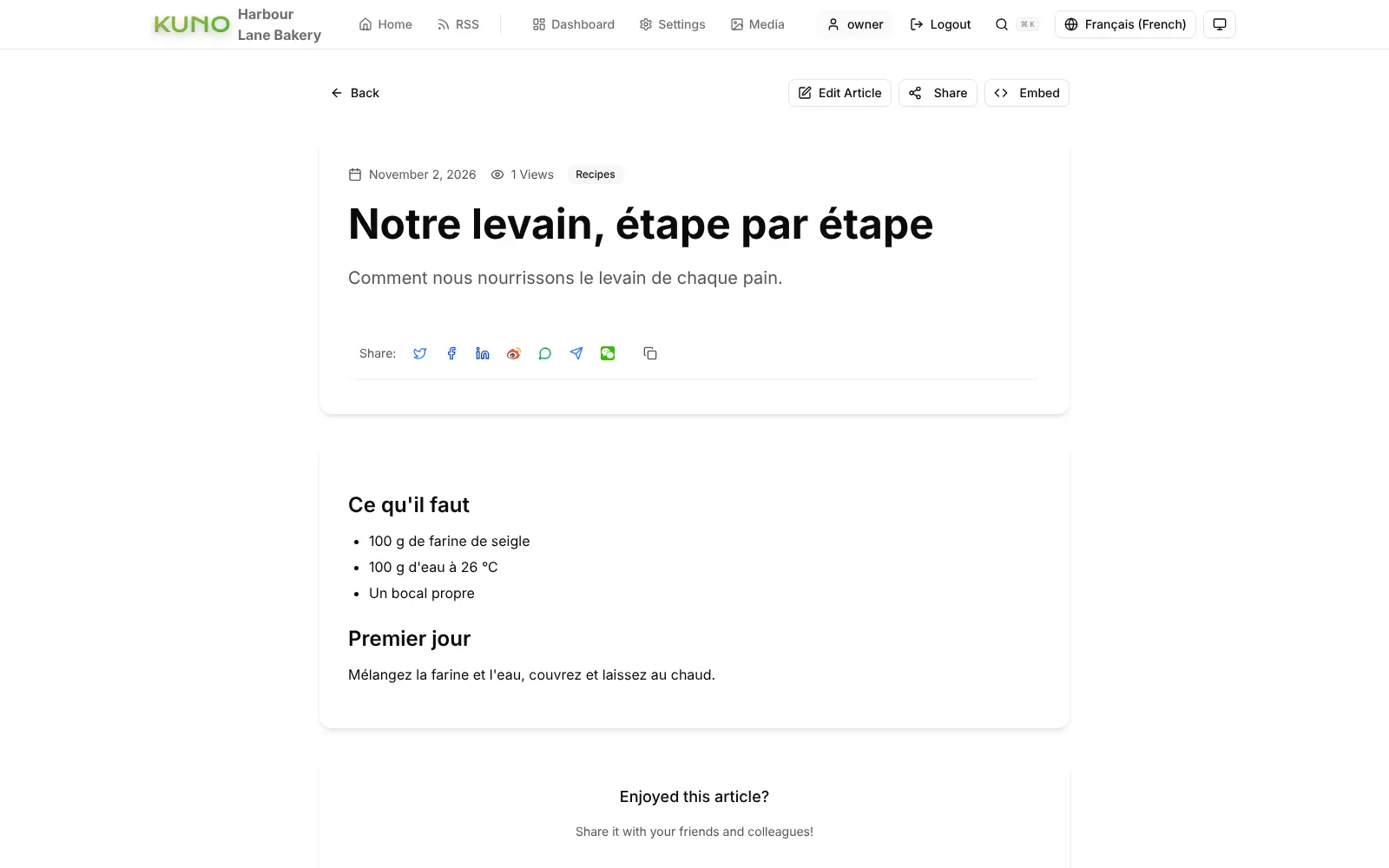
Kuno is a free, open-source, self-hosted multilingual blog, and a lighter alternative to Ghost(Pro) or Medium for anyone who writes in more than one language. Each post, category and the site title keep their translations side by side, readers switch language from the menu, and every language gets its own web address that search engines can find. The reading and admin screens come in more than 70 languages.
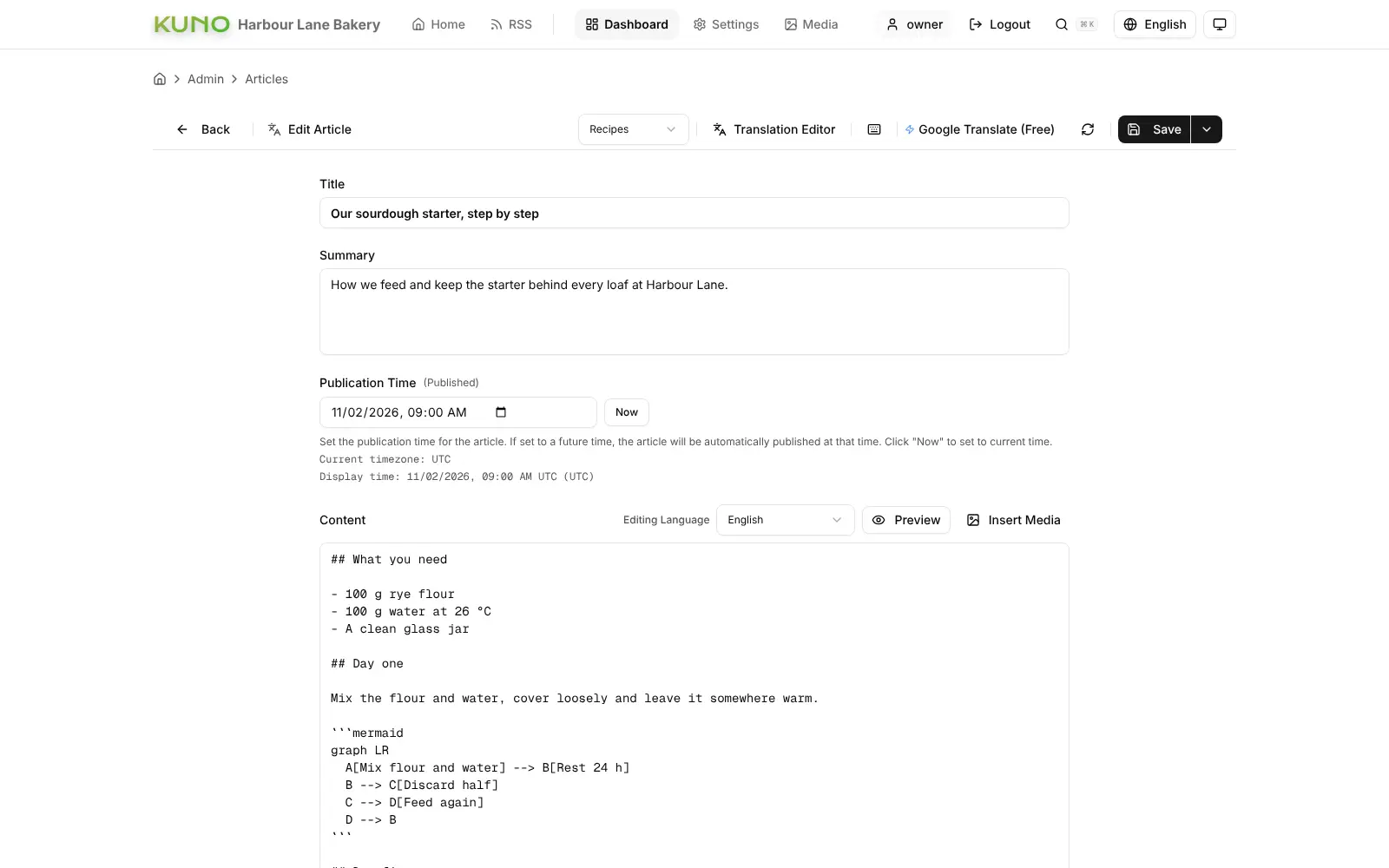
A bakery in Montreal, for example, could post its winter opening hours and a sourdough recipe in English, use the built-in translation helper to draft the French version, correct it, and schedule both to go live on Monday morning.
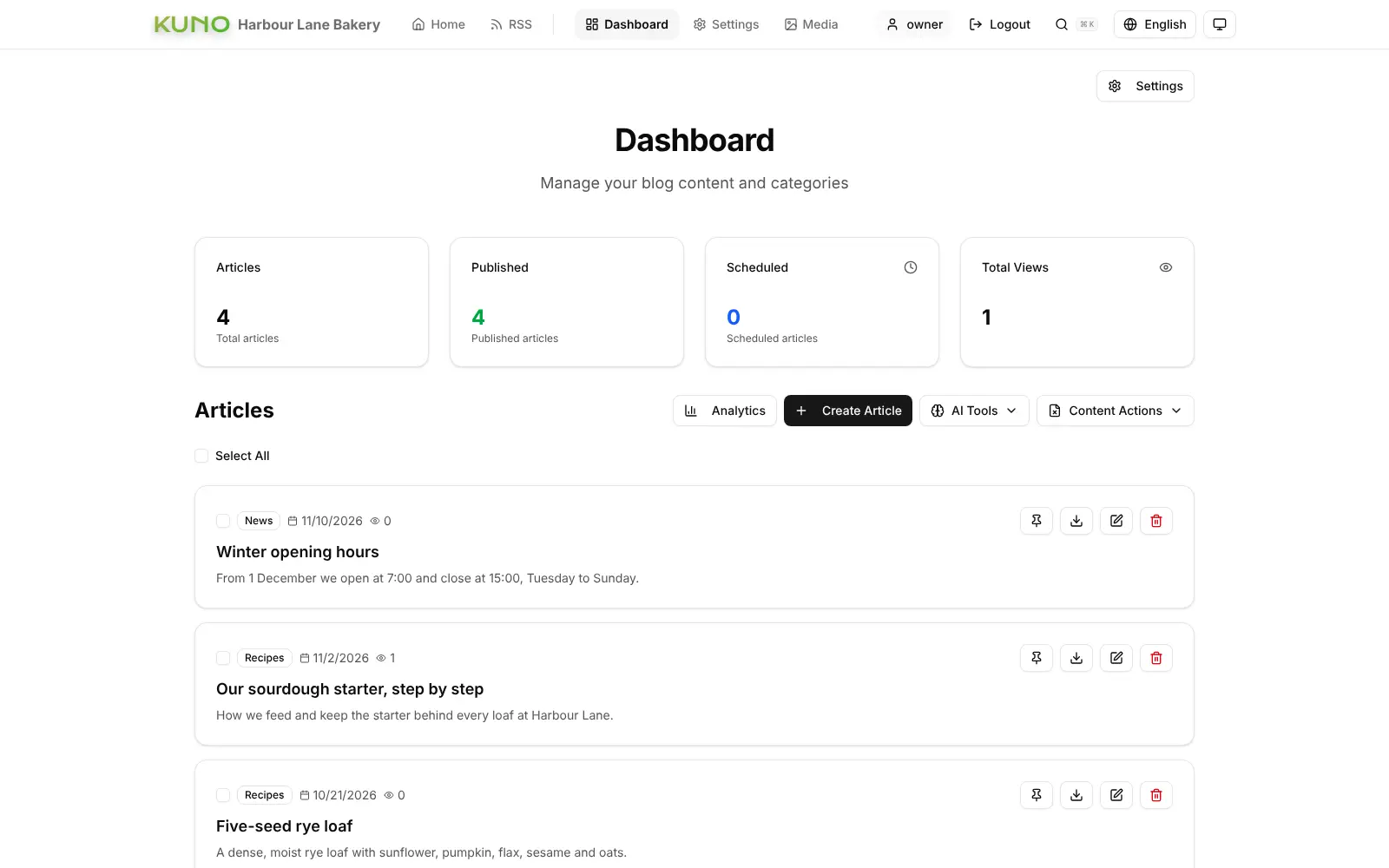
You write in Markdown with a live preview, add pictures and videos from a media library, and see views, countries and devices in built-in stats. Kuno also offers an RSS feed and per-post search settings. Optional AI tools for summaries and search suggestions work with your own OpenAI, Gemini or Claude account. Kuno is a blog only: it has no newsletters, paid memberships or comments.
Cloudgate installs Kuno on a server Cloudgate provides or one you connect and gives it a secure web address. You finish setup in your browser, and your posts stay on your server.
What you can do with Kuno
- Publish each post in several languages Keep translations of every post, category and your site title together, and let readers switch language from the menu.
- Get a first draft of a translation Translate a post with a free translation service, or your own DeepL, OpenAI, Gemini or Claude account, then correct it by hand.
- Write in Markdown Type with a live preview, add pictures and videos from your media library, and draw simple diagrams.
- Schedule posts Set a future publication time and the post goes live on its own.
- Be found in search Set a search title, description and web address per post, with a sitemap and language versions search engines understand.
- See what people read Built-in visitor stats show views, trends, countries and devices without an outside analytics service.
- Make it look like your brand Add your logo, favicon and background, pick light or dark, and organise posts into categories.
- Bring your posts with you Import a WordPress export file or Markdown files, and export your posts as Markdown at any time.
Replaces Ghost(Pro) and Medium
Kuno does the same job as Ghost(Pro) and Medium. Here is what changes when you switch.
- Translations of each post are built in, with no add-on or extra site per language
- No monthly hosting plan; you pay only for your server
- Your posts and visitor stats stay on your own server
- Your posts can be exported as plain Markdown files whenever you like
- It is a blog only, with no newsletters, paid memberships or comments
- There is no import from Ghost; it imports WordPress exports and Markdown
- Readers don't find you through a platform's own feed or app
- Paid translation and AI services need your own account with that provider
What happens when you click Deploy?
You do not need a server or any technical knowledge. Four steps, and Kuno is running at its own web address.
- Step 1 Click Deploy and create your account
Deploy takes you to Cloudgate. Create an account, or log in if you have one. Kuno itself is free.
- Step 2 Choose a server
No server? Get one from Cloudgate: pick a size and a country, and Cloudgate gets it ready. Already have one? Connect it instead.
- Step 3 Cloudgate sets up Kuno
It prepares the server, makes the passwords the app needs and starts it. There is nothing to install and nothing to write down.
- Step 4 Open your app and sign in
Your app gets a free web address to start, without https. Add your own domain, like app.yourshop.com, and Cloudgate secures it with https for you.
New to Cloudgate? See what Cloudgate is
Run Cloudgate yourself? Deploy from your own console
In your Cloudgate console, open Templates and choose Kuno.
Questions
Is Kuno free?
Yes. Kuno is free, open-source software under the Apache 2.0 licence, with no paid edition. You pay only for your server, plus any paid translation or AI service you choose to connect.
Is Kuno a good alternative to Ghost(Pro)?
Yes, if you want a simple blog in several languages on your own server with no monthly plan. Ghost(Pro) also sends newsletters and sells paid memberships, which Kuno doesn't do.
Can Kuno publish the same post in several languages?
Yes. In Kuno, each post, category and your site title can have a version per language, readers pick their language from the menu, and every language gets its own web address that search engines can index.
Do I need an AI subscription to translate posts in Kuno?
No. Kuno can draft translations with free translation services that need no account. DeepL, OpenAI, Gemini or Claude can be connected with your own API key if you prefer, and they bill you directly.
Can I move my blog to Kuno?
Yes, from WordPress or Markdown files. Kuno imports a WordPress export file and Markdown files; there is no direct import from Ghost or Medium.
How do I sign in to Kuno the first time?
Open your Kuno address and the setup page asks for a one-time setup code, which you find in the app's logs in Cloudgate. You then choose your site name, default language and admin username and password; there is no default account.
What server size do I need for Kuno?
The smallest server is enough. Kuno keeps everything in one small app with a built-in database, and in our test it used about 140 MB of memory with a few sample posts.
Do I need technical skills to run Kuno?
No. Click Deploy, create your Cloudgate account and choose a server, and Cloudgate sets up Kuno and gives it a web address. You use it in your browser like any other online tool.
Do I need my own server for Kuno?
No. When you deploy Kuno, hosted Cloudgate can provide a server. If you already rent one, you can connect it instead.
Related apps

Publish a blog and paid newsletter on a site that you own.

A small, fast self-hosted blog you write in Markdown.

A self-hosted website and blog builder with themes and plugins.

Build a website, blog or shop with themes and thousands of add-ons.